 ProMapRanker
Best-Rated Fintech Apps for Bill Payments in 2026

Key takeaways
- doxo is the closest dedicated bill-pay app in this guide, with a free bank-account tier and a paid tier for card payments.
- PayPal, Cash App, Venmo and Zelle are better for sending money to people and splitting bills than for paying every household biller directly.
- Chime and SoFi suit users who want bill pay inside a bank-style account, with scheduled payments and alerts.
- Rocket Money tracks bills and can help lower some, but it does not directly pay most household bills.
- This is not financial advice, and fee pages matter more than app store stars, so check card, instant transfer and late payment terms before linking a bank account.
Quick comparison
| Pick | Great for | Pricing starts at | Free tier | |
|---|---|---|---|---|
 doxo | Dedicated bill pay hub | Free | Yes | Visit |
 PayPal | Bill pay plus online payments | Free | Yes | Visit |
 Cash App | Simple money and bill splitting | Free | Yes | Visit |
 Venmo | Splitting shared bills | Free | Yes | Visit |
 Chime | Bank-style bill pay | Free | Yes | Visit |
 SoFi | All-in-one money account | Free | Yes | Visit |
 Rocket Money | Tracking and lowering bills | Free | Yes | Visit |
 Zelle | Fast bank-to-bank transfers | Free | Yes | Visit |
The best-rated fintech apps for bill payments
Bill payment is not one job. Some apps pay billers directly, some move money to people, and some track bills so you do not miss them. We compared official fee pages, feature pages, app store listings and public reviews, and we favoured apps that are widely used, still operating in October 2026 and clear about fees. We excluded Prism, which was discontinued in February 2024, and Mint, which shut down in 2024.
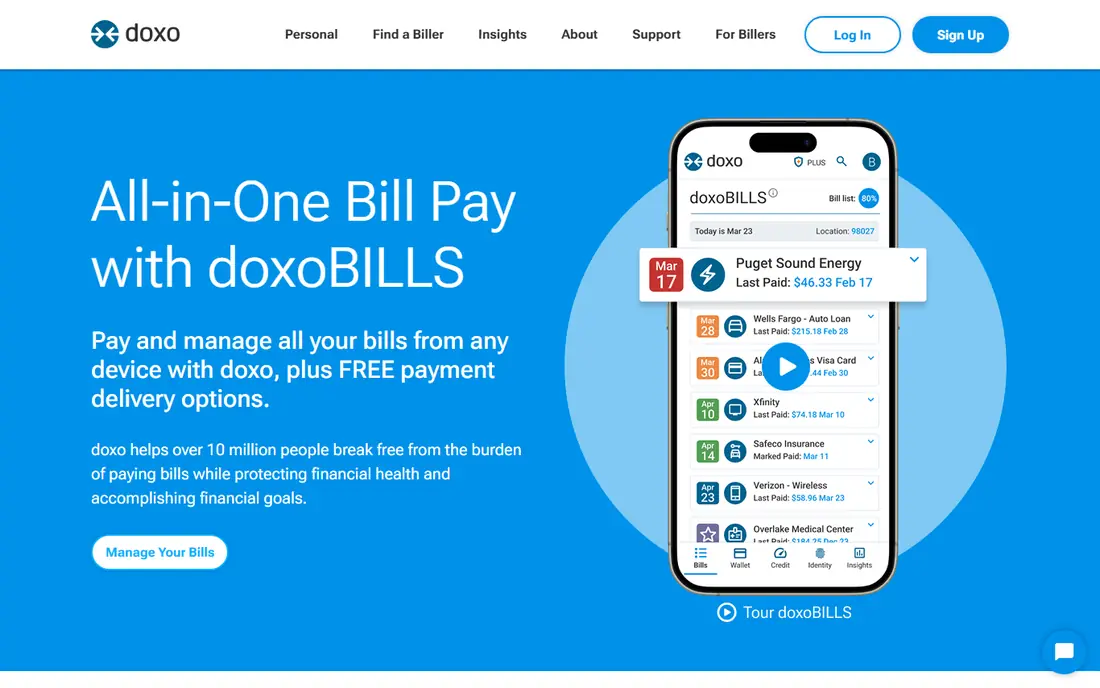
doxo is the most direct bill-pay tool in this guide, because it is built to collect bills and pay them from one place. Users can link billers, see due dates and amounts, and pay from a linked bank account without a fee on the basic tier. Payment history and reminders help families avoid missed due dates.
The fee point to check is payment method. Card payments carry processing fees, and doxoPLUS at $5.99 per month covers some debit card payments and adds extras. Small or local billers may also be missing, so search for your exact billers before relying on doxo for every bill.
- Pays many billers from one hub
- Free when paying from a linked bank account
- Bill reminders and payment history
- Debit and credit card payments carry processing fees
- Paid doxoPLUS is $5.99 per month
- Not every small biller is covered
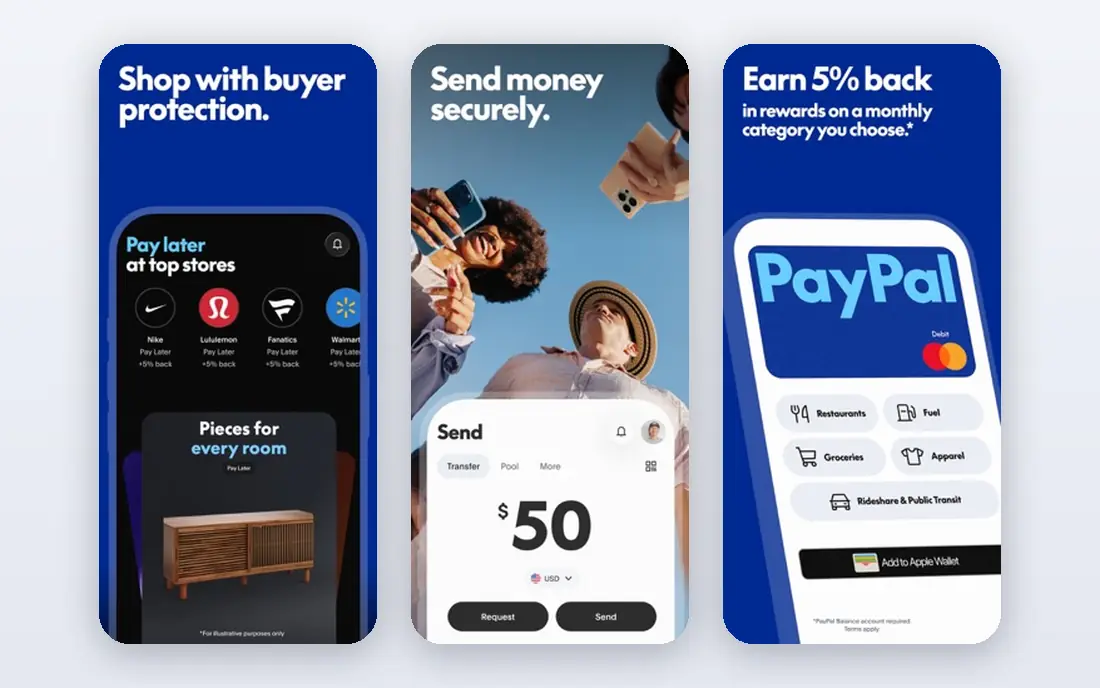
PayPal suits people who already use it for online shopping and peer payments and want bill pay in the same account. Selected billers can be paid through PayPal, and the app shows fees for instant transfers and card-funded payments before you confirm. That fee visibility is why PayPal earns a place in a best-rated list, even though it is not a dedicated bill hub for every utility.
The limit is biller coverage. Many local utilities, landlords and small providers are not on PayPal bill pay, so you may still need your bank bill pay for those. Check each biller in the app, and compare the cost of paying from a bank balance versus a card before you choose a funding source.
- Very widely accepted
- Bill pay for selected billers
- Clear fee pages for transfers and cards
- Not every household biller is supported
- Instant transfer fees apply
- Card-funded payments can cost more
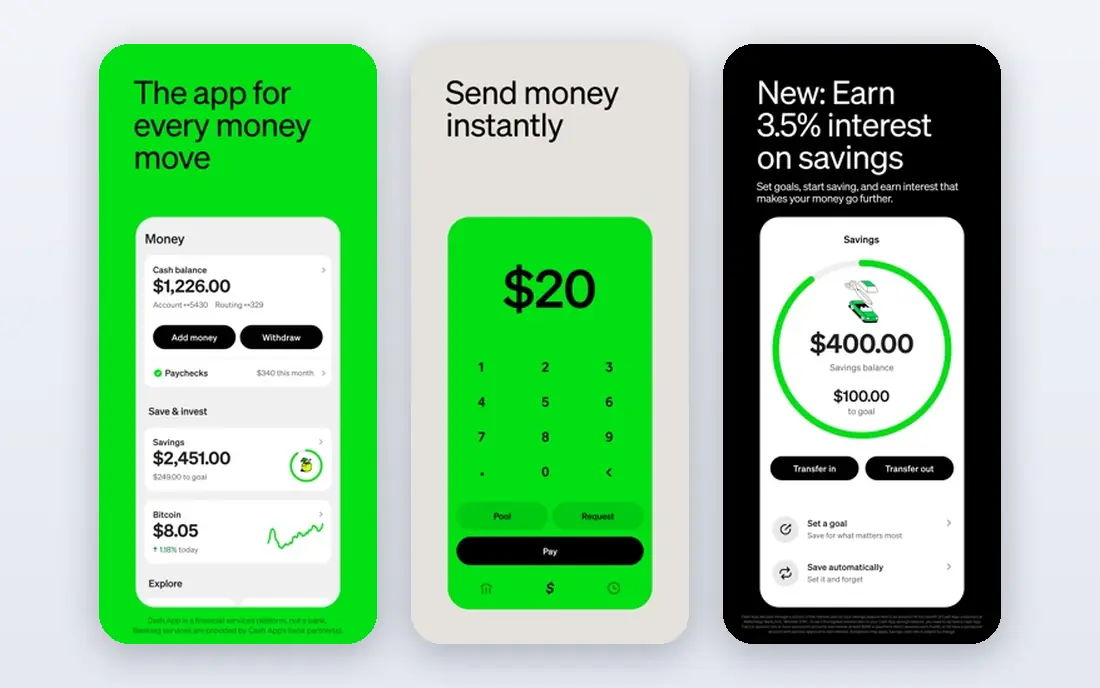
Cash App is a strong, well-rated money app, but its bill role is different from doxo. It excels at sending money to people, splitting shared costs and spending with its debit card, which helps households settle rent, utilities and shared subscriptions between housemates. The interface is simple, and standard transfers from a bank account are free in most cases.
It does not replace a dedicated bill-pay hub for paying a utility or telecom biller directly in every case. Instant transfers carry a fee, and users should check the fee page before choosing instant over standard transfer. Use Cash App for settling bills with people, and pair it with bank bill pay for direct biller payments.
- Free peer payments
- Debit card for spending
- Simple interface for shared costs
- Not a full bill-pay hub for utilities
- Instant transfer fees apply
- Direct bill coverage is limited
Venmo is best for the social side of bill payments: splitting rent, utilities, meals and subscriptions with housemates or friends. Groups make it easy to track who owes what, and bank-funded transfers are free in most cases. That shared-bill role is why many households use Venmo every week, even if they pay the actual utility through a bank.
Fees are clear but worth noting. Credit card payments carry a 3 percent fee, and instant transfers carry a fee with a minimum and maximum. Venmo is not a direct pay-every-biller hub, so keep your bank or doxo account for the biller payment itself, and use Venmo to settle shares fairly.
- Easy bill splitting with groups
- Widely used in the United States
- Free bank-funded transfers
- Credit card payments carry a 3 percent fee
- Instant transfer fee applies
- Not a direct utility bill hub
Chime suits users who want bill pay inside a bank-style account without monthly fees. Scheduled payments, direct deposit and alerts help users pay rent, utilities and subscriptions on time, and the debit card covers everyday spending. Fee disclosure is a strength, with no monthly fee on core accounts and clear terms for other services.
Chime is not a traditional branch bank, so support is online and some services run through partner banks. Cash deposits at retailers can also carry limits or fees. For users comfortable with an app-first bank account, Chime gives a clean, low-fee place to manage bills.
- No monthly fees on core accounts
- Scheduled payments and alerts
- Direct deposit and debit card included
- Online-only support model
- Some services need a partner bank account
- Cash deposits have limits and fees at some retailers
SoFi fits users who want checking, savings, investing and bill management in one app, rather than several separate tools. Scheduled payments and alerts help keep bills on track, and the account can serve as the main hub for income, spending and saving. That joined view makes it easier to see whether a bill fits the month budget.
The trade-off is that the best features assume SoFi is your main account, and some benefits depend on direct deposit. Fee and rate terms also vary by product, so read the account page for the exact product you open. For users who already bank with SoFi, its bill tools are a natural fit.
- Checking, savings and bill tools in one app
- Scheduled payments
- Widely used and well reviewed
- Full value needs a SoFi account
- Some features depend on direct deposit
- Fee terms vary by product
Rocket Money is included with a clear limit: it tracks bills and can negotiate some, but it does not directly pay most household bills. Its value is visibility, showing every recurring bill and subscription, flagging price rises and helping users cancel what they no longer use. For households that miss bills because they lose track, that view alone can save money.
The premium tier costs $6 to $12 per month, and the negotiation service takes a share of savings on bills it lowers. Users should check which bills Rocket Money can negotiate and what share applies before signing up. Pair it with doxo, a bank account or a biller autopay for the actual payment.
- Tracks bills and subscriptions in one view
- Negotiation service for selected bills
- Spending alerts
- Does not directly pay most household bills
- Premium is $6 to $12 per month
- Negotiation takes a share of savings
Zelle is the fastest way to send money to someone whose bank supports it, and Zelle itself charges no fee, though a bank may charge its own fee. That makes it useful for paying a landlord, housemate or family member quickly, and for settling a shared bill on the due date. Because it sits inside many bank apps, there is often no separate app to learn.
Zelle is not a biller payment hub, and it only works in the United States with enrolled banks. Sent payments are hard to cancel, so double-check the recipient before sending. For person-to-person bill settling, it is one of the simplest and cheapest options here.
- No fee from Zelle itself
- Transfers arrive fast at enrolled banks
- Built into many bank apps
- US only
- Recipient bank must support Zelle
- Sent payments cannot usually be cancelled
How we picked these
We compared official fee and feature pages, app store listings and public reviews for fintech apps that are still operating in October 2026 and that play a real role in bill payments. We favoured apps with clear fee disclosure, broad United States availability and a free core tier. We excluded discontinued apps such as Prism and Mint, and we stated plainly where an app tracks or splits bills rather than paying billers directly.
Fees to check before you link a bank account
Check four fees: card payment fees, instant transfer fees, ATM fees and any monthly tier that opens up card payments. doxo is free from a bank account but charges for card payments, Venmo charges 3 percent for credit card payments, and Cash App and PayPal charge for instant transfers. Also check what happens if a payment fails, who covers a late fee and how to cancel autopay, because those terms matter more than a star rating.
A safer bill-pay setup
Use one hub for direct biller payments, such as doxo or your bank bill pay, and one app for splitting shares, such as Venmo, Cash App or Zelle. Turn on due-date reminders in both, keep a backup payment method for essential bills, and review subscriptions monthly in Rocket Money. Never share bank login details outside the official app, and use two-factor authentication where offered.
Frequently asked questions
Which fintech app is best for paying all my bills in one place?
doxo is the closest dedicated option in this guide, with a free bank-account tier for paying many billers. Your own bank bill pay is also a strong choice, especially for local billers that third-party apps may not cover. Check biller coverage before switching.
Is doxo free?
Yes, doxo basic is free when you pay from a linked bank account. Debit and credit card payments carry processing fees, and doxoPLUS costs $5.99 per month for extra features, including some free debit card payments. Read the fee page for your payment method.
Can I pay bills with PayPal or Venmo?
PayPal can pay selected billers directly, while Venmo is mainly for splitting bills and sending money to people. Neither covers every household biller, so use bank bill pay or doxo for direct utility and telecom payments, and Venmo or PayPal for settling shares.
Is this financial advice?
No, this guide is not financial advice. It compares apps, fees and features, but it does not recommend a bank account, card or payment method for your situation. Check fee pages, terms and your own budget before linking accounts or setting up autopay.
What happened to Prism?
Prism was discontinued on 20 February 2024, so it is not a live option in 2026. Older guides that still list Prism as a top pick are out of date. doxo and bank bill pay are the closest current alternatives for a dedicated bill hub.
How do I avoid late fees with these apps?
Turn on due-date reminders, schedule payments a few days before the due date and keep a backup funding source for essential bills. Check that a scheduled payment actually posted, because a reminder alone does not prove payment, and confirm autopay terms with each biller.
Sources
See where you really rank - block by block
ProMapRanker scans Google Maps across a grid of your service area. Simple monthly plans from $19, white-label on every plan.
Start freeKeep reading
 zyte alternatives
Best Zyte Alternatives in 2026
These zyte alternatives cover managed scraping APIs, proxy networks and no code tools for lawful collection from your own or consented sources only in 2026.
Read → zerto alternatives
Best Zerto Alternatives in 2026
Compare the best zerto alternatives for disaster recovery and replication, with recovery targets, cloud options and honest trade-offs for teams in 2026.
Read → zerofox alternatives
Best ZeroFox Alternatives in 2026
We compared 9 zerofox alternatives for brand protection, phishing takedowns, dark web monitoring, and social impersonation, with clear coverage notes.
Read →