 ProMapRanker
Best RAID Recovery Software in 2026

Key takeaways
- Software cannot guarantee recovery from physically failed drives. If a drive clicks, grinds or is not detected, stop and use a professional lab instead of repeated scans.
- UFS Explorer RAID Recovery and R-Studio are the strongest choices for technical RAID and NAS work, with deep control over array parameters.
- ReclaiMe Free RAID Recovery is the best free starting point for rebuilding a virtual array, though you still need a separate tool to recover files in many cases.
- Always recover to a different drive, never back onto the source disks, and image the disks first when you can do so safely.
Quick comparison
| Pick | Great for | Pricing starts at | Free tier | |
|---|---|---|---|---|
 R-Studio | Technical RAID and NAS recovery | $79.99 | Free trial | Visit |
 UFS Explorer RAID Recovery | Advanced RAID and NAS reconstruction | $149.95 | Free trial | Visit |
 Hetman RAID Recovery | Windows RAID and NAS recovery | $77.95 | Free trial | Visit |
 DiskInternals RAID Recovery | Simple RAID mounting and recovery | $149 | Free trial | Visit |
 Stellar Data Recovery Technician | Guided RAID recovery for technicians | $199 | Free trial | Visit |
 ReclaiMe Free RAID Recovery | Free RAID rebuilding | Free | Yes | Visit |
 DMDE | Low-cost technical recovery | $20 per year | Free trial | Visit |
 Disk Drill | Easier recovery for less technical users | $89 per year | Free trial | Visit |
 RAID Reconstructor | Manual RAID parameter recovery | See website | Free trial | Visit |
The best raid recovery software
RAID recovery software rebuilds a virtual array from its member disks and then recovers files from that rebuilt volume. It works best when the disks are still readable and the problem is a failed controller, a deleted array, a corrupted file system or a logical fault. It cannot guarantee recovery from physically failed drives, and it cannot fix a drive with mechanical damage, severe head failure or a failed motor. If a drive makes clicking or grinding sounds, is not detected at all, or gets hot and smells of burning, power it down and contact a professional data recovery lab. This article is general information, not a substitute for that advice. We compared official product pages, pricing information and public reviews for tools still sold and supported in October 2026.

R-Studio, from R-Tools Technology, is a long-established recovery tool for technicians and IT staff. It runs on Windows, macOS and Linux, rebuilds RAID 0, 1, 5, 6, 10 and JBOD arrays, and supports a wide range of file systems including NTFS, APFS, ReFS and Linux formats. Network recovery, disk imaging and a hex viewer give a technician the control needed for complex jobs, including NAS recovery and damaged partitions.
That control is also the barrier. A first-time user will find the interface intimidating, and the licence tiers can confuse buyers, since the $49.99 FAT edition, the $59.99 NTFS edition and the $79.99 full edition cover different file systems. For a technician or an IT admin facing a real RAID failure, R-Studio remains one of the best values in this list. For a single deleted file, it is more tool than most people need.
- Broad file system coverage
- RAID reconstruction and network recovery
- Byte-to-byte imaging and hex viewer
- Interface is technical and dated
- Licence tiers vary by file system
- Demo only recovers very small files
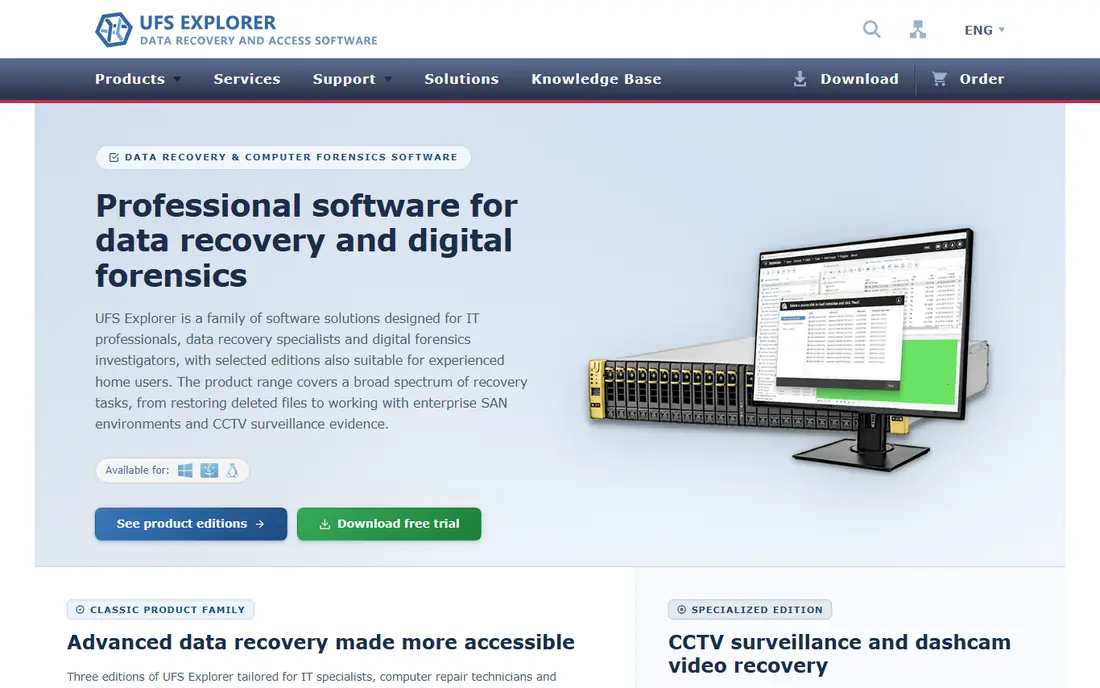
UFS Explorer RAID Recovery, from SysDev Laboratories, is built around RAID reconstruction itself. It can recognise known RAID metadata, assemble spanned volumes, work with custom RAID layouts, and handle NAS systems from vendors such as Synology and QNAP, plus Drobo and Btrfs RAID in higher editions. Disk imaging, defect mapping and read-only operation help protect the source disks while you work.
The price reflects that depth. The personal licence for RAID Recovery is $149.95, with commercial and corporate licences higher, and the interface assumes you understand disks, partitions and file systems. For a complex RAID or NAS case where automatic rebuilding fails, that control is exactly what you need. For a simple deleted file, the Standard Recovery edition or a simpler tool is a better fit.
- Deep RAID parameter control
- Strong NAS and virtual disk support
- Read-only scanning and disk imaging
- Technical interface assumes disk knowledge
- Personal licence is per operating system in many cases
- Price rises for commercial use
Hetman RAID Recovery is a Windows tool for recovering data from failed RAID arrays, NAS devices and other multi-disk storage. It reconstructs the array from its member disks, then scans the rebuilt volume for files, with a virtual RAID builder for cases where the original controller settings are lost. File preview lets you check that the rebuilt array shows intact files before you pay for full recovery.
Its main limit is platform. It is a Windows product, so macOS and Linux users will need a different tool or a Windows machine for the job. The home licence at $77.95 covers smaller arrays, with office and business editions for larger ones. For a Windows user with a NAS or RAID failure, it is a capable and relatively affordable option.
- Rebuilds damaged RAID and NAS arrays
- Virtual RAID builder
- Preview before recovery
- Windows only
- Interface is functional rather than polished
- Higher editions cost more for larger arrays
DiskInternals RAID Recovery focuses on making a damaged RAID usable again. It rebuilds RAID 0, 1, 1E, 4, 5 and nested levels, mounts the rebuilt array as a virtual drive, and lets you preview files in read-only mode before recovery. That mounting approach feels familiar to a Windows user, since the rebuilt volume appears like a normal drive to browse.
Licence tiers are the catch. The Lite edition at $149 covers up to three disks, with Standard, Pro and Ultimate editions for larger arrays at higher prices. For a small three-disk RAID 5, it is a straightforward choice. For a larger array, check the tier you need before buying, since the cost climbs with disk count.
- Mounts a rebuilt array as a virtual drive
- Beginner-friendly for a RAID tool
- Preview in read-only mode
- Windows only
- Licence tiers limit disk count
- Price rises sharply for larger arrays
Stellar Data Recovery Technician
Great for: Guided RAID recovery for technicians
Stellar Data Recovery Technician is the RAID-capable edition of Stellar Data Recovery, aimed at technicians and IT professionals. It recovers from RAID 0, 5 and 6 arrays and nested levels such as 10, 50 and 60, with a guided scan-and-preview workflow that is easier to follow than a fully manual RAID builder. That guided approach suits a technician who handles RAID cases occasionally rather than every day.
The $199 price is higher than R-Studio or Hetman, and vendor listings for this edition focus on Windows, so macOS and Linux users should confirm platform support before buying. For a guided, technician-oriented workflow with preview before payment, Stellar is a solid option, especially if you already know the Stellar product family.
- Guided workflow for RAID 0, 5, 6 and nested levels
- Scan and preview before purchase
- Technician features for client work
- Windows only for this edition in vendor listings
- No disk limit claim needs checking against your array
- Price is higher than some rivals
ReclaiMe Free RAID Recovery does one job and does it for free: it rebuilds a RAID array from its member disks and presents it as a virtual image or disk that another recovery tool can then scan. It supports common levels including RAID 0, 1, 5 and 10, with automatic detection of array parameters in many cases. For a user who already owns a file recovery tool, that free rebuilding step can save a licence fee.
The limit is that ReclaiMe Free RAID Recovery is not a full file recovery suite on its own, so you will often pair it with another tool to extract files from the rebuilt image. It is also Windows only. Even with that extra step, it is the best free starting point in this list, and a useful diagnostic tool to see if an array can be rebuilt at all.
- Free to download and use for RAID rebuilding
- Automatic parameter detection
- Works with common RAID levels
- Windows only
- Does not recover files by itself in many workflows
- Needs a separate recovery tool for file extraction
DMDE, short for DM Disk Editor and Data Recovery Software, is a low-cost technical recovery tool that runs on Windows, macOS and Linux. It offers disk imaging, partition recovery, file recovery and RAID-related work at $20 per year for a standard licence in recent listings, which makes it by far the cheapest paid option here. The free version lets you recover up to 4,000 files from one selected directory per request, which is enough to test it on a small job.
The interface is sparse and technical, with little hand-holding, so beginners will struggle. For a technician or a knowledgeable user on a tight budget, DMDE offers remarkable value. For a home user who wants a guided wizard, Disk Drill or Stellar will feel much easier, even at a higher price.
- Very low price
- Runs on Windows, macOS and Linux
- Disk imaging and partition tools
- Interface is technical and sparse
- Free version limits files per request
- Learning curve is steep for beginners
Disk Drill, from Cleverfiles, is a general data recovery tool with a friendly interface, file preview and byte-to-byte backup features. It supports RAID recovery in its Pro edition and is a good fit for a less technical user whose RAID is a simpler array, or whose main problem is deleted files and a damaged partition rather than a complex NAS rebuild. The Windows free version allows up to 100 MB of recovery, with unlimited scan and preview.
The honest limit is depth. For a complex RAID 6 or a NAS with custom parameters, R-Studio or UFS Explorer give more control. At $89 per year, Disk Drill is also a subscription rather than a one-time purchase, so a one-off job costs the same as a year of use. For ease of use on a straightforward case, it is still a reasonable pick.
- Friendly interface and preview
- Byte-to-byte backup
- Windows and macOS support
- RAID support is less deep than dedicated RAID tools
- Windows free recovery is limited
- Annual pricing adds up
RAID Reconstructor, from Runtime Software, is a specialist tool for analysing an unknown RAID array and working out its parameters, such as stripe size, disk order and parity rotation. It is designed for cases where automatic detection fails and a technician needs to test parameters manually to rebuild a readable image. That manual approach has a long track record in RAID recovery work.
It is not a friendly general recovery suite, and in many workflows you will use it to create an image and then recover files with another tool. Pricing is listed as See website because vendor listings vary by licence type. For a technician facing an array that other tools cannot rebuild automatically, RAID Reconstructor is a valuable specialist to have in the kit.
- Manual analysis of RAID parameters
- Works with unknown array settings
- Long track record from Runtime Software
- Technical and manual by design
- Windows focus
- File recovery needs a companion tool in many cases
How we picked these
We compared official product pages, pricing information and public reviews for RAID recovery software that is still sold and supported in October 2026. We kept tools that genuinely handle RAID arrays, not just single-disk file recovery, and we included a free option, a low-cost technical option and guided tools alongside specialist RAID builders. Where pricing varied by licence, we listed the starting personal or standard figure we could verify, and we wrote See website where it was unclear.
We also weighed safety. Read-only scanning, disk imaging and recovery to a separate drive are essential features for RAID work, because writing to the source disks can destroy the very data you are trying to save. Tools that encourage imaging first and preview before purchase scored higher in this list.
What to check before you buy
Stop and assess the disks before you scan. Note the RAID level, the number of disks, the controller or NAS model, and any error messages, and do not rebuild, initialise or format the array in the controller, since that can overwrite metadata. If any disk is physically damaged, do not run repeated scans on it. Image the readable disks first when you can do so safely, and work from the images.
Next, match the tool to the array. A simple RAID 1 mirror or a three-disk RAID 5 can often be handled by a guided tool, while a RAID 6, a nested level or a NAS with a custom layout needs a specialist builder such as UFS Explorer or R-Studio. Use the trial or demo to scan and preview files before buying, and confirm that the preview shows intact files, not just file names. Finally, recover to a different drive with enough free space for the full recovery, and check the recovered files before you wipe or reuse the original disks.
Frequently asked questions
What is the best RAID 1 recovery software?
RAID 1 is a mirror, so recovery is often simpler than for parity arrays, because each disk holds a full copy in many setups. R-Studio, UFS Explorer RAID Recovery and Hetman RAID Recovery all handle RAID 1, and ReclaiMe Free RAID Recovery can rebuild the array for free. If one mirror disk is healthy, you may be able to copy files directly from it, but image it first and do not write to it.
What is the best RAID recovery tool for a NAS?
UFS Explorer RAID Recovery and R-Studio are strong NAS choices, because they support NAS file systems and custom RAID layouts, including Synology and QNAP systems. Hetman RAID Recovery also covers NAS devices on Windows. Check that the tool supports your NAS file system and RAID level before buying, and work from disk images when possible.
Can RAID recovery software fix a physically failed drive?
No. Software cannot guarantee recovery from physically failed drives, and it cannot repair mechanical damage. If a drive clicks, grinds, is not detected or has suffered a drop or water damage, power it down and use a professional lab. Repeated software scans on a failing drive can make the damage worse and reduce what a lab can recover.
How much does RAID recovery software cost?
Prices in this list range from free for ReclaiMe Free RAID Recovery to $199 for Stellar Data Recovery Technician, with R-Studio at $79.99 and UFS Explorer RAID Recovery at $149.95. Commercial and technician licences cost more, and larger arrays can push DiskInternals pricing higher. Use scan-and-preview trials to confirm recovery before paying.
Should I recover files back onto the same RAID?
No. Always recover to a different drive with enough space, and never write recovered files back onto the source disks. Writing to the source can overwrite data that has not yet been recovered. Keep the original disks untouched until you have checked the recovered files and confirmed they open correctly.
Sources
See where you really rank - block by block
ProMapRanker scans Google Maps across a grid of your service area. Simple monthly plans from $19, white-label on every plan.
Start freeKeep reading
 zscaler alternatives
Best Zscaler Alternatives in 2026
Looking for zscaler alternatives? We compare 9 SASE and zero trust platforms on architecture, data protection, pricing, and fit for your network and team.
Read → zapier alternatives free
Best Zapier Alternatives Free in 2026
Nine automation tools for zapier alternatives free in 2026, all with genuinely free tiers, plus free plan limits, starting prices and upgrade paths explained.
Read → which platform is best for online reputation
Which Platform Is Best for Online Reputation in 2026
Wondering which platform is best for online reputation? We compare 8 review, listing, and response tools for small and multi-location businesses and agencies.
Read →