 ProMapRanker
Best QA Platforms for BPO Performance Management in 2026

Key takeaways
- The best BPO QA tools link scorecards, coaching, and performance data in one place, so a low score leads to a clear next step for the agent.
- Automated scoring helps teams cover far more contacts than manual sampling, but calibration and human review still matter for fair scores.
- BPO teams should check how a tool handles multiple clients, since separate scorecards, permissions, and reports per client are often essential.
- Pricing is often quote-based for enterprise plans, so the real comparison is cost per agent, plus any AI add-on, not just the headline seat price.
- A tool that only grades calls will fall short for BPOs that also handle chat, email, and tickets, so channel coverage deserves an early check.
Quick comparison
| Pick | Great for | Pricing starts at | Free tier | |
|---|---|---|---|---|
 Playvox | QA plus workforce tools in one suite | See website | No | Visit |
 Scorebuddy | BPO coaching and agent management | See website | No | Visit |
 EvaluAgent | Clear seat pricing with automation | $35 per user per month | No | Visit |
 MaestroQA | Ticket and chat QA with coaching follow-up | See website | Yes | Visit |
 Zendesk QA | Teams already on Zendesk | $35 per agent per month | No | Visit |
 Observe.AI | AI scoring for voice contact centers | See website | No | Visit |
 Calabrio | Workforce and quality in one system | See website | No | Visit |
 Level AI | Automated QA plus live agent help | See website | No | Visit |
 Convin | AI QA for voice and chat teams | See website | No | Visit |
The best qa platforms for bpo performance management
A BPO quality platform has to do more than grade a few calls a month. It must handle high volumes, different clients, and agents working from several sites, while turning scores into coaching that managers can track. The tools below cover that range, from focused QA scoring to full agent performance suites.
Playvox, now part of NICE, suits BPOs that want quality management beside scheduling and performance tracking. A manager can score an interaction, open a coaching task from that score, and see the agent trend in the same system, which cuts the handoffs that slow follow-up. Scorecards can be shaped per client or per campaign, a useful feature when one BPO serves several brands.
The main drawback is pricing clarity. Published comparisons put starter pricing near $15 per agent per month, but teams should confirm the current quote, since bundles and AI features change the total. Playvox is a strong pick for BPOs that want one operational home for QA and agent performance, rather than a standalone grader.
- Quality, coaching, and workforce tools sit together
- Flexible scorecards
- Strong for digital-first support teams
- Pricing is not published in full
- Smaller teams may find the suite larger than they need

Scorebuddy is designed around the way BPOs actually run quality: many agents, many clients, and a need to show results to each client. Scorecards are flexible, coaching tasks link to scored interactions, and learning content can be assigned when a score falls below a threshold. Agents can also see their own scores and dispute a result, which helps fairness in large teams.
Because pricing is quote-based, a BPO needs a sales conversation to get a firm number, and that can slow a shortlist. Implementation also rewards planning, since client structures, permissions, and calibration need to be set before volume grows. For BPOs that want QA, coaching, and learning in one agent-focused system, Scorebuddy is a natural fit.
- Built for BPO and outsourced teams
- Scorecards plus learning and coaching in one place
- Clear agent dashboards
- Quote-based pricing makes budgeting slower
- Setup takes care for multi-client structures
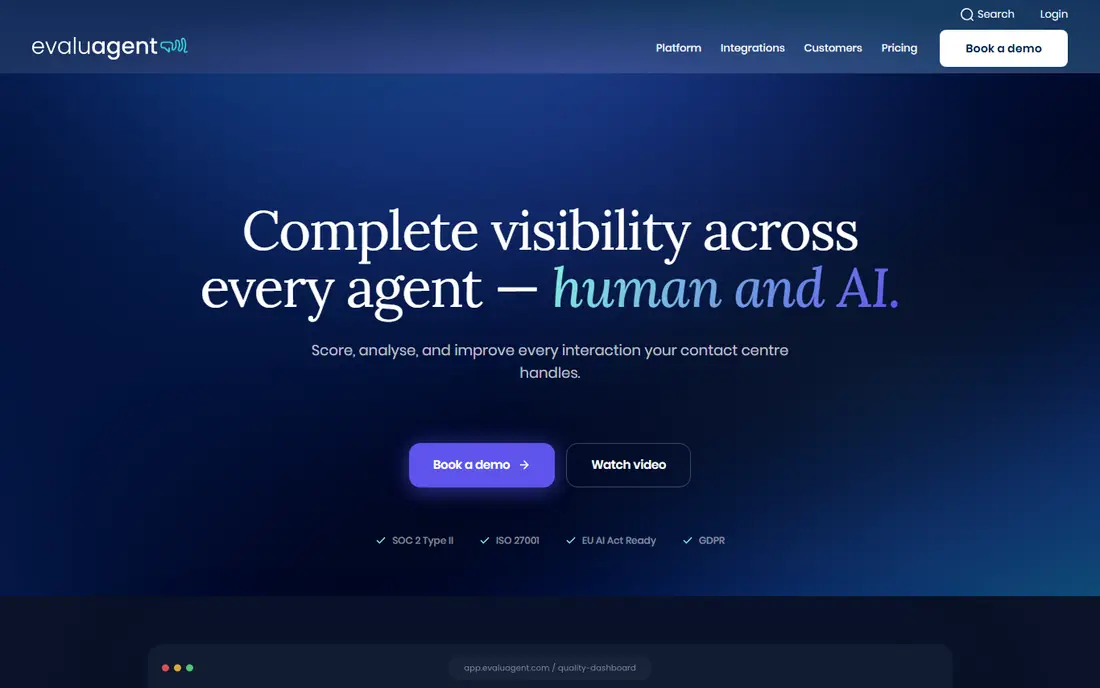
EvaluAgent, written as evaluagent, stands out in this group for price transparency. Its AutoQM and Improvement plan starts at $35 per user per month in recent comparisons, with a higher tier adding conversation insight at $65. That clarity helps BPO managers model cost per agent before a demo, which is rare among enterprise QA tools.
The platform covers scorecards, automated scoring, coaching, one-to-ones, and performance plans, plus gamification through points and badges tied to QA results. It can also evaluate AI agents against the same standards as human agents. Teams that need sentiment and reason-for-contact detail should budget for the higher tier, and plan a guided trial rather than expecting instant self-serve access.
- Published seat pricing aids budgeting
- Automated QA covers more contacts
- Coaching and eLearning link to scores
- Deeper conversation insight needs a higher tier
- No self-serve trial in recent comparisons
MaestroQA, now operating as Rippit with enterprise pages still under the older name, is strongest for BPOs that grade tickets and chats at scale. Its AutoQA scores all tickets against a team scorecard, using set criteria and language models, so managers see patterns that a small sample would miss. Coaching tools then turn findings into assigned follow-ups with owners and topics tracked.
The catch for voice BPOs is channel scope on self-serve plans. Recent comparisons list a free tier plus Starter at $185 per month and Growth at $495 per month, but those tiers connect to Zendesk or Intercom only, so phone platforms sit on quote-based enterprise plans. Ticket-heavy BPOs will get the most value here, while voice-heavy teams should confirm enterprise scope early.
- Automated scoring across tickets and chats
- Coaching tasks tied to real interactions
- Screen capture and calibration included
- Self-serve tiers cover Zendesk and Intercom only
- Phone-heavy teams need enterprise pricing
- Brand is mid-transition to Rippit
Zendesk QA, formerly Klaus, is the obvious pick for BPOs already running support on Zendesk. Quality scoring, coaching, and reporting live beside the tickets agents handle, so managers do not need to sync data between systems to grade work. Automated scoring can cover all conversations, while manual scorecards handle nuanced cases that need human judgment.
The limit is ecosystem fit. A BPO that runs several helpdesk tools will get less from a Zendesk-only QA layer than from a channel-neutral tool such as Scorebuddy or EvaluAgent. Pricing at $35 per agent per month in recent comparisons is clear, but teams should check which Zendesk plan and add-ons are required. For Zendesk-centered BPOs, the low friction is hard to beat.
- Sits inside Zendesk where tickets already live
- Automated QA and coaching links
- Familiar setup for Zendesk users
- Best value only for Zendesk teams
- Voice coverage depends on the wider Zendesk setup
Observe.AI suits voice-heavy BPOs that want AI to listen to far more calls than a manual team could grade. The platform transcribes and analyzes calls, surfaces compliance and coaching moments, and links findings to agent performance. That coverage helps BPOs prove quality to clients with data from all calls, not a small sample.
The trade-off is buying effort. Pricing is quote-based, and the platform is built for mid-market and enterprise centers, so small BPOs may find the process long. Teams should also test how well its models handle accents, background noise, and the languages their agents actually use. For large voice operations, the depth of insight justifies the enterprise approach.
- AI analysis across voice calls at scale
- Coaching and quality workflows built for contact centers
- Strong speech insight
- Enterprise quote-based pricing
- Heavier setup than a simple scorecard tool
Calabrio pairs quality management with workforce management, which appeals to BPOs that plan staffing and grade quality from the same data. A manager can link a quality dip to a shift pattern, a new hire cohort, or a training gap, rather than treating QA as a separate report. The platform covers voice and digital channels and supports large, multi-site operations.
Cost is the main question. Recent comparisons put Calabrio in a broad per-agent range, and the full suite price depends on modules and volume, so teams must get a written quote. Smaller BPOs that only need scorecards and coaching may find a focused tool cheaper and faster to run. Larger BPOs that already plan workforce in Calabrio will gain the most from adding its quality tools.
- Quality management beside workforce management
- Good for planning and forecasting
- Broad contact center coverage
- Pricing is quote-based and can run high per agent
- The suite may be more than a small BPO needs
Level AI combines automated quality scoring with real-time guidance for agents during calls, which sets it apart from post-call-only tools. A BPO can grade conversations after they end and also help agents in the moment with prompts and knowledge, so quality improves during the call, not only in the next coaching session. Analytics then show which guidance actually changed outcomes.
As with other enterprise tools, pricing is quote-based and adoption needs planning, including model tuning for each client. Teams should test live assistance on real calls before committing, since in-call prompts can distract agents if they are too frequent. For mid-market and enterprise BPOs with complex voice work, the combined approach is a real advantage.
- Automated QA plus real-time agent assistance in one platform
- Good for complex voice operations
- Strong analytics
- Enterprise pricing is not published
- Smaller teams may find it heavy to adopt
Convin gives BPOs AI-based QA across calls and chats, with scoring, coaching prompts, and compliance checks in one workflow. Managers can move from sampling a few percent of contacts to reviewing a much larger share, then focus human time on calibration and coaching. That shift matters for BPOs whose clients ask for proof of quality across all work, not just sampled calls.
The platform is quote-based, so budget planning needs a vendor conversation, and teams should pilot it on their own calls and chats before rollout. Language coverage, accent handling, and integration with the BPO phone system deserve direct testing. For BPOs that want AI coverage without an enterprise suite, Convin is a practical shortlist pick.
- AI scoring across voice and chat
- Coaching and compliance checks
- Useful for BPOs scaling QA coverage
- Pricing is quote-based
- Depth varies by language and channel, so testing is essential
How we picked these
We compared official feature pages, pricing pages, app store listings, privacy policies, and public reviews for QA and agent performance tools used by BPOs and contact centers. We kept only tools that are live, that support scorecards and coaching, and that can handle multi-agent, multi-client work. We favored tools with automated scoring, calibration, and reporting, and we noted where pricing is quote-based rather than published. We did not claim hands-on testing inside a live BPO.
Choosing a QA platform for a BPO
Start with the client report you must produce each month, then work back to the tool. If clients need per-client scorecards, dispute handling, and calibration records, those features matter more than a long list of AI extras.
Test calibration before you scale
Run the same set of calls through human graders and any automated scoring, then compare results and discuss gaps as a team. A tool that scores fast but disagrees with your best graders will create disputes with agents and clients. Set a calibration routine from day one, with regular sessions and a clear dispute path for agents.
Check channels, languages, and integrations
List every channel your BPO handles, from voice and chat to email and tickets, and confirm each one is scored in the tool, not just stored. Check language and accent handling on your own recordings, and confirm links to your phone system, helpdesk, and workforce tools. A tool that covers only part of the work will leave blind spots in client reporting.
Model the full cost per agent
Multiply seat price by agent count, then add AI modules, implementation, and training time. A low seat price with a costly AI add-on can end up dearer than a higher all-in price. Ask for a written quote that covers all clients, sites, and channels, and pilot with one client before rolling out to the whole operation.
Frequently asked questions
What is the best QA platform for BPO performance management?
There is no single best tool for every BPO. Scorebuddy suits BPOs that want QA, learning, and coaching together, EvaluAgent suits teams that want clear seat pricing, and Zendesk QA suits teams already on Zendesk. Match the tool to your channels, client count, and budget model first.
How much does BPO QA software cost?
Costs vary widely. Some tools publish seat prices near $35 per user per month, while enterprise platforms are quote-based and can cost far more per agent once AI modules are added. Always model the full cost per agent, including add-ons and implementation, before comparing headline prices.
Does AI QA replace human graders?
No. AI scoring increases coverage and flags patterns, but human graders still handle nuanced cases, calibration, and coaching judgment. The strongest setups use AI for coverage and humans for fairness, calibration, and agent conversations.
What features matter most for a multi-client BPO?
Separate scorecards and permissions per client, calibration records, dispute handling, agent dashboards, and client-ready reports matter most. Without those, a BPO will struggle to prove quality fairly across different brands and campaigns.
Can a small BPO use these tools?
Yes, but start with a focused tool and one client pilot. Larger suites suit multi-site operations, while smaller BPOs often do better with clear pricing, fast setup, and coaching tools that managers will actually use each week.
Sources
- https://www.playvox.com
- https://www.scorebuddy.com
- https://www.evaluagent.com
- https://www.maestroqa.com
- https://www.zendesk.com
- https://www.observe.ai
- https://www.calabrio.com
- https://www.level.ai
- https://www.convin.ai
- https://voxjar.com/best-call-center-quality-assurance-software-solutions
- https://www.analyticsinsight.net/technology/best-call-center-coaching-software
See where you really rank - block by block
ProMapRanker scans Google Maps across a grid of your service area. Simple monthly plans from $19, white-label on every plan.
Start freeKeep reading
 worlds best local seo company
8 Worlds Best Local SEO Companies for Map Pack Growth in 2026
Compare the worlds best local seo company options for Google Business Profile work, citations, reviews, and multi-location rankings and reporting in 2026.
Read → world's best web hosting company
World's Best Web Hosting Company in 2026
Searching for the world's best web hosting company? We compared 10 hosts on price, renewal rates, speed, and support to help you choose well today in 2026.
Read → who's got the best nanny tax services
Who's Got the Best Nanny Tax Services in 2026
We answer who's got the best nanny tax services, comparing full filing, back taxes, software, and pricing so families can handle nanny taxes correctly.
Read →