 ProMapRanker
Best Purchase Order Software in 2026

Key takeaways
- Precoro is our pick for most mid market companies that need tight purchase order control across departments and locations.
- Procurify fits teams formalizing purchasing with pre spend budget control and clear approvals.
- Tradogram and Ramp fit smaller businesses that want purchase orders without enterprise pricing or a large implementation.
- The best PO tool is the one your requesters will actually use, since bypassed approvals help no one.
- Match invoices to POs and receipts before payment, since that three way check catches overbilling and duplicate charges.
Quick comparison
| Pick | Great for | Pricing starts at | Free tier | |
|---|---|---|---|---|
 Precoro | Mid market PO control | $499 per month | No | Visit |
 Procurify | Pre spend budget control | See website | No | Visit |
 Tradogram | Small business purchasing | See website | Free trial | Visit |
 Ramp | Procurement plus cards and AP | $15 per user per month | No | Visit |
 BILL | AP plus PO tracking | $49 per user per month | Free trial | Visit |
 Order.co | Multi location goods buying | See website | No | Visit |
 Coupa | Global enterprise spend | See website | No | Visit |
 SAP Ariba | Enterprise supplier network | See website | No | Visit |
 NetSuite Procurement | ERP integrated purchasing | See website | No | Visit |
The best purchase order software
Purchase order software handles the full PO lifecycle: creation, approval routing, dispatch to suppliers, delivery tracking, amendments, and invoice matching. That lifecycle is what separates it from accounting software with a simple PO form. The tools below cover small business purchasing through global enterprise procurement, all live in October 2026. We focused on tools that create and manage POs, not only tools that extract data from POs sent by others.

Precoro is a procurement platform built around the full purchase to pay cycle for mid market companies. Teams create requisitions, route them through multi level approvals, generate purchase orders, track budgets, and match invoices, all in one system. Budget visibility before spending is the core strength: managers see committed spend against budget before an order goes to a supplier, not after the invoice arrives. That control helps finance teams stop overspend early.
The entry price is the barrier for small firms. Core plans start at $499 per month billed annually in recent listings, with no free plan. A small business with a handful of orders a month will find Tradogram or Ramp cheaper and simpler. A growing company with multiple departments, locations, and approvers will find Precoro worth the price, since approval control and budget reporting replace spreadsheet logs and email approvals.
- Complete PO creation and approval workflow
- Budget tracking and reporting
- Integrations with common accounting tools
- $499 per month entry is high for small firms
- Per user costs add up as teams grow
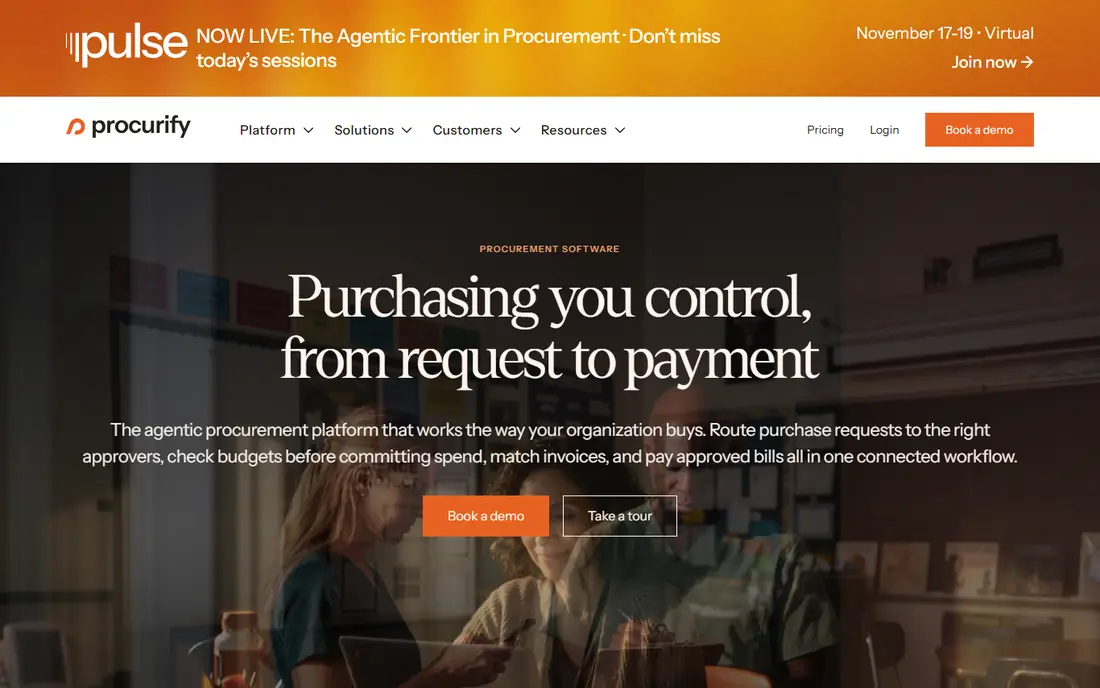
Procurify formalizes purchasing for mid market teams that have outgrown email approvals. Staff submit purchase requests, managers approve against budgets before money is committed, and approved requests become purchase orders that suppliers receive. Finance gets a real time view of committed spend, and invoice matching ties payments back to approved orders. That pre spend control is the difference between a PO tool and a simple order form.
Quote based pricing means you must ask for a price tied to your user count and order volume, and setup takes more time than a small business tool. Teams that only need basic POs may find Procurify heavy. Teams that need budget control across departments, with audit trails for every approval, will find it a strong fit. Trial it with your real approval chains, not a generic demo chain.
- Strong pre spend approvals and budget control
- Clear request to order workflow
- Good reporting on committed spend
- Pricing is quote based
- Implementation and setup take more time than small business tools
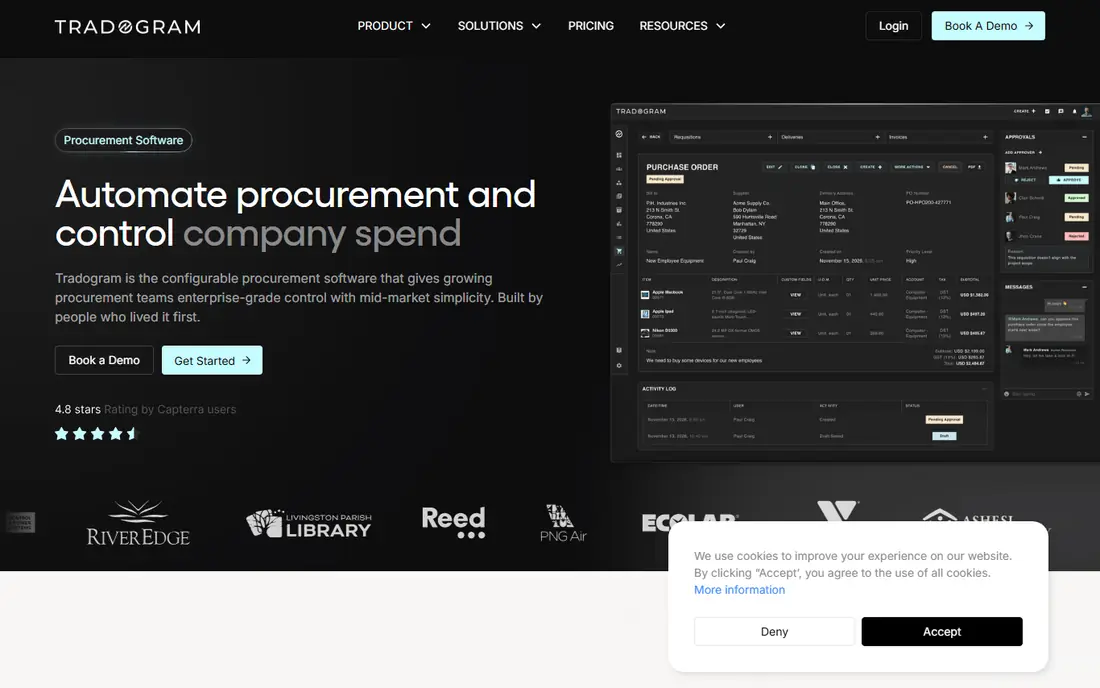
Tradogram fits small businesses that want sourcing, vendor management, and purchase orders in one affordable system. Staff can request items, managers can approve, and the team can compare suppliers, track vendors, and issue POs without learning an enterprise suite. That simplicity matters for a small firm with no procurement staff, where the owner or office manager runs purchasing alongside other jobs.
Depth is the limit. Enterprise analytics, complex automation, and global supplier network features are lighter than Coupa or SAP Ariba. Pricing also varies across recent listings, so we wrote See website and advise checking the current Tradogram pricing page for your user count. For a small business formalizing purchasing for the first time, Tradogram is a practical, low friction starting point.
- Sourcing, vendor management, and POs without enterprise pricing
- Simple request and approval flow
- Supplier records in one place
- Enterprise analytics and automation depth is lighter
- Pricing varies by plan in recent listings
Ramp started as a corporate card company, and its procurement product shows that history. Employees describe what they need in plain language, and the system turns that request into a structured purchase order, with vendor research and compliance checks before approval. Invoices get two way and three way matching, and card transactions can match to POs, which most competitors do not attempt. For a small business with no procurement staff, that automation does research that would otherwise land on the owner.
Pricing starts at $15 per user per month in recent listings, with fuller procurement capabilities as an add on to Ramp Plus. That add on structure needs checking, since the base plan alone may not cover advanced workflow orchestration. Procurement depth is also lighter than Precoro or Procurify. Pick Ramp when you want procurement, cards, expenses, and AP in one platform, and pick a procurement first tool when PO control is your main need.
- Procurement, cards, expenses, and AP in one platform
- Plain language intake for requests
- PO sync with QuickBooks Online and NetSuite
- Advanced procurement features are an add on to Ramp Plus
- Procurement depth is lighter than procurement first tools
BILL, formerly Bill.com, is best known for accounts payable, and its PO tracking fits teams whose biggest pain is AP accuracy. Bills, purchase orders, approvals, and payments connect in one workflow, so finance can see which bills match an approved order and which do not. That matching reduces duplicate payments and overbilling, and it speeds month end close. Integrations with QuickBooks, Xero, NetSuite, and other accounting tools keep the books in sync.
Procurement depth is lighter than Precoro or Procurify, since BILL starts from AP rather than from sourcing and requisitioning. Pricing starts at $49 per user per month in recent listings, with a free trial. For a finance led team that wants PO tracking inside a strong AP system, BILL is a strong pick. For a team that needs deep sourcing and multi level procurement workflows, a procurement first tool will fit better.
- Strong AP automation and bill pay
- PO tracking tied to bills and payments
- Wide accounting integrations
- Procurement depth is lighter than Precoro
- Per user pricing adds up for large teams
Order.co suits multi location teams buying physical goods at volume. Locations can order from approved suppliers, managers approve by location budget, and vendor payments run through the same platform. That location level control helps restaurant groups, retail chains, and distributed offices keep ordering consistent without letting each site buy from any supplier at any price. Consolidated billing also simplifies finance work across sites.
Services purchasing is less central than goods purchasing, and pricing is quote based, so request a quote tied to your location count and order volume. A single location service business will find Order.co heavier than Tradogram or Ramp. A multi location goods buyer will find its location controls and consolidated payments a clear advantage over a generic PO tool.
- Streamlined ordering for physical goods across locations
- Approvals and budgeting by location
- Vendor payments in one place
- Pricing is quote based
- Less suited to services purchasing than goods purchasing
Coupa is a comprehensive spend management platform for global enterprises. Purchase order automation, sourcing, supplier management, invoicing, and spend analytics run in one suite, with controls that suit multi country, multi currency, and multi entity operations. For a large company, Coupa replaces several point tools and gives finance a single view of committed and actual spend across the business.
That scale is also the barrier. Pricing is quote based and enterprise level, and implementation is a large project with change management, training, and integration work. A mid market firm will find Coupa heavy and costly. A global enterprise with complex procurement, compliance, and analytics needs will find Coupa one of the few tools that covers the full scope. Do not buy Coupa for a small team, even if the demo looks impressive.
- Comprehensive spend management with PO automation
- Sourcing, analytics, and supplier management
- Global scale
- Quote based enterprise pricing
- Implementation is a large project
SAP Ariba connects buyers to a large supplier network, with guided buying, purchase order creation, and supplier collaboration in one platform. Staff buy from approved catalogs and suppliers, finance sees spend analytics, and suppliers collaborate on orders and invoices through the network. That network effect matters for large buyers, since many suppliers already work through Ariba.
Pricing is quote based and enterprise level, and the best value comes when Ariba sits inside a wider SAP setup. A non SAP mid market firm will find implementation and cost harder to justify than Precoro or Procurify. A large SAP based enterprise will find Ariba a natural extension of its existing systems. Check integration with your current ERP before committing, since that integration drives most of the value.
- Large supplier network for guided buying
- PO creation and supplier collaboration
- AI spend analytics in recent versions
- Quote based enterprise pricing
- Best value comes inside a wider SAP setup
NetSuite Procurement is the purchasing module inside NetSuite ERP, and its strength is integration. Purchase orders connect to inventory, financials, vendor records, and three way matching, so an order, a receipt, and a bill all update the same system without sync gaps. Multi location and multi entity support helps growing firms control purchasing across sites, and reporting ties committed spend to actual financials in real time.
Like NetSuite itself, pricing is quote based and implementation takes time, often with partner help. A small firm should not buy NetSuite for purchasing alone. A firm already running NetSuite, or planning to move to NetSuite for accounting and inventory, will get the most value by using its procurement module rather than adding a separate PO tool that must sync back. Test three way matching with your real receiving process in a trial.
- POs tied to inventory, financials, and three way matching
- Multi location and multi entity support
- Scales with the ERP
- Quote based pricing
- Implementation takes time and often needs partner help
How we picked these
We compared official feature and pricing pages, recent purchase order guides, and public reviews checked in October 2026. We kept only tools that are live today and that create and manage purchase orders across the full lifecycle, from request to invoice matching. We excluded pure PO data extraction tools that do not create orders, since they solve a different problem. Where pricing is quote based or varies by users and locations, we wrote See website rather than guessing a figure.
How to choose purchase order software for your team
Start with the approval chain, not the feature list. Write down who can request, who must approve at each spend level, and what happens when an approver is away. Then test that exact chain in a trial with real requesters. If the chain takes too many clicks, staff will bypass it with email or personal cards, and finance will lose control. A PO tool that staff avoid is worse than a simple tool they use every time.
Next, check budget and matching together. The tool should show budget remaining before approval, not only after payment, and it should match invoices to POs and receipts before payment. Test a partial delivery, a price change, and a duplicate invoice in the trial, since those edge cases cause most real errors. If the tool handles those cases cleanly, it will handle routine orders easily.
Finally, check integration and total cost at your real size. Count users, locations, and order volume, then add implementation and training time. A low monthly price with high per user fees, or a quote based enterprise tool for a small team, can both mislead. Ask about data export, supplier onboarding, and contract length before you sign. Purchasing data is a core financial record, so export matters if you ever switch.
Frequently asked questions
What is the best purchase order software?
Precoro is our pick for most mid market companies that need tight PO control, while Procurify fits teams that want pre spend budget control. Tradogram and Ramp fit smaller businesses, and Coupa, SAP Ariba, and NetSuite fit enterprises. The best choice depends on company size, approval depth, and budget.
What is the best PO software for small businesses?
Tradogram and Ramp are strong small business picks, since both offer purchase orders without enterprise pricing or a large implementation. BILL also works well for finance led small teams that want PO tracking inside AP automation. Compare total cost at your user count, since per user pricing changes the ranking as teams grow.
What is the best software for purchase orders with budget control?
Procurify and Precoro both offer strong budget control, with approvals tied to budgets before spending is committed. Coupa and NetSuite add deeper analytics and multi entity budget control for larger firms. Test budget visibility in a trial with your real budgets, since demo budgets often hide gaps.
Can purchase order software match invoices to POs?
Yes, most tools on this list match invoices to purchase orders, and several support three way matching against goods receipts as well. Ramp, BILL, Precoro, and NetSuite all offer matching that catches overbilling and duplicate charges. Test matching with a partial delivery and a price change, since those cases reveal how well the tool really works.
Do I need purchase order software if I already use accounting software?
Not always. Accounting tools like QuickBooks Online and Xero include purchase orders that suit many small firms. Separate PO software makes sense when you need multi level approvals, budget controls across departments, supplier portals, or high volume three way matching that accounting alone cannot handle cleanly.
How much does purchase order software cost?
Costs range from $15 per user per month for Ramp and $49 per user per month for BILL to $499 per month for Precoro Core, with Procurify, Coupa, SAP Ariba, NetSuite, and Order.co using quote based pricing. Small business tools like Tradogram sit below enterprise pricing but vary by plan, so check the current vendor page for your size.
Sources
- https://precoro.com
- https://www.procurify.com
- https://tradogram.com
- https://ramp.com
- https://www.bill.com
- https://www.order.co
- https://www.coupa.com
- https://www.sap.com/products/spend-management/ariba.html
- https://www.netsuite.com
- https://www.lido.app/blog/best-purchase-order-software
- https://zapro.ai/purchase-order/purchase-order-management-tools/
- https://rankite.com/blog/best-purchasing-software-for-small-businesses
See where you really rank - block by block
ProMapRanker scans Google Maps across a grid of your service area. Simple monthly plans from $19, white-label on every plan.
Start freeKeep reading
 zscaler alternatives
Best Zscaler Alternatives in 2026
Looking for zscaler alternatives? We compare 9 SASE and zero trust platforms on architecture, data protection, pricing, and fit for your network and team.
Read → zapier alternatives free
Best Zapier Alternatives Free in 2026
Nine automation tools for zapier alternatives free in 2026, all with genuinely free tiers, plus free plan limits, starting prices and upgrade paths explained.
Read → which platform is best for online reputation
Which Platform Is Best for Online Reputation in 2026
Wondering which platform is best for online reputation? We compare 8 review, listing, and response tools for small and multi-location businesses and agencies.
Read →