 ProMapRanker
Best Protection Software for Computer in 2026


Best overall protection · Pricing starts at: $59.99 per year
Key takeaways
- Bitdefender and Norton lead for most home users, with strong lab results and a full set of extras in one subscription.
- McAfee suits households with many devices, since its plans cover a large number of computers and phones.
- Free options from Avast and Microsoft Defender cover basic protection, but paid suites add ransomware defense, VPN access, and identity tools.
- Renewal prices are often higher than first-year prices, so check the renewal rate before buying.
Quick comparison
| Pick | Great for | Pricing starts at | Free tier | |
|---|---|---|---|---|
| Bitdefender Total Security | Best overall protection | $59.99 per year | Yes | Visit |
 Norton 360 Deluxe | Families wanting every extra | $49.99 first year | Free trial | Visit |
 McAfee+ | Households with many devices | $39.99 first year | Free trial | Visit |
 Malwarebytes Premium | Simple malware cleanup | $44.99 per year | Yes | Visit |
 ESET Home Security Premium | Light protection for older PCs | $49.99 per year | Free trial | Visit |
 Trend Micro Maximum Security | Beginners who want simplicity | $29.95 per year | Free trial | Visit |
 Avast One | Best free antivirus | Free | Yes | Visit |
 TotalAV | Budget buyers | $19 first year | Yes | Visit |
 Webroot | Old PCs needing a tiny footprint | $29.99 first year | No | Visit |
The best computer protection software
We compared official pricing pages, independent lab results, and app store listings for suites that protect Windows and Mac computers in October 2026. The nine below all block common malware, but they differ on speed, extras, and price.
Bitdefender is our pick for most people because it pairs top detection with a light touch on system speed. Independent labs have given it high marks for blocking real-world attacks, and the suite covers Windows, Mac, Android, and iOS on the same plan. That breadth helps a household with mixed devices.
The main limits are familiar. The included VPN caps daily data, so heavy VPN users need a separate plan or an upgrade. The first-year price also rises at renewal, so note the renewal figure in your account before the term ends.
- Strong lab scores for protection and performance
- Covers five devices
- Webcam and phishing protection included
- Bundled VPN is capped at 200 MB per day
- Renewal price is higher than the first-year price
- Some extras are Windows only
Norton 360 Deluxe is the bundle pick. It adds cloud backup, a password manager, parental controls, and dark web monitoring to core antivirus, plus a VPN without the tight daily cap found in some rivals. Families that want one subscription for several needs will find the package convenient.
Price discipline matters here. The first-year deal looks strong, but the renewal rate is much higher, so set a reminder to review the plan before it renews. On very old computers, the full suite may also slow startup, so use the trial to test speed first.
- Covers five devices
- Cloud backup included
- Parental controls and dark web monitoring
- Renewal price rises sharply after year one
- App can feel heavy on older machines
- Some features need separate setup
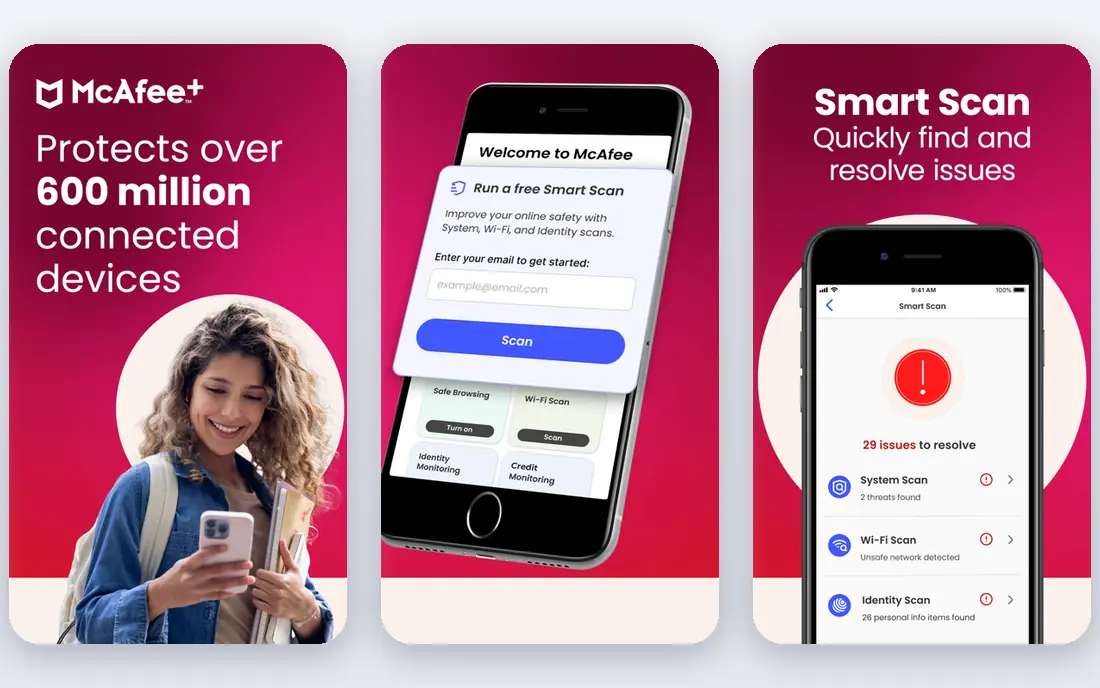
McAfee+ suits homes where the device count keeps growing. Phones, tablets, laptops, and desktops can sit under one account, which beats buying separate licenses for each machine. Identity monitoring and a VPN round out a package aimed at family use.
It is not the lightest suite in this list. On a new machine the difference is small, but on an older PC the scan and background tools may be more noticeable. Compare the renewal price with Bitdefender and Norton before committing to a multi-year plan.
- Covers many devices on higher plans
- Identity monitoring included
- Simple dashboard for families
- Performance impact is higher than the lightest rivals
- Renewal pricing needs checking
- Some tools feel basic next to Norton
Malwarebytes Premium is a good choice for people who want protection without a crowded dashboard. It focuses on blocking and removing malware, ransomware, and malicious sites, and its interface stays plain and clear. Users who already have a VPN and a password manager may not miss the missing extras.
The trade-off is breadth. There is no bundled cloud backup or parental control set to match Norton, and covering many devices costs more per device than a family plan. It works best as a focused tool, or alongside a free tier for a second machine.
- Strong malware removal
- Simple interface
- Low fuss for non-technical users
- Fewer extras than full suites
- VPN is a separate product
- Single-device pricing can add up for families
ESET has long been the pick for users who notice every slowdown. Its engine uses few resources, which helps older laptops and gaming PCs stay responsive during scans. Detection scores remain strong, so lightness does not mean weak protection.
Beginners may find the settings less friendly than Norton or Trend Micro. The product also skips some family extras, such as large cloud backup bundles, in favor of core security. Technical users will like the control, while casual users may prefer a simpler suite.
- Very light on system resources
- Strong detection
- Good for gamers and older hardware
- Interface is more technical than rivals
- Fewer lifestyle extras
- Setup options can confuse beginners
Trend Micro Maximum Security is the low-friction option. Installation is quick, the main screen shows protection status plainly, and web protection warns about risky links and scam sites. That clarity suits users who want to install protection and then forget about it.
Power users may want more control over firewall rules and scan settings than Trend Micro offers. Check the device limit on the plan you choose, since a small household plan may not cover every phone and laptop. For a single PC or a small family, it remains a solid value.
- Easy setup
- Clear interface
- Good phishing and web protection
- Fewer advanced controls
- Device limits on lower plans
- Extras are thinner than Norton
Avast One offers the strongest free starting point in this list. The free edition covers core antivirus and web protection, which is enough for a careful user on a tight budget. Paid plans add a VPN, device cleanup, and breach monitoring for users who want more.
Free software always comes with a trade. Expect prompts to upgrade, and review privacy settings after install, since Avast has faced criticism over data practices in the past. Users who want a paid suite without upsells may prefer Bitdefender or ESET instead.
- Free tier covers core antivirus
- Paid plans add VPN and cleanup tools
- Works on Windows, Mac, and mobile
- Free tier includes upsell prompts
- Paid VPN and extras cost extra
- Privacy settings need review
TotalAV wins on first-year price. For under 20 dollars in year one, buyers get antivirus plus a VPN and system cleanup tools on paid plans, with coverage for several devices. That deal appeals to students and budget households.
Read the renewal terms closely. The price after year one rises a lot, and the app prompts for upgrades more than quieter rivals. TotalAV is a fair budget pick if you set a renewal reminder, but Bitdefender offers stronger lab results for a modest extra cost.
- Low first-year price
- Covers several devices
- Includes VPN and cleanup tools on paid plans
- Renewal price is much higher
- Interface pushes upgrades
- Protection scores trail the top labs leaders
Webroot is built for machines that struggle with heavier suites. Its cloud-based approach keeps the local install tiny and scans fast, which helps old laptops that still run daily tasks. That focus makes it a practical choice for a second PC or a family computer past its prime.
The product is deliberately narrow. There is no big bundle of VPN, backup, and parental tools, and there is no free tier to try first. Buy Webroot when speed on old hardware matters most, and buy a fuller suite when extras matter more.
- Very small install and fast scans
- Cloud-based detection
- Good for low-spec machines
- No free plan
- Fewer extras than full suites
- Interface is plain
How we picked these
We compared official pricing pages, independent lab results from AV-TEST and AV-Comparatives where available, and app store listings in October 2026. We kept only suites that are sold and supported today, cover Windows computers, and publish a current price or free tier. We left out products banned or withdrawn from US sale, and products with no clear home-user plan.
How to choose the right suite
Start with device count and machine age. A household with five devices needs a multi-device plan, while a single old laptop needs a light engine such as ESET or Webroot. Next, list the extras you will actually use, such as a VPN, backup, or parental controls, and ignore bundles full of tools you will never open.
Then check the renewal price, not just the first-year deal. Many suites discount year one heavily, so the second-year cost is the real price. Finally, run the trial on your own machine and watch startup time and scan speed. Lab scores matter, but a suite that slows your daily work will get turned off, which defeats the point.
Frequently asked questions
Which computer protection software is the best?
Bitdefender Total Security is our overall pick for strong detection, light performance, and five-device coverage. Norton 360 Deluxe is better for families that want backup, parental controls, and identity tools in one plan. The best choice depends on device count and which extras you will use.
What is the best computer software protection for an old PC?
ESET and Webroot are the lightest options in this list, with small footprints and fast scans. Avast One Free is also light enough for many older machines. Test any suite during its trial and check startup time before paying.
Do I still need antivirus if Windows includes Defender?
Microsoft Defender gives solid basic protection and suits careful users with good backups. Paid suites add ransomware rollback, phishing protection across browsers, VPN access, and identity monitoring. Users who bank, shop, and share a PC with family often gain from those extras.
Is free antivirus enough?
Free antivirus from Avast or Microsoft covers core malware blocking, which is enough for low-risk use. Paid plans add web protection, ransomware defense, and support. If you store sensitive files, bank online, or help less technical family members, a paid plan is worth the cost.
How much should I pay for antivirus?
Expect roughly 20 to 60 dollars in the first year for a single or family plan, with renewal prices often higher. Multi-device plans usually cost less per device than buying separate licenses. Always check the renewal rate and the device limit before checkout.
Does antivirus slow down my computer?
Modern suites slow a new PC very little, but older machines feel the difference more. ESET, Bitdefender, and Webroot rank among the lightest in lab tests. If scans slow your work, schedule full scans overnight and keep real-time protection on during the day.
Sources
See where you really rank - block by block
ProMapRanker scans Google Maps across a grid of your service area. Simple monthly plans from $19, white-label on every plan.
Start freeKeep reading
 zoho inventory alternatives
6 Alternatives to Zoho Inventory, Compared on Price and Fit
Zoho Inventory alternatives: 6 tools compared on price, free plans and fit. Katana leads the list for manufacturers. Fit and flaws are laid out for each entry.
Read → zoho crm alternatives
Best Zoho CRM Alternatives (2026)
Need Zoho CRM alternatives? We compare 7 tools on cost, free access and who each suits. Every pick gets a straight assessment. Built for quick decisions.
Read → zelle alternatives
Best Zelle Alternatives in 2026
Compare the best Zelle alternatives for sending money to friends, paying sellers and moving funds abroad, with honest notes on fees, speed and safety in 2026.
Read →