 ProMapRanker
Best Projection Mapping Software in 2026


Professional mapping and LED control · Pricing starts at: See website
Key takeaways
- MadMapper remains the most focused mapping tool for architectural surfaces, LEDs and multi-projector installs.
- Resolume Arena suits live VJ sets and concerts where mixing and mapping happen in one performance tool.
- TouchDesigner leads for interactive installs that react to sensors, data or audience input, with a free non-commercial version.
- HeavyM, MapMap and VPT lower the entry cost, with free or low-cost paths for beginners, students and small events.
Quick comparison
| Pick | Great for | Pricing starts at | Free tier | |
|---|---|---|---|---|
| MadMapper | Professional mapping and LED control | See website | Free trial | Visit |
 Resolume Arena | Live VJ sets and concerts | See website | Free trial | Visit |
 TouchDesigner | Interactive installations and generative visuals | Free | Yes | Visit |
 HeavyM | Beginners, events and exhibitions | See website | Free trial | Visit |
 Isadora | Theater and interactive performance | See website | Free trial | Visit |
 Millumin | Corporate events and theater shows | See website | Free trial | Visit |
 MapMap | Students, artists and small projects | Free | Yes | Visit |
 VPT | Free experimental mapping and art projects | Free | Yes | Visit |
 WATCHOUT | Multi-display and large-scale shows | See website | Free trial | Visit |
The best projection mapping software
Projection mapping turns buildings, stages, objects and rooms into screens, but the right tool depends on the show. Some tools focus on precise warping, others on live mixing, and a few on interactive code. We compared nine options across those jobs.

MadMapper is the tool many mapping artists reach for when a surface is irregular. Bezier masks, mesh warping and 3D calibration help a projection fit a facade, a sculpture or a stage set without obvious distortion. Multi-projector output, edge blending and LED control live in the same app, so a single operator can run a complex install from one machine.
Beginners may find the interface dense at first, especially when they move from a single projector to blended outputs. The demo helps, but plan practice time on your real surface before show day. For professional productions where fit, stability and output control matter most, MadMapper remains a reliable core choice.
- Precise mesh warping and masking
- Multi-projector and LED support
- Fast real-time playback
- Learning curve for beginners
- Price is per license
- Advanced features need practice
Resolume Arena is built for performance. VJs can mix clips, apply effects, sync to audio and map output to screens, LED walls and irregular surfaces during a live set. MIDI and OSC control let performers trigger visuals from controllers, keyboards or other show systems, which matters when timing follows music rather than a fixed timeline.
Mapping is strong, but it is part of a larger mixing tool, so artists who only need precise architectural calibration may prefer MadMapper. Arena earns its price for concerts, clubs and festivals where live control matters more than a static install. Test it with your actual media codecs and output count, since performance depends heavily on GPU and file preparation.
- Live mixing plus mapping in one app
- Strong effects and MIDI control
- Stable performance playback
- Higher price than mapping-only tools
- Mapping depth is less specialized than MadMapper
- Needs a capable machine
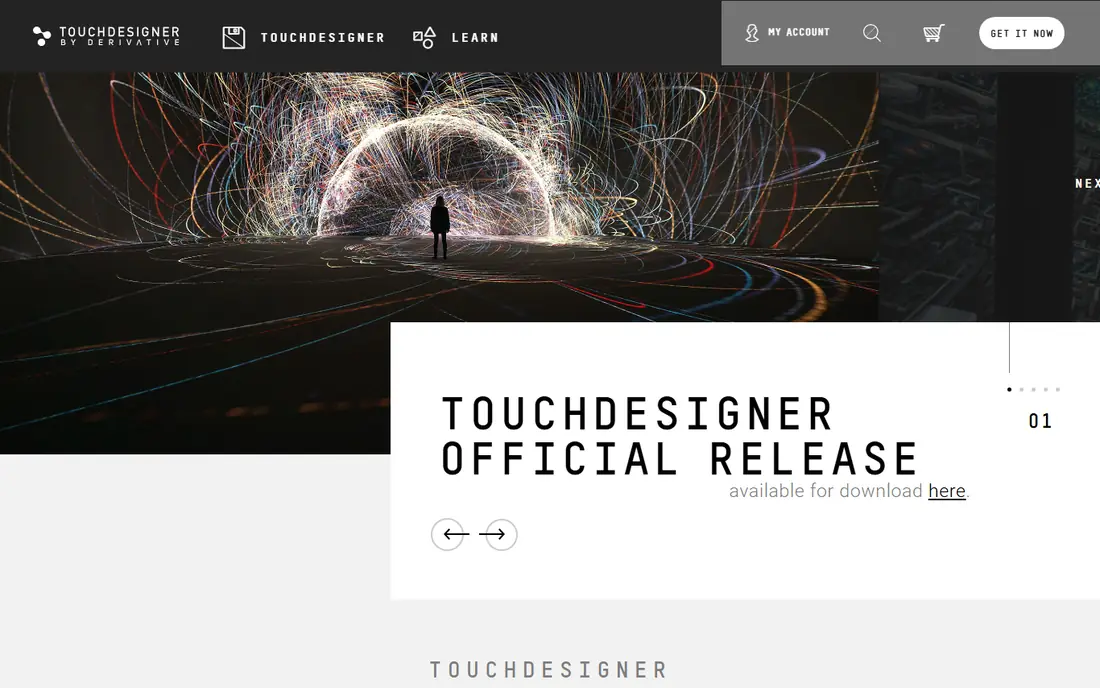
TouchDesigner is less a mapping app and more a toolkit for building interactive visuals from scratch. A node network can read camera input, audio, sensors or live data, generate visuals in real time and map them across projectors. Museums, exhibitions and brand installs use it when visuals must respond to people, weather, sound or another live feed.
That power comes with learning time. Beginners should expect to study node workflows, rendering and output settings before a public install, and commercial use requires a paid license. For teams with a developer or technical artist, TouchDesigner offers flexibility that fixed mapping tools cannot match. For a one-night event with simple warping, a simpler tool will be faster.
- Node-based visual programming
- Sensor, data and audio input
- Free non-commercial version for learning
- Steep learning curve
- Commercial licenses cost more
- Projects need careful performance tuning
HeavyM focuses on getting a good-looking projection running quickly. Drawing tools, effects and music synchronization let event teams map a DJ booth, a retail window or an exhibition wall without learning a node system or a VJ mixer. Setup is fast enough for a single-evening event, and multi-projection support covers modest installs.
Complex architectural work with detailed 3D calibration will expose its limits, and the demo restriction on saving projects means you should budget for a license before show week. For weddings, parties, trade shows and small venues, HeavyM hits a practical balance of ease and output quality. Its low friction is the reason many first-time mappers start here.
- Easy drag-and-drop mapping
- Built-in effects library
- Audio-reactive visuals
- Less depth for complex 3D calibration
- Demo version cannot save projects
- Advanced control is limited
Isadora has a long history in theater, dance and interactive performance, where cues, scenes and live input matter as much as the projection itself. Artists can build scenes, trigger video, sound and lighting cues, and map output to surfaces while keeping show control in one timeline. That cue-based thinking fits rehearsed performances better than a free-form VJ set.
New users may find the patching interface technical, and pricing includes rental, subscription and perpetual options that need a direct comparison for your show length. For theater companies, museums and performance artists who need repeatable cues night after night, Isadora offers control that simpler mapping tools do not.
- Flexible scene and cue control
- Interactive media handling
- Strong theater workflow
- Interface feels technical
- Pricing tiers need careful comparison
- Mapping is part of a broader tool
Millumin suits shows that follow a timeline rather than improvisation. Corporate launches, theater productions and conferences can build a sequence of video, mapping and light cues, then run it reliably from a Mac. The interface keeps mapping, playback and show control together, which helps a small crew run a polished event without switching apps mid-show.
Mac-only support is the main limit, so Windows teams must look elsewhere. The tool also has a smaller public tutorial base than Resolume or TouchDesigner, so budget learning time if your crew is new to it. For timeline-driven shows on Mac, Millumin is a clean and dependable choice.
- Clear timeline and show control
- Mapping plus playback in one app
- Mac-focused stability
- Mac only
- Less community content than Resolume
- Pricing is quote-adjacent on some tiers
MapMap is the best free starting point for learning projection mapping concepts. It covers basic warping, masking and playback, which is enough for a classroom project, a gallery piece or a small party projection. Because it is open source, students and artists can experiment without a license cost or a trial deadline.
Professional shows will quickly need features MapMap lacks, such as advanced edge blending, LED control and high-end playback tools. Treat it as a learning and prototyping tool, or as the right tool for a simple single-projector piece. If a MapMap project grows into a paid install, move to MadMapper or HeavyM before show day.
- Free and open source
- Simple warping and masking
- Low barrier to learning mapping basics
- Limited multi-projector features
- Fewer effects than paid tools
- Community support only
VPT, short for Video Projection Tool, has served artists and experimental mappers for years as a free option. It supports multiple layers, masks, effects and MIDI control, which gives creative users room to build unusual visuals without paying for a license. Researchers and art students still use it for prototypes and installations where budget is zero.
The interface and workflow feel older than HeavyM or MadMapper, and new users may need forum posts and tutorials to get started. Stability also depends on your machine and media preparation, so test a full run before a public show. For free, creative experimentation, VPT remains a valid choice, especially when the project is artistic rather than commercial.
- Free download
- Flexible layer and effect handling
- Popular with artists and researchers
- Older interface
- Less polished than commercial tools
- Support is community-based
WATCHOUT by Dataton is built for shows that span many displays, projectors and LED surfaces at once. A timeline controls video, images, 3D content and live feeds across a network of display computers, which suits theme parks, exhibitions, large conferences and building-scale productions. Show control, scheduling and playback stay synchronized across outputs.
That scale brings cost and complexity. WATCHOUT projects often need dedicated display machines, network planning and trained operators, so it is not a first tool for a single projector. For production companies handling multi-screen shows, its reliability and timeline control justify the investment. Smaller teams should confirm whether a simpler mapping tool already covers their output count.
- Multi-display show control
- Timeline-based production
- Used for large events and attractions
- Enterprise pricing and setup
- Needs multiple machines for large shows
- Learning curve
How we picked these
We compared official product pages, pricing information and mapping workflows for tools that are actively available in October 2026 and truly handle projection warping, masking or multi-projector output. We excluded general video editors and game engines unless mapping is a core use, and we favored a mix of professional, beginner and free tools. We did not claim hands-on testing, and we used See website where pricing varies by license, currency or show size.
What to check before you buy
Start with your surface and projector count. A flat wall with one projector needs far less tool than a building facade with blended projectors and LED strips. Test warping on the real surface, in the real light, because a demo on a flat screen hides edge blending and brightness problems that appear outdoors or in a bright room.
Next, check your media and control needs. Live music calls for Resolume or HeavyM audio reactivity, a rehearsed show calls for Isadora, Millumin or WATCHOUT timelines, and an interactive install calls for TouchDesigner. Finally, test performance on your show machine with your actual files, codecs and output resolution. Projection software fails most often at the GPU, storage or cable level, not in the feature list.
Free versus paid mapping
Free tools like MapMap, VPT and TouchDesigner non-commercial cover learning and small art projects well. Paid tools add stability, multi-projector blending, LED control, support and show features that matter when an audience, client or ticket price is involved. Budget for a paid license once a show has a deadline, a client or a public audience.
Hardware and setup basics
Confirm projector throw, brightness, lens shift and cable runs before choosing software, since those limits decide what mapping can achieve. Use wired connections for show machines where possible, prepare media in a playback-friendly codec, and run a full rehearsal with the exact projector positions you will use on show night. A small shift in projector placement can require a full rewarp.
Frequently asked questions
What is the best software for projection mapping for beginners?
HeavyM is the easiest paid starting point, thanks to drag-and-drop mapping and built-in effects. MapMap and VPT are the best free starting points for learning warping and masking. Choose HeavyM when you need to save projects and run a paid event, and start free when you are still learning.
What is the best free projection mapping software?
MapMap is the simplest free option for basic mapping, VPT offers more layers and effects for experimental work, and TouchDesigner offers a free non-commercial version for interactive projects. MapMap suits first projects, VPT suits artistic experiments, and TouchDesigner suits coders and technical artists.
Is MadMapper or Resolume better for live shows?
MadMapper is better when precise mapping, LED control and multi-projector calibration are the main job. Resolume Arena is better when live mixing, effects and music-driven performance are the main job. Many professionals use both, with Resolume for mixing and MadMapper for final output mapping.
Can TouchDesigner do projection mapping?
Yes, TouchDesigner can handle projection mapping through its node-based workflows, geometry tools and multi-output rendering. It requires more setup than a dedicated mapping app, but it adds interaction, generative visuals and data input that mapping-only tools do not. Use it when the visuals must react to live input.
What hardware do I need for projection mapping?
You need a projector bright enough for your ambient light, a computer with a capable GPU, and stable cables or network links for your outputs. Multi-projector shows may need multiple outputs, a capture card or a dedicated display machine. Test brightness and resolution on the real surface before buying software.
How much does video mapping software cost?
Free tools cost nothing for learning and small projects, while paid mapping tools range from a few hundred dollars for a single license to quote-based pricing for large multi-display systems. Rental options exist for short shows, so compare a one-time license against a rental for a single event before buying.
Sources
See where you really rank - block by block
ProMapRanker scans Google Maps across a grid of your service area. Simple monthly plans from $19, white-label on every plan.
Start freeKeep reading
 zscaler alternatives
Best Zscaler Alternatives in 2026
Looking for zscaler alternatives? We compare 9 SASE and zero trust platforms on architecture, data protection, pricing, and fit for your network and team.
Read → zapier alternatives free
Best Zapier Alternatives Free in 2026
Nine automation tools for zapier alternatives free in 2026, all with genuinely free tiers, plus free plan limits, starting prices and upgrade paths explained.
Read → which platform is best for online reputation
Which Platform Is Best for Online Reputation in 2026
Wondering which platform is best for online reputation? We compare 8 review, listing, and response tools for small and multi-location businesses and agencies.
Read →