 ProMapRanker
Best Project Management Tools for Marketing Teams in 2026


Structured campaign workflows · Pricing starts at: $10.99 per user per month
Key takeaways
- Asana and monday.com suit most marketing teams first, because their campaign templates, timelines and dashboards are ready to use without heavy setup.
- ClickUp and Trello sit at opposite ends of depth and simplicity, so the right pick depends on how much structure your team will actually maintain.
- Wrike, Smartsheet and Teamwork.com are stronger when work crosses departments, clients or budgets, and their higher setup cost pays off at larger scale.
- CoSchedule is the specialist pick for content and social calendars, while Notion and Hive cover teams that want docs, proofing and tasks in one place.
Quick comparison
| Pick | Great for | Pricing starts at | Free tier | |
|---|---|---|---|---|
| Asana | Structured campaign workflows | $10.99 per user per month | Yes | Visit |
 monday.com | Visual campaign boards | $9 per seat per month | Yes | Visit |
 ClickUp | All-in-one value | $7 per user per month | Yes | Visit |
 Wrike | Cross-team campaign delivery | $10 per user per month | Yes | Visit |
 Trello | Simple content boards | $5 per user per month | Yes | Visit |
 Smartsheet | Spreadsheet-style planning | $9 per member per month | Free trial | Visit |
 Teamwork.com | Client-facing agencies | $9.99 per user per month | Yes | Visit |
 CoSchedule | Content and social calendars | $19 per user per month | Free trial | Visit |
 Notion | Docs plus light project tracking | $10 per user per month | Yes | Visit |
 Hive | Proofing and creative work | $5 per user per month | Yes | Visit |
The best project management tools for marketing teams
Marketing work is messy by nature. A campaign touches copy, design, video, social, email and paid media, and each piece has its own deadline and owner. The tools below help a team keep that whole chain visible, so fewer tasks slip and fewer approvals get lost in chat threads.
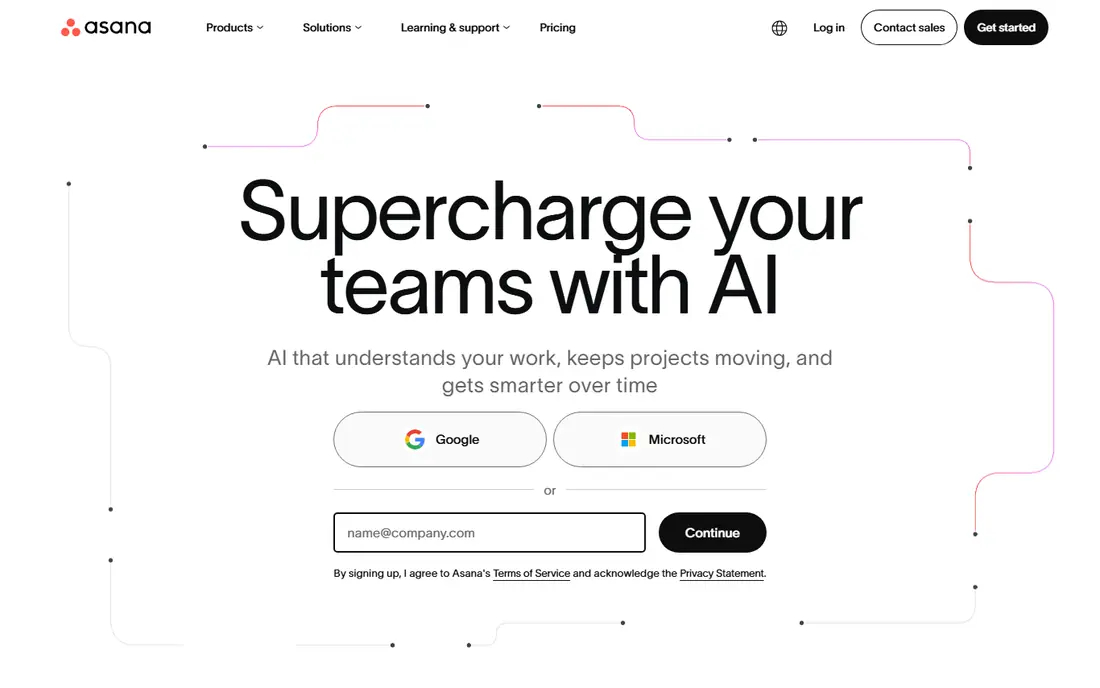
Asana fits marketing teams that run repeatable campaigns and want every handoff spelled out. A launch can be built once as a template, with tasks for brief, copy, design, review and publish, and then reused for the next launch without rebuilding the plan. Timeline and board views give managers a quick read on what is late and what is blocked.
The catch is discipline. Asana works best when owners, due dates and dependencies are kept current, and that takes a weekly habit. Teams that skip that upkeep will find the tool looks tidy while the real status lives elsewhere. Still, for teams that want structure without enterprise complexity, it is our first pick for most people.
- Clear timelines and dependencies
- Strong campaign templates
- Useful goals and portfolio views
- Free plan is limited for larger teams
- Costs rise as more people join
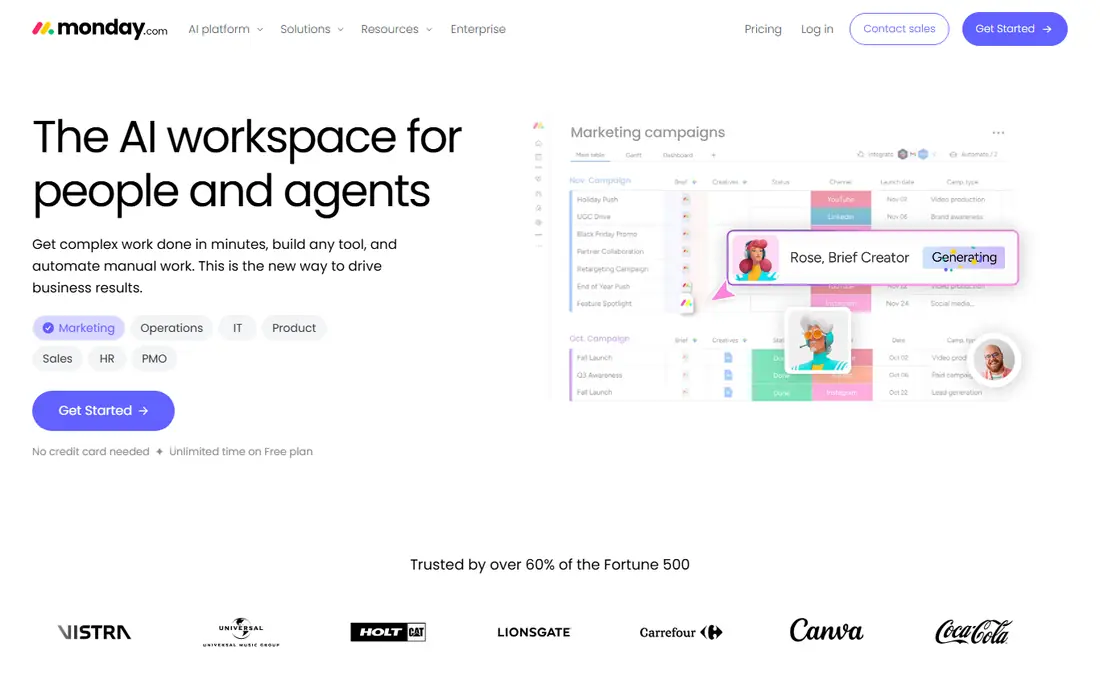
monday.com is the pick for teams that think in boards and colour. Campaigns, content calendars and asset requests can live on one board, with status columns that show progress at a glance. Managers can build dashboards from the same data, so reporting does not need a separate spreadsheet.
Setup is flexible, which is both a strength and a risk. A team can shape boards to match its own process, but without a clear owner for the setup, boards can drift into different formats. Give one person responsibility for templates and naming, and monday.com stays readable as the team grows.
- Bright, visual boards that are easy to read
- Many marketing templates
- Useful automations and dashboards
- Paid plans require a minimum of three seats
- Advanced features sit on higher plans
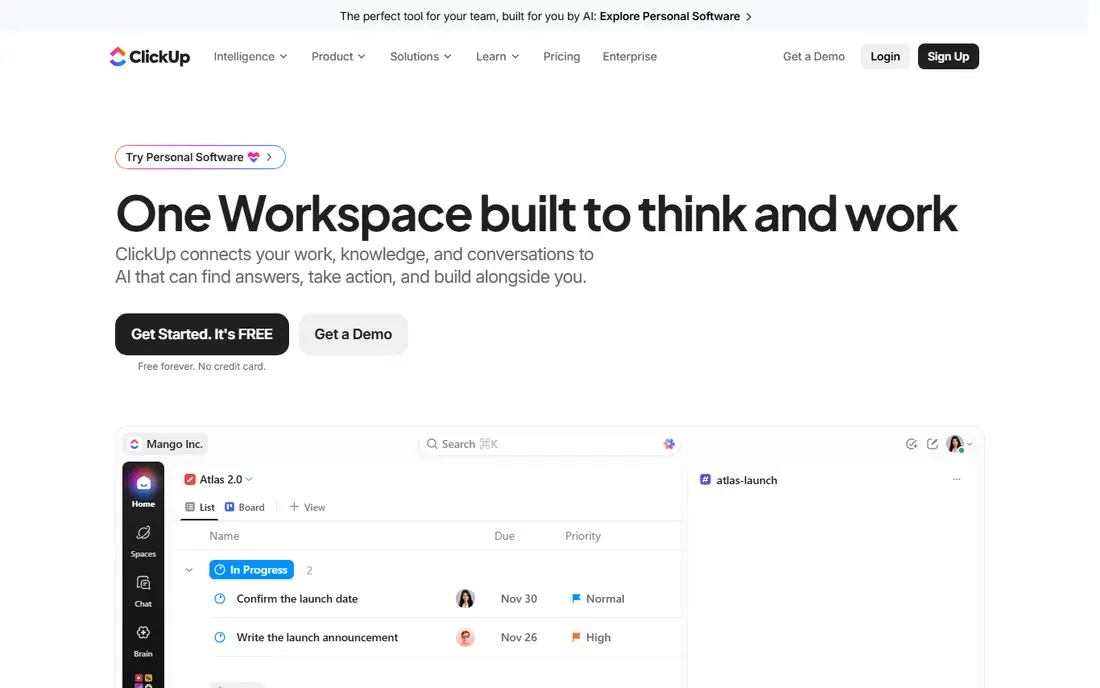
ClickUp appeals to teams that want to replace several apps at once. Tasks, docs, calendars, goals and time tracking can sit in the same workspace, which cuts down on tab switching and duplicate updates. The free plan is genuinely usable for a small team that is just getting organised.
The trade-off is restraint. Turning on every view and automation at once will confuse new users, so start with lists and boards only, then add docs and goals once the basics stick. Teams that keep the workspace lean will get strong value for a low monthly cost.
- Many views and features for the price
- Docs, goals and time tracking in one place
- Generous free plan
- Can feel crowded when every feature is switched on
- Setup takes time
Wrike suits marketing teams that work with sales, product or outside agencies and need formal intake. Request forms can collect a brief, budget and deadline in one place, then route the work to the right team. Proofing and approval tools help creative work move through review without long email chains.
Smaller teams may find Wrike heavier than they need. The value shows up when many stakeholders touch the same campaign and someone needs a clear audit trail of who approved what and when. If that sounds like your team, Wrike is worth the extra setup time.
- Strong intake forms and approvals
- Good resource and workload views
- Scales across departments
- More setup than simpler boards
- Higher plans are needed for the full feature set
Trello remains a good pick for small teams and simple campaigns. A content calendar can be a board with columns for ideas, drafting, review and published, and anyone can move a card without training. Automation rules can handle routine moves, such as shifting a card when a checklist is finished.
The limit appears as campaigns grow. Trello has no strong native way to show dependencies across many projects, and reporting stays basic. Use it while your work fits on a handful of boards, and move to Asana or monday.com when you need portfolios and workload views.
- Very fast to learn
- Drag-and-drop boards suit content calendars
- Low starting price
- Weak for complex dependencies and reporting
- Large boards get hard to scan
Smartsheet fits teams that already plan in spreadsheets and want more control without learning a new way of thinking. Rows can hold tasks, owners, dates and status, and the same sheet can be shown as a Gantt chart or a card board. Reports can pull across sheets, which helps when several campaigns feed one leadership dashboard.
Pricing needs attention. Only members who edit pay, while some collaborators can view and comment without a paid seat, so count editors before you budget. Teams that love grids will feel at home here, while teams that prefer visual boards may prefer monday.com.
- Familiar grid layout for planners
- Gantt, card and calendar views
- Strong reports and dashboards
- No permanent free plan
- The member model needs care as teams grow
Teamwork.com is built around client delivery, which makes it a natural fit for agencies. Projects can be organised by client, with milestones, task lists and time tracking tied to the same work. Clients can be given limited access to see progress without seeing internal discussion, which cuts down on status emails.
Internal marketing teams can use it too, but they may not need the client billing focus. Agencies that track hours against retainers will get the most from it, since time, tasks and project health sit together rather than in separate tools.
- Built for client projects and billable time
- Clear task lists and milestones
- Useful client access controls
- Less suited to pure internal campaign teams
- Higher plans add up for larger agencies
CoSchedule is the specialist in this list. Instead of trying to cover every kind of project, it centres on the marketing calendar, so blog posts, social posts and campaigns appear in one dated view. That focus helps content teams spot gaps, clashes and quiet weeks before they happen.
The trade-off is scope. If your team also runs product launches, events and design sprints, CoSchedule may need to sit beside a broader tool. For teams whose main job is publishing content on a steady rhythm, that focus is a strength rather than a limit.
- Unified marketing calendar for content and social
- Social scheduling in the same view
- Focused on publishing workflows
- Narrower than full project platforms
- Starting price is higher than simple boards
Notion fits marketing teams that live in documents. A campaign brief, brand guidelines, task database and content calendar can live in the same workspace, so people stop hunting across drives and chats for the latest version. Databases can be filtered by owner, status or channel, which covers many everyday planning needs.
It is not a ready-made project system out of the box. Someone needs to build the databases and templates, and teams that skip that work will end up with pretty pages and no clear deadlines. Teams that enjoy shaping their own workspace will like the freedom, while teams that want templates on day one should start with Asana.
- Docs, wikis and databases in one workspace
- Flexible pages for briefs and brand notes
- Good for small teams
- Needs setup before it feels like a project tool
- Reporting is lighter than dedicated platforms
Hive is a strong pick for creative and agency teams that spend a lot of time reviewing images, video and documents. Proofing tools let reviewers comment directly on assets, which keeps feedback tied to the work instead of scattered across email. Gantt, Kanban, table and calendar views cover the usual ways a team wants to see a project.
The platform is less widely known than Asana or monday.com, so integrations and community templates are thinner. That matters less if your core need is proofing and project tracking in one place. For creative teams, Hive offers a low starting price and a focused set of tools that match daily work.
- Proofing and approvals for creative assets
- Multiple project views
- Time tracking included in the mix
- Smaller ecosystem than the largest platforms
- Some features are paid add-ons
How we picked these
We compared official feature pages, pricing pages and app store listings for tools that marketing teams actually use for campaigns, content and creative work. We kept tools that are live and supported in October 2026, offer a clear way to assign work and track deadlines, and publish pricing or a free plan or trial that a small team can test. We left out general chat apps and tools that only handle one channel, such as social scheduling alone, unless the calendar itself was the main product, as with CoSchedule.
What to check before you choose
Start with the work, not the feature list. Write down your three most common jobs, such as a weekly blog cycle, a product launch and a paid campaign, and test each shortlisted tool against those jobs only. A tool that handles all three cleanly will serve you better than a tool with a long feature list that handles none of them well.
Count the real users and the real cost
Check seat minimums, editor rules and annual billing before you commit. A low headline price can rise fast when a tool requires three seats, charges every editor, or puts reporting on a higher plan. Run the maths at your current headcount and again at the headcount you expect in a year.
Test approvals with a real asset
Proofing is where many marketing tools fail in practice. Send a real design or video through the approval flow during a trial, and watch how comments, versions and sign-off are handled. If reviewers fall back to email, the tool has not solved the problem it was bought to solve.
Keep the setup small at first
Pick one template, one naming pattern and one weekly review habit. Add automations and dashboards only after the team uses the basic board or list every day. A simple system that everyone opens beats a detailed system that only the manager opens.
Frequently asked questions
What is the best project management tool for a small marketing team?
Trello or ClickUp are good starting points for a small team, since both have free plans and low paid prices. Trello wins on simplicity, while ClickUp wins when the team also wants docs and time tracking in the same place.
Do marketing teams need a specialist tool or a general project tool?
Most teams do fine with a general tool such as Asana or monday.com, plus a separate social scheduler if needed. A specialist such as CoSchedule makes sense when content publishing is the main job and the calendar is the centre of the work.
How much should a marketing team expect to pay per person?
Entry paid plans in this list run from $5 to $19 per user per month on annual billing, before seat minimums and add-ons. Small teams can often start free, while larger teams should budget for a mid-tier plan that includes reporting and approvals.
Can these tools handle client work and approvals?
Yes, with different strengths. Teamwork.com and Hive are built for client projects and creative proofing, while Wrike and Asana handle approvals across departments. Test the approval flow with a real asset during a trial before you decide.
Is a free plan enough for a marketing team?
A free plan can be enough for a team of a few people running one or two campaigns at a time. Once you need timelines, workload views, guest access or detailed reporting, a paid plan is usually required.
How long does setup take?
A simple board can be live in an afternoon, while a full campaign system with templates, automations and dashboards can take a few weeks of part-time work. Start with one campaign template and expand only after the team uses it daily.
Sources
See where you really rank - block by block
ProMapRanker scans Google Maps across a grid of your service area. Simple monthly plans from $19, white-label on every plan.
Start freeKeep reading
 zoro.to alternatives
Best Zoro.to Alternatives in 2026
We compare the best zoro.to alternatives in 2026, listing only legal licensed anime streaming services, from Crunchyroll to free options for fans today.
Read → zip alternatives
Best Zip Alternatives in 2026
We compare the best zip alternatives for buy now, pay later in 2026, covering pay-in-4 plans, fees, spending limits, and credit reporting options today.
Read → yesware alternatives
Best Yesware Alternatives in 2026
Compare the best yesware alternatives for sales email tracking, templates, and sequences, with current pricing and honest tradeoffs for small sales teams.
Read →