 ProMapRanker
Best Project Management Software for Startups in 2026

Key takeaways
- Trello at $5 per user per month is the cheapest real paid plan here, while ClickUp at $7 packs the most features per dollar.
- Asana Starter at $10.99 per user per month is the most polished pick for teams that need adoption in days, not weeks.
- Monday.com starts at $9 per seat, but its seat minimums can inflate the bill for small or uneven teams.
- Notion suits startups that live in docs, while Linear suits product and engineering teams that run sprints.
- Basecamp wins once a team passes about twenty people, since its flat $299 monthly plan beats per-seat math at that size.
Quick comparison
| Pick | Great for | Pricing starts at | Free tier | |
|---|---|---|---|---|
 ClickUp | Most features per dollar | $7 per user/month | Yes | Visit |
 Asana | Polished task coordination | $10.99 per user/month | Yes | Visit |
 Trello | Simple kanban boards | $5 per user/month | Yes | Visit |
 Monday.com | Visual boards and workflows | $9 per user/month | Yes | Visit |
 Notion | Docs plus project tracking | $10 per user/month | Yes | Visit |
 Linear | Product and engineering sprints | $8 per user/month | Yes | Visit |
 Teamwork.com | Client work and billable projects | $9.99 per user/month | Free trial | Visit |
 Basecamp | Flat-rate team collaboration | $15 per user/month | Free trial | Visit |
The best project management software for startups
Startups need a tool that the whole team will actually use, at a price that survives the next hiring round. We compared tools on starting price, free plan limits, and how quickly a small team can adopt them. Our pick for most startups is ClickUp for value, with Asana as the safer choice when ease of adoption matters most.
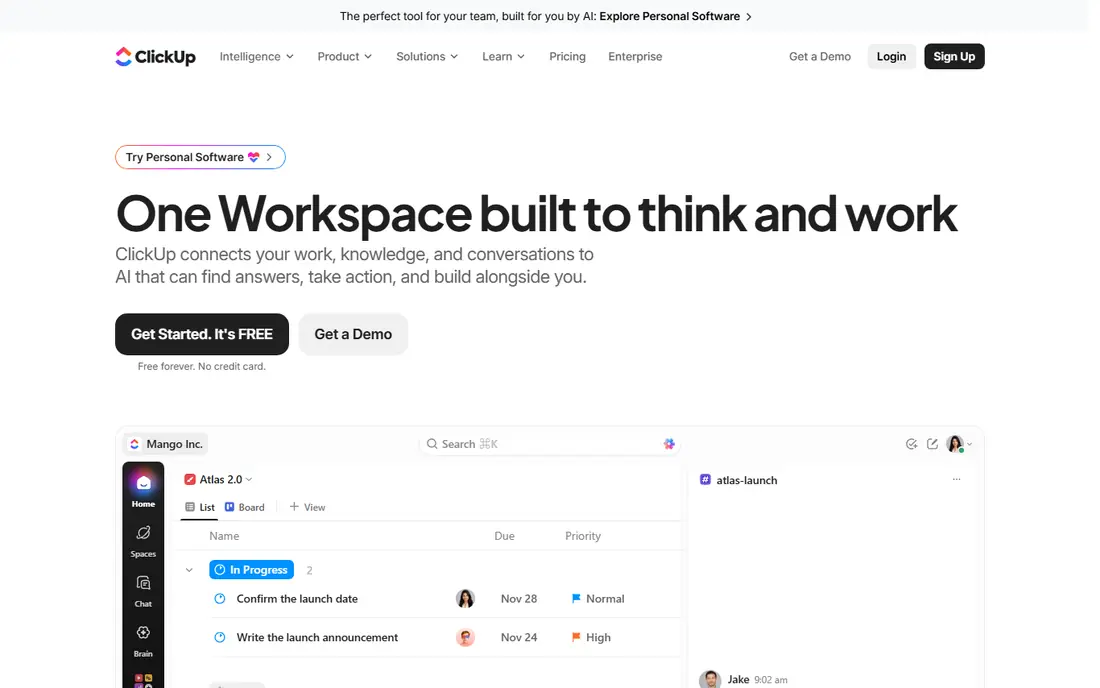
ClickUp gives startups the widest feature set at the lowest paid price in this list. The free plan covers unlimited tasks and members with core features, and the $7 Unlimited plan adds dashboards, goals, and more automation. Docs, whiteboards, time tracking, and chat live in the same workspace, which reduces the pile of separate tools a young team pays for.
That breadth is also the risk. A workspace with no owner quickly fills with unused lists, custom fields, and views that confuse new hires. Teams that assign one person to set standards, and who start with a simple structure, get the most from ClickUp. Teams that want zero setup should start with Trello instead.
- Free plan stays usable for a long time
- Tasks, docs, goals, and dashboards in one workspace
- Many views and automations
- Flexibility can turn into clutter without an owner
- Setup takes longer than Trello

Asana is the tool we suggest when a startup needs the whole team, including non-technical staff, to adopt a system fast. Tasks, timelines, and project views are clear, and the interface rarely confuses a new hire. Automations and forms help small teams handle intake without extra software, and integrations cover the usual stack of chat, files, and calendars.
Pricing needs a careful read. The free Personal plan now covers only up to two users, so whole teams must pay. Starter at $10.99 per user per month is reasonable, but seat blocks past five users can push the bill above a simple per-head calculation. For teams that value fast adoption over the lowest price, Asana earns its premium.
- Clean interface that teams adopt quickly
- Strong timelines and portfolios on higher plans
- Good integrations
- Free plan now caps at two users
- Starter seats can be sold in blocks past five users
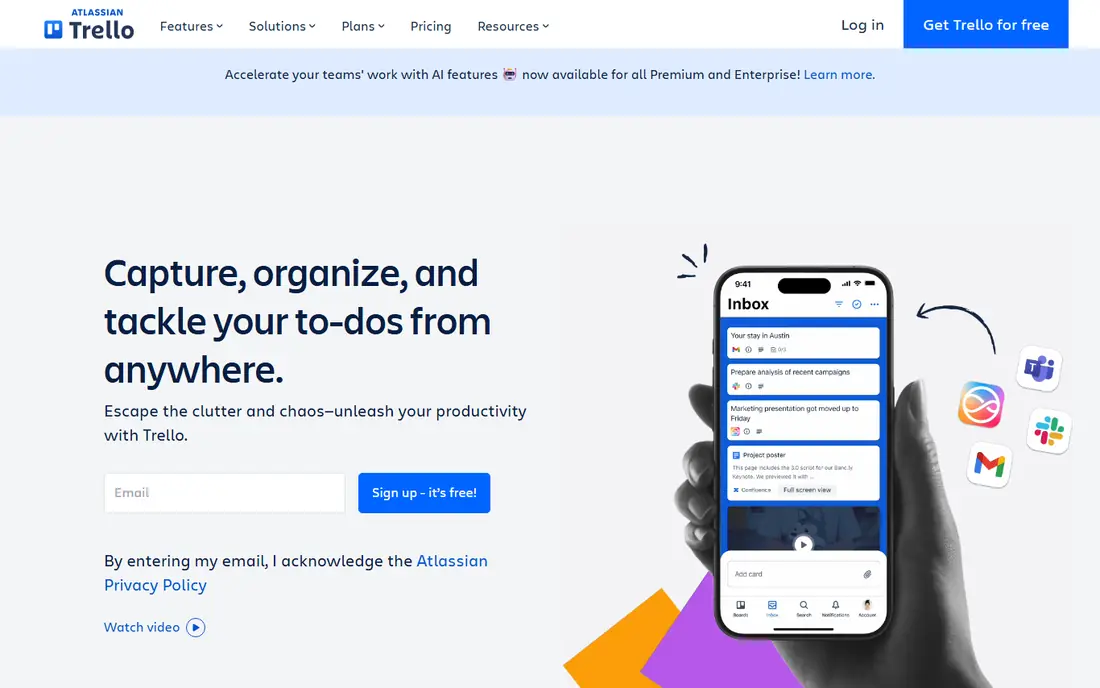
Trello remains the simplest real project tool, and that simplicity is its strength for early startups. A board, a few lists, and cards that move from left to right are enough for many teams in their first year. The free tier covers up to ten collaborators per workspace, and Standard at $5 per user per month adds checklists, custom fields, and more automation runs.
Complex work exposes the limits. Dependencies, resource planning, and portfolio views are thin compared with Asana or ClickUp, and teams that outgrow boards often migrate within a year or two. If your whole plan fits on a handful of boards, Trello is the cheapest and fastest way to start, and that is a real advantage for a cash-tight startup.
- Instant onboarding with kanban boards
- Generous free tier
- Cheapest paid plan here
- Weak for complex projects with dependencies
- Advanced views need higher plans
Monday.com suits startups that think in boards and want to build their own workflows without code. Columns, statuses, timelines, and dashboards make progress visible at a glance, and templates cover marketing, sales, product, and operations. Automations can move items, notify owners, and update statuses, which saves manual chasing in a busy week.
Billing is the catch. Paid plans start at $9 per seat per month billed annually, with a three-seat minimum, and teams often need the Standard tier for fuller automation and timeline features. A team of four or seven can therefore pay for seats it does not use. Visual teams that will use dashboards daily will find it worth the price, while tiny teams should compare Trello or ClickUp first.
- Highly visual boards and dashboards
- Flexible automations
- Strong templates for many team types
- Three-seat minimum on paid plans
- Costs rise quickly with automations and higher tiers
Notion is the pick for startups whose work lives in documents. Product specs, wikis, meeting notes, and project boards share one workspace, so context never sits in a separate tool. Databases can track tasks, roadmaps, and hiring pipelines, and the Plus plan at $10 per user per month adds version history and larger file uploads.
Dedicated project features are lighter than Asana or ClickUp. There is no native time tracking, workload planning is basic, and very large workspaces can feel slow. Teams that run sprints with dependencies should look at Linear or Jira-style tools instead. For doc-heavy startups, though, Notion replaces two or three tools with one.
- Wiki, docs, and tasks in one place
- Flexible databases
- Good for product specs and meeting notes
- Project features are lighter than dedicated tools
- Can feel slow on very large workspaces
Linear is the fastest tool in this list for product and engineering startups. Issues, cycles, and roadmaps are designed around how software teams actually ship, with keyboard shortcuts and a clean interface that stays quick as backlogs grow. Integrations with GitHub and Slack keep code and discussion linked to issues without manual updates.
Non-technical teams may find Linear less welcoming. Marketing campaigns, sales pipelines, and general operations fit less naturally than in Monday.com or Asana. The free tier covers small teams with limits on issues and teams, and paid plans start at $8 per user per month. For a startup whose core work is building software, Linear is the most focused choice here.
- Very fast interface built for engineering
- Clean issue tracking and cycles
- Good GitHub and Slack integrations
- Less suited to non-technical teams
- Marketing and sales workflows feel thinner
Teamwork.com suits startups that bill clients for project work, such as agencies, studios, and consultancies. Time tracking, budgets, and invoicing links sit next to tasks, so a team can see whether a project is profitable while it is still running. Client users can view progress without seeing internal discussion, which keeps communication tidy.
The entry plan at $9.99 per user per month covers core project work, but deeper budgeting and profitability features sit on higher tiers. Teams that do not bill by the hour may find those features unnecessary and prefer a cheaper general tool. For service startups, though, the built-in time and budget tracking can replace a separate tool entirely.
- Time tracking and budgets built in
- Client access controls
- Good for agencies and service startups
- Free plan is limited
- Advanced budgeting needs higher tiers
Basecamp takes a deliberately calmer approach to project work. Each project holds to-dos, message boards, schedules, docs, and chat, which keeps discussion attached to the work instead of scattered across email. The flat Pro Unlimited plan at $299 per month covers unlimited users, which beats every per-seat plan once a team passes about twenty people.
Small teams pay more per head, since the per-user plan is $15 per month, and power features are missing. There are no task dependencies, no Gantt charts, and no resource planning, so complex engineering programs will feel constrained. For startups that value calm communication and predictable billing as they scale, Basecamp is a distinctive and honest choice.
- Flat $299 monthly plan for unlimited users
- Calm async communication
- Projects, chat, and files in one place
- No dependencies or resource planning
- Per-user price is high for tiny teams
How we picked these
We compared official pricing pages and recent startup-focused roundups for tools that are still offered in October 2026. We favored tools with a usable free plan or trial, a starting price a seed-stage team can afford, and adoption that does not need a consultant. We also kept a mix of general tools, doc-first tools, and engineering tools, since startups differ more by work type than by size alone.
We did not claim hands-on testing of every plan, and prices here are annual billing rates where vendors publish them. Monthly billing costs more per user, and seat minimums can change the real bill, so confirm the checkout total for your exact team size before buying.
What to ask before you commit
First, count the real bill, not the per-seat price. Multiply by your team size, add seat minimums, and check whether seats are sold in blocks. A $9 seat with a three-seat minimum costs $27 a month even for a two-person team, and that gap widens as you hire unevenly.
Second, test adoption with the least technical person on the team. If they cannot create a task, find their work, and update status without training, the tool will fail no matter how strong its feature list looks. A two-week trial with real work, not demo data, reveals this fast.
Third, plan the exit. Check how easily you can export tasks, comments, and files, since switching a tool that holds every project is painful once it is full. A tool with a clean export is worth a small premium, because it keeps your bargaining power if pricing or direction changes later.
Frequently asked questions
What is the best project management tool for startups?
ClickUp offers the most features per dollar, while Asana is the easiest for mixed teams to adopt quickly. Trello is best for the smallest budgets, and Linear is best for engineering teams. Match the tool to your work type first, then to price.
What are the best project management tools for startups on a budget?
Trello at $5 per user per month and ClickUp at $7 are the cheapest paid plans here, and both have usable free tiers. Notion also offers a free plan for individuals and small teams. Start free, and pay only when you hit a real limit such as automation caps or guest limits.
Is Monday.com good for startups?
Yes, for visual teams that will use boards and dashboards daily. Its $9 starting price looks low, but the three-seat minimum and higher tiers for fuller automation raise the real cost. Compare it with ClickUp and Asana on your exact team size before committing.
Should a startup use Notion for project management?
Notion works well when projects live close to docs, specs, and wikis. It is lighter on dependencies, workload planning, and time tracking than dedicated tools. Doc-heavy startups often pair Notion with a lighter task tool, or accept its limits in exchange for one workspace.
When does Basecamp make sense for a startup?
Basecamp makes sense once a team passes about twenty people and hates per-seat math, since its $299 flat plan beats per-seat totals at that size. Smaller teams pay more per head and miss advanced planning features. It suits teams that prefer calm async work over complex scheduling.
Sources
See where you really rank - block by block
ProMapRanker scans Google Maps across a grid of your service area. Simple monthly plans from $19, white-label on every plan.
Start freeKeep reading
 zoho inventory alternatives
6 Alternatives to Zoho Inventory, Compared on Price and Fit
Zoho Inventory alternatives: 6 tools compared on price, free plans and fit. Katana leads the list for manufacturers. Fit and flaws are laid out for each entry.
Read → zoho crm alternatives
Best Zoho CRM Alternatives (2026)
Need Zoho CRM alternatives? We compare 7 tools on cost, free access and who each suits. Every pick gets a straight assessment. Built for quick decisions.
Read → zelle alternatives
Best Zelle Alternatives in 2026
Compare the best Zelle alternatives for sending money to friends, paying sellers and moving funds abroad, with honest notes on fees, speed and safety in 2026.
Read →