 ProMapRanker
8 Strong Project Management Software for Nonprofits in 2026


Wiki plus project tracking · Pricing starts at: $10/user/mo (billed yearly)
Direct answer
Notion comes first here, mainly for wiki plus project tracking. Alternatives: ClickUp for all-in-one workspace, and Wrike for portfolio-level reporting. Details, prices and limits for the rest of the 8 tools are below.
Key takeaways
- Notion is the opening pick, best for wiki plus project tracking.
- For client and program delivery, Teamwork is worth a look.
- The main caution on Notion: project features are lighter than dedicated PM tools.
- The cheapest monthly starting price in the list is $10/user/mo, offered by Notion.
- Free access is easy to find: 8 of the 8 tools have a free plan, for example Notion, ClickUp, Wrike and Asana.
Quick comparison
| Pick | Great for | Pricing starts at | Free tier | |
|---|---|---|---|---|
| Notion | Wiki plus project tracking | $10/user/mo (billed yearly) | Yes | Visit |
 ClickUp | All-in-one workspace | $0 | Yes | Visit |
 Wrike | Portfolio-level reporting | See website | Yes | Visit |
 Asana | Task and program management | $0 | Yes | Visit |
 monday.com | Nonprofit work management | $0 (nonprofit: 10 free seats) | Yes | Visit |
 Trello | Straightforward kanban boards | $0 | Yes | Visit |
 Zoho Projects | Budget-friendly projects | $0 | Yes | Visit |
 Teamwork | Client and program delivery | $0 | Yes | Visit |
Tool-by-tool breakdown
ProMapRanker compared 8 project management software for nonprofits. The goal is a practical shortlist: published prices, free plan facts, best-fit use cases and honest limits for every entry.

Notion serves wiki plus project tracking. Notion is the wiki-meets-project-manager. The Free plan includes individuals and small teams.
Watch-outs: Project features are lighter than dedicated PM tools.
Worth adding: the databases flex into task boards, calendars and tables, and the AI features help draft and summarize. It is not a true project manager; Gantt charts, resource management and portfolios are thinner than Asana or monday. For nonprofits that require knowledge management plus light project tracking, Notion is ideal. Nonprofits use Notion as the institutional memory: program docs, grant libraries, volunteer handbooks and project trackers in one searchable workspace. Notion cost at the entry level: $10/user/mo. Free access exists with Notion. Reasons to shortlist it: Merges docs.
- Wiki and project tracking
- Adaptable databases
- Can become disorganized
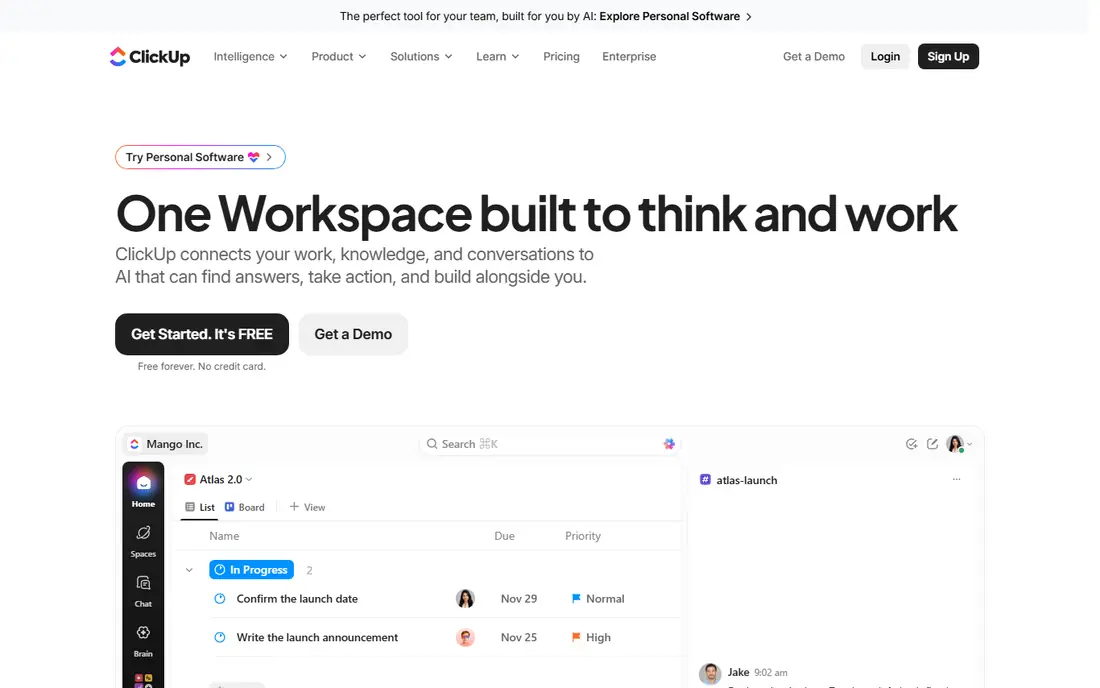
ClickUp serves all-in-one workspace. Core is $8 per user a month billed yearly, Business $17, and nonprofits can claim a discount. Rather than separate tools for tasks, documents, forms and dashboards, ClickUp does it all in one workspace, commonly at lower total cost than a stack of single-purpose apps.
Trade-offs to know: Feature density overwhelms new users.
The ramp-up time is real; the interface packs in features that take time to master. Beyond that, for nonprofits willing to invest in setup, ClickUp gives the most functionality per dollar in the category. What you pay to start with ClickUp: $0. A free plan is available with ClickUp.
- Forms and dashboards
- Nonprofit discount available
- Setup takes effort

Where Wrike fits: portfolio-level reporting. Custom workflows, request forms, time tracking and advanced reporting provide program directors the visibility that straightforward boards cannot.
More specifically, the free plan handles entry-level use. Also, for multi-program organizations where funder reporting matters, Wrike earns its keep. Pricing for Wrike is not stated here, so ask the vendor for current figures. Wrike includes a free tier.
Honest limits: Pricing not published on the site.
- Capable portfolio and resource management
- Free plan available
- Complicated for small teams
Think of Asana for task and program management. Asana is the task manager that nonprofits have used for a decade. On top of that, for nonprofits that want proven, structured project management with a real nonprofit discount, Asana is the safe choice.
For everyday use, starter is $10.99 per user a month billed yearly, and eligible nonprofits get 50% off premium plans. The strength is clarity. Tasks, projects, timelines, Gantt charts and portfolios provide programs structure without drowning staff in configuration. Entry price for Asana: $0. A free plan is available with Asana.
Drawbacks to consider: Advanced features need premium levels.
- 50% nonprofit discount
- Ample Personal plan ($0, unlimited tasks)
- Can feel rigid for creative teams
monday.com targets nonprofit work management. The nonprofit program, confirmed on monday's own support site, moves eligible organizations to a Nonprofit Pro plan with 10 free seats and 70% off extra seats. Worth adding: beyond 10 seats the cost rises, and the adaptability can become complexity without governance.
Trade-offs to know: Complexity grows with customization.
Also, monday.com is the visual work OS that nonprofits get nearly free. Worth adding: the nonprofit templates for grant tracking and donor management save setup time. Also, the product fits nonprofits well: configurable boards for grants, fundraising pipelines, events and volunteer management, with automations, dashboards and 200+ integrations. Price to start with monday.com: $0. Free access exists with monday.com.
- 10 free Pro seats for eligible nonprofits
- Nonprofit-specific templates for grants and volunteers
- Can get costly beyond the free seats
Pick Trello if this describes you: straightforward kanban boards. Trello is the kanban board that volunteers actually open. Also, the Free plan costs $0 for up to 10 collaborators per workspace.
Where it falls short: Reporting is entry-level.
In practice, for complicated programs with dependencies and portfolios, Trello runs out of steam. Butler automation takes care of routine moves, and Power-Ups add calendar, voting and integrations. From a buyer's view, standard is $5 per user a month billed yearly, and nonprofits get 75% off premium plans. What you pay to start with Trello: $0. You can start on Trello without paying.
- Free plan ($0, up to 10 collaborators)
- Volunteers learn it in minutes
- Thin on advanced project features
Zoho Projects is designed for budget-friendly projects. Premium plans are among the cheapest in the category, and the value compounds inside the Zoho ecosystem alongside Zoho CRM, Books and Desk. Zoho Projects is the budget pick.
Downsides: Best value inside the Zoho suite.
For everyday use, for nonprofits counting every dollar, Zoho Projects gives real project management at minimal cost. On top of that, the Free plan includes up to 5 users with 3 projects. In daily use, for a small nonprofit already using Zoho apps, adding Projects is a no-brainer. More specifically, the feature set is solid: Gantt charts, task management, time tracking, issue tracking and project templates. On cost, Zoho Projects starts like this: $0. Zoho Projects has a free plan.
- Gantt and time tracking included
- Part of the budget-friendly Zoho ecosystem
- Interface feels dated
In short, Teamwork is for client and program delivery. Teamwork is the client-work specialist. Nonprofits that deliver services, like consulting, training or program delivery, benefit from Teamwork's DNA.
As for the details, time tracking, billable hours, retainers and client invoicing fit organizations that account for staff time against grants or contracts. Basics is $9.99 per user a month billed annually, with time tracking, Gantt, boards and templates. The starting price for Teamwork: $0. Free access exists with Teamwork.
Points against: premium plans from $9.99/user/mo.
- Free plan (up to 5 users, 5 projects)
- Designed for service delivery
- Client-work focus may not suit all nonprofits
Our selection method
ProMapRanker used vendor pricing pages and product documentation as the base, then compared plans, free access and documented limits for 8 tools. Treat prices as a snapshot: vendors change plans often, so check the vendor site for the figure that applies today. The order reflects how well each tool fits the most common buying scenario for project management software for nonprofits, then price clarity, then free plan access. It is a starting point, not a verdict.
Pre-purchase checklist
- Confirm the entry price on the vendor page. For Wrike that means a quote rather than a fixed price.
- Check what the free option really includes: Notion, ClickUp, Wrike and others offer a free plan, and usage caps differ.
- Read the limits listed for Notion first: project features are lighter than dedicated PM tools.
- Map your must-have features to a specific Zoho Projects plan before you compare prices.
- Before you load data into Teamwork, check what an export looks like and who can run it.
Frequently asked questions
Which options for project management software for nonprofits have a free plan?
8 of the 8 tools have a free plan, including Notion, ClickUp, Wrike and Asana. Free plans usually cap users, projects or features, so check the limits on the vendor page.
What is the best project management software for nonprofits?
Start with Notion if you need wiki plus project tracking. ClickUp is the better match for all-in-one workspace, and Wrike for portfolio-level reporting. The best choice depends on budget, team size and workflow.
Can I try these tools before paying?
Often, yes. Notion, ClickUp, Wrike and others have a free plan. Use your own data and a real task during the test, and check what the free tier or trial limits before you rely on it.
What is the difference between Asana and monday.com for nonprofits?
Both are very good. Asana is more structured and task-focused, with a cleaner ramp-up time and 50% nonprofit discount. monday.com is more visual and configurable, with 10 free Pro seats for nonprofits and more solid templates for grants and volunteers. Asana fits teams that want clarity; monday.com fits teams that want adaptability.
Is Notion the right pick for everyone comparing project management software for nonprofits?
No single tool suits every team. Notion comes first because it fits wiki plus project tracking, while ClickUp suits all-in-one workspace and Wrike suits portfolio-level reporting. Match the tool to your own size, budget and workflow before deciding.
Do these tools publish their prices?
Not all of them. Wrike publishes no starting price, so expect a quote request for it. The rest, Notion included, show a starting price, though seats and billing terms still change the final cost.
Sources
See where you really rank - block by block
ProMapRanker scans Google Maps across a grid of your service area. Simple monthly plans from $19, white-label on every plan.
Start freeKeep reading
 zscaler alternatives
Best Zscaler Alternatives in 2026
Looking for zscaler alternatives? We compare 9 SASE and zero trust platforms on architecture, data protection, pricing, and fit for your network and team.
Read → zapier alternatives free
Best Zapier Alternatives Free in 2026
Nine automation tools for zapier alternatives free in 2026, all with genuinely free tiers, plus free plan limits, starting prices and upgrade paths explained.
Read → which platform is best for online reputation
Which Platform Is Best for Online Reputation in 2026
Wondering which platform is best for online reputation? We compare 8 review, listing, and response tools for small and multi-location businesses and agencies.
Read →