 ProMapRanker
7 Best Project Management Software for Interior Designers for 2026


Designers who sell through visuals and want sourcing connected · Pricing starts at: See website
Direct answer
Start with DesignFiles if you need designers who sell through visuals and want sourcing connected. If your case is different, HoneyBook suits solo designers and small studios managing the client lifecycle and Monday.com suits studios that need flexible task tracking and nothing more. The remaining 4 options are covered below with prices and limits.
Key takeaways
- Number one here is DesignFiles, a fit for designers who sell through visuals and want sourcing connected.
- ClickUp is the one to check for budget-conscious studios wanting docs, tasks and chat in one place.
- Only 4 of the 7 tools have a free plan (Monday.com, Houzz Pro, Asana, ClickUp), so check the caps.
- The main caution on HoneyBook: project management is light compared with real PM tools.
Quick comparison
| Pick | Great for | Pricing starts at | Free tier | |
|---|---|---|---|---|
| DesignFiles | Designers who sell through visuals and want sourcing connected | See website | No | Visit |
 HoneyBook | Solo designers and small studios managing the client lifecycle | $29/month (Starter plan, billed yearly) | Free trial | Visit |
 Monday.com | Studios that require adaptable task tracking and nothing more | See website (plans start at 3 users minimum) | Yes | Visit |
 Studio Designer | Established businesses that want project management and accounting in one place | $69/user/month (Essentials, billed yearly) | No | Visit |
 Houzz Pro | Designers and remodelers wanting one business product | $99/month (Design plan, 1 user) | Yes | Visit |
 Asana | Design teams that live in timelines and want portfolios | $10.99/user/month (Starter, billed annually) | Yes | Visit |
 ClickUp | Budget-conscious studios wanting docs, tasks and chat in one place | $9/user/month (Core plan, billed yearly) | Yes | Visit |
7 project management software for interior designers in detail
This ProMapRanker guide covers 7 project management software for interior designers. Each profile lists a starting price, free plan details, strengths and drawbacks, so you can drop poor fits quickly.
DesignFiles
Great for: Designers who sell through visuals and want sourcing connected

DesignFiles makes the most sense for designers who sell through visuals and want sourcing connected. DesignFiles comes at the problem from the presentation side.
Drawbacks to consider: Lighter on accounting depth than Studio Designer or Design Manager.
Beyond that, pricing is not published, which is annoying but typical in this category. Also, DesignFiles takes care of invoicing and purchasing workflow, but businesses that require real accounting pair it with QuickBooks or Xero. DesignFiles shows no starting price here, so confirm the cost on the vendor site. DesignFiles has no free tier.
- Contracts and proposals that cut admin time
- Templates for questionnaires
- No published pricing, so you cannot budget without a sales conversation
HoneyBook
Great for: Solo designers and small studios managing the client lifecycle

HoneyBook is a good fit for solo designers and small studios managing the client lifecycle. There is no procurement, no product tracking, no install scheduling worth mentioning. Also, the Starter plan at $29 a month billed yearly spans unlimited clients and projects, and every plan starts with a free trial.
Drawbacks to consider: Project management is light compared with real PM tools.
Designers who live on referrals and repeat clients get the most from it. A lead comes in, gets a proposal, signs a contract, pays the invoice, all without leaving the system. From a buyer's view, HoneyBook is a client management system that designers adopt for the front of the business. Entry price for HoneyBook: $29/month. Free options: Free trial.
Upsides: invoices and payments in one client-facing flow.
- Automations deal with follow-ups and reminders
- Proposals, contracts
- The handy automation features start at the $49/month Essentials level
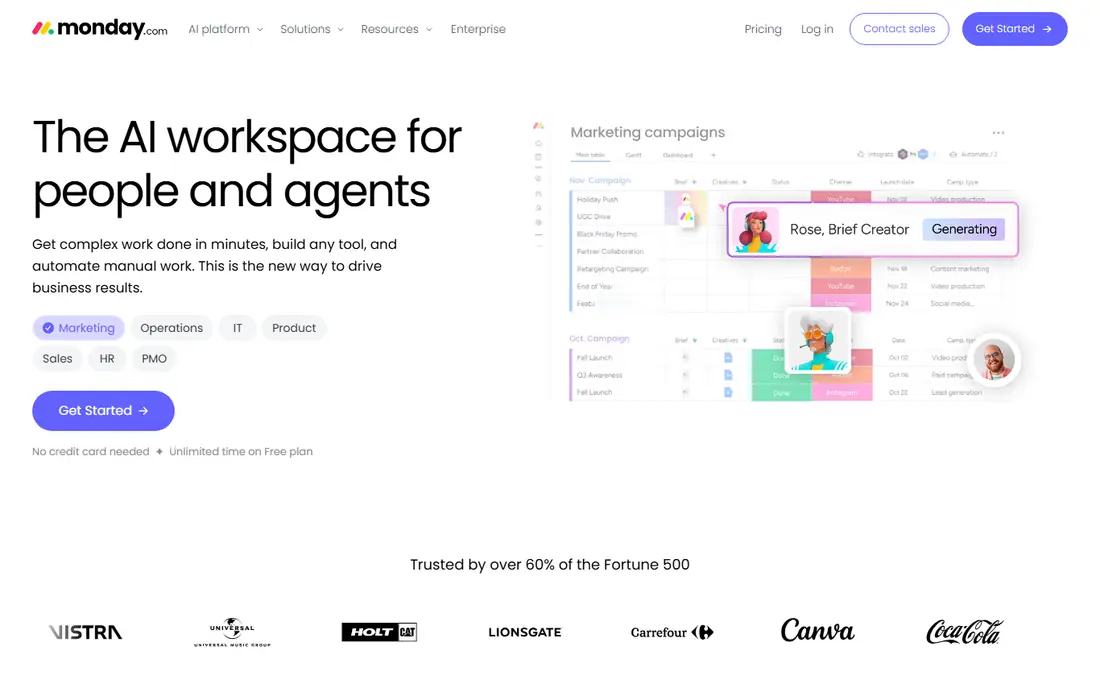
Monday.com was built for studios that require adaptable task tracking and nothing more. Monday.com is the generic workhorse. The limit is the industry gap.
Downsides: No design-specific features: no product clipper, no trade pricing, no procurement.
For everyday use, use it when the problem is purely coordination, and pair it with accounting software from day one. Worth adding: Monday knows nothing about purchase orders, vendor pricing or client selections. Worth adding: you will still need separate tools for proposals, invoicing and accounting, which is how studios end up with five subscriptions. Check the vendor site for Monday.com pricing; none is listed in this comparison. Monday.com includes a free tier.
- Timelines and automations that adapt to any workflow
- Very adaptable boards
- Pricing is per seat with a 3-user minimum, so solo designers overpay
Studio Designer
Great for: Established businesses that want project management and accounting in one place
Studio Designer is a good fit for established businesses that want project management and accounting in one place. The honest catch is that this is business software, not a sketching app.
Limits to weigh: Per-user pricing layers on up for larger teams.
Businesses that commit tend to stay for years, since ripping out both your PM and your accounting at once is nobody's idea of fun. Price to start with Studio Designer: $69/user/month. Studio Designer has no free tier.
What users get: Item-based project tracking from proposal through purchase order to invoice.
- Tiered plans that scale from solo designers to large businesses
- True general-ledger accounting made for interior design
- The depth of the accounting side means a real ramp-up time
Choose Houzz Pro for designers and remodelers wanting one business product. The free plan is genuinely usable for estimates and invoicing, which makes it an easy first step for a new studio.
Limits to weigh: The breadth means some features feel shallower than specialist tools.
Entry price for Houzz Pro: $99/month. Houzz Pro includes a free tier.
- Deep integration with the Houzz marketplace and its homeowner audience
- Invoicing and payments
- Per-user pricing climbs fast for teams (Pro is $199/month for one user)
Asana was built for Design teams that live in timelines and want portfolios. In practice, timelines with dependencies keep install weeks honest, portfolios roll up every active project for the principal, and custom fields can track budgets or phases if you set them up. Also, studios that choose Asana typically pair it with HoneyBook or a similar client tool for the front end and QuickBooks for the books.
The main drawbacks: Per-user pricing with the handy views gated behind premium plans.
Starter at $10.99 per user a month billed yearly brings the timeline views and reporting that make it worth paying for. As for the details, there is no product library, no purchase order flow, no client-facing selections tool. Asana cost at the entry level: $10.99/user/month. You can start on Asana without paying.
- Portfolios provide principals a cross-project view
- Best-in-class timeline and Gantt views for managing project schedules
- No procurement
ClickUp
Great for: Budget-conscious studios wanting docs, tasks and chat in one place
ClickUp targets budget-conscious studios wanting docs, tasks and chat in one place. ClickUp is the value play. Also, disciplined studios love it; chaotic ones drown in the choices.
As for the details, the Free Forever plan handles unlimited tasks, docs and collaboration. The premium Core plan begins at $9 per user a month billed yearly. Beyond that, there are no design templates worth using, no procurement flow, no product database. The main limit is that you build everything yourself. From a buyer's view, if your problem is budget instead of complexity, start with the free plan and see how far it takes you before paying for a specialist. Price to start with ClickUp: $9/user/month. You can start on ClickUp without paying.
Limits to weigh: The adaptability is also the trap: setup takes live and discipline.
What users get: Cheapest capable choice here, with an ample free level.
- Tasks and chat in one workspace
- Highly configurable for studios that like to build their own system
- Zero design-specific functionality from day one
Worth knowing about project management software for interior designers
Picture a designer with six active projects: two in install week, one waiting on a back-ordered sofa, one client who has not approved the proposal. A bookkeeper asking where the receipts went. That chaos is normal in this industry, and it is exactly what design-specific software exists to tame.
More specifically, generic task apps track the to-dos. From a buyer's view, the tools below also track the money, the orders and the clients, which is where design projects actually fall apart.
How we compared the tools
ProMapRanker used vendor pricing pages and product documentation as the base, then compared plans, free access and documented limits for 7 tools. Figures are shown as the vendors publish them. Billing terms, seat minimums and add-ons can change the real cost. We ordered the tools by general fit, then by how clearly pricing is shown, then by free access. A buyer with unusual needs may reorder them.
Questions to settle before buying
- Ask DesignFiles and Monday.com for a written quote, since no starting price is shown.
- Check what the free option really includes: Monday.com, Houzz Pro, Asana and ClickUp offer a free plan, and usage caps differ.
- Use real work to test the free trial from HoneyBook, rather than a demo project.
- Before choosing DesignFiles, weigh its main limit: no published pricing, so you cannot budget without a sales conversation.
- Before you load data into Monday.com, check what an export looks like and who can run it.
- Test how quickly DesignFiles answers a pre-sales question; it hints at how support will feel later.
Frequently asked questions
What is the best all-in-one software for interior designers?
This list starts with DesignFiles, which fits designers who sell through visuals and want sourcing connected. For other needs, HoneyBook is aimed at solo designers and small studios managing the client lifecycle, and Monday.com at studios that require adaptable task tracking and nothing more. Check each tool's price and main limit first.
Do these tools publish their prices?
Not all of them. DesignFiles and Monday.com publish no starting price, so expect a quote request for those. The rest, HoneyBook included, show a starting price, though seats and billing terms still change the final cost.
Can I try these tools before paying?
Often, yes. Monday.com, Houzz Pro, Asana and ClickUp have a free plan and HoneyBook offers a free trial. Use your own data and a real task during the test, and check what the free tier or trial limits before you rely on it.
What is the cheapest option for project management software for interior designers in this list?
On published monthly entry prices, ClickUp is the lowest here at $9/user/month. Entry price is only part of the cost, because seats, add-ons and billing terms can change the total.
Which options for project management software for interior designers have a free plan?
On this list, Monday.com, Houzz Pro, Asana and ClickUp include a free plan. Caps on seats, usage or features are common, so test the free plan against your real workload. One other tool offers a trial instead.
Sources
See where you really rank - block by block
ProMapRanker scans Google Maps across a grid of your service area. Simple monthly plans from $19, white-label on every plan.
Start freeKeep reading
 zscaler alternatives
Best Zscaler Alternatives in 2026
Looking for zscaler alternatives? We compare 9 SASE and zero trust platforms on architecture, data protection, pricing, and fit for your network and team.
Read → zapier alternatives free
Best Zapier Alternatives Free in 2026
Nine automation tools for zapier alternatives free in 2026, all with genuinely free tiers, plus free plan limits, starting prices and upgrade paths explained.
Read → which platform is best for online reputation
Which Platform Is Best for Online Reputation in 2026
Wondering which platform is best for online reputation? We compare 8 review, listing, and response tools for small and multi-location businesses and agencies.
Read →