 ProMapRanker
Best Project Management Software for Designers in 2026


Visual boards for creative teams · Pricing starts at: $9 per user per month
Key takeaways
- Monday.com leads for visual design teams, thanks to colour-coded boards and flexible views that suit creative workflows.
- Asana and ClickUp give the strongest balance of task structure and scale for studios that run many client projects at once.
- Notion and Milanote suit designers who need docs, mood boards, and project notes in the same workspace as tasks.
- Trello and ProofHub keep costs down, with Trello best for simple kanban work and ProofHub best for flat-rate team pricing.
Quick comparison
| Pick | Great for | Pricing starts at | Free tier | |
|---|---|---|---|---|
| monday.com | Visual boards for creative teams | $9 per user per month | Yes | Visit |
 Asana | Structured task and timeline work | $10.99 per user per month | Yes | Visit |
 ClickUp | All-in-one workspaces on a budget | $7 per user per month | Yes | Visit |
 Notion | Docs, tasks and wikis in one place | $10 per user per month | Yes | Visit |
 Trello | Simple kanban for small teams | $5 per user per month | Yes | Visit |
 Wrike | High-volume project work | $10 per user per month | Yes | Visit |
 Milanote | Mood boards and visual planning | $12.50 per user per month | Yes | Visit |
 Basecamp | Simple, calm team communication | $15 per user per month | Free trial | Visit |
 ProofHub | Flat-rate pricing for larger teams | $45 per month | Free trial | Visit |
The best project management software for designers
Design work moves in rounds: brief, draft, feedback, revision, final files. These nine tools handle that loop in different ways, from visual boards to proofing and client sharing. We compared official pricing, views, integrations with design tools, and feedback features.
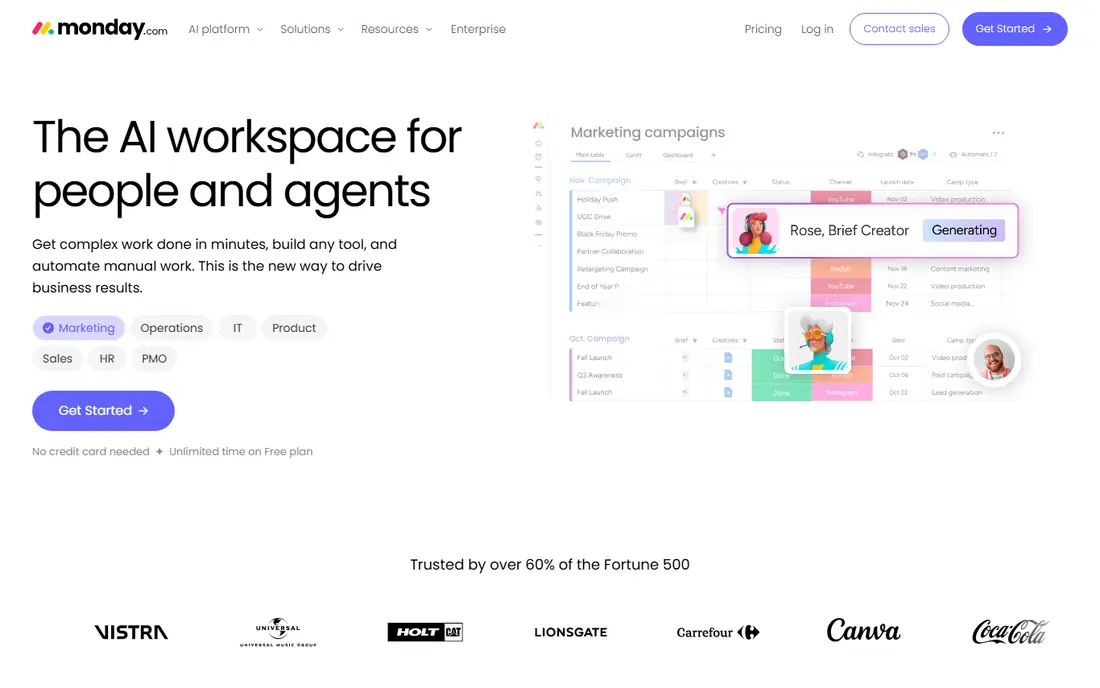
Monday.com is the most visual general project tool on this list, which is why many design teams settle here first. Boards use colour, status labels, timelines, and calendar views to show where each project sits at a glance, and you can shape columns around design stages such as brief, in review, revisions, and approved. That visual clarity helps when a studio juggles a logo refresh, a landing page, and a social kit in the same week.
The catch is pricing structure. The published Basic plan starts at $9 per user per month with a three-user minimum, and the free plan covers only up to two users, so a solo designer may find the free tier limiting. Larger teams should also check the cost of higher tiers for automations and advanced reporting. For a small studio that lives in boards and wants clients to see progress clearly, monday.com is still our first suggestion.
- Highly visual boards and views
- Strong customisation
- Wide integration range
- Basic plan has a three-user minimum in published pricing
- Costs rise with larger teams
Asana suits design teams that want order without losing flexibility. Tasks, subtasks, sections, and due dates keep a project tidy, while Timeline view shows deadlines across projects and Portfolios on paid plans give managers a view of a whole client roster. Integrations with Slack, Google Drive, and other common tools mean files and feedback do not have to live in separate silos.
The honest limit is that Asana is a general task tool, not a design proofing tool, so markup and approval workflows need integrations or careful use of comments and attachments. The Starter plan starts at $10.99 per user per month, and the features many studios want, such as Portfolios and Goals, sit on higher tiers. If your team values clear task ownership above visual mood boards, Asana gives a steady, well-supported home for design work.
- Clean task structure
- Timeline and Portfolios on paid plans
- Many integrations
- Proofing and design-specific features need workarounds
- Higher tiers cost more
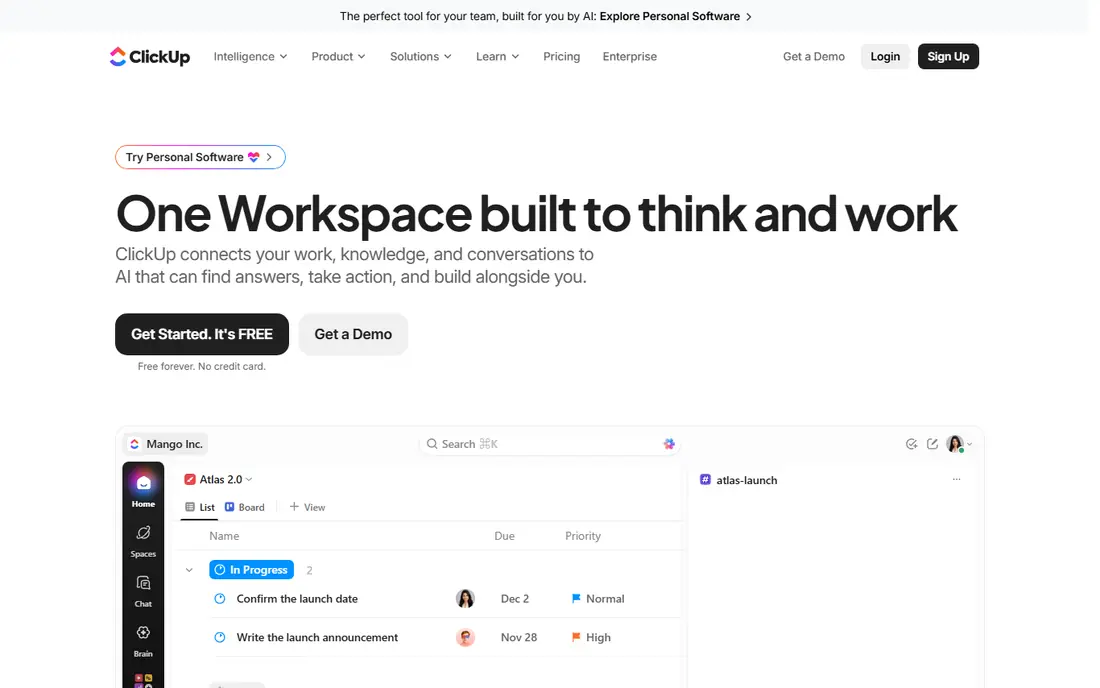
ClickUp tries to hold tasks, docs, goals, time tracking, and dashboards in one workspace, which appeals to design studios tired of paying for five separate tools. You can switch between list, board, calendar, and timeline views for the same project, and attach briefs and reference files alongside tasks. The paid Unlimited plan starts at $7 per user per month in published pricing, which undercuts most rivals here.
That breadth is also the drawback. New teams often spend a week tuning ClickUp before it feels natural, and the sheer number of options can distract from the work itself. Start with one project template, one board view, and one docs folder, then add features only when a real workflow needs them. For a budget-conscious studio that wants one workspace for most jobs, ClickUp offers strong value.
- Low starting price
- Many views and docs in one workspace
- Generous free plan
- Setup can feel busy
- Feature depth takes time to learn
Notion works best for designers who think in documents first and tasks second. A project page can hold the brief, brand notes, reference images, and a task database in one place, so a freelancer or small studio can keep client context close to the work. The Plus plan starts at $10 per user per month, and the free plan suits personal use and small trials.
The trade-off is structure. Notion gives you building blocks rather than a fixed project system, so a team that needs strict timelines, workload views, and approvals may find Asana or monday.com easier to run at scale. Used with discipline, with one template per project type and clear status fields, Notion becomes a calm home for creative work, brand guidelines, and handoff notes.
- Flexible pages for briefs and brand notes
- Task databases link to docs
- Personal free plan
- Less structured project tracking than Asana or monday.com
- Large workspaces need care
Trello remains the simplest board tool here, and that simplicity is its strength for small design teams. A card moves from brief to design to review to done, with checklists, due dates, attachments, and comments on each card. The Standard plan starts at $5 per user per month in published pricing, and the free plan covers basic boards for a small team or solo designer.
Trello struggles when a studio needs portfolio reporting, workload balancing, or complex approvals across dozens of projects, since those features need higher tiers or add-ons. For a freelancer or a team of three handling a handful of projects, Trello keeps overhead low and the board easy to read. If projects grow more complex, Asana or ClickUp will scale more cleanly.
- Easy kanban boards
- Low starting price
- Quick setup
- Limited reporting and workload tools
- Larger projects need paid Power-Ups and views
Wrike suits design teams handling high volumes of requests, such as an in-house team serving many departments. Workflows, request forms, approvals, and proofing tools help route a brief from intake to final sign-off without losing comments in email. The Team plan starts at $10 per user per month in published pricing, with a free plan for basic team work.
The learning curve is real, and smaller studios may find Wrike heavier than they need for a few client projects. Set aside time for setup, templates, and a short team guide before rolling it out. For a busy creative operations team that needs intake, proofing, and reporting in one place, Wrike earns its place on this list.
- Strong workflow and automation tools
- Proofing features
- Detailed reporting
- Interface takes learning
- Pricing rises on higher tiers
Milanote is different from the other tools here, because it starts with visual thinking rather than task lists. Designers can lay out mood boards, reference images, notes, and links on a free-form board, then share that board with a client or team for early feedback. That stage, before a brief becomes a task list, is where many design projects go wrong, and Milanote makes it easier to align on direction first.
Milanote does not replace a task manager for delivery, deadlines, and approvals, so most studios pair it with Asana, Trello, or monday.com. The published price is $12.50 per user per month, with a free plan for smaller boards. If your team struggles most with early direction and client alignment, Milanote is a useful addition rather than a standalone system.
- Visual boards for mood boards and references
- Simple drag-and-drop layout
- Good for early-stage ideas
- Not a full task manager
- Best paired with another project tool
Basecamp takes an opinionated, calm approach: one project space holds messages, to-dos, schedules, files, and chat, with fewer alerts and less customisation than rivals. That restraint suits design teams tired of noisy tools and constant notifications, and clients often find Basecamp easier to follow than a complex board. Pricing is $15 per user per month, or a flat $299 per month for Pro Unlimited in published pricing.
The limit is visual work. Basecamp lacks the rich board customisation of monday.com and the proofing depth of Wrike, so teams that live in visual timelines may miss those views. For a studio that values clear communication, a single home per project, and predictable pricing for a larger team, Basecamp is a solid, low-drama choice.
- Flat Pro Unlimited option at $299 per month
- Message boards and schedules in one place
- Low noise design
- Fewer visual design views
- No free plan, only a trial
ProofHub appeals to larger design teams because pricing is flat, starting at $45 per month in published pricing, rather than per user. That model can save a studio with ten or more collaborators a large sum compared with per-seat tools. Tasks, discussions, files, proofing, and time tracking sit in one workspace, with client roles for sharing progress without giving full team access.
The interface is less polished than monday.com or Notion, and the integration range is narrower, so check that your file storage and chat tools connect as needed. For a growing studio where per-seat costs are the main barrier to giving everyone access, ProofHub gives a practical way to bring the whole team and key clients into one project home.
- Flat monthly price rather than per-user pricing
- Tasks, discussions and proofing in one tool
- Client roles
- Interface feels less modern than rivals
- Smaller integration range
How we picked these
We compared official pricing, board and timeline views, proofing and feedback options, and integrations with common design and file tools, and we kept only tools still available in October 2026. We favoured tools that handle the design loop of brief, draft, feedback, and revision, rather than generic to-do apps, and we noted where a free plan is limited to a small team or personal use.
How to choose a tool for design work
Start with your biggest pain point. If clients lose track of revisions, pick a tool with clear status stages, comments tied to files, and a proofing or approval step. If early direction is the problem, add a visual board tool such as Milanote to your workflow, even if tasks live elsewhere. If deadlines slip across many projects, favour Timeline, calendar, and workload views over a prettier board.
Next, test with a real project, not a demo template. Load one live client job, invite the people who will use it daily, and run one full revision round inside the tool. Watch where feedback gets lost, where files pile up, and where someone asks for an email instead. That single round will tell you more than a week of feature comparisons.
Finally, check cost at your real team size. A low per-user price can still grow quickly with contractors and clients, while a flat-rate tool can save money for a larger team. Confirm what the free plan actually covers, how many guests or clients you can add, and what happens to your files if you cancel.
Frequently asked questions
Which project management tool is best for graphic designers?
Monday.com is our first pick for most visual design teams, thanks to its boards and views. Asana suits teams that want stricter task structure, while Notion suits designers who keep briefs and brand notes close to tasks.
Can I manage client revisions in these tools?
Yes, most tools here handle revisions through comments, status stages, and file attachments. Wrike and ProofHub add proofing features, while other tools work best when each revision round gets its own checklist or subtask.
Is there a good free project management tool for designers?
Trello, ClickUp, Asana, Notion, and monday.com all offer free plans, but each limits users, features, or views. Trello is the simplest free starting point, while ClickUp gives the most features on its free plan.
Do these tools work with Figma and Adobe tools?
Most tools here integrate with file storage, chat, and common design workflows, and you can link Figma files or Adobe assets from tasks and docs. Check the integration page for the specific tool before you buy, since depth varies by plan.
Should a solo designer pay for a project tool?
A solo designer can often start free with Trello, Notion, or ClickUp. Pay when you need client sharing, timeline views, time tracking, or a larger file and history limit that the free plan does not cover.
How do I stop revision rounds from dragging on?
Set a revision limit in the brief, use one status stage per round, and keep all feedback on the task or proof, not in separate emails. A tool with clear approval stages makes it easier to hold that limit kindly and firmly.
Sources
See where you really rank - block by block
ProMapRanker scans Google Maps across a grid of your service area. Simple monthly plans from $19, white-label on every plan.
Start freeKeep reading
 worlds best local seo company
8 Worlds Best Local SEO Companies for Map Pack Growth in 2026
Compare the worlds best local seo company options for Google Business Profile work, citations, reviews, and multi-location rankings and reporting in 2026.
Read → world's best web hosting company
World's Best Web Hosting Company in 2026
Searching for the world's best web hosting company? We compared 10 hosts on price, renewal rates, speed, and support to help you choose well today in 2026.
Read → who's got the best nanny tax services
Who's Got the Best Nanny Tax Services in 2026
We answer who's got the best nanny tax services, comparing full filing, back taxes, software, and pricing so families can handle nanny taxes correctly.
Read →