 ProMapRanker
6 Best Project Management Scheduling Software Options for 2026

Key takeaways
- Top of the list is Float, which targets scheduling people, not just tasks.
- The main caution on Wrike: pricing sold in seat groups.
- Smartsheet fits teams that think in spreadsheets but need real scheduling.
- ClickUp has the lowest monthly starting price in this list: $8/user/month.
Direct answer
Float leads the list, best for scheduling people, not just tasks. Look at ProjectManager for professional PMs who want Gantt plus resource management, and at monday.com for visual teams that plan on boards and timelines. Prices, free plans and limits for all 6 tools follow.
Quick comparison
| Pick | Great for | Pricing starts at | Free tier | |
|---|---|---|---|---|
 Float | Scheduling people, not just tasks | See website | No | Visit |
 ProjectManager | Professional PMs who want Gantt plus resource management | See website | No | Visit |
 monday.com | Visual teams that plan on boards and timelines | See website | Yes | Visit |
 Wrike | Enterprises that want scheduling plus AI automation | $10/user/month (Team) | Yes | Visit |
 ClickUp | Teams that want maximum features per dollar | $8/user/month (Core, billed yearly) | Yes | Visit |
 Smartsheet | Teams that think in spreadsheets but need real scheduling | $9/user/month (Pro, annual) | Yes | Visit |
Every option for project management scheduling software explained
If you are comparing project management scheduling software, this page covers 6 tools in one place: what each is best for, what it costs to start, whether it has a free plan, and the main limit to know about.
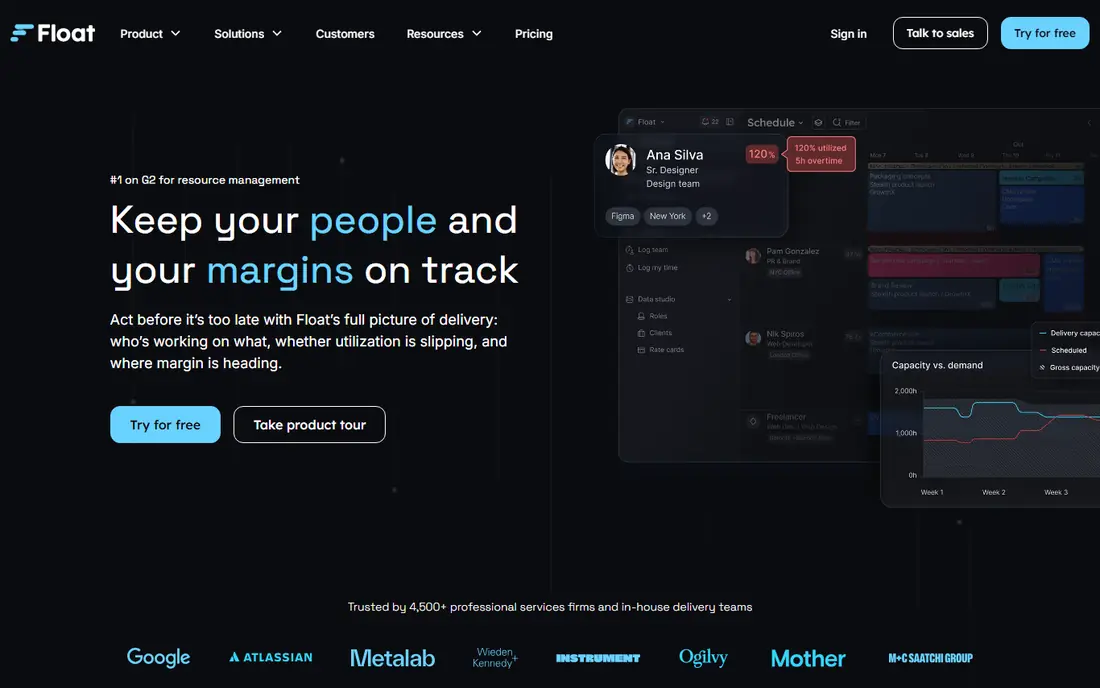
Float is built with scheduling people, not just tasks in mind. The timeline shows who is working on what, capacity heatmaps reveal overbooking, and drag-and-drop rescheduling makes rebalancing instant.
From a buyer's view, for agencies, studios and consultancies where the schedule is really a staffing plan, Float's people-first design beats every Gantt-centric tool here. Float does not show a starting price in this comparison, so check the vendor site for current pricing. Float does not include a free plan.
The main drawbacks: External pricing data conflicts; confirm on vendor site.
- Best visual capacity planning
- Estimates vs. Actuals on Pro
- No free plan
ProjectManager
Great for: Professional PMs who want Gantt plus resource management
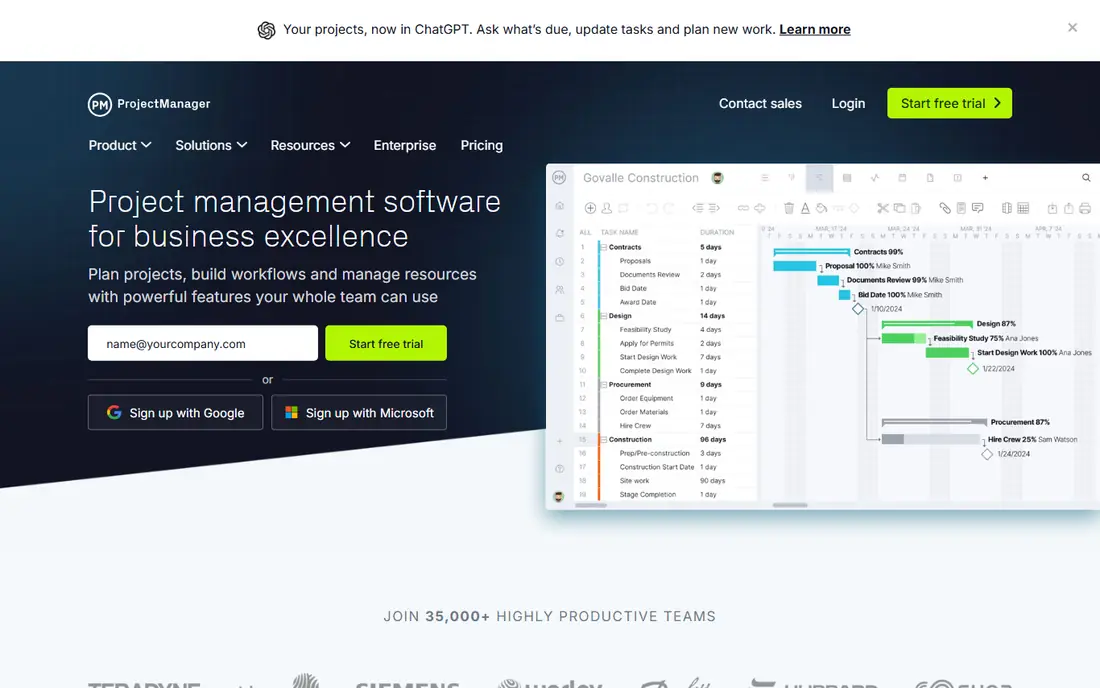
For professional PMs who want Gantt plus resource management, ProjectManager is a natural candidate. There is no free plan, only a trial, which positions it as a professional tool instead of a team collaboration app. The Business level layers on portfolio dashboards, a portfolio roadmap, RAID logs, timesheets and QuickBooks Online integration.
Limits to weigh: Guest access is read-only.
Gantt, list, sheet, board and calendar views stay in live sync, with critical path, baselines, dependencies and resource management. On top of that, pricing is not displayed without entering team size on the vendor's pricing page, so request a quote. ProjectManager shows no starting price here, so confirm the cost on the vendor site. There is no free plan with ProjectManager.
- Capable resource and workload planning
- Five project views with real-time sync
- No free plan
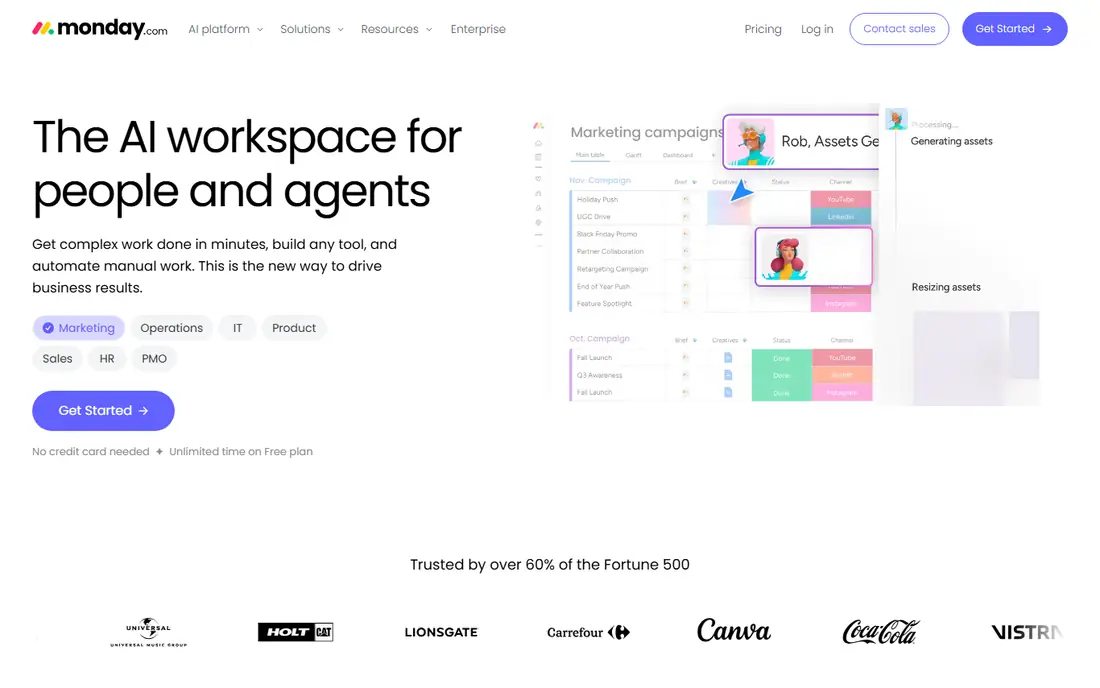
monday.com targets visual teams that plan on boards and timelines. The pricing model is the friction: per-seat pricing with minimum seat counts means the headline per-seat price understates the real bill, and serious scheduling features sit on higher levels.
Honest limits: Per-seat pricing with 3-seat minimums.
The vendor's pricing page confirms plans start from 3 users with an 18% annual discount. Check the vendor site for monday.com pricing; none is listed in this comparison. Free access exists with monday.com.
- Best-in-class visual timelines and boards
- 200+ templates
- Advanced scheduling needs higher levels
Think of Wrike for enterprises that want scheduling plus AI automation. Wrike's Team plan at $10 per user a month brings interactive Gantt charts, board and table views, and a starter pack of AI Elite actions for automation. As for the details, Wrike is made for organizations where project scheduling feeds portfolio decisions.
Trade-offs to know: Ramp-up time for casual users.
Business at $25 brings resource management, budgeting and advanced reporting. On top of that, the Gantt is genuinely interactive, not a static picture, and the 2026 AI layer automates status updates and workflow rules. Entry price for Wrike: $10/user/month. You can start on Wrike without paying.
- Interactive Gantt with dependencies
- AI Elite actions on every level
- Pricing sold in seat groups
ClickUp is aimed squarely at teams that want maximum features per dollar. The free plan handles unlimited tasks and members with 60MB storage.
In daily use, the main limit is sprawl: ClickUp does everything, and teams can drown in views, custom fields and automations without governance. But on pure value, nothing matches it. What you pay to start with ClickUp: $8/user/month. ClickUp includes a free tier.
Drawbacks to consider: Performance dips in huge workspaces.
- Cheapest credible entry at $8
- Unlimited Gantt charts from Core
- Feature sprawl can overwhelm
Smartsheet serves teams that think in spreadsheets but need real scheduling. The vendor's pricing page lists Pro at $9 per member a month on annual billing (1 to 10 members) and Business at $19, with a free plan and 30-day trial. In daily use, Smartsheet is the spreadsheet that grew up into a project scheduling product.
Where it falls short: UI feels dated next to monday.com.
Also, for organizations standardizing scheduling across departments with compliance requirements, Smartsheet is the safe enterprise pick. In daily use, tasks live in a familiar grid, but behind it sit Gantt charts, dependencies, critical path, baselines and resource management. On cost, Smartsheet starts like this: $9/user/month. Smartsheet has a free plan.
- Dependencies and critical path
- Capable enterprise governance
- Per-member pricing layers on up quick
How the list was put together
The comparison looks at four things: starting price, free access, how well the feature set matches project management scheduling software, and the main limit of each tool. Seat minimums, billing terms and add-ons can move the real cost, so the starting prices here are a guide and not a quote. The sequence is a judgement call: typical use case first, then pricing transparency, then free access. Use the profiles to check fit.
Questions to settle before buying
- Ask Float, ProjectManager and monday.com for a written quote, since no starting price is shown.
- Look at free plan limits closely: monday.com, Wrike, ClickUp and Smartsheet have one, and the caps decide whether it is usable for real work.
- Before choosing Float, weigh its main limit: no task management depth.
- Ask the daily users to test ClickUp on a live task before you roll it out to everyone.
- Verify that exporting from ProjectManager is possible on your plan and covers all your records.
Frequently asked questions
What is the cheapest option for project management scheduling software in this list?
On published monthly entry prices, ClickUp is the lowest here at $8/user/month. Entry price is only part of the cost, because seats, add-ons and billing terms can change the total.
Which options for project management scheduling software have a free plan?
On this list, monday.com, Wrike, ClickUp and Smartsheet include a free plan. Caps on seats, usage or features are common, so test the free plan against your real workload.
Does monday.com have a free plan?
Yes. monday.com supplies a free plan of monday work management pitched at freelancers and individual professionals, plus a 14-day free trial of the Pro plan.
What is the best project management scheduling software?
Float is the pick this page puts first, mainly for scheduling people, not just tasks. If your situation differs, ProjectManager suits professional PMs who want Gantt plus resource management, and monday.com suits visual teams that plan on boards and timelines. Compare price and limits before you decide.
How are the tools for project management scheduling software ordered?
The order follows typical fit for project management scheduling software, with Float first and Smartsheet last, then price clarity and free access. It is editorial judgement, not a score, so another team could rank the tools differently.
Do these tools publish their prices?
Not all of them. Float, ProjectManager and monday.com publish no starting price, so expect a quote request for those. The rest, Wrike included, show a starting price, though seats and billing terms still change the final cost.
Sources
See where you really rank - block by block
ProMapRanker scans Google Maps across a grid of your service area. Simple monthly plans from $19, white-label on every plan.
Start freeKeep reading
 zoho inventory alternatives
6 Alternatives to Zoho Inventory, Compared on Price and Fit
Zoho Inventory alternatives: 6 tools compared on price, free plans and fit. Katana leads the list for manufacturers. Fit and flaws are laid out for each entry.
Read → zoho crm alternatives
Best Zoho CRM Alternatives (2026)
Need Zoho CRM alternatives? We compare 7 tools on cost, free access and who each suits. Every pick gets a straight assessment. Built for quick decisions.
Read → zelle alternatives
Best Zelle Alternatives in 2026
Compare the best Zelle alternatives for sending money to friends, paying sellers and moving funds abroad, with honest notes on fees, speed and safety in 2026.
Read →