 ProMapRanker
Best Production Management Software in 2026

Key takeaways
- Katana and MRPeasy give small makers a clear path from order to finished goods without a full ERP project.
- Odoo Manufacturing suits teams that want one system for stock, sales, and production, and are willing to learn it.
- MachineMetrics and Plex fit larger plants where machine data and quality checks matter more than a low monthly price.
- Most entry prices we found are per user or per month, so count your shop floor users before you compare totals.
Quick comparison
| Pick | Great for | Pricing starts at | Free tier | |
|---|---|---|---|---|
 Katana | Small makers and workshops | $299 per month | Free trial | Visit |
 MRPeasy | Small manufacturers on a budget | $49 per user per month | Free trial | Visit |
 Odoo Manufacturing | Growing teams wanting an ERP base | $31.10 per user per month | Yes | Visit |
 monday work management | Teams that want visual planning | $9 per seat per month | Yes | Visit |
 Fishbowl Manufacturing | QuickBooks users with warehouses | See website | No | Visit |
 Prodsmart | Small factories needing shop floor tracking | $2,065 per year | Free trial | Visit |
 MachineMetrics | Plants wanting machine data | See website | Free trial | Visit |
 Rootstock | Salesforce users needing manufacturing | See website | No | Visit |
 Plex | Larger manufacturers needing MES and quality | See website | No | Visit |
The best production management software
Production software has to answer a simple question each morning: what should the shop make, with what materials, and by when. The nine tools below cover that question at very different scales, from a ten person workshop to a multi plant factory.
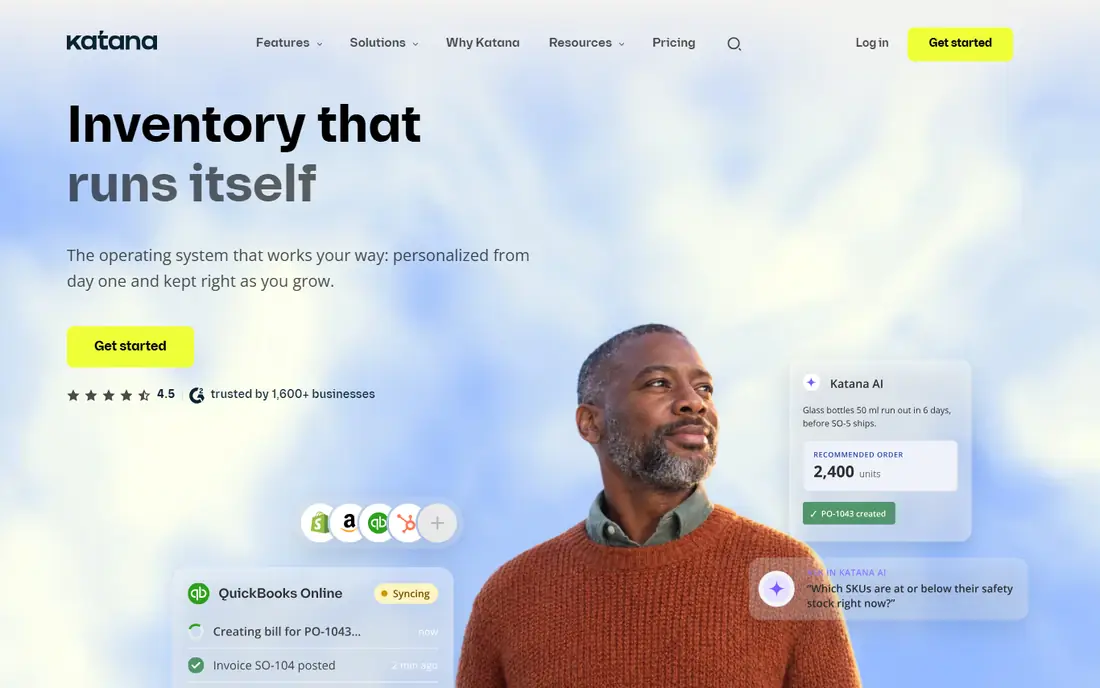
Katana starts with the order and works backward to materials, which is how most small makers already think. You can see raw stock, work in progress, and finished goods in one place, and the visual schedule shows where a job is stuck. That clarity matters when a customer asks for a delivery date and you need an honest answer, not a guess.
The catch is cost and scope. The entry plan is a real monthly commitment for a tiny workshop, and some deeper routing features cost more. If you only resell goods and never make them, Katana will feel like too much tool. For teams that cut, assemble, or pack their own products, it is a strong first pick.
- Visual production scheduling
- Live inventory tracking
- Batch traceability
- Entry price is high for very small shops
- Advanced manufacturing features sit in higher tiers

MRPeasy is the plain, practical choice for a small factory that needs MRP without a long implementation. It handles bills of materials, production planning, purchasing, and stock in one system, so you stop stitching spreadsheets together. The per user price also makes it easier to budget for a small team.
It will not win a design contest, and some reports take a little digging to shape the way you want them. Setup still needs care, because your bills of materials have to be right before the planning numbers mean anything. If you accept that work up front, MRPeasy gives you a lot of control for the price.
- Bills of materials and shop floor control
- Integrated inventory
- Clear per user pricing
- Interface feels dated in places
- Reporting is less polished than larger ERP tools
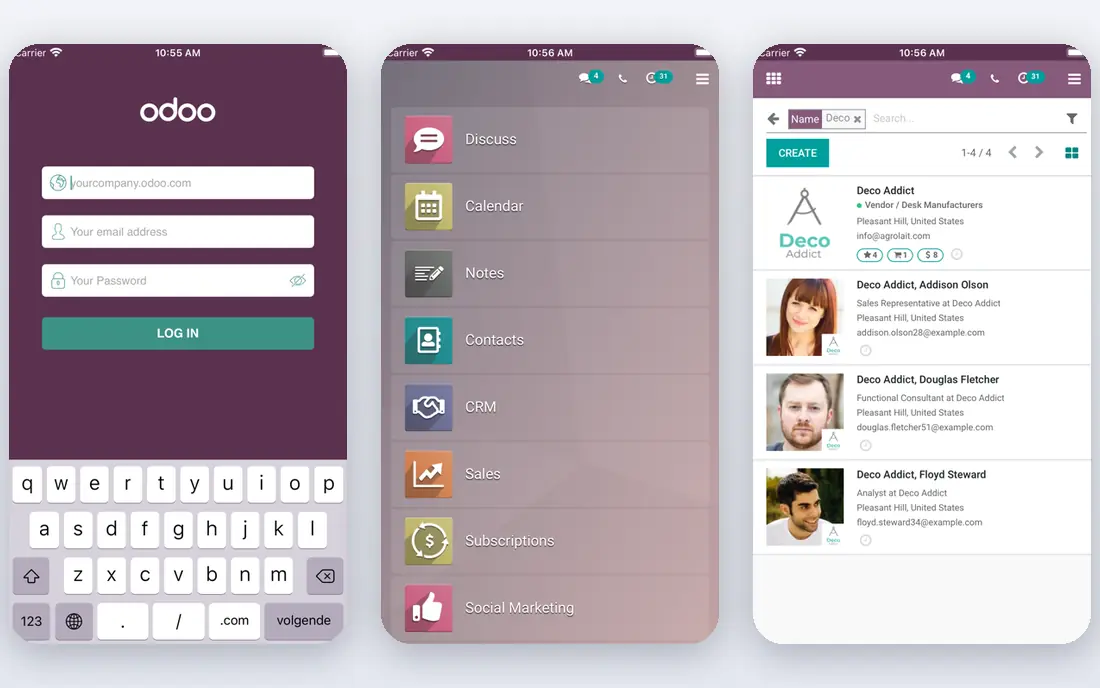
Odoo Manufacturing works best when you think of it as part of a wider system rather than a single app. Stock moves, sales orders, and work orders share the same data, so a sale can trigger a replenishment need without manual retyping. That shared base is why many growing firms pick Odoo over a standalone scheduler.
The trade off is complexity. You will spend time learning how modules connect, and the monthly total climbs as more staff need access to more apps. Small teams should start with a narrow scope and add modules only when a real bottleneck appears. Used that way, Odoo is a sound long term base.
- Modular system that grows with the business
- Strong inventory and sales links
- One app free option
- Learning curve is real
- Costs rise as you add users and apps
Monday work management is not a traditional MRP tool, and we list it here for teams whose production problem is mainly planning and coordination. Boards, timelines, and automations make it easy to track jobs, owners, and deadlines across a small operation. Most staff can learn it in an afternoon, which is a real advantage on a busy floor.
The limit is depth. It does not replace bills of materials, lot tracking, or detailed costing in the way MRPeasy or Katana do. If your main pain is missed handoffs and unclear priorities, Monday can fix that fast. If your main pain is material shortages and cost control, pick a manufacturing tool instead.
- Easy visual boards and automations
- Flexible for many workflows
- Free plan for individuals
- Not a full MRP system
- Inventory and costing depth is limited
Fishbowl suits firms that already run on QuickBooks and have a real warehouse to manage. Receiving, putaway, picking, and shipping are built for physical stock, and lot and serial tracking help when a batch needs tracing. The QuickBooks link keeps accounting and stock closer together than a spreadsheet ever will.
The buying process needs patience. Pricing depends on tier and users, there is no free trial, and implementation can run longer than expected. That is acceptable if warehouse control is your core problem. For a simple stockroom, a lighter tool will be cheaper and faster to adopt.
- Strong warehouse workflows
- Lot and serial tracking
- Deep QuickBooks integration
- No free trial, demo only
- Implementation takes longer than the sales call suggests
Prodsmart is built for the factory floor first, not the back office. Staff can log jobs, downtime, and output from a mobile device, and managers can see progress without walking the whole floor. That live view helps when a job slips and you need to reassign people the same day.
It is less appealing if you only need planning in an office and have no shop floor data to capture. The yearly price also means you should trial it with one line or team before rolling it out plant wide. For small factories moving off paper job cards, it is a practical step up.
- Mobile first shop floor tracking
- Clear production visibility
- Built for small and mid size factories
- Annual entry price needs budget approval
- Less suited to pure office planning
MachineMetrics answers a different question from the rest of this list: what are your machines actually doing right now. It connects to equipment, tracks downtime and output, and turns that stream into production data managers can act on. For plants with expensive machines, that visibility can pay for itself in fewer idle hours.
It is not a general planning tool for a small workshop, and custom pricing means you need a quote to budget properly. You also need someone who will act on the data, or the dashboards will sit unused. If machine uptime drives your margin, start here and add planning tools around it.
- Real time machine connectivity
- Downtime and performance data
- Plug and play connections for many machines
- Pricing is custom
- Value depends on having machines worth connecting
Rootstock is the pick for firms already committed to Salesforce. Because it runs natively on that platform, sales, manufacturing, and supply data share one system and one set of users. That removes a lot of integration work that other ERP projects spend months on.
Outside Salesforce, it is a poor fit, and custom pricing means small firms will struggle to justify it. Implementation also needs Salesforce skills on staff or from a partner. If Salesforce is already your system of record, Rootstock is worth a serious look. If it is not, choose a standalone tool.
- Native Salesforce integration
- Unified ERP and manufacturing data
- Strong for regulated or complex operations
- Custom pricing
- Only makes sense inside a Salesforce setup
Plex, now part of Rockwell Automation, targets manufacturers that need manufacturing execution and quality control at scale. It tracks production in real time, supports quality checks, and gives plant leaders a single view across lines. That depth suits firms where a quality miss or a stopped line has a high cost.
Small makers should skip it. The pricing, setup, and training effort assume a larger operation with dedicated staff. For a mid size or large plant that has outgrown spreadsheets and basic MRP, Plex belongs on the shortlist alongside a formal demo and a clear scope.
- MES and quality monitoring in one system
- Real time production data
- Built for production heavy firms
- Custom pricing
- Too large and costly for small workshops
How we picked these
We compared official feature pages, pricing pages, and app listings, and we kept only tools that are live in October 2026 and clearly handle production planning, shop floor control, or manufacturing execution. We mixed small maker tools with plant scale systems so readers at different sizes can find a fit, and we marked prices as See website where the vendor uses custom quotes.
We did not claim hands-on testing in a factory, and we did not rank on marketing claims alone. Fit, pricing clarity, inventory links, and the honest limits of each tool mattered more than a long feature list. A tool that does one job well beats a broad tool that does that job poorly.
What to check before you buy
Start with your bottleneck
Write down the one problem that costs you the most time or money. If it is material shortages, you need MRP and inventory depth. If it is missed deadlines, you need scheduling and shop floor visibility. If it is machine downtime, you need machine data. Buying a tool for a different problem will not help, even if the tool is good.
Count users and materials honestly
Per user pricing looks cheap until every operator, supervisor, and office worker needs a login. List who will use the system daily, weekly, and rarely, and ask the vendor which roles need a paid seat. Also check how bills of materials, variants, and lot tracking work for your actual products, not for a demo product.
Trial it on one real job
Run a trial with a real order, real materials, and real deadlines. Check how long data entry takes, whether stock numbers stay accurate, and whether reports answer the questions your team asks each morning. A tool that survives one messy week is far more valuable than a tool that looks tidy in a demo.
Plan the switch from spreadsheets
Moving bills of materials and stock counts into a new system is where most projects stall. Clean your item list first, assign one owner for the data, and keep the old sheets as a backup until the new numbers match for two full weeks. That discipline saves more money than any discount.
Frequently asked questions
What is production management software?
It is software that plans what to make, tracks materials and jobs, and shows progress on the shop floor. Some tools focus on scheduling and inventory, while others add machine data, quality checks, or full ERP functions. The right scope depends on whether you make goods in house or mainly coordinate outside suppliers.
Is Katana or MRPeasy better for a small manufacturer?
Katana suits makers who want a visual system and live inventory in one place, while MRPeasy suits teams that want classic MRP planning at a lower per user price. Compare total monthly cost for your user count, and trial both with the same real order. The tool your floor staff actually update each day is the better pick.
Do I need a full ERP to manage production?
No, not at first. A focused MRP or shop floor tool can handle planning, stock, and job tracking for a small firm. Move to a full ERP when accounting, sales, purchasing, and production all need to share data without manual transfers. Starting too large often slows adoption and raises costs.
How much does production management software cost?
Entry prices in this list range from a low per seat plan to custom quotes for plant scale systems. Small maker tools often start in the tens or low hundreds of dollars per month, while MES and ERP systems are quoted per project. Always ask for implementation, training, and user count costs before signing.
Can production software work with QuickBooks?
Yes, several tools on this list integrate with QuickBooks, and Fishbowl is known for that link. Check whether the integration covers inventory, purchase orders, and invoicing, or only basic accounting sync. A shallow link can leave your team retyping stock data, which defeats the purpose.
Sources
See where you really rank - block by block
ProMapRanker scans Google Maps across a grid of your service area. Simple monthly plans from $19, white-label on every plan.
Start freeKeep reading
 zscaler alternatives
Best Zscaler Alternatives in 2026
Looking for zscaler alternatives? We compare 9 SASE and zero trust platforms on architecture, data protection, pricing, and fit for your network and team.
Read → zapier alternatives free
Best Zapier Alternatives Free in 2026
Nine automation tools for zapier alternatives free in 2026, all with genuinely free tiers, plus free plan limits, starting prices and upgrade paths explained.
Read → which platform is best for online reputation
Which Platform Is Best for Online Reputation in 2026
Wondering which platform is best for online reputation? We compare 8 review, listing, and response tools for small and multi-location businesses and agencies.
Read →