 ProMapRanker
8 Best Procurement Software for Teams in 2026

Key takeaways
- Coupa, SAP Ariba, and Oracle Procurement suit large enterprises with complex sourcing, contracts, and global supplier networks.
- Precoro, Procurify, and Zip suit mid-market teams that need clear purchase requests, approvals, and budget control without a full enterprise rollout.
- Airbase and Ramp combine purchasing with payments and expenses, which helps teams that want fewer separate finance tools.
- Most enterprise procurement pricing is quote-based, so ask for total cost, including implementation, integrations, and user limits.
- A short pilot with real purchase requests will reveal more about fit than a sales demo alone.
Quick comparison
| Pick | Great for | Pricing starts at | Free tier | |
|---|---|---|---|---|
 Coupa Coupa | Enterprise spend management | See website | No | Visit |
 SAP Ariba SAP Ariba | SAP-based enterprises | See website | No | Visit |
 Oracle Procurement Oracle Procurement | Oracle ERP customers | See website | No | Visit |
 Precoro Precoro | Mid-market purchase control | $499 per month | No | Visit |
 Procurify Procurify | Budget visibility for finance teams | See website | No | Visit |
 Zip Zip | Purchase intake and approvals | See website | No | Visit |
 Airbase Airbase | Purchasing plus accounts payable | See website | No | Visit |
 Ramp Ramp | Free core spend management | Free | Yes | Visit |
The best procurement software
Procurement software controls how a company asks for, approves, orders, and pays for goods and services, and the right choice depends on company size and existing systems.
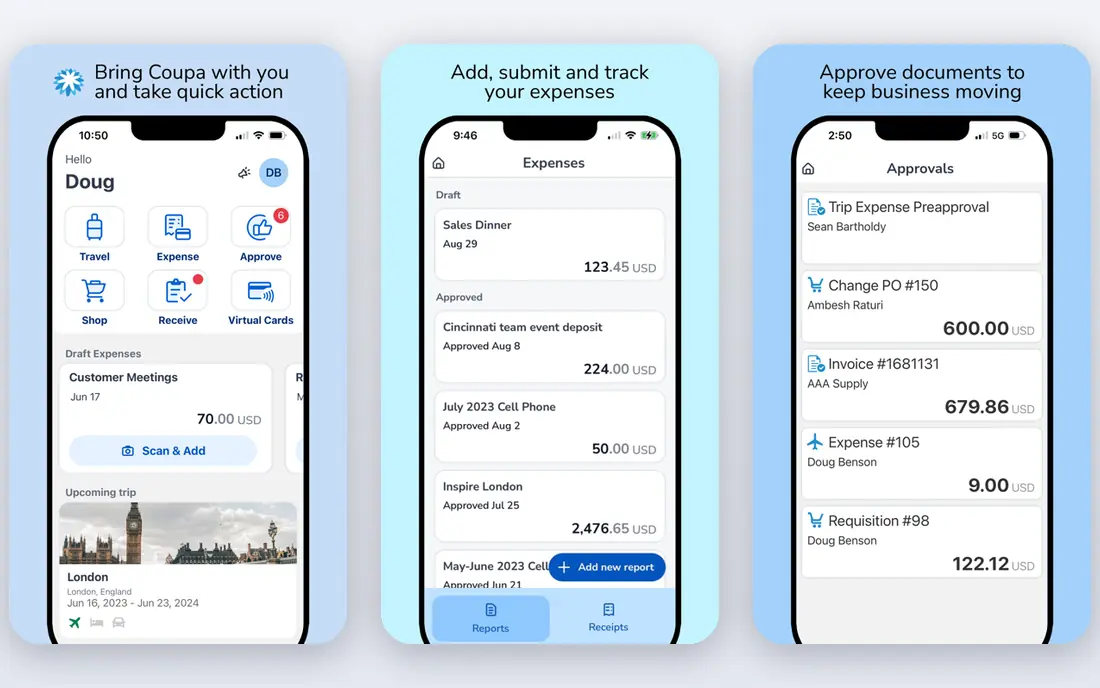
Coupa is built for large organizations that want procurement, invoicing, expenses, and payments in one system. Its strength is visibility, because managers can see spend by category, supplier, and department, and finance teams can compare patterns across the business. The platform also supports sourcing, contracts, and supplier management, which helps global teams keep policy and compliance in one place. Before you commit, test the core workflow with a realistic example from your own work, and note where it saves time and where it adds friction. The weakness is scale. Pricing is custom, implementation can take months, and smaller companies may find the full suite heavy for a simple approval problem. Coupa fits enterprises with complex spend, multiple entities, and a need for centralized control, especially when procurement is a company-wide program rather than a single team task. Before you commit, test the core workflow with a realistic example from your own work, and note where it saves time and where it adds friction.
- Broad source-to-pay coverage
- Strong spend analytics
- Large supplier community and benchmark data
- Enterprise pricing and long implementation
- Broad scope can be more than smaller teams need
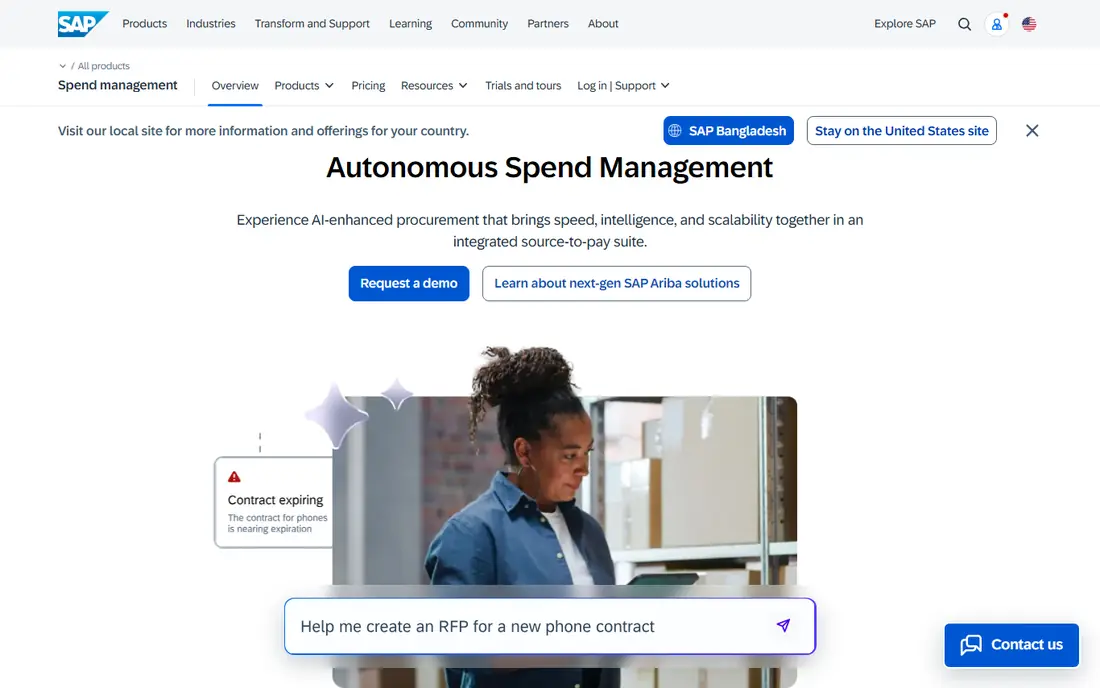
SAP Ariba is the natural choice for companies already running SAP, because sourcing, supplier management, contracting, and invoicing sit inside the same ecosystem as the ERP. The Ariba Network connects buyers with a very large supplier base, which helps global manufacturers and enterprises that manage many suppliers across countries. That shared data also reduces manual entry and reconciliation between systems. Before you commit, test the core workflow with a realistic example from your own work, and note where it saves time and where it adds friction. Outside SAP, the case is weaker. Pricing is custom, implementation is involved, and the platform assumes processes that fit an SAP-shaped organization. SAP Ariba fits large SAP customers with global supplier governance needs, and those buyers should confirm module scope, network terms, and integration effort before signing. Check the current pricing page and terms before you buy, because plans, limits, and included features change over time. Compare two or three options side by side on the same task, because a demo alone rarely shows everyday limits.
- Deep SAP integration
- Large supplier network
- Full sourcing, contracting, and invoicing coverage
- Complex outside SAP
- Custom pricing and long rollout for full deployments
Oracle Procurement, part of Oracle Fusion Cloud, suits organizations that already run Oracle ERP and want procurement close to finance. Purchasing, sourcing, supplier qualification, and contracts work with the same master data as accounting, which helps with control, audit trails, and reporting. Automated workflows can route requests and approvals without separate tools or spreadsheets. Before you commit, test the core workflow with a realistic example from your own work, and note where it saves time and where it adds friction. The drawback is dependence on the Oracle stack. Companies on other ERPs gain less from the integration, and configuration can be a major project. Oracle Procurement fits large Oracle customers with formal procurement, contract, and supplier processes, and it is less attractive as a standalone tool for a small team. Before you commit, test the core workflow with a realistic example from your own work, and note where it saves time and where it adds friction.
- Strong Oracle Cloud ERP integration
- Purchasing, sourcing, suppliers, and contracts in one suite
- Automated workflows
- Most value requires Oracle Cloud
- Complex for smaller businesses and long to configure
Precoro is aimed at small and mid-market teams that want to stop uncontrolled spending without buying an enterprise suite. Requests, approvals, purchase orders, and budgets are linked, so finance can see a commitment before money is spent, not only after an invoice arrives. The published starting price also makes early budgeting easier than with quote-only vendors. Before you commit, test the core workflow with a realistic example from your own work, and note where it saves time and where it adds friction. The limits are tier-based. A demo or trial is the usual route to test the tool, and some automation features require a higher plan. Precoro fits growing companies formalizing spend control for the first time, especially when purchase orders and budget checks are the main gaps in the current process. Before you commit, test the core workflow with a realistic example from your own work, and note where it saves time and where it adds friction.
- Published starting price
- Clear purchase orders and budgets
- Faster setup than enterprise suites
- No free plan
- Advanced automation sits on higher tiers
Procurify helps finance teams answer a simple question before approval, which is whether the budget can cover this purchase. Requests show budget impact early, so managers approve with numbers in view rather than guessing. Purchase orders, approvals, and receiving are linked, which gives a clearer audit trail than email approvals and spreadsheets. Before you commit, test the core workflow with a realistic example from your own work, and note where it saves time and where it adds friction. Pricing is modular and quote-based, so buyers need a vendor discussion to get a firm figure. Procurify fits mid-sized companies where finance needs live budget control and a consistent approval trail, and it works best when the company is ready to move requests out of email and into one system. Before you commit, test the core workflow with a realistic example from your own work, and note where it saves time and where it adds friction.
- Live budget visibility at request time
- Purchase orders and approvals in one flow
- Reporting for finance teams
- Quote-based pricing
- Implementation and setup time varies by company size
Zip focuses on the front end of procurement, which is where many companies lose control. Employees submit requests through one intake form, and the system routes them to the right approvers, checks policy, and connects to finance tools. That design helps when requests arrive by email, chat, and spreadsheets, and no one can see the full queue. Before you commit, test the core workflow with a realistic example from your own work, and note where it saves time and where it adds friction. The trade-off is that Zip is not a complete source-to-pay suite on its own, and enterprise pricing is custom. Companies with deep sourcing or contract needs may pair it with other tools. Zip fits organizations whose main bottleneck is intake and approvals, especially when they want to keep their ERP and add a better employee experience. Before you commit, test the core workflow with a realistic example from your own work, and note where it saves time and where it adds friction.
- Clear intake for any purchase request
- Flexible approval routing
- Strong ERP and finance integrations
- Quote-based enterprise pricing
- Full value needs process design, not only software
Airbase combines guided purchasing with accounts payable, corporate cards, and expense handling, so a request can move from approval to payment without switching systems. That link helps finance close the loop, because a purchase order, receipt, and bill stay connected. Approval rules and accounting integrations also reduce manual coding and reconciliation work. Before you commit, test the core workflow with a realistic example from your own work, and note where it saves time and where it adds friction. The breadth can be a drawback for a team that only wants approvals, since the platform covers more than that one job. Pricing is quote-based, so early cost clarity is lower than with Precoro. Airbase fits mid-market companies that want purchasing and payables in one system and are ready to standardize cards and bills alongside approvals. Before you commit, test the core workflow with a realistic example from your own work, and note where it saves time and where it adds friction.
- Purchasing, cards, expenses, and bill pay together
- Approval controls
- Accounting integrations
- Quote-based pricing
- Scope may exceed a team that only needs purchase approvals
Ramp is the most accessible starting point in this list, because its core platform is free and covers cards, expenses, travel, and basic accounts payable. For a startup or small team, that core can replace scattered card statements and expense spreadsheets quickly. Procurement features are available as a paid add-on, so a team can start free and add controls as it grows. Before you commit, test the core workflow with a realistic example from your own work, and note where it saves time and where it adds friction. The limitation is that the free core is not a full procurement suite. Sourcing, advanced intake, and deeper controls sit in paid tiers, and global needs should be checked against current coverage. Ramp fits US startups and mid-market teams that want free spend management now, with a path to paid procurement when volume and controls demand it. Before you commit, test the core workflow with a realistic example from your own work, and note where it saves time and where it adds friction.
- Free core plan with cards and expenses
- Procurement as a paid add-on
- Fast setup for startups
- Full procurement features are paid
- US-focused fit may limit some global needs
How we picked these
We compared official feature pages, pricing pages, app store listings, privacy policies, and public reviews for tools that handle purchase requests, approvals, purchase orders, or supplier management. We favored tools with clear procurement coverage, real customer use in 2026, and a distinct fit by company size.
Choosing the right procurement tool
Start with the problem, not the feature list. If requests are lost in email, an intake tool like Zip may fix more than a full suite.
Questions to ask before you buy
Ask for total first-year cost, including implementation, integrations, and training, and ask how many users and documents the quote covers. Check how suppliers are onboarded, how data can be exported, and what happens at renewal.
Frequently asked questions
What is the best procurement software for small businesses?
Small businesses should start with Ramp for free core spend management, or Precoro when purchase orders and budgets need formal control. Enterprise suites are usually too costly and complex under a few hundred employees.
How much does procurement software cost?
Mid-market tools may start around a few hundred dollars per month, while enterprise suites are quote-based and often reach six figures per year for mid-size deployments. Ramp is an exception with a free core plan.
What is the difference between procurement and purchasing software?
Purchasing covers ordering and paying, while procurement covers the wider process, including sourcing, supplier selection, contracts, and compliance. Some tools in this list focus on purchasing and approvals, while Coupa, SAP Ariba, and Oracle cover the full source-to-pay range.
Do I need procurement software if I already have an ERP?
Not always. If the ERP handles orders and invoices well, a lighter intake tool may be enough to fix approvals.
How long does procurement software take to implement?
Ramp or Airbase can be live in days to weeks, mid-market tools often take weeks, and enterprise suites can take three to nine months. Timeline depends on process design, integrations, supplier onboarding, and how many departments must change their current workflow.
Sources
See where you really rank - block by block
ProMapRanker scans Google Maps across a grid of your service area. Simple monthly plans from $19, white-label on every plan.
Start freeKeep reading
 zendesk alternatives
Best Zendesk Alternatives in 2026
Compare the best Zendesk alternatives in 2026, from budget help desks to AI-first support tools, with current pricing, free plans, and honest trade-offs.
Read → wordpress alternatives
Best WordPress Alternatives in 2026
Looking for the best WordPress alternatives? We compare 8 free and paid options for blogs, business sites, stores, and developer-led projects in 2026.
Read → which real estate company has the best training
Best Real Estate Company Training in 2026
Compare which real estate company has the best training, from Keller Williams and eXp to Compass and Coldwell Banker, by program, mentor, and fit in 2026.
Read →