 ProMapRanker
Best Process Documentation Software in 2026

Key takeaways
- Scribe is our pick for capturing step-by-step guides from real work, with a free plan and Pro from $25 per seat per month.
- Tango is the best low-cost alternative for quick visual guides, with a free plan and Pro from $15 per user per month.
- SweetProcess and Whale suit teams that want SOPs plus training and tracking, not only guides.
- A wiki such as Notion or Confluence works when documentation already lives in one place, but it will not capture steps for you.
Quick comparison
| Pick | Great for | Pricing starts at | Free tier | |
|---|---|---|---|---|
 Scribe | Auto-captured step guides | $25 per seat per month | Yes | Visit |
 Tango | Quick visual guides | $15 per user per month | Yes | Visit |
 SweetProcess | Full SOP lifecycle | $99 per month | Free trial | Visit |
 Whale | SOPs plus training | $249 per month | Yes | Visit |
 Trainual | SOPs as assignable training | See website | Free trial | Visit |
 Confluence | Wiki documentation | $5.16 per user per month | Yes | Visit |
 Notion | Flexible wiki and SOP pages | $10 per member per month | Yes | Visit |
 Nuclino | Lightweight wiki docs | $6 per user per month | Yes | Visit |
The best process documentation software
We compared process documentation tools on capture, editing, organization, training, and price. The best choice depends on whether you need to capture steps automatically, run training, or simply store documents in one place.
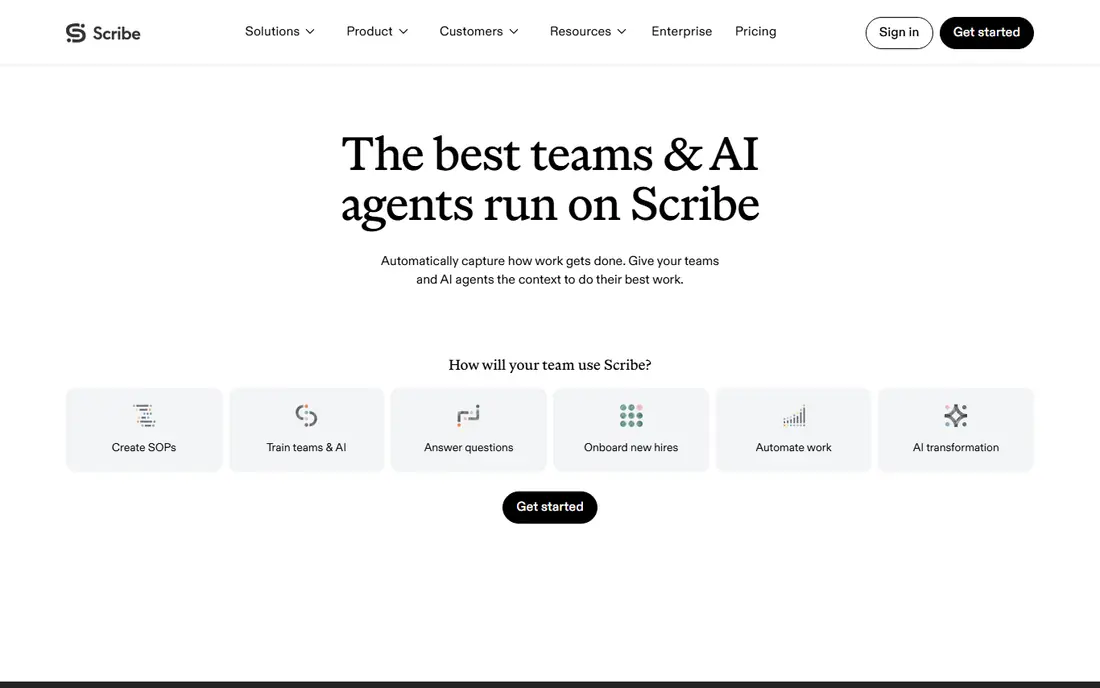
Scribe is our pick for most teams because it removes the slowest part of documentation: writing steps by hand. You click through a process in your browser or desktop app, and Scribe captures each step with screenshots and text, which you can edit, annotate, and share. A free plan covers basic guides, and Pro starts at $25 per seat per month billed annually, with team features for larger groups.
The limit is scope. Scribe makes excellent guides, but it is not a full training platform with read confirmation, quizzes, or role-based learning paths. If you need those, pair it with a training tool or pick Whale or Trainual instead. For turning tribal knowledge into clear, shareable guides quickly, Scribe is hard to beat.
- Captures steps and screenshots automatically
- Easy editing
- Free plan available
- A guide maker, not a full training system
- Pro price adds up for large teams

Tango is a strong low-cost alternative to Scribe, with a free plan and Pro from $15 per user per month billed annually. It captures step-by-step guides from your work, adds screenshots and annotations, and can turn guides into in-app walkthroughs that show new staff what to click. That walkthrough feature is useful for onboarding, since staff learn inside the tool they will actually use.
For very complex processes with many branches, Scribe offers more depth and editing control. Tango is best for teams that want quick, visual guides without a large budget, and for managers who want to embed help inside apps. If price matters and your processes are straightforward, start with Tango's free plan.
- Free plan
- In-app walkthroughs
- Low Pro price
- Less depth than Scribe for complex processes
- Team features need Pro

SweetProcess covers the full SOP lifecycle in one system: write procedures, policies, and processes, get approvals, track versions, and assign tasks so staff follow the documented steps. Pricing is $99 per month for up to 10 users, with extra users at a small per-user charge, which makes budgeting simple for small teams. A 14-day trial lets you test it with real procedures before paying.
The interface is plain compared with Notion or Whale, and it focuses on documentation rather than video or interactive training. For a small business that needs reliable SOPs, approvals, and version control at a flat rate, SweetProcess is a practical choice. For a team that wants modern training flows, look at Whale or Trainual.
- Flat rate for up to 10 users
- Approvals and versioning
- Task assignment
- Interface is plain
- No free plan beyond the trial
Whale combines SOP documentation with training, so you can write a procedure, assign it as training, and track who has read and understood it. A free tier covers one creator and up to 10 members, which suits a small team getting started, while Scale starts at $249 per month billed annually for growing teams. A screen recorder helps capture steps, and an AI assistant can answer process questions from your documents.
The Scale price is high for a very small team, and pricing per creator can rise if many team leads start writing documents. If you need training tracking and read confirmation, not only guides, Whale justifies its price. If you only need guides, Scribe or Tango will cost less.
- SOPs plus training tracking
- Free tier for small teams
- Screen recorder included
- Scale price is high for small teams
- Priced per creator on some plans
Trainual turns SOPs into assignable training, with structured paths, quizzes, e-signatures, and completion tracking for each role. It suits growing companies that hire often and need proof that staff completed onboarding and policy training. A 7-day trial lets you test the structure, though pricing is quote-based on its public pricing page, with third-party reports pointing to a Core plan around $249 per month for 10 seats.
Setup is the trade-off. Building good training paths takes time, and Trainual is heavier than a simple wiki or guide maker. If your main problem is onboarding at scale and proving completion, that effort pays off. If you only need a few guides, a lighter tool will get you live faster.
- Structured training paths
- Quizzes and e-signatures
- Completion tracking
- Pricing is quote-based
- Setup takes time
Confluence is the wiki choice for teams already using Jira or other Atlassian tools. It offers page versioning, permissions, templates, and search, with a free plan for up to 10 users and Standard from $5.16 per user per month. For documentation that already exists as written pages, such as policies, handbooks, and technical notes, it is a reliable home.
It does not capture steps automatically, so someone still has to write each procedure by hand, and non-technical staff can find it heavy compared with Notion or Nuclino. There is also no built-in read confirmation or training tracking. If your team already lives in Atlassian tools and needs a wiki, Confluence is the natural pick. If you need capture, pair it with Scribe or Tango.
- Low price
- Strong versioning and permissions
- Fits Atlassian teams
- No automatic step capture
- Can feel heavy for non-technical staff
Notion is the flexible wiki most small teams start with, and it works well for SOP pages, handbooks, and knowledge bases. You can build pages, databases, checklists, and templates without code, and a free plan covers personal and small team use, with Plus from $10 per member per month billed annually. Non-technical staff usually learn it quickly, which helps adoption.
The weakness is governance. Notion has no built-in read confirmation, role paths, or owner and review date enforcement, so pages can sprawl and staff can work from an old version without anyone noticing. For a small team with a clear owner for each document, it works well. For a larger team that needs training proof, pair it with a dedicated SOP tool or pick Whale, SweetProcess, or Trainual.
- Flexible pages and databases
- Free plan
- Easy for non-technical staff
- No read confirmation or training paths
- Pages can sprawl without ownership
Nuclino is a lightweight wiki for teams that want documentation without the weight of Confluence or the sprawl of Notion. It offers fast pages, simple organization, and collaboration, with a free plan for up to 50 items and paid plans from $6 per user per month. It suits small teams that need a shared knowledge base for procedures, notes, and internal guides.
Feature depth is the limit. Nuclino does not capture steps automatically, run training, or offer the database flexibility of Notion, so larger teams may outgrow it. If you want a fast, simple wiki and your procedures are short and stable, Nuclino is good value. If you need capture or training, start with Scribe, Tango, or Whale instead.
- Very light and fast
- Low price
- Free plan for up to 50 items
- Fewer features than Notion
- No training or capture tools
How we picked these
We compared official pricing pages, product documentation, and public reviews for tools that document business processes in October 2026. We favored tools with clear pricing, a free plan or trial where offered, and features that match real documentation work, from capture to training. We left out general word processors and shared drives, since they lack versioning, ownership, and training features, and we left out enterprise BPM platforms that cost thousands per month for most small teams.
What to check before you buy
Start with one real process, not a demo template. Pick a process that new staff struggle with, document it in each tool you trial, and ask a new hire or colleague to follow it without help. The tool that produces the clearest guide with the least editing time is usually the right one, even if it has fewer features on paper.
Next, check ownership and review. Every procedure needs an owner, a review date, and a single current version. If a tool cannot show who owns a page or when it was last reviewed, your documents will go stale, no matter how good the first version looks.
Finally, think about training. If you need proof that staff read a procedure, you need read confirmation, quizzes, or completion tracking, which wikis do not provide. In that case, pick a tool such as Whale, SweetProcess, or Trainual, or pair a capture tool with a training system, rather than hoping a wiki will do a training job.
Frequently asked questions
What is the best software documentation tool?
Scribe is our pick for capturing step-by-step guides, while SweetProcess is best for a full SOP lifecycle at a flat rate. Notion and Confluence suit teams that mainly need a wiki, and Whale or Trainual suit teams that need training tracking.
What is the top process documentation software for small teams?
For small teams, Tango offers a free plan and Pro from $15 per user per month, while Notion and Nuclino offer low-cost wikis. SweetProcess at $99 per month for up to 10 users is good value if you need approvals and versioning.
Does process documentation software capture steps automatically?
Scribe and Tango do, by recording your clicks and turning them into guides with screenshots. Wikis such as Notion, Confluence, and Nuclino do not, so procedures must be written by hand.
Can I use Notion for SOPs?
Yes, for small teams with a clear document owner. Notion lacks read confirmation, role paths, and review enforcement, so larger teams that need training proof should use a dedicated SOP tool.
How much does process documentation software cost?
Prices range from free plans at Scribe, Tango, Notion, Confluence, and Nuclino, to $99 per month for SweetProcess and $249 per month for Whale Scale. Trainual is quote-based, so ask for a written price for your team size.
Sources
See where you really rank - block by block
ProMapRanker scans Google Maps across a grid of your service area. Simple monthly plans from $19, white-label on every plan.
Start freeKeep reading
 zscaler alternatives
Best Zscaler Alternatives in 2026
Looking for zscaler alternatives? We compare 9 SASE and zero trust platforms on architecture, data protection, pricing, and fit for your network and team.
Read → zapier alternatives free
Best Zapier Alternatives Free in 2026
Nine automation tools for zapier alternatives free in 2026, all with genuinely free tiers, plus free plan limits, starting prices and upgrade paths explained.
Read → which platform is best for online reputation
Which Platform Is Best for Online Reputation in 2026
Wondering which platform is best for online reputation? We compare 8 review, listing, and response tools for small and multi-location businesses and agencies.
Read →