 ProMapRanker
Best Process Automation Tools in 2026

Key takeaways
- Enterprise RPA tools suit teams automating desktop and legacy systems, while simpler app connectors suit small teams linking cloud apps.
- Pricing models differ sharply, with some tools charging per user, some per bot, and some per task or execution.
- A free plan or trial is useful for testing, but it does not prove a tool will handle production volume or governance needs.
- The best platform for process automation is the one your team can run, monitor, and fix without constant outside help.
Quick comparison
| Pick | Great for | Pricing starts at | Free tier | |
|---|---|---|---|---|
 UiPath | Enterprise RPA at scale | $25 per month | Yes | Visit |
 Automation Anywhere | Cloud-native enterprise RPA | See website | Free trial | Visit |
 Microsoft Power Automate | Microsoft 365 teams | $15 per user per month | Free trial | Visit |
 Zapier | Simple cloud app connections | $19.99 per month | Yes | Visit |
 Make | Visual, complex cloud workflows | $12 per month | Yes | Visit |
 n8n | Developers and self-hosting | $20 per month | Yes | Visit |
 Workato | Enterprise integrations | See website | No | Visit |
 Appian | Process apps and case work | See website | Free trial | Visit |
The best process automation tools
Process automation covers a wide range, from a two-step link between apps to robots that work through desktop software all day. We grouped tools by who they suit, not just by feature lists, so you can match the tool to your team size and technical skill.

UiPath is the default choice for many large teams that need robots to work through desktop apps, legacy systems, and web tools. Its Studio designer, Orchestrator control plane, and marketplace of ready components give a team a full path from a first pilot to a managed fleet of robots. The free Community edition also lowers the barrier for learning the platform before buying.
The honest cost is not just the entry price. The Basic tier is capped and best seen as a pilot, while production use moves to quote-based plans and needs governance, monitoring, and staff time. Small teams with simple cloud workflows will likely find UiPath heavier than they need, even though its depth is a real advantage at enterprise scale.
- Large RPA ecosystem and community
- Studio and Orchestrator cover design and control
- Free Community edition for learning
- Enterprise pricing becomes quote-based quickly
- Full rollouts need dedicated automation staff
Automation Anywhere took a cloud-first path to RPA, and that shows in browser-based bot building and elastic scaling without a large infrastructure project. Its document processing and process discovery tools help teams move from a list of manual tasks to a ranked set of automation candidates. For distributed companies, that cloud model can shorten setup time.
Pricing transparency is the weak point, since there is no public list price for a typical enterprise plan. Teams with strict on-prem requirements should also check fit early, because a cloud-native design may not match every compliance setup. For cloud-first enterprises, though, it remains a strong rival to UiPath.
- Cloud-native bot building
- Document automation included
- Process discovery tools help find candidates
- Pricing is quote-based
- Heavily regulated on-prem needs fit less naturally
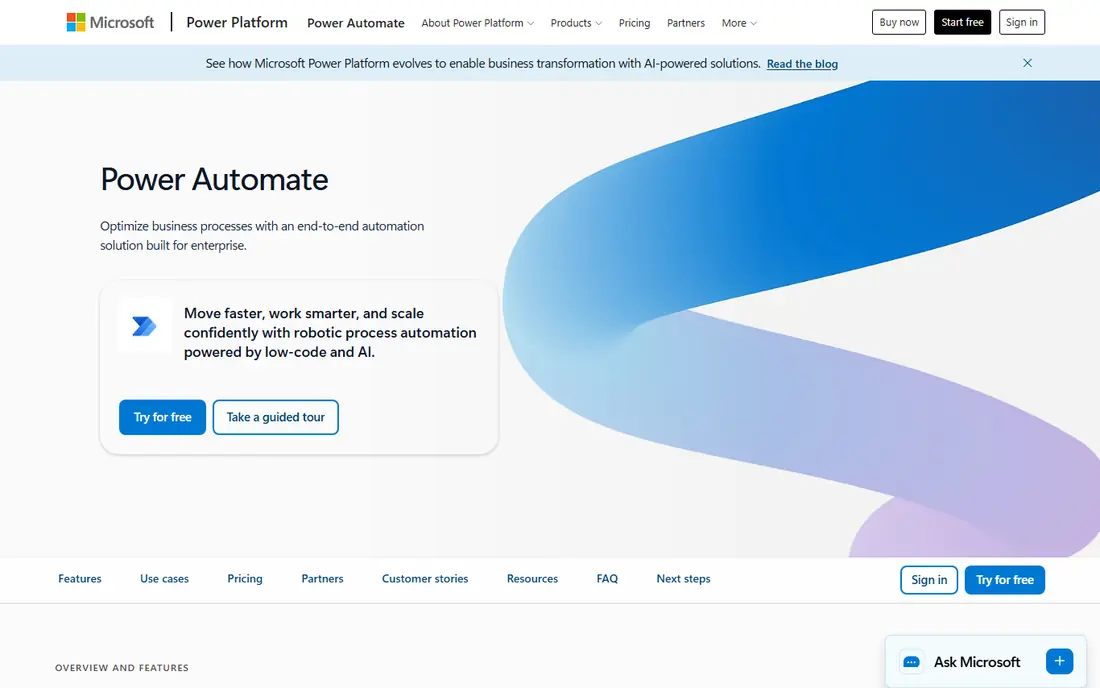
Microsoft Power Automate is the natural pick for teams already living in Microsoft 365. Cloud flows link apps such as Outlook, SharePoint, and Teams, while desktop flows handle repetitive work on a Windows machine. Premium connectors, AI Builder credits, and unattended bot plans sit on top of the base offer for teams that need more.
The bill deserves care. A per-user price looks simple until you add bot plans, which are charged per bot, and the needs of several departments at once. It is still often cheaper than a separate enterprise RPA purchase for a Microsoft shop, but only if you map who needs a licence and which flows must run unattended.
- Deep Microsoft 365 integration
- Cloud flows plus desktop RPA
- Per-bot plans for unattended work
- Costs rise with seats and bots
- Advanced work still needs planning and governance
Zapier is the easiest starting point for a team with no engineers. You pick a trigger, such as a new form submission, and an action, such as adding a row to a sheet, and the workflow runs without code. Thousands of apps are covered, and templates shorten setup for lead routing, notifications, and file handling. For marketing and operations teams, that breadth often matters more than raw power.
Cost is the honest limit. Zapier bills by task, and each step in a workflow can count separately, so a five-step flow that runs often can burn through a plan quickly. Lower plans also limit polling speed and logic features, which can delay time-sensitive work. Zapier fits best when workflows are simple, volume is modest, and app coverage matters more than complex branching.
- Very large app catalogue
- Simple trigger and action setup
- Many ready templates
- Task-based billing can grow fast with multi-step workflows
- Advanced logic is limited on lower plans
Make, formerly Integromat, gives teams a visual canvas where a workflow can branch, filter, and transform data in ways that simple trigger and action tools struggle to match. That makes it a good middle ground between a basic connector and a developer platform. A free plan lets you test real workflows before paying, and paid plans are often good value at moderate volume.
The trade-off is complexity. The canvas is powerful, but new users may need time to learn routers, filters, and data mapping. Credit billing also needs watching, since a workflow with many modules can use more credits than a quick glance suggests. For teams that outgrow Zapier but do not want to write code, Make is a sensible next step.
- Visual canvas with branching and data tools
- Free plan for testing
- Often cheaper than task-based rivals at moderate volume
- Learning curve is steeper than Zapier
- Credit use needs monitoring as workflows grow
n8n suits engineering teams that want control over where workflows run and how they are built. Its visual editor includes code nodes, so a team can mix no-code steps with JavaScript or Python where needed. The self-hosted Community edition is free to run on your own infrastructure, while cloud plans start at a published monthly price and bill by workflow execution rather than by step.
That freedom comes with responsibility. Self-hosting means updates, backups, and security are your job, and a team without developer time may move slower than on a hosted tool. For teams that need data to stay inside their own systems, or that run long workflows where per-step billing would be costly, n8n is a strong and honest choice.
- Self-hosted Community edition
- Code steps alongside visual nodes
- Execution-based billing suits long workflows
- Self-hosting adds maintenance work
- Smaller teams may need developer time to get value
Workato is built for IT-led automation, where integrations between business systems must be governed, monitored, and audited. Its connector library covers many enterprise apps, and its recipe model helps teams standardise how data moves between systems. For operations that depend on reliable integrations rather than one-off links, that governance is the point.
Small teams should look elsewhere first. Pricing is quote-based, and the platform is priced and structured for enterprise use, so a team with a handful of simple workflows will pay for depth it does not use. For larger companies that need central control over many integrations, Workato earns its place.
- Large connector library
- Governance and audit features for IT-led teams
- Recipes suit integration-led operations
- Quote-based pricing
- Overkill and costly for small teams with simple needs
Appian is less a simple connector and more a platform for building process applications. Teams use it for case work, approvals, and workflows that need forms, rules, and audit trails in one place. That makes it a good fit for regulated or complex processes where a basic automation link would leave too much work outside the system.
The catch is scope. If you only need to link two cloud apps, Appian is more platform than you need, and its quote-based pricing reflects enterprise use. For teams that need to run a whole process, from intake to decision to record, Appian gives structure that lighter tools cannot match.
- Low-code process apps with case management
- AI features for document and decision work
- Strong governance controls
- Quote-based pricing
- Best value comes from full process apps, not simple links
How we picked these
We compared official pricing pages, feature pages, and public documentation for RPA, workflow, and integration tools. We favoured tools with a current 2026 presence, a clear buyer fit, and a real free plan, trial, or published entry price where one exists. Where pricing was quote-based, we said so rather than estimating a figure.
How to choose the right platform for process automation
Start by naming the work, not the tool. List the process, the systems it touches, and how often it runs. A desktop process that reads from a legacy app points to RPA tools such as UiPath or Automation Anywhere. A cloud process that moves data between SaaS apps points to Zapier, Make, or n8n. A process that needs forms, approvals, and a case record points to Appian or a similar process platform.
Next, test with one real process. Build it on a free plan or trial, measure how it behaves at realistic volume, and check who can fix it when it breaks. Count the full cost, including licences, bot or task use, and staff time. A cheap tool that only one person understands is a risk, and an enterprise tool that nobody on the team can run is a larger one.
Finally, check governance before you scale. Ask how access is controlled, how runs are logged, and how errors are flagged. A good platform makes failures visible and lets you pause a workflow without breaking the rest of the business. That boring reliability matters more than a long feature list once automation touches real customers or money.
Frequently asked questions
What platform is best for process automation?
It depends on the work. UiPath and Automation Anywhere suit enterprise RPA, Power Automate suits Microsoft 365 teams, Zapier and Make suit cloud app workflows, and n8n suits developer teams that want to self-host.
What is the best software for process automation for a small business?
Zapier or Make are usually the best starting points for a small business, because they offer free plans and simple setup. Test one real workflow on each, then compare the monthly cost at your actual volume before committing.
Is UiPath better than Automation Anywhere?
Neither is better in every case. UiPath has a larger ecosystem and community, while Automation Anywhere has a cloud-native design that suits distributed teams. Choose based on your infrastructure, governance needs, and the systems your robots must work with.
Can process automation tools replace staff?
They replace repetitive tasks, not judgement. Good automation frees staff for work that needs decisions, customer contact, or problem solving, but someone still needs to own, monitor, and fix the workflows.
Do I need to know how to code to use these tools?
No for Zapier, Make, and Power Automate cloud flows, which are built for non-developers. n8n and enterprise RPA tools reward coding skill, though both offer visual builders that let technical non-developers start.
Sources
See where you really rank - block by block
ProMapRanker scans Google Maps across a grid of your service area. Simple monthly plans from $19, white-label on every plan.
Start freeKeep reading
 zscaler alternatives
Best Zscaler Alternatives in 2026
Looking for zscaler alternatives? We compare 9 SASE and zero trust platforms on architecture, data protection, pricing, and fit for your network and team.
Read → zapier alternatives free
Best Zapier Alternatives Free in 2026
Nine automation tools for zapier alternatives free in 2026, all with genuinely free tiers, plus free plan limits, starting prices and upgrade paths explained.
Read → which platform is best for online reputation
Which Platform Is Best for Online Reputation in 2026
Wondering which platform is best for online reputation? We compare 8 review, listing, and response tools for small and multi-location businesses and agencies.
Read →