 ProMapRanker
Best POS Software Mobile Compatible in 2026

Key takeaways
- Square and Helcim give small sellers a no-monthly-fee starting point, with phone-based payments that need little extra hardware.
- Shopify POS makes most sense for stores already selling online, while Lightspeed suits shops with large, complex stock lists.
- Toast and Clover put more weight on dedicated handheld hardware, which suits restaurants and busy counters better than a phone alone.
- Processing fees often matter more than the monthly plan price once card volume grows, so check both before you commit.
Quick comparison
| Pick | Great for | Pricing starts at | Free tier | |
|---|---|---|---|---|
 Square | Small shops starting on a phone | Free | Yes | Visit |
 Shopify POS | Online stores adding in-person sales | $39 per month | No | Visit |
 Lightspeed Retail | Inventory-heavy retail | $89 per month | Free trial | Visit |
 Toast | Restaurants and tableside service | See website | No | Visit |
 Clover | Polished handheld and counter hardware | See website | No | Visit |
 Helcim | Lower processing costs at higher volume | Free | Yes | Visit |
 Loyverse | Micro merchants on a tight budget | Free | Yes | Visit |
 SumUp | Markets, pop-ups and solo sellers | Free | No | Visit |
 Zettle by PayPal | Sellers who want PayPal payouts | Free | No | Visit |
The best pos software mobile compatible
These nine systems all run on a phone, a tablet, or a purpose-built handheld, so you are not tied to a fixed till. We compared official pricing pages, hardware options, offline behaviour, and app store listings.
Square is the easiest place for most small sellers to start, because the free plan covers checkout, basic inventory, customer records, and reports with no long-term contract. You can take a first payment with Tap to Pay on a compatible phone, or add a low-cost reader, a stand for an iPad, or a dedicated terminal as the business grows. That path from phone to counter is unusually clear, and setup takes hours rather than days for a simple shop.
The trade-off is pricing at scale. The free plan charges a flat in-person rate, and that rate can cost more than interchange-plus pricing once monthly card sales climb. Advanced inventory, loyalty, marketing, and staff tools also sit behind paid plans, starting at $49 per month per location for Plus in published comparisons. For a new cafe, market stall, or service business, Square still gives the best balance of cost and simplicity, but a high-volume shop should compare Helcim before settling.
- No monthly fee on the free plan
- Tap to Pay on a phone
- Wide hardware range
- Processing fees add up at high volume
- You must use Square Payments

Shopify POS suits a retailer that already sells online and wants the shop floor to share the same stock, customer, and order records. A sale in store reduces the same inventory pool as a website order, which cuts down on overselling and double entry. The app runs on iOS and Android phones and tablets, and Shopify also sells its own POS Go handheld for staff who move around the floor.
The catch is that the monthly cost starts with a Shopify plan, so it is not a free standing POS for a shop with no online store. The entry POS features cover checkout and basic reporting, while the fuller Pro feature set, with deeper inventory and staff controls, is a paid add-on. If your online store is already on Shopify, the shared data is worth that cost. If you sell only in person, a free option such as Square or Loyverse will usually be cheaper.
- Shared inventory across online and in-person channels
- Strong app ecosystem
- POS Go handheld option
- Needs a Shopify subscription
- POS Pro features cost extra
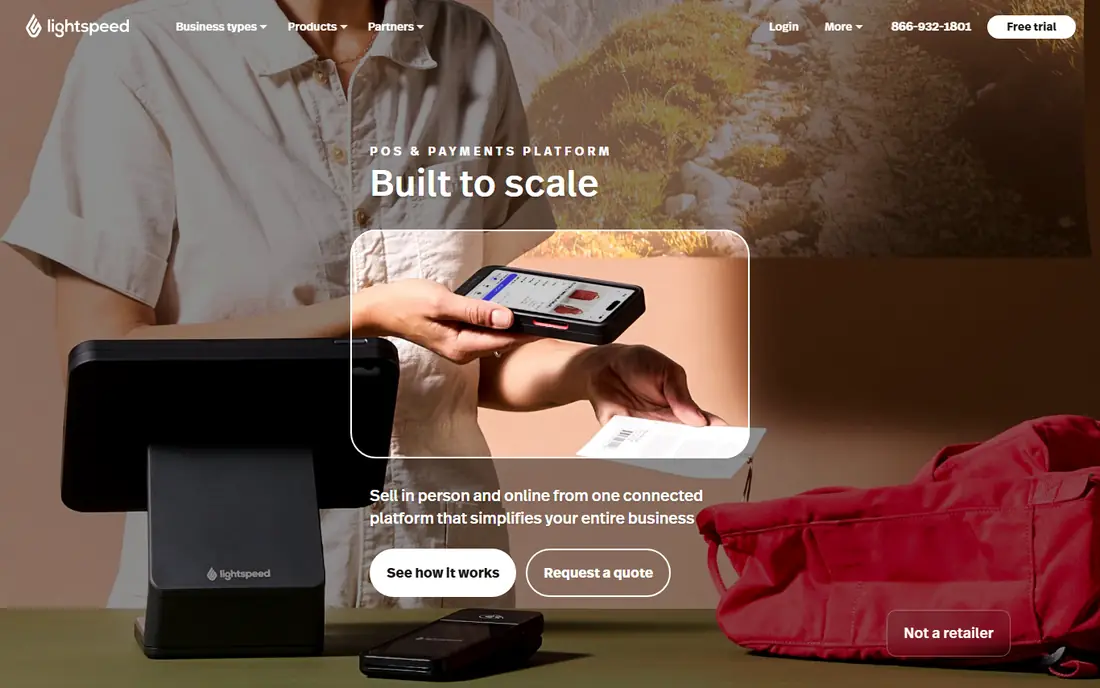
Lightspeed Retail is built for shops where stock is the hard part: many variants, sizes, colours, suppliers, and locations. Its iPad app handles checkout at the counter or on the floor, and the back office gives purchase orders, stock transfers, and reporting that a simple free POS cannot match. For a clothing shop, bike store, or gift retailer with hundreds of product variants, that depth saves real time each week.
The price reflects that depth, with published starting prices around $89 per month, and larger plans needed for the fullest feature set. Smaller sellers with a short product list may find the setup heavier than they need, and should weigh the monthly fee against the time saved on stock work. For inventory-led retail, though, Lightspeed remains one of the strongest mobile-compatible choices.
- Strong multi-location and matrix inventory
- IPad-based checkout
- Detailed reporting
- Higher starting price
- Payments options vary by plan and region
Toast is a restaurant system first, and its mobile strength shows in the dining room rather than at a generic counter. Staff can take orders and payments at the table on a handheld, send orders to the kitchen display, and split bills without walking back to a fixed terminal. That flow matters during a busy service, when a few saved trips per table add up across a shift.
Retail-only sellers should look elsewhere, because Toast pricing, hardware, and features are shaped around food service. Published comparisons note a pay-as-you-go starting option alongside paid plans, but hardware costs and add-ons can raise the total, so get a full quote before deciding. For a cafe, bar, or full-service restaurant that needs tableside mobile checkout, Toast is hard to beat.
- Handhelds built for restaurant service
- Kitchen display tools
- Tableside payments
- Restaurant focused, less suited to pure retail
- Hardware and add-on costs add up
Clover stands out for hardware choice. The range runs from a compact handheld with a built-in printer to countertop terminals and larger stations, and the Flex handheld suits staff who need to take payment away from the counter, for example at a table or a delivery point. The app marketplace adds tools for loyalty, gift cards, scheduling, and reporting, so a business can shape the system around its own workflow.
The main frustration is pricing clarity, because plans and hardware costs vary by reseller and region, which is why we list the starting price as See website. You should confirm the monthly software fee, the processing rate, and any app fees in one written quote. Once that is clear, Clover gives a polished, professional checkout experience that suits shops and restaurants that care about the look and feel of the counter.
- Wide range of terminals and handhelds
- Large app marketplace
- Offline card payments
- Pricing varies by reseller and plan
- Some features need paid apps
Helcim is the pick to check once card volume passes a few thousand dollars a month. There is no monthly software fee, and interchange-plus pricing, which passes the card network cost through plus a fixed margin, often works out cheaper than a flat rate on larger tickets. The mobile app covers invoicing, recurring billing, and card acceptance, which suits service businesses that bill on site or on a repeat schedule.
The limits are worth noting. Published comparisons note that Helcim lacks the offline mode that Square offers, so a seller in a spotty-signal market stall needs a backup plan. The hardware range is also narrower, with third-party stands rather than a purpose-built stand for every tablet. For a growing business with steady signal and rising volume, the processing saving can outweigh both points.
- No monthly software fee
- Interchange-plus pricing
- Mobile invoicing and recurring billing
- No offline mode in published comparisons
- Hardware range is narrower than Square
Loyverse gives a genuinely free core POS for a phone or tablet, which makes it a strong choice for a food truck, small cafe, or market seller that needs checkout, stock, and basic customer tools without a monthly fee. It runs on iOS and Android devices you may already own, and it pairs with third-party printers, scanners, and cash drawers rather than locking you into one hardware line.
Because Loyverse is processor-agnostic in many setups, your card rate depends on the payment provider you connect, so compare that rate as carefully as the software price. Advanced features, such as deeper inventory and employee tools, sit in paid add-ons, and support is lighter than the big paid platforms. For a micro merchant watching every dollar, Loyverse still delivers a working mobile till for no monthly software cost.
- Free core POS on iOS and Android
- Works with third-party hardware
- Simple setup
- Processing depends on your chosen provider
- Advanced features are paid add-ons
SumUp is built for sellers who move: market traders, pop-up shops, and solo operators who need to take a card payment quickly and move on. The phone app pairs with a compact Air reader or the Solo terminal, and there is no monthly software fee, with a per-transaction rate instead. That model suits seasonal sellers, because a quiet month costs nothing in software fees.
The trade-off is depth. SumUp covers checkout and basic sales records well, but it does not match Lightspeed or Shopify for multi-location stock, purchase orders, or detailed retail reporting. If your business is a single stall or a solo service, that simplicity is a benefit. If you run several stores with complex stock, pick a fuller system from this list.
- No monthly fee
- Compact readers and Solo terminal
- Simple phone app
- Fewer back-office tools than full retail POS systems
- Rates vary by country
Zettle by PayPal suits sellers who already use PayPal and want in-person sales to flow into the same account. The reader and terminal hardware pair with an iPad or phone app, and there is no monthly software fee, with a per-transaction card-present rate instead. Setup is quick, and the sales app covers checkout, basic stock, and receipts without a long onboarding process.
The limits mirror SumUp: this is a checkout-first tool, not a full retail back office, and published comparisons note no offline mode. Sellers who need deep inventory, multi-location controls, or restaurant kitchen tools should choose Lightspeed, Shopify POS, or Toast instead. For a small shop or stall that values PayPal payouts and a low fixed cost, Zettle is a clean, low-risk choice.
- No monthly fee
- Reader and terminal hardware
- Money lands in a PayPal account
- No offline mode in published comparisons
- Narrower feature set than full POS suites
How we picked these
We compared official pricing pages, hardware listings, and app store information for systems that run on a phone, tablet, or handheld, and we kept only systems still sold and supported in October 2026. We favoured systems with clear mobile checkout, published pricing or a clear no-monthly-fee model, and a track record with small businesses, and we noted where a price varies by plan, reseller, or region rather than guessing a figure.
What to check before you buy a mobile POS
Start with where you actually take payments. A phone with Tap to Pay may be enough for a solo service business, while a restaurant needs a handheld with a printer, and a retail shop needs a stand, scanner, and receipt printer. List the hardware you need on day one, then check the total cost of that kit alongside the software plan, because a free app with costly hardware can cost more than a paid plan with a bundled terminal.
Next, model your processing cost on real numbers. Take last month card total and average ticket, then apply each system flat rate or interchange-plus margin to that total. A difference of a few tenths of a percent sounds small, yet it can add hundreds of dollars a year at higher volume. Ask each vendor for the in-person rate, any monthly minimum, and any extra fee for refunds, chargebacks, or additional locations, and get the answer in writing.
Finally, test the offline and inventory behaviour that matters to you. If you sell at outdoor markets, confirm what happens when signal drops, and how queued payments are handled when you reconnect. If you sell online as well, confirm that stock, customers, and orders stay in sync across channels without manual exports. A short trial with your real product list will reveal friction faster than any feature page.
Frequently asked questions
What is mobile compatible POS software?
It is POS software that runs on a phone, tablet, or handheld terminal, so staff can take payments away from a fixed counter. Most systems in this list also offer a counter stand or terminal for shops that want both options.
Is Square really free?
The Square free plan has no monthly software fee per location, but you still pay a per-transaction processing fee on card sales. Paid plans lower that rate slightly and add inventory, loyalty, marketing, and staff features.
Do I need to buy special hardware?
Not always. Tap to Pay on a compatible phone covers many solo sellers, while a reader, stand, or handheld improves speed and receipt handling for busier shops. Budget for hardware separately, since it is often sold apart from the software plan.
Can a mobile POS work without internet?
Some systems, including Square, can accept eligible card payments during an outage and process them when signal returns, with limits on amount and timing. Others need a live connection, so check offline support before you rely on it at outdoor events.
Which mobile POS is best for a restaurant?
Toast is the strongest restaurant pick here, thanks to tableside handhelds and kitchen display tools. Square and Clover also serve cafes and small restaurants well, but Toast is shaped around full table service.
Does Shopify POS work without an online store?
Shopify POS needs a Shopify subscription, so it fits stores that already sell online or plan to. Sellers who only trade in person will usually pay less with Square, Helcim, Loyverse, SumUp, or Zettle.
Sources
See where you really rank - block by block
ProMapRanker scans Google Maps across a grid of your service area. Simple monthly plans from $19, white-label on every plan.
Start freeKeep reading
 worlds best local seo company
8 Worlds Best Local SEO Companies for Map Pack Growth in 2026
Compare the worlds best local seo company options for Google Business Profile work, citations, reviews, and multi-location rankings and reporting in 2026.
Read → world's best web hosting company
World's Best Web Hosting Company in 2026
Searching for the world's best web hosting company? We compared 10 hosts on price, renewal rates, speed, and support to help you choose well today in 2026.
Read → who's got the best nanny tax services
Who's Got the Best Nanny Tax Services in 2026
We answer who's got the best nanny tax services, comparing full filing, back taxes, software, and pricing so families can handle nanny taxes correctly.
Read →