 ProMapRanker
Best POS Software for Convenience Store in 2026


Small stores that want to start fast with no contract · Pricing starts at: Free
Key takeaways
- Convenience stores need more than a card reader, because age checks, tobacco and lottery sales, fuel, EBT and fast scanning all shape the right choice.
- POS Nation and KORONA POS are built around convenience and small retail needs, while Square and Lightspeed suit stores that want a general retail platform.
- Processing fees often cost more than the monthly software fee, so get software, processing, hardware and contract terms in writing before you sign.
- Hardware matters at a busy counter, so check scanner speed, offline behaviour and receipt printing before you commit to a system.
- A free or cheap plan can still be expensive at volume, so compare total cost at your actual monthly card sales, not just the headline monthly price.
Quick comparison
| Pick | Great for | Pricing starts at | Free tier | |
|---|---|---|---|---|
| Square for Retail | Small stores that want to start fast with no contract | Free | Yes | Visit |
 Lightspeed Retail | Stores with large catalogues and several locations | $89 per month | No | Visit |
 Clover | Stores that want polished counter hardware | See website | No | Visit |
 POS Nation | Convenience stores with fuel, lottery and EBT needs | $49 per month | No | Visit |
 KORONA POS | Stores that want processor choice and age controls | $59 per month | Free trial | Visit |
 Shopify POS | Stores that also sell online | See website | Free trial | Visit |
 Revel Systems | Larger stores and multi-location chains | See website | No | Visit |
The best pos software for convenience store owners
These nine systems all handle counter sales, inventory and card payments, but they differ on the convenience details that matter at the till, such as age verification, fuel and lottery support, and multi-store stock control.
Square for Retail
Great for: Small stores that want to start fast with no contract
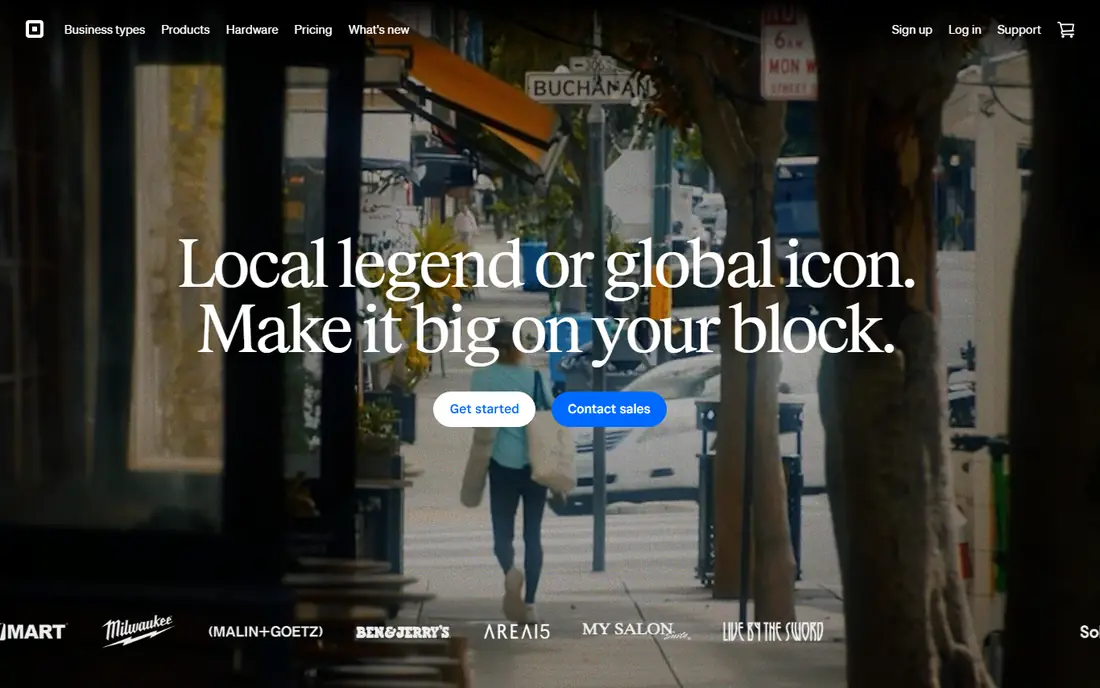
Square for Retail is our pick for most small convenience stores that are just starting out, because you can start on the free plan, take cards at 2.6 percent plus 15 cents in person, and upgrade only when you need more. Setup is fast, hardware is easy to order, and the basics are all there, including inventory tracking, staff logins, digital receipts and daily reports. For a single store with a modest catalogue, that simplicity is worth a lot, especially when you do not want a long contract before you know the system works for your counter.
The limits show up as the store grows more specialised. Square is a general retail platform, so fuel, lottery and some age-restricted workflows are not its core strengths, and you should confirm EBT and age-check support for your exact setup before you rely on it. Paid plans add inventory depth and lower processing rates, but at high card volume the per-transaction cost still matters more than the monthly fee. Start here if speed and flexibility matter most, and move to a specialist system when convenience-specific features become a daily need rather than an occasional wish.
- Free plan to start, with no long contract
- Simple setup and widely available hardware
- Inventory, staff logins and daily reports included
- General retail tool, not built for fuel or lottery workflows
- Processing fees add up at higher volume
- Some convenience-specific controls need workarounds
Lightspeed Retail
Great for: Stores with large catalogues and several locations

Lightspeed Retail fits convenience stores that have grown past a simple counter, especially those with many products, variants and locations to keep in step. Its inventory tools handle large catalogues well, and multi-location reporting gives an owner a clear view of what is selling where, without reconciling separate tills. If your store also sells online, the connected eCommerce side keeps stock in one place, which cuts down on overselling and manual counts.
The price reflects that depth, starting at $89 per month, and staff will need more training than they would on a simpler till. Lightspeed is a retail platform first, so convenience details such as fuel integration should be confirmed for your setup rather than taken for granted. For a single small store, it may be more than you need, but for a growing chain or a large store with a wide range, it is a strong, scalable choice.
- Strong inventory for large and varied catalogues
- Multi-location stock and reporting
- ECommerce tools for stores that also sell online
- Higher monthly cost than basic options
- Learning curve for staff
- Convenience-specific features such as fuel need checking, not assuming
Clover stands out at the counter, because its hardware range, from compact handheld devices to full counter stations with a customer screen, feels built for busy retail use. The software covers sales, inventory, staff and payments, and its app marketplace lets stores add features as needs change. Many owners buy through a bank or reseller, which can mean local help with setup, though it also means the price you are quoted may differ a lot from the price another store pays.
That variation is the main warning here. Clover pricing is listed in different ranges depending on plan and seller, and some contracts run for years, so you must get software fees, processing rates, hardware costs and early termination terms in writing. If you value hardware quality and a tidy counter setup, and you are willing to read the contract closely, Clover is a solid pick. If you want one transparent published price, Square or KORONA POS will feel simpler.
- Polished counter, handheld and mobile hardware
- Broad app options for retail needs
- Sold through banks and resellers with local support in many areas
- Pricing varies widely by seller and contract
- Hardware is proprietary and can be costly
- Contract terms need careful reading
POS Nation is one of the few systems in this list designed around convenience stores from the start, and that shows in the details. Age verification by scan or swipe, lottery ticket handling, fuel integration, EBT acceptance and cash discount options are part of the pitch, along with detailed inventory tracking and loss prevention features such as receipt tracking. For a store where tobacco, lottery and fuel are daily business, those features are not extras, they are the job.
The catch is that bundled plans require POS Nation processing, so you cannot simply bring your own processor on those plans, and hardware bundles add upfront cost. Convenience pricing is listed from $49 per month for Starter, with higher tiers adding loyalty, employee tools and marketing features, so confirm which tier includes the features your store actually needs. For a dedicated convenience store, especially one with fuel, POS Nation is the specialist pick, and it is worth the closer look despite the processing tie-in.
- Built for convenience stores, with age verification and loss prevention
- Supports fuel, lottery, EBT and cash discount options
- 24/7 support on plans
- Bundled plans require its payment processing
- Hardware bundles add upfront cost
- Pricing and contract terms vary by plan
KORONA POS appeals to owners who want control over card costs, because it works with third-party processors instead of locking you into one provider. That freedom lets a store compare processing rates as volume grows, which can matter more than a small difference in monthly software price. It also covers convenience basics well, with age-restricted product controls, automated reordering, detailed reporting and multi-store tools for owners with more than one location.
The trade-offs are contract length on some plans, reported at one to three years, and an interface that prioritises function over polish. A 30-day free trial helps here, because you can test scanning speed and daily workflows with your own products before committing. For an owner who cares about processing choice and solid stock control, and who is comfortable with a longer commitment, KORONA POS is a strong value pick.
- Processor-agnostic, so you can shop for card rates
- Age-restricted product controls and automated reordering
- Multi-store support and detailed reporting
- Contract terms of one to three years on some plans
- Interface feels functional rather than polished
- Some advanced features sit in higher tiers
Shopify POS is the right choice when online sales are a real part of the business, not an afterthought. Stock stays in step between the counter and the website, so a product sold in store is no longer listed as available online, and customers can pick up online orders in store. That single inventory view is the main reason to choose it over a counter-only system, and it suits convenience stores that also sell snacks, drinks or local goods online.
For a counter-only store, the case is weaker, because you pay for a Shopify plan plus POS features, and convenience-specific tools such as fuel and lottery handling are not its focus. If online selling is central to your growth, Shopify POS earns its place, and the free trial lets you test the combined setup. If your sales are almost all at the till, a specialist or general retail system will usually cost less for the same counter work.
- One inventory for counter and online store
- Strong online selling tools
- No long contract on standard plans
- Needs a Shopify plan, so counter-only stores pay for online tools they may not use
- Convenience-specific features are limited
- Hardware costs add up
Revel Systems fits larger convenience operations and chains that need central control. Inventory, pricing and reporting can be managed across locations from one back office, which helps an owner keep promotions, stock levels and compliance consistent instead of managing each store separately. It also supports third-party processors with assisted integration, so a chain is not forced into a single processing choice without discussion.
That scale comes with a heavier setup. Pricing is quote-based, and a single small store will likely find Revel more complex and costly than it needs. For a multi-location operator who wants one system for all stores, with reporting that actually helps manage the chain, Revel is worth a quote. For a single store, start with the simpler options in this list and revisit Revel only when multi-store control becomes a real daily problem.
- Centralised inventory and reporting across locations
- Strong multi-store and compliance controls
- Supports third-party processors with assisted integration
- Quote-based pricing
- More system than a single small store needs
- Setup and training take time
How we picked these
We compared official feature and pricing pages, plus public reviews and convenience-store guides, and we kept only systems that are live in October 2026 and handle counter sales, inventory and card payments for retail stores. We favoured systems with convenience-relevant strengths, such as age verification, EBT, fuel or lottery support, multi-store stock control or processor choice, rather than general till apps with no retail depth. Where pricing varied by seller or quote, we wrote See website instead of presenting one reseller price as the standard price.
We did not claim hands-on testing, and we did not invent fees or contract terms. Our notes reflect what vendors publish and what public guides report, including where pricing is inconsistent, because that inconsistency is itself useful information for a buyer. Confirm software fees, processing rates, hardware costs and contract length in writing for your store before you commit, since those four items decide the true cost far more than any headline monthly price.
What to check before you buy POS software for a convenience store
Start with your daily counter work. List the products and payment types you handle every day, including age-restricted items, tobacco, lottery, fuel and EBT, and test each one in a demo with your own scanner and products. Check how the system handles age checks, refunds, split payments and offline sales, because those edge cases cause queues when they go wrong. Next, map your stock. A store with thousands of lines, multiple suppliers and several locations needs stronger inventory and purchase order tools than a small store with a simple range.
Then compare total cost at your real volume. Ask for software, processing, hardware, support and termination costs in one written quote, and work out the monthly total at your actual card sales, not at a vendor example. Finally, check the contract. Some systems are month to month, while others tie you in for years, and hardware may be proprietary, which makes switching harder. A short trial, a clear contract and a written total cost will save more money than any single feature on a sales page.
Frequently asked questions
What is the best POS software for a convenience store?
For most small stores, Square for Retail is the easiest start, because it is free to begin and has no long contract. For stores with fuel, lottery or heavy age-restricted sales, POS Nation is the stronger specialist pick, while KORONA POS suits owners who want processor choice. The best system depends on your product mix, store count and monthly card volume, so shortlist two and test them at your own counter.
Do I need age verification in convenience store POS software?
Yes, if you sell tobacco, alcohol where permitted, lottery or other age-restricted products, because manual checks slow the queue and leave room for error. POS Nation and KORONA POS include age verification features, while general systems may handle it through prompts or add-ons. Confirm how age checks work for your exact products and local rules before you buy, and train staff on the prompts the system shows.
Can convenience store POS software handle fuel and lottery sales?
Some systems can, and some cannot, so this is a question to ask directly rather than assume. POS Nation lists fuel integration and lottery ticket handling among its convenience features, while general retail systems may need separate fuel or lottery tools. If fuel or lottery is a core part of your store, shortlist specialist systems first and confirm the integration with your fuel and lottery providers.
How much does POS software for a convenience store cost?
Monthly software fees in this list run from free on Square to $89 per month for Lightspeed Retail, with other systems quoted or priced per terminal. Processing fees, hardware and contract costs sit on top of that, and processing often costs more than software at higher volumes. Get a written total that covers all four items, and compare it at your actual monthly sales before you decide.
Is a free POS plan enough for a convenience store?
It can be enough for a small store with a simple range and modest card volume, especially on Square, where the free plan covers core sales, inventory and reporting. As volume, product count or multi-store needs grow, paid plans usually pay for themselves through lower processing rates, deeper inventory tools and better reporting. Test the free plan with your real products first, then upgrade when a specific limit starts costing you time or sales.
Sources
See where you really rank - block by block
ProMapRanker scans Google Maps across a grid of your service area. Simple monthly plans from $19, white-label on every plan.
Start freeKeep reading
 zscaler alternatives
Best Zscaler Alternatives in 2026
Looking for zscaler alternatives? We compare 9 SASE and zero trust platforms on architecture, data protection, pricing, and fit for your network and team.
Read → zapier alternatives free
Best Zapier Alternatives Free in 2026
Nine automation tools for zapier alternatives free in 2026, all with genuinely free tiers, plus free plan limits, starting prices and upgrade paths explained.
Read → which platform is best for online reputation
Which Platform Is Best for Online Reputation in 2026
Wondering which platform is best for online reputation? We compare 8 review, listing, and response tools for small and multi-location businesses and agencies.
Read →