 ProMapRanker
Best Pokemon Card Scanner App in 2026

Key takeaways
- Collectr is the strongest all-round scanner for serious collectors, with portfolio tracking and deep price history, while TCGplayer suits US sellers best.
- BindeX stands out on iPhone for bulk scanning and Japanese card support, and PriceCharting suits price research across grades and sales history.
- Free scan limits matter more than headline features. Check monthly caps, export rules and price sources before scanning a full binder.
- Scanner prices are market estimates, not guarantees. Confirm a valuable card with recent sales on a marketplace before buying or selling.
Quick comparison
| Pick | Great for | Pricing starts at | Free tier | |
|---|---|---|---|---|
 Collectr | Serious portfolios | Free | Yes | Visit |
 TCGplayer | US selling | Free | Yes | Visit |
 BindeX | iPhone bulk scanning | Free | Yes | Visit |
 PriceCharting | Price research | Free | Yes | Visit |
 CollX | Quick value checks | Free | Yes | Visit |
 Card Atlas | Multi-game tracking | Free | Yes | Visit |
 PokeData | Sold-price data | Free | Yes | Visit |
 DittoDex | Fast ad-free scanning | Free | Yes | Visit |
The best pokemon card scanner apps
We compared official app descriptions, pricing pages and store listings for scanners that identify Pokemon cards by camera and attach a market price. Here are eight tools that cover collecting, selling and price research.
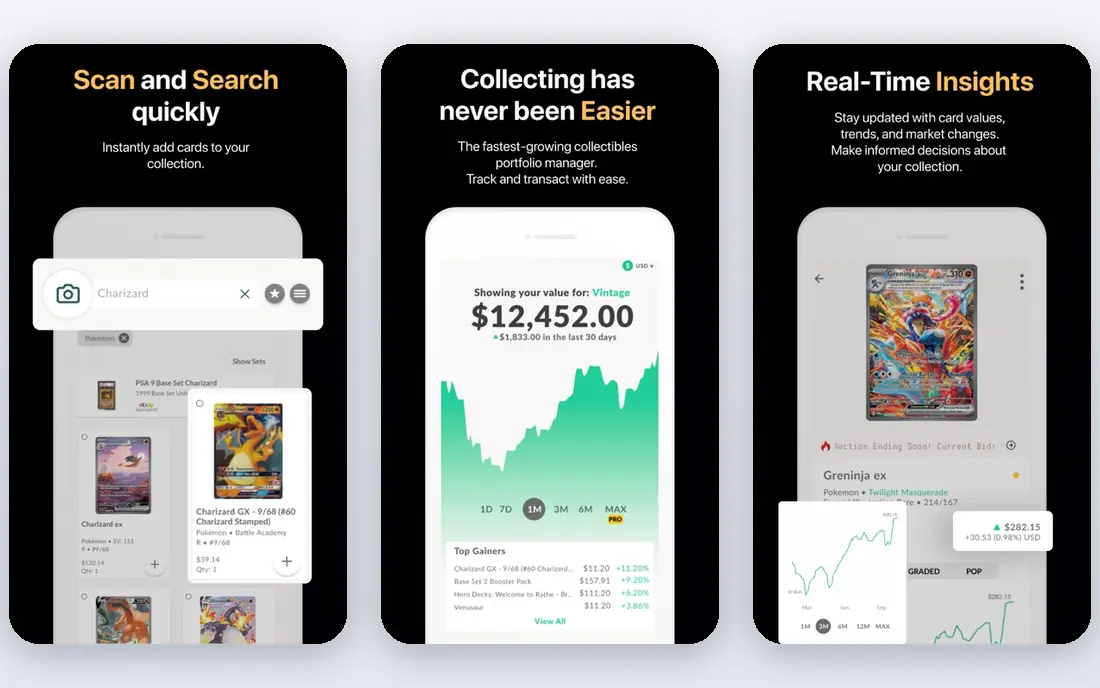
Collectr is our pick for collectors who treat cards as a portfolio. Point the camera at cards in sequence, and the app matches variants, builds a collection value and charts price history over time. Support for graded and sealed items, plus marketplace listings, makes it useful beyond simple cataloging.
The free tier limits scans each month, and the Pro plan, listed at $7.99 per month or $59.99 per year in recent pricing summaries, lifts those limits and adds export and deeper history. For a large binder, test the free cap first, then decide if Pro pays for itself.
- Continuous camera scanning
- Portfolio value charts
- Raw, graded and sealed tracking
- Free scans are capped monthly
- Export needs the paid plan
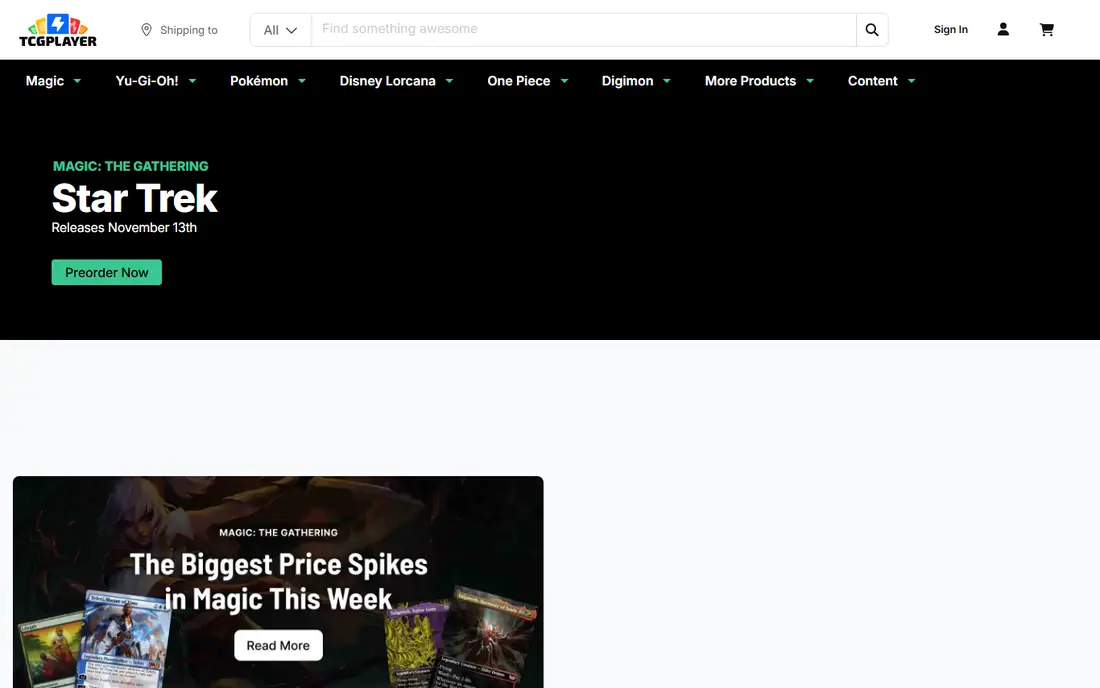
TCGplayer is the marketplace most US collectors already know, and its app links scanning to buying and selling in one place. Scan a card, check its market price based on recent TCGplayer sales, and list it without switching apps. That loop is ideal for sellers and traders.
As a pure scanner, it is less polished than Collectr or BindeX, and collection management is basic. Use TCGplayer when the end goal is a sale or a market check, and use a dedicated portfolio app when long-term tracking matters more.
- Market prices from actual US sales
- Direct path to selling
- Huge US catalog
- Scanning is a secondary feature
- Collection tools are thinner than Collectr
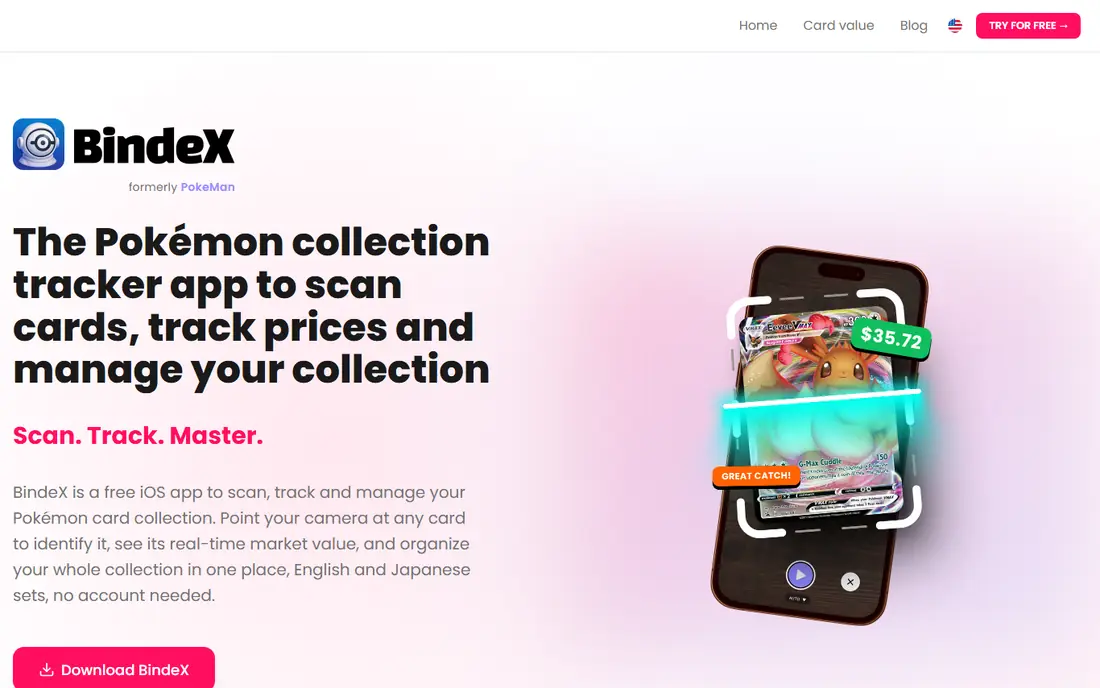
BindeX stands out on iPhone for speed. Its bulk scanner handles cards in sequence, recognizes Japanese cards better than many rivals, and shows cards in your own language where supported. That combination suits collectors with imported cards or large sets to catalog.
Android users should look at Collectr or CollX instead, since BindeX is iPhone-first. As with all scanners, check holo and textured cards by hand, since glare and sleeve reflections can still cause mismatches.
- Automatic bulk scanning
- Japanese card support
- Large card database
- IPhone focus
- Some features need payment
PriceCharting is best used as a price reference, even if scanning starts elsewhere. It tracks completed sales, separates grades, and shows history that helps collectors judge whether a price is a spike or a trend. The Collector plan is listed at $5.99 per month in the app for fuller features.
Collectors who only need a quick scan may find it slower than Collectr. Pair it with a fast scanner: scan in Collectr or BindeX, then check any card worth real money in PriceCharting before trading.
- Sales-based price history
- Graded price columns
- EBay and marketplace data
- Scanning is not its main strength
- Collector plan needed for full app features
CollX is a good casual pick for a fast answer to what a card might be worth. Point the camera, get an identification and an estimated value, and add it to a simple collection. Support beyond Pokemon, including sports cards, suits mixed collectors.
The value figures are estimates and can differ from market prices, so confirm important cards elsewhere. Free scan limits also mean heavy binder work may need a paid plan or a second app.
- Fast AI camera scanning
- Value estimates for casual collectors
- Sports and TCG coverage
- Free scans limited monthly
- Estimates are algorithmic, not always market-based
Card Atlas suits collectors who play or collect more than one game. It offers set checklists, price tracking and card scanning across many games, with a free tier that covers full tracking. That breadth is rare among Pokemon-focused scanners.
Free scanning is limited to a few cards per day, so large Pokemon-only collections may scan faster in Collectr or BindeX. Card Atlas shines when checklists and multi-game collections matter more than raw scan speed.
- Covers many card games
- Set checklists
- Price tracking on the free tier
- Free scanning capped at a few per day
- Web-first design for some users
PokeData is a Pokemon-focused price guide that shows sold listings next to market prices from major sources. That side-by-side view helps collectors spot when a market price lags real sales, or when a single sale distorts the picture. Gold, listed at about $8 per month, lifts the history limit and adds population data.
It is less of a bulk scanner than Collectr, so use it as a research companion. Scan and catalog elsewhere, then check PokeData before pricing a valuable card for sale.
- Sold listings beside market prices
- Graded price data
- Price trend tools
- Free history limited to six months
- Gold plan needed for full history
DittoDex, listed in stores as Card Value Scanner, focuses on speed and simplicity for Pokemon only. Its scanner claims to handle holos, reverse holos, graded slabs and sleeved cards in any orientation, and to scan a stack in one session. An ad-free design keeps the workflow clean.
The narrow focus is the limit. Mixed-game collectors need another app, and marketplace selling still runs through TCGplayer or eBay. For pure Pokemon scanning, though, DittoDex is a strong, low-friction pick.
- Fast AI scanning
- Handles sleeved and graded cards
- Ad-free experience
- Pokemon only
- Smaller community and marketplace links than Collectr
How we picked these
We compared vendor pages, pricing summaries and store listings, favoring scanners that work in 2026, identify Pokemon cards by camera, and attach prices or collection tools. We kept a mix of portfolio apps, marketplace apps and price guides, and we noted free scan caps and price sources where published. Prices are estimates from vendor or store listings and can change, so check the app before paying.
Choosing the right pokemon card scanner app
Scan in good light
Use even, indirect light and a plain background, and remove glare from holos by angling the card slightly. Sleeves and binder pages cause most misreads, so scan valuable cards outside a binder when possible. Test any app on ten varied cards, including a holo, a promo and a non-English card, before a full binder.
Check the price source
Some apps use marketplace sales, some use algorithmic estimates, and some mix sources. Sales-based prices from TCGplayer, eBay or Cardmarket are more useful for selling than a single estimate. For cards over a modest value, compare two sources before setting a price.
Watch free limits and exports
Free plans often cap scans per day or month and lock exports behind a paid tier. If you plan to move a collection to a spreadsheet or another app, confirm export format and cost first. A cheap monthly plan can save hours if it removes caps and adds full history.
Start with a small test set before a full binder. Include a holo, a reverse holo, a promo, a card in a sleeve and a card from another language if you own one. Note which cards the app misreads and which variants it confuses, then use that test to decide if the app deserves a paid plan. A scanner that handles your hardest cards well will save far more time than one that only handles easy commons.
Keep a short checklist for your next use so the tool keeps working for you. Note the settings that worked, the limits you hit and the cost of the next tier, and review that note before renewing or upgrading. Small notes like these prevent repeat mistakes, save money on unused plans and make it easier to switch tools later without losing the workflow you already built.
Frequently asked questions
What is the best pokemon card scanner app?
Collectr is our all-round pick for serious collectors, TCGplayer is best for US selling, and BindeX is best for iPhone bulk scanning. PriceCharting and PokeData are best for checking prices before a sale.
What is the best free pokemon card scanner app?
Collectr, TCGplayer, BindeX, CollX and DittoDex all offer free scanning, but most cap free scans. TCGplayer is free for market checks, while DittoDex offers ad-free scanning for Pokemon only.
How accurate are pokemon card scanner prices?
Scanner prices are estimates based on recent sales or algorithms, and they can lag fast moves or miss condition differences. Confirm valuable cards with recent completed sales, and grade condition honestly before selling.
Can a scanner identify Japanese pokemon cards?
Some can, with BindeX noted for Japanese support, while other scanners are weaker on non-English cards. Test Japanese cards early, and use a visual search or marketplace listing to confirm any card the scanner misses.
Does scanning work through sleeves?
Some apps claim to scan through sleeves and slabs, including DittoDex and PokeScope-style tools, but glare still causes errors. For valuable cards, scan outside the sleeve in even light and confirm the variant by hand.
Sources
See where you really rank - block by block
ProMapRanker scans Google Maps across a grid of your service area. Simple monthly plans from $19, white-label on every plan.
Start freeKeep reading
 vercel alternatives
Vercel Alternatives in 2026
Compare the best Vercel alternatives for static sites, full-stack apps and backends, with free tiers, current pricing and honest trade-offs for developers.
Read → best veterinary software
Best Veterinary Software in 2026
We compared the best veterinary software for clinics of every size, from cloud practice tools to desktop systems, with detailed pricing and trade-offs.
Read → best truck gps app
Best Truck GPS App in 2026: 8 Apps Compared
Best truck GPS app picks for truckers, with truck routing, low bridge warnings, parking and fuel tools, plus current prices and free options for US drivers.
Read →