 ProMapRanker
Comparing 6 Podcast Editing Software for Beginners in 2026


Chat-based video editing · Pricing starts at: See website
Direct answer
If you need chat-based video editing, Async (formerly Podcastle) is the first tool to look at here. Alitu fits completely automatic workflow; Audacity fits free open-source editor. The full list of 6 tools follows, with prices and free plan facts.
Key takeaways
- Number one here is Async (formerly Podcastle), a fit for chat-based video editing.
- For Async (formerly Podcastle), Alitu, Descript and Auphonic, you have to request a quote because no starting price is shown.
- GarageBand fits free editor for Mac users.
- Descript comes with a trade-off: free plan limits transcription hours.
Quick comparison
| Pick | Great for | Pricing starts at | Free tier | |
|---|---|---|---|---|
| Async (formerly Podcastle) | Chat-based video editing | See website | Yes | Visit |
 Alitu | Completely automatic workflow | See website | Free trial (7 days) | Visit |
 Audacity | Free open-source editor | Free | Yes | Visit |
 Descript | Text-based AI editing | See website | Yes | Visit |
 Auphonic | Automatic audio mastering | See website | Yes | Visit |
 GarageBand | Free editor for Mac users | Free | Yes | Visit |
Podcast Editing Software for Beginners compared in detail
ProMapRanker put together this guide to podcast editing software for beginners for readers who want a clear shortlist without reading every vendor page. It compares 6 tools on starting price, free plans, who each one suits and where each one falls short.

Async (formerly Podcastle) is built with chat-based video editing in mind. You can cut clips, add subtitles, dub into other languages, and repurpose long recordings into social clips, all from a conversation rather than a timeline.
Limits to weigh: Less podcast-specific than before.
Check the vendor site for Async (formerly Podcastle) pricing; none is listed in this comparison. A free plan is available with Async (formerly Podcastle).
- Templates for reels and clips
- Edit video by chatting with AI rather than learning software
- Rebrand and pivot mean the product is still evolving

In short, Alitu is for completely automatic workflow. Hosting is included free until you reach 1,000 downloads per month, which makes it a genuine one-subscription podcasting setup. If you want precise audio repair or creative sound design, a DAW will serve you better.
What to check first: Less manual control than a real DAW.
But users report saving three to four hours per episode, and for a solo beginner, that is the entire game. In daily use, the honest catch is control. Check the vendor site for Alitu pricing; none is listed in this comparison. On free options: Free trial (7 days).
- Built-in hosting free to 1,000 monthly downloads
- No technical knowledge needed
- Subscription cost layers on up
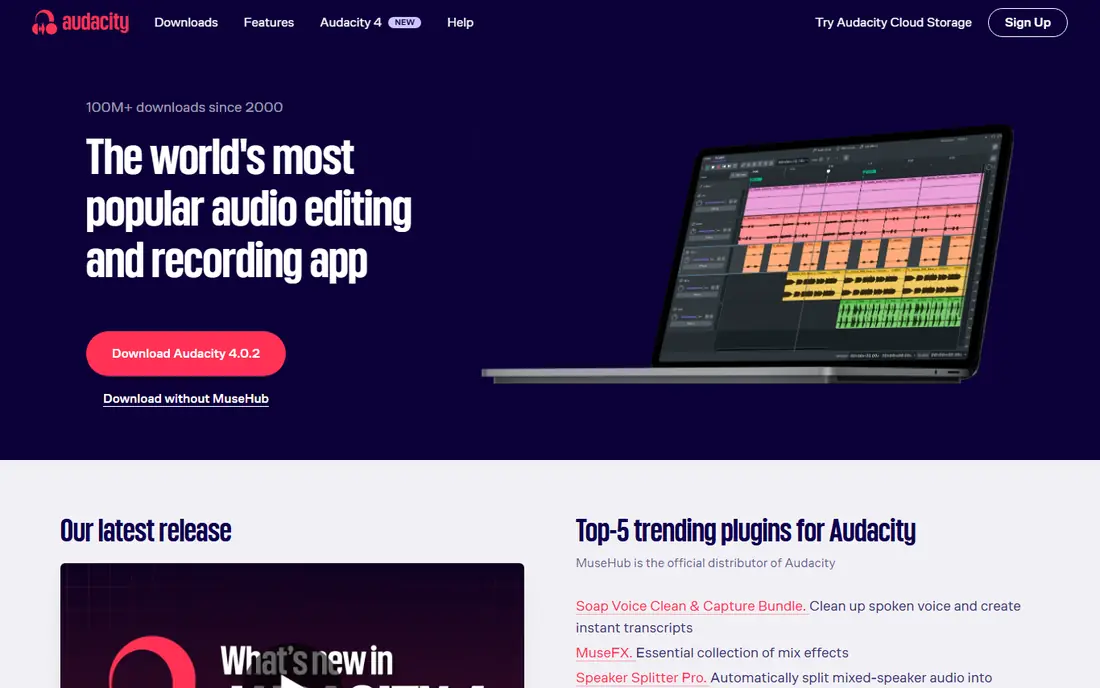
Audacity is built with free open-source editor in mind. It records and edits multi-track audio, supports all major formats, and works with VST3 and Nyquist plugins. The latest release, Audacity 4, brings an updated interface and workspaces.
You will learn what noise reduction, compression, and normalization mean, and the interface will not hold your hand. But everything is free forever, tutorials exist for every question, and the skills transfer to any other editor. Price to start with Audacity: Free. Free access exists with Audacity.
What to check first: Dated interface with a real ramp-up time.
- Enormous tutorial library
- Fully free with no limits
- No built-in AI features
Descript is designed for text-based AI editing. Descript changed how beginners think about editing. Beyond that, studio Sound removes background noise and enhances your voice with one click, which rescues episodes recorded in noisy rooms.
Still, for a first present, the ramp-up time is measured in minutes, not weeks. Beyond that, no waveforms, no razor tools. Descript does not show a starting price in this comparison, so check the vendor site for current pricing. You can start on Descript without paying.
Where it is weaker: Advanced features take time to learn.
- Studio Sound cleans up bad recordings in one click
- Underlord AI agent takes care of rough cuts and clips
- Free plan limits transcription hours
In short, Auphonic is for automatic audio mastering. Auphonic is the secret weapon of time-poor podcasters.
Honest limits: not a full editor.
The free level processes up to 2 hours of audio each month, which includes a weekly present with room to spare. As for the details, you upload your recording, and it applies intelligent leveling, noise and reverb reduction, de-essing, filler-word removal, and loudness normalization to podcast specs. Auphonic does not show a starting price in this comparison, so check the vendor site for current pricing. A free plan is available with Auphonic.
- Automatic leveling
- 2 free hours of audio processing a month
- Free level layers on a jingle
Choose GarageBand for free editor for Mac users. If you own a Mac, you already own a capable podcast editor. GarageBand records, mixes, and masters with Flex Time, visual EQ, compression, and multi-take recording, all free.
There is no Windows or Android version, and the fake "GarageBand for PC" installers floating around are unsafe. Still, as a free multitrack editor it beats most premium beginner tools. GarageBand starts at: Free. You can start on GarageBand without paying.
Where it is weaker: Mac and iOS only.
- Up to 255 tracks with solid mixing tools
- Free on every Mac, iPhone, iPad
- Music-oriented, not podcast-specific
How we compared the tools
The comparison looks at four things: starting price, free access, how well the feature set matches podcast editing software for beginners, and the main limit of each tool. Prices and plan limits come from vendor pages and can change, so confirm them on the vendor site before you buy. Order on the page follows fit for the typical buyer first, then price transparency and free access. Your own requirements should decide the final pick.
What to check before you buy
- Ask Async (formerly Podcastle), Alitu, Descript and Auphonic for a written quote, since no starting price is shown.
- Read the fine print on the free plans from Async (formerly Podcastle), Audacity, Descript and others; seat, project and feature caps differ.
- Take the trial from Alitu and push a live task through it before you pay.
- Read the limits listed for Async (formerly Podcastle) first: rebrand and pivot mean the product is still evolving.
- Before rolling out GarageBand, verify the integrations your workflow depends on.
- Work out what Auphonic costs with your real seat count, add-ons and usage, not just the entry price.
Frequently asked questions
How are the tools for podcast editing software for beginners ordered?
Async (formerly Podcastle) sits first and GarageBand last because the order follows typical fit for podcast editing software for beginners, then price clarity and free access. It is a judgement call, so read each profile for fit and limits.
Which options for podcast editing software for beginners have a free plan?
On this list, Async (formerly Podcastle), Audacity, Descript, Auphonic and GarageBand include a free plan. Caps on seats, usage or features are common, so test the free plan against your real workload. One other tool offers a trial instead.
What is the easiest podcast editing software for a complete beginner?
Alitu automates cleanup and publishing so you barely touch audio settings, whereas Descript lets you edit by deleting words in a transcript. Both have free trials or free plans so you can compare them on your own recordings.
How long does it take to edit a podcast episode?
AI-assisted tools cut that sharply: Alitu users report saving three to four hours per episode, and Auphonic masters audio in minutes. Your recording quality matters most: clean recordings edit quick.
Do these tools publish their prices?
Not all of them. Async (formerly Podcastle), Alitu, Descript and Auphonic publish no starting price, so expect a quote request for those. The rest, Audacity included, show a starting price, though seats and billing terms still change the final cost.
Can I try these tools before paying?
Often, yes. Async (formerly Podcastle), Audacity, Descript and others have a free plan and Alitu offers a free trial. Use your own data and a real task during the test, and check what the free tier or trial limits before you rely on it.
Sources
See where you really rank - block by block
ProMapRanker scans Google Maps across a grid of your service area. Simple monthly plans from $19, white-label on every plan.
Start freeKeep reading
 zscaler alternatives
Best Zscaler Alternatives in 2026
Looking for zscaler alternatives? We compare 9 SASE and zero trust platforms on architecture, data protection, pricing, and fit for your network and team.
Read → zapier alternatives free
Best Zapier Alternatives Free in 2026
Nine automation tools for zapier alternatives free in 2026, all with genuinely free tiers, plus free plan limits, starting prices and upgrade paths explained.
Read → which platform is best for online reputation
Which Platform Is Best for Online Reputation in 2026
Wondering which platform is best for online reputation? We compare 8 review, listing, and response tools for small and multi-location businesses and agencies.
Read →