 ProMapRanker
Best Podcast App in 2026: 9 Apps Compared

Key takeaways
- Pocket Casts is our top pick for most listeners, because it works across iOS, Android, and the web with reliable sync.
- Apple Podcasts remains the simplest choice for iPhone owners, since it is free, built in, and syncs across Apple devices.
- Overcast is the best podcast app for iOS-only listeners who care about Smart Speed and Voice Boost for clearer audio.
- Spotify suits people who already pay for music, but its podcast controls are thinner than dedicated podcast apps.
- AntennaPod is the standout free, open-source option for Android listeners who want no ads and no account pressure.
Quick comparison
| Pick | Great for | Pricing starts at | Free tier | |
|---|---|---|---|---|
 Pocket Casts Pocket Casts | Cross-platform listening | Free | Yes | Visit |
 Apple Podcasts Apple Podcasts | iPhone and Apple devices | Free | Yes | Visit |
 Overcast Overcast | iOS audio quality | Free | Yes | Visit |
 Spotify Spotify | Music plus podcasts | Free | Yes | Visit |
 Castro Castro | Inbox-style queue control | Free | Yes | Visit |
 Podcast Addict Podcast Addict | Android power users | Free | Yes | Visit |
 AntennaPod AntennaPod | Free, open-source listening | Free | Yes | Visit |
 YouTube Music YouTube Music | Video podcasts and music | Free | Yes | Visit |
 Podbean Podbean | Podcast discovery and hosting | Free | Yes | Visit |
The best podcast apps for everyday listening
Most podcast apps play episodes well. The real differences show up in queue control, sync across devices, offline downloads, and how much work it takes to find the next show worth your time.
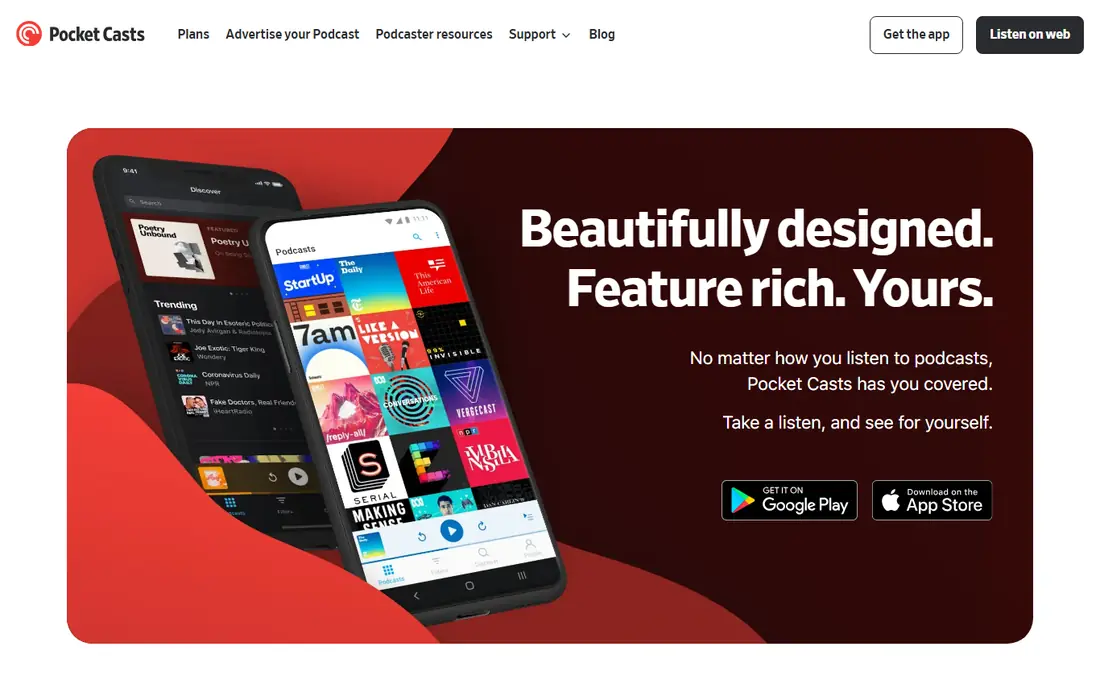
Pocket Casts earns the top spot by removing friction for people who listen on more than one device. Start an episode on your phone, pick it up on the web, and your place, queue, and subscriptions stay in step. That reliability matters more over months of listening than any single flashy feature.
The player itself is built for heavy listeners. You can trim silence, adjust speed per show, skip intros, and organise shows into folders and filters instead of scrolling one long list. Pocket Casts Plus adds extras such as cloud storage and newer AI features, but the free tier already covers the core listening experience well. If you switch phones or platforms often, this is the safest default.
- Sync across iOS, Android, and web
- Folders and filters for large libraries
- Trim silence and variable speed controls
- Some advanced features sit behind Pocket Casts Plus
- Discovery is solid rather than exceptional
Apple Podcasts wins on simplicity. iPhone owners do not need to install anything, create a new account, or learn a new interface to start listening. Episodes sync across iPhone, iPad, Mac, Watch, and CarPlay, and transcripts on supported shows help when you want to find a quote or follow a dense discussion.
Power users may bump into limits. Smart Speed-style silence removal, per-show audio levelling, and advanced queue rules are thinner here than in Overcast or Pocket Casts. Still, for casual and regular listeners inside the Apple world, the lack of cost and setup makes Apple Podcasts hard to beat as a starting point.
- Free and built in on Apple devices
- Sync through iCloud
- Transcripts and chapters on many shows
- No Android app
- Playlist control is weaker than dedicated rivals
- Discovery can feel limited
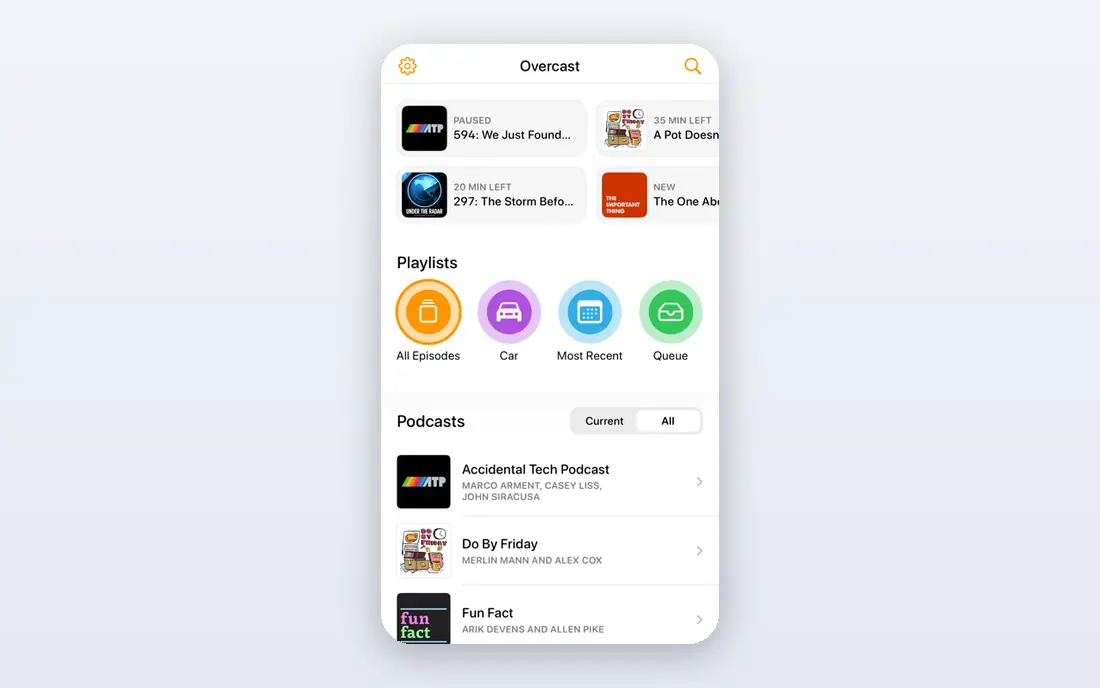
Overcast is a single-platform specialist, and it shows in the polish. Smart Speed shortens pauses without making speech sound rushed, while Voice Boost lifts quiet shows so you are not constantly adjusting volume between episodes. For commuters and runners, those two features alone can change daily listening.
The trade-off is platform lock-in. There is no Android version, and the web player is a companion rather than a full replacement for the app. If you live inside the Apple world and listen daily, Overcast is our pick for audio quality. If you might switch to Android, Pocket Casts is the more portable choice.
- Smart Speed removes silences
- Voice Boost evens out volume
- Clean, focused player design
- IOS only
- No Android or full desktop app
- Some features require the paid tier
Spotify suits listeners who want one app for everything. You can move from a playlist to a podcast without switching apps, and personalised recommendations often surface shows you would not have found by browsing categories. Exclusive shows also give Spotify content you cannot get in other players.
Dedicated podcast listeners will notice the gaps. Queue management, per-show playback settings, and silence trimming are less developed than in Pocket Casts or Overcast. The free tier also includes ads, which interrupt longer episodes. Choose Spotify when convenience and music matter most, and choose a dedicated app when podcast control is the priority.
- Music and podcasts in one app
- Large catalogue including exclusive shows
- Strong personalised recommendations
- Podcast playback controls are basic
- Free tier includes ads
- Some shows are exclusive to Spotify
Castro treats new episodes like an inbox. Episodes arrive for triage, and you move only the ones you actually want into your queue. That system sounds fussy at first, but it solves a real problem for people who follow dozens of shows and never want a queue full of episodes they will never play.
Learning the workflow takes a little patience, and Android listeners are out of luck entirely. Once the habit clicks, though, Castro gives heavy subscribers more control than a simple chronological feed. It is the best podcast app for listeners whose main problem is too many shows, not too few.
- Inbox and queue system keeps new episodes tidy
- Good for listeners with many subscriptions
- Clean iOS design
- IOS only
- The inbox workflow takes a day or two to learn
- Some power features need a paid tier
Podcast Addict is the most configurable player on this list, and Android users get the benefit. You can tune playback, downloads, playlists, and automation rules in unusual detail, and it also handles radio streams, audiobooks, and general RSS feeds alongside podcasts. For listeners who like to set rules once and let the app manage downloads, that depth is a real advantage.
The interface reflects that power. New users may find it busy compared with Apple Podcasts or Overcast, and the free tier includes ads. A one-time payment removes ads on Android, which keeps the long-term cost low. If you want maximum control on Android, start here and trim the settings gradually to your taste.
- Very deep customisation
- Supports podcasts, radio, audiobooks, and RSS feeds
- Strong offline and automation options
- Android only
- Interface can feel busy at first
- Ads appear on the free tier
AntennaPod proves that a free podcast app does not need ads or aggressive upsells. It is open source, it works without an account for core listening, and it covers the essentials well: subscriptions, queue, variable speed, sleep timer, and offline downloads. Privacy-minded listeners will also like that it does not push an account or a data-heavy profile.
Discovery is where it falls behind commercial rivals. There is no large recommendation engine pushing new shows, so you will find shows through search, OPML import, or recommendations from elsewhere. Sync is also limited compared with Pocket Casts. For Android listeners who value simplicity and privacy over discovery, AntennaPod is an excellent free choice.
- Free and open source with no ads
- Clean playback and queue tools
- No account required for core listening
- Discovery features are basic
- No built-in cloud sync across platforms
- Android only
YouTube Music matters here because so many podcasts now publish video versions. If your favourite shows film their episodes, this app lets you watch or listen without hunting for a separate video feed. It also bundles music, which suits listeners who already use YouTube heavily.
As a podcast manager, it lags behind the specialists. Queue control, episode filters, and per-show settings are basic, and free-tier limits affect background playback for video. The best podcast platform question often comes down to this trade-off: YouTube Music wins for video-first shows, while Pocket Casts wins for audio-first libraries.
- Access to video podcasts from YouTube
- Music and podcasts in one subscription
- Works across iOS, Android, and web
- Podcast organisation is weaker than dedicated apps
- Background play for video content needs a paid tier
- Ads on the free tier
Podbean sits in two worlds at once. Listeners get a large catalogue, recommendations, and live audio features, while creators can host and distribute shows from the same platform. That dual role makes it useful for people who listen a lot and are thinking about starting a show of their own.
Pure listeners should compare the player first. Speed controls, queue tools, and offline downloads work, but they feel less polished than Pocket Casts or Overcast. Podbean still earns a place for its catalogue and creator bridge, especially for listeners who want live shows and community features alongside regular episodes.
- Large show catalogue
- Live streaming and community features
- Also suits creators who want to host a show
- Player controls are less refined than top rivals
- Some features are aimed at creators rather than listeners
How we picked these
We compared official feature pages, pricing pages, and app store listings, along with public reviews and platform availability. We favoured apps that are still actively maintained, that offer a genuinely usable free tier, and that cover the main platforms listeners actually use. We did not claim hands-on testing, and we excluded apps that have shut down or merged into other services.
We also separated listening apps from recording and hosting tools. Several products in this market are built mainly for creators, with listening as a secondary feature. Those tools can be useful, but they rarely match a dedicated player for queue control, sync, and offline listening, so this list stays focused on the listening experience.
How to choose the right podcast app
Start with your devices
Your phone and computer decide most of this choice. Apple-only listeners can pick between Apple Podcasts and Overcast, Android listeners should start with Pocket Casts, Podcast Addict, or AntennaPod, and cross-platform listeners should default to Pocket Casts. Switching later is possible, but OPML export and sync quality vary, so a good first pick saves rework.
Match the app to your queue size
Casual listeners with a handful of shows do well with Apple Podcasts, Spotify, or YouTube Music. Heavy listeners with dozens of subscriptions need folders, filters, or an inbox system, which points to Pocket Casts, Castro, or Podcast Addict. If your queue constantly overflows, queue control matters more than discovery features.
Check offline and car playback
Download a few episodes before a trip and test CarPlay or Android Auto if you drive. Check whether downloads stay available offline, whether playback resumes cleanly, and whether the sleep timer works the way you expect. These small details shape daily use far more than a catalogue size claim.
Privacy and account needs
Some listeners prefer an app that works without an account, which favours AntennaPod and the free tiers of several others. Others want cloud sync and are comfortable signing in. Read the privacy policy for any app that syncs listening history, and turn off personalised recommendations if you would rather keep listening private.
Frequently asked questions
What is the best podcast app for beginners?
Apple Podcasts is the easiest start for iPhone owners, since it is free and already installed. Android beginners should try Pocket Casts, which is free and guides you through subscriptions, downloads, and playback without overwhelming settings. The best podcast software for beginners is the one you will actually open daily, so pick the simplest option that covers your devices.
What is the best app for podcasts on Android?
Pocket Casts is our top Android pick for cross-platform sync and clean queue control. Podcast Addict suits power users who want deep customisation, while AntennaPod suits listeners who want a free, ad-free, open-source player. All three are free to start, so try the player controls and queue system before deciding.
What is the best podcast platform for video podcasts?
YouTube Music is the natural pick for video podcasts, since many shows publish video on YouTube first. Spotify also carries video episodes for some shows, but its catalogue and player are less video-focused. If you mainly listen to audio, a dedicated app such as Pocket Casts will still give you better queue and offline tools.
Is there good best podcast software for beginners who also create shows?
Podbean bridges listening and hosting, which helps beginners who want to try creating without learning a separate platform. For recording and editing, however, dedicated podcasting software such as Audacity, Riverside, or Descript fits better than a listening app. Start with a listening app for your audience habits, then add creator tools only when you are ready to publish.
Which free podcast app has no ads?
AntennaPod is free, open source, and ad-free, which makes it the cleanest free option on Android. Apple Podcasts is also free without the ad breaks found in music-streaming free tiers, though some shows include their own sponsor reads. Paid tiers in other apps remove ads, but check whether the price covers only ads or also adds features you need.
Can I switch podcast apps without losing my subscriptions?
In most cases, yes, by exporting an OPML file from your old app and importing it into the new one. Playback positions and custom playlists do not always transfer, so finish current episodes or note your place before switching. Test the import with a small set of shows first if you have a very large library.
Sources
See where you really rank - block by block
ProMapRanker scans Google Maps across a grid of your service area. Simple monthly plans from $19, white-label on every plan.
Start freeKeep reading
 youtube alternatives
Best YouTube Alternatives in 2026
Looking for youtube alternatives in 2026? We compare Vimeo, Dailymotion, Twitch, Rumble, and more on price, audience, monetization, control and privacy.
Read → what's the best ai tool for photo editing
What Is the Best AI Tool for Photo Editing in 2026
What is the best AI tool for photo editing? We compare ten tools for 2026, from Photoshop and Lightroom to Luminar, Topaz, Canva and mobile editors today.
Read → twitter alternatives
Best Twitter Alternatives in 2026
Compare the best twitter alternatives for 2026, from Bluesky, Threads, and Mastodon to Reddit, Tumblr, and Micro.blog, with free plans and audience notes.
Read →