 ProMapRanker
Best Platforms for Managing Client Affidavits in 2026


Full practice management for firms of all sizes · Pricing starts at: $39 per user per month
Key takeaways
- The best affidavit tools link the sworn statement to the client, the matter, and the signed file, so nothing is lost in email or shared drives.
- Templates, version control, and audit trails matter more than signing alone, since an affidavit must be accurate, complete, and provable later.
- This article is general information only, not legal advice. Affidavit rules vary by jurisdiction, and a lawyer should review any affidavit before filing.
- Notarization needs vary by case and location, so check if remote, in-person, or electronic notarization is accepted for your filing.
- A practice management tool suits firms that handle many affidavits, while a signing tool suits firms that only need occasional signatures.
Quick comparison
| Pick | Great for | Pricing starts at | Free tier | |
|---|---|---|---|---|
| Clio | Full practice management for firms of all sizes | $39 per user per month | No | Visit |
 MyCase | Small firms that want one predictable system | $39 per user per month | No | Visit |
 PracticePanther | Growing firms that want automation | $49 per user per month | No | Visit |
 Smokeball | Document-heavy firms and automation | See website | No | Visit |
 Filevine | Litigation and complex case workflows | See website | No | Visit |
 CosmoLex | Firms where accounting and compliance matter | $49 per user per month | No | Visit |
 DocuSign | Signing and audit trails at scale | $10 per user per month | No | Visit |
 Notarize | Remote online notarization | See website | No | Visit |
 PandaDoc | Templates and signing for client documents | Free | Yes | Visit |
The best platforms for managing client affidavits
Managing client affidavits means more than collecting a signature. A firm must draft the statement, confirm the facts with the client, track versions, record signing and notarization, and file the final version with the right matter. The tools below cover practice management, signing, and notarization, and they should be used with lawyer review for every affidavit. This is general information only, not legal advice.

Clio is the most complete practice management pick for affidavit work across many matters. Documents, including draft and signed affidavits, can be stored against the right matter, shared through a client portal, and linked to tasks, calendars, and billing. That structure helps a firm prove which version was signed, when it was shared, and what changed along the way.
The entry EasyStart plan is listed at $39 per user per month billed annually in recent comparisons, with higher tiers adding client intake, advanced reporting, and more integrations. Smaller firms may find the full feature set larger than they need, and costs rise with add-ons. For firms that handle affidavits as part of broader casework, Clio is a strong central system.
- Matter, document, and client portal in one system
- Large integration ecosystem
- Strong mobile access
- Cost rises as features are added
- Setup takes time for larger firms
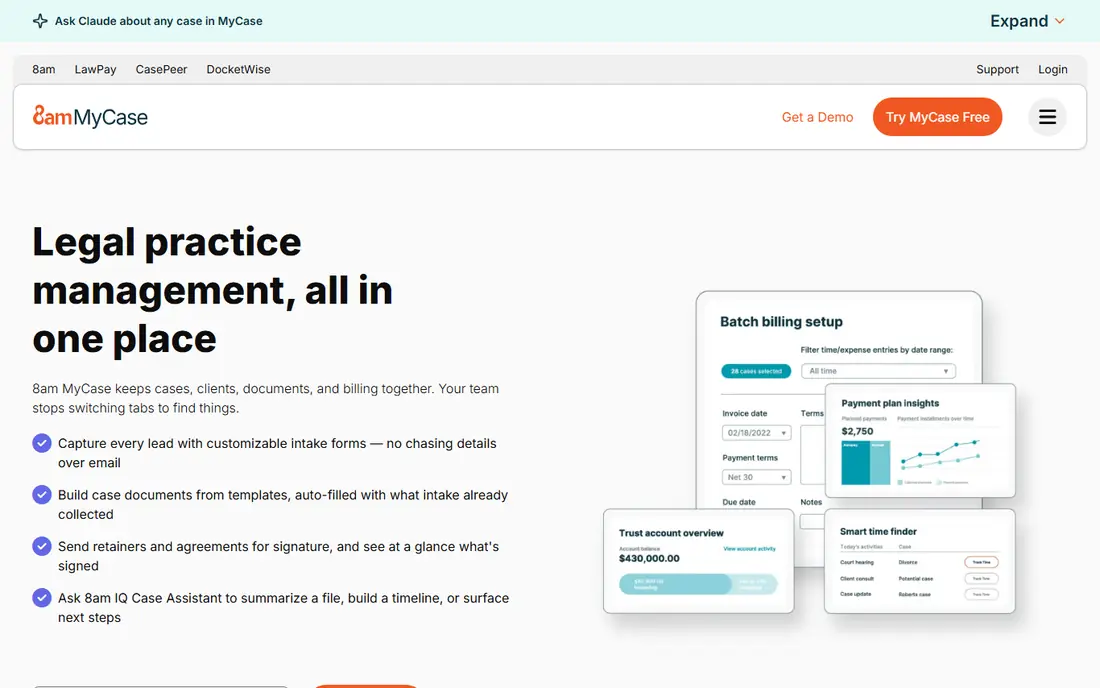
MyCase suits solo attorneys and small firms that want affidavit handling without a complex setup. Matters, documents, messages, and billing sit in one system, and clients can review drafts through a portal rather than by email chains. That single thread makes it easier to track which draft a client approved and which file is final.
Pricing starts at $39 per user per month billed annually in recent comparisons, with higher tiers adding more automation and reporting. Customization is lighter than Clio or Filevine, so firms with complex workflows may hit limits. For small firms that want a clear, affordable system for client affidavits and casework, MyCase is a practical pick.
- Simple case, document, and client communication tools
- Client portal for sharing drafts
- Predictable pricing
- Customization is lighter than larger rivals
- Advanced reporting needs higher tiers
PracticePanther helps growing firms automate the steps around an affidavit, from intake and document requests to reminders and follow-up tasks. Automation rules can trigger a task when a draft is ready, when a client message arrives, or when a deadline nears, which reduces the chance that an affidavit stalls in a busy caseload. Documents, contacts, and billing stay linked to the matter.
The Solo plan starts at $49 per user per month billed annually in recent comparisons, with higher tiers adding more automation and reporting. Firms should test automation carefully, since a wrong rule can send a draft too early or miss a deadline. For firms that want affidavit workflows to run with less manual chasing, PracticePanther is a strong choice.
- Code-free automation for tasks and reminders
- Matter and document tools
- Client portal and payments
- Higher tiers can become costly
- Billing issues appear in some public reviews, so check the current terms
Smokeball is built for firms where documents drive the work, which fits affidavit-heavy practices. Document automation can pull client and matter details into precedents, reducing manual typing and copy errors, while automatic time capture records work done in documents and email. That combination helps firms that produce many sworn statements from standard forms.
Pricing is not fully published, so firms need a vendor quote, and the platform may be more than a small firm needs for occasional affidavits. Firms should also check if Smokeball precedents match their jurisdiction, since affidavit forms vary by location. For document-heavy firms, Smokeball offers real time savings and tighter document control.
- Strong document automation and precedents
- Automatic time capture from document work
- Good Microsoft Office links
- Pricing is not fully published
- May be more than a small firm needs for simple affidavit work
Filevine suits litigation and complex cases where an affidavit is one step in a long workflow. Custom task sets, deadlines, and document stages can track an affidavit from drafting through client review, signing, notarization, and filing, with reporting on bottlenecks. That workflow view helps larger teams keep many affidavits moving at once.
Pricing is quote-based and implementation can be complex, so smaller firms should weigh setup time against benefit. A trial or guided demo on a real case type is essential before committing. For mid-size and larger firms with complex, multi-step cases, Filevine is a powerful affidavit and case management platform.
- Customizable case workflows and task tracking
- Strong document and reporting tools
- Client portal
- Pricing is not published
- Implementation can be complex for smaller firms
CosmoLex is the pick for firms that want affidavit management beside proper legal accounting. Matters, documents, time, billing, and trust accounting sit in one system, so an affidavit, its related time, and its client billing stay linked. That unity helps firms that need clean trust records and audit-ready books as well as case documents.
The Launch plan starts at $49 per user per month in recent comparisons, with a trial period for testing. Document automation is lighter than in Smokeball, so firms with very high affidavit volume may need another drafting tool beside it. For firms where accounting accuracy and compliance matter as much as documents, CosmoLex is a strong all-in-one choice.
- Built-in legal accounting and trust compliance
- Matter and document tools
- Client portal and payments
- Document automation is lighter than Smokeball
- Higher tiers needed for some advanced features
DocuSign is the best signing-only pick for affidavit workflows. Templates, signing order, reminders, and a detailed audit trail help a firm show who signed, when, and in what order, which matters if a sworn statement is later questioned. Clients can sign on mobile without an account in many flows, which reduces friction for remote clients.
DocuSign alone does not manage a full case, so firms should pair it with a practice system such as Clio or MyCase for matter and document control. Notarization is a separate feature and depends on jurisdiction, so firms must confirm that the signing method is accepted for their filing. The Personal plan starts at $10 per user per month in recent comparisons, with a trial available.
- Widely accepted eSignature with detailed audit trails
- Templates and signing order
- Mobile signing for clients
- Not a full practice management system
- Notarization features are separate and jurisdiction-dependent
Notarize fills the notarization step that signing tools alone do not cover. A client can meet a notary by video, verify identity, and sign in a recorded session, which helps firms with remote or out-of-state clients. Session records and audit details support later proof that notarization took place.
The key limit is acceptance. Remote online notarization rules vary by state and country, and by document type, so a firm must confirm that a remotely notarized affidavit will be accepted by the relevant court or authority before using it. Pricing is shown on the vendor site, with per-document notarization listed at $25 in some comparisons and business plans from $99 per month. For remote notarization needs, Notarize is a direct and useful tool, with lawyer review essential.
- Remote online notarization with a live notary
- Identity checks and session records
- Useful for remote clients
- Notarization acceptance varies by jurisdiction and document type
- Per-document and plan costs need a vendor check
PandaDoc suits firms and businesses that need clean templates and signing for client documents, including affidavit drafts, without a full legal system. A free plan covers basic eSigning, with paid plans from $19 per user per month in recent comparisons adding templates, automation, and more. Documents can be sent, tracked, and signed with reminders for clients who delay.
PandaDoc is not a practice management tool, so matter tracking, trust accounting, and case workflows need another system. It also does not provide legal advice or jurisdiction-specific affidavit forms, so lawyer review remains essential. For occasional affidavit signing with good templates and a low starting cost, PandaDoc is a practical choice.
- Free plan for basic eSigning
- Templates and content library
- Audit trails and reminders
- Not built for legal practice management
- Advanced legal workflows need another system
How we picked these
We compared official feature pages, pricing pages, app store listings, privacy policies, and public reviews for legal practice, signing, and notarization tools. We kept only tools that are live, that support document templates, signing, or matter-linked document control, and that can produce an audit trail for signed documents. We favored matter-linked storage, version control, client portals, and clear pricing, and we noted where pricing is quote-based. We did not claim hands-on testing inside a live law firm, and this article is general information only, not legal advice.
Choosing a platform for client affidavits
Start with the filing requirement, not with the software. An affidavit that is not accepted by the relevant court or authority, or that contains an error, creates risk no software feature can fix.
Confirm signing and notarization rules first
Check your jurisdiction, court, and document type for rules on electronic signing, remote notarization, and witness requirements. Some filings need in-person notarization, while others accept remote or electronic methods. A lawyer should review the affidavit text and the signing method before filing, and the firm should keep the signed file plus its audit trail together.
Keep one final version per affidavit
Use version control, clear file names, and matter-linked storage so staff never file a draft by mistake. Require client confirmation of facts in writing before signing, and record any changes after client review. A client portal helps here, since drafts, comments, and the final signed file stay in one thread instead of scattered email.
Test with a real matter before rollout
Run one affidavit end to end, from template to client review, signing, notarization, and filing, and check every step for gaps. Confirm that templates match your jurisdiction, that reminders work, and that the audit trail exports cleanly. If any step needs a workaround, fix it before the tool handles a full caseload.
Frequently asked questions
What is the best platform for managing client affidavits?
Clio is the best all-round practice management pick, since it links matters, documents, and client portals. DocuSign is the best signing-only pick, and Notarize is the best pick for remote online notarization where it is accepted. Many firms pair a practice system with a signing or notarization tool.
Is an electronically signed affidavit valid?
It depends on jurisdiction, court, and document type. Some filings accept electronic signatures, while others need wet ink or specific notarization. Check the rules for your filing, and have a lawyer review the affidavit and signing method before filing.
Can remote online notarization be used for affidavits?
Sometimes, where remote online notarization is allowed for that document type and jurisdiction. Notarize and similar services offer remote sessions, but acceptance varies, so confirm with the relevant court or authority and with a lawyer first.
Do I need a lawyer to review an affidavit?
Yes, in practice. An affidavit is a sworn statement, and errors or false statements can have serious legal consequences. This article is general information only, not legal advice, and a lawyer should review any affidavit before it is signed or filed.
What records should a firm keep for each affidavit?
Keep the draft history, client confirmation of facts, the final signed file, any notarization record, and the audit trail showing who signed and when. Store those records against the right matter, with access controls, for as long as your jurisdiction and firm policy require.
Sources
See where you really rank - block by block
ProMapRanker scans Google Maps across a grid of your service area. Simple monthly plans from $19, white-label on every plan.
Start freeKeep reading
 worlds best local seo company
8 Worlds Best Local SEO Companies for Map Pack Growth in 2026
Compare the worlds best local seo company options for Google Business Profile work, citations, reviews, and multi-location rankings and reporting in 2026.
Read → world's best web hosting company
World's Best Web Hosting Company in 2026
Searching for the world's best web hosting company? We compared 10 hosts on price, renewal rates, speed, and support to help you choose well today in 2026.
Read → who's got the best nanny tax services
Who's Got the Best Nanny Tax Services in 2026
We answer who's got the best nanny tax services, comparing full filing, back taxes, software, and pricing so families can handle nanny taxes correctly.
Read →