 ProMapRanker
Best Platform for Streaming Video in 2026

Key takeaways
- Netflix suits most households for breadth, while Disney Plus and Hulu suit families and current-season TV, especially as a bundle.
- Max and Apple TV suit viewers who prefer prestige series and films over a very large catalogue.
- Tubi and YouTube give a strong free base, so many households can rotate one paid service instead of paying for five at once.
- Prices change often, so confirm the current plan price at signup, since ad tiers, 4K, and extra members all change the monthly total.
Quick comparison
| Pick | Great for | Pricing starts at | Free tier | |
|---|---|---|---|---|
 Netflix | Broadest all-round library | $8.99 per month | No | Visit |
 Disney Plus | Families and franchises | $12.49 per month | No | Visit |
 Hulu | Current-season TV | $12.49 per month | No | Visit |
 Max | Prestige series and films | $10.99 per month | No | Visit |
 Prime Video | Prime members | $8.99 per month | No | Visit |
 Apple TV | High-quality originals | $14.99 per month | Free trial | Visit |
 Peacock | NBC shows and sports | $8.99 per month | No | Visit |
 Paramount Plus | CBS, sports, and Showtime | $8.99 per month | No | Visit |
 YouTube | Free video and creators | Free | Yes | Visit |
 Tubi | Free films and TV | Free | Yes | Visit |
The best platform for streaming video
We compared catalogue breadth, originals, sports, price, and device support. The best platform is the one you watch weekly, not the one with the longest list of titles you never open.

Netflix suits households that want one service to cover many tastes. Its original series and films sit next to a large licensed catalogue, and the app works well on phones, TVs, and streaming sticks. The ad-supported plan starts at $8.99 per month in current US listings, while Standard costs $19.99 and Premium costs $26.99. That range lets viewers choose between low cost and higher quality.
The limits are price and sharing rules. There is no free tier, and 4K with four screens needs Premium. Extra member slots add cost for people outside the household. If you watch Netflix most weeks, it still earns the top spot here, but light viewers may prefer a free base plus a rotating paid service.
- Very large original and licensed library
- Strong app on most devices
- Ad plan keeps entry cost low
- No free tier
- 4K needs the Premium plan
- Household rules limit sharing
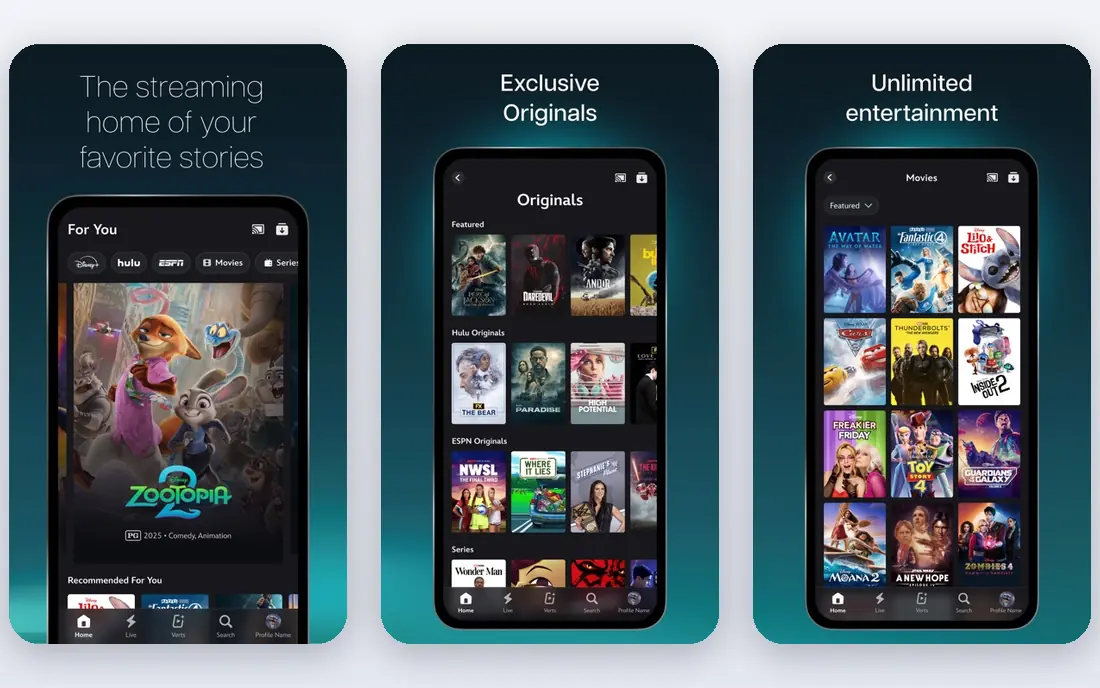
Disney Plus suits families and franchise fans more than any rival. Marvel, Star Wars, Pixar, and Disney animation give children and adults plenty to share, and parental controls help manage profiles. Current US listings put the ad plan at $12.49 per month and Premium at $21.49 per month, with 4K available on both. Bundles with Hulu lower the combined cost for households that want both.
The catalogue is narrower in tone than Netflix. Viewers who want a wide range of adult drama, documentaries, and international films may find gaps. Disney is also folding Hulu into the Disney Plus app experience, so the exact app layout may change. For family viewing, it remains a strong second pick.
- Marvel, Star Wars, and Pixar catalogues
- Strong family controls
- 4K on both main plans
- Catalogue leans on franchises
- Standalone price has risen

Hulu suits viewers who follow current TV closely. Many network and cable shows arrive the next day, and FX originals add prestige drama to the catalogue. Current listings put the ad plan at $12.49 per month and the no-ads plan at $21.49 per month. The Disney Plus bundle, at $12.99 with ads or $19.99 without ads in recent listings, often beats paying for both separately.
Ads are the main drawback on the entry plan, with breaks that can feel long during a drama. The no-ads plan removes most ads but costs much more. Hulu also offers less 4K content than Netflix or Disney Plus. If current-season TV drives your viewing, those trade-offs are worth it.
- Next-day episodes for many shows
- FX originals
- Bundle value with Disney Plus
- Ad plan has frequent breaks
- No-ads plan costs more
- 4K is limited
Max suits viewers who value a smaller set of high-quality series and films over sheer volume. HBO originals, Warner Bros. films, and a rotating movie library give it a prestige feel that few rivals match. Current listings put Basic with Ads at $10.99 per month, Standard at $18.49, and Premium at $22.99. That range covers budget viewers and 4K viewers alike.
Picture quality splits across plans. Standard streams at 1080p, while Premium is needed for 4K and more simultaneous streams. Titles also leave the service as licensing changes, so a film you plan to watch may rotate out. For drama lovers, Max is still one of the best single subscriptions.
- HBO series and films
- Strong movie rotation
- Good original drama
- Standard plan is 1080p only
- Premium needed for 4K
- Catalogue rotates
Prime Video suits people who already pay for Amazon Prime, since video is included in that membership. The standalone plan costs $8.99 per month in current listings, while Prime membership costs $14.99 per month or $139 per year. An Ultra add-on at $4.99 per month removes ads and adds 4K in recent listings. Sports fans also get Thursday Night Football as part of the service.
Ads on the base plan annoy many viewers, and the catalogue mixes included titles with rentals in a way that can confuse browsing. The app layout feels busier than Netflix or Apple TV. If you already use Prime for shipping, though, Prime Video is strong value as a second or third service.
- Included with Prime
- Large film library
- Thursday Night Football
- Ads on the base plan
- Ad-free Ultra add-on costs extra
- Browsing can feel cluttered
Apple TV suits viewers who prefer a focused set of originals over a huge library. Its series and films are ad-free, 4K is included in the $14.99 monthly price in current listings, and the app works well across Apple devices and many TVs. A free trial lets new viewers test the catalogue before paying. For quality over quantity, it is a clear pick.
Catalogue size is the limit. Apple TV has far fewer titles than Netflix or Prime Video, so heavy viewers may finish the shows they want in a few weeks. There is also no cheaper ad-supported tier. Many households use it as a rotating service, subscribing for a season of shows, then pausing until new titles arrive.
- Ad-free by default
- 4K included
- Strong original series
- Smaller catalogue than Netflix
- No ad-supported cheap tier
Peacock suits NBC viewers and sports fans who want a lower-cost service. Current listings put Select at $8.99 per month, Premium at $12.99, and Premium Plus at $19.99. NBC shows, Bravo reality, films, and live sports events form the core catalogue. For viewers who follow those channels, Peacock covers a lot for less than a full cable replacement.
The higher tiers matter for a smooth experience. Premium Plus reduces ads and adds downloads, while lower tiers include more ad breaks. Sports coverage also changes by season and rights deal, so check the schedule for the events you care about. As a targeted service rather than an all-rounder, Peacock works best alongside one larger platform.
- NBC and Bravo shows
- Live sports events
- Lower entry price than some rivals
- Premium Plus needed for fewer ads and downloads
- Sports rights vary by season
Paramount Plus suits CBS viewers, Star Trek fans, and sports followers. Essential costs $8.99 per month in current listings, while Premium with Showtime costs $13.99. CBS shows, Paramount films, live sports, and Showtime series give it a clear identity. Local CBS live streams on Premium also help viewers who want news and sports without cable.
Picture quality is a drawback, since most titles do not offer true 4K. The catalogue is also smaller than Netflix or Prime Video, so it works best as a targeted pick. If CBS, Showtime, or a specific sport drives your viewing, it is good value. If not, another service will cover more ground.
- CBS shows and news
- Paramount films
- Premium adds Showtime
- No true 4K on most titles
- Catalogue smaller than Netflix
YouTube is the free base for most households. Its creator videos, news clips, music, and full films cover topics no subscription service matches in breadth. The free tier needs no account for much viewing, and the app runs on almost every device. For casual viewing, learning, and background watching, YouTube alone can fill many evenings.
Ads interrupt free viewing, and quality varies widely because anyone can upload. YouTube Premium removes ads and adds background play, but it costs extra and is not needed to enjoy the core service. YouTube TV, a separate live TV product, is not the same as YouTube and costs far more. As a free platform, YouTube remains essential in any streaming stack.
- Free
- Huge creator library
- Films, news, and music in one place
- Ads on free viewing
- Quality varies by creator
- Premium needed for ad-free use
Tubi suits budget viewers who want films and older TV shows without a subscription. Its free, ad-supported library covers many genres, and much viewing needs no account or card. The service runs on phones, TVs, and streaming sticks, so it pairs well with a single paid service. For households cutting costs, Tubi plus YouTube can cover a surprising amount of viewing.
Ads are the trade-off, and new releases are rare compared with paid services. Picture quality and download options also lag behind Netflix and Apple TV. Still, as a free service, Tubi is easy to recommend. Try it for a week before adding another paid subscription, since it may already cover the films you actually watch.
- Free
- Large film and TV library
- No account needed for much viewing
- Ads during viewing
- Fewer new releases
- No offline downloads for most titles
How we picked these
We compared official pricing pages, catalogue focus, and device support for each platform in October 2026. We favoured services with a clear US price, a working app on major TVs and phones, and a catalogue that fits everyday viewing. We did not claim hands-on testing that did not happen. Prices change often, so confirm the plan price, ad terms, and 4K support at signup before paying.
How to build a streaming stack that fits your budget
Start with the free base. YouTube and Tubi cost nothing and cover creators, films, and older TV, so use them for two weeks and note what you still miss. That gap, not a marketing list, should decide your first paid service. If you miss current TV, Hulu fits. If you miss prestige drama, Max or Apple TV fits. If you miss family films, Disney Plus fits.
Rotate paid services instead of stacking them. Most households watch one or two services heavily in a given month, while the rest sit idle. Subscribe to one paid service, finish the shows you want, cancel, and switch to the next. Keep a simple list of shows per service so rotation feels planned rather than random. Check for bundles only when you already watch both services in the bundle each month.
Watch the total, not just the entry price. Ad tiers look cheap, but an ad-free upgrade, 4K tier, or extra member slot can raise the bill by several dollars per service. Add up every service each month and set a cap that fits your household. If the total passes that cap, pause the service you watched least last month first.
Frequently asked questions
What is the best video streaming platform for most people?
Netflix suits most households for breadth, originals, and device support. Disney Plus suits families, Hulu suits current TV fans, and Max suits prestige drama fans. Start with the service that matches the shows you watch weekly, not the one with the largest catalogue.
What are the best video streaming platforms that are free?
YouTube and Tubi are the best free platforms for most viewers. YouTube covers creators, news, music, and films, while Tubi covers free films and TV shows with ads. Pluto TV and The Roku Channel are also useful free options, though they were outside this top ten.
What is the best video streaming software for creators?
YouTube suits creators who want reach and discovery, while Vimeo suits creators who want a clean, ad-free player for clients. This list focuses on watching platforms, so creators should compare upload, player, and monetisation terms separately. For viewers, YouTube remains the best free creator platform.
How many streaming services should I pay for?
Most households do well with one paid service at a time plus free services such as YouTube and Tubi. Rotate the paid slot by season or show, rather than paying for five services all year. That approach cuts cost without losing access to the shows you actually watch.
Do streaming prices include 4K?
Not always. Netflix Premium, Disney Plus, and Apple TV include 4K in their listed plans, while Max Standard is 1080p and Premium is needed for 4K. Hulu and Paramount Plus offer limited 4K. Check the plan details at signup, since 4K, screens, and ads vary by tier.
Sources
See where you really rank - block by block
ProMapRanker scans Google Maps across a grid of your service area. Simple monthly plans from $19, white-label on every plan.
Start freeKeep reading
 zscaler alternatives
Best Zscaler Alternatives in 2026
Looking for zscaler alternatives? We compare 9 SASE and zero trust platforms on architecture, data protection, pricing, and fit for your network and team.
Read → zapier alternatives free
Best Zapier Alternatives Free in 2026
Nine automation tools for zapier alternatives free in 2026, all with genuinely free tiers, plus free plan limits, starting prices and upgrade paths explained.
Read → which platform is best for online reputation
Which Platform Is Best for Online Reputation in 2026
Wondering which platform is best for online reputation? We compare 8 review, listing, and response tools for small and multi-location businesses and agencies.
Read →