 ProMapRanker
Best Platform for Data Extraction in 2026

Key takeaways
- Octoparse and ParseHub suit non-developers, while Apify, ScrapingBee, and Oxylabs suit developers who want an API or marketplace.
- Diffbot suits teams that need automatic extraction across many layouts, and Bright Data suits enterprise-scale collection.
- Credit and usage pricing varies widely, so model cost at your real page count and difficulty, not at the headline tier.
- Always check site terms, robots rules, and privacy law before collecting data, especially personal data.
Quick comparison
| Pick | Great for | Pricing starts at | Free tier | |
|---|---|---|---|---|
 Octoparse | No-code visual extraction | $69 per month | Yes | Visit |
 ParseHub | Complex dynamic sites without code | $189 per month | Yes | Visit |
 Apify | Ready-made scrapers and developer platform | $49 per month | Yes | Visit |
 Bright Data | Enterprise-scale collection | See website | Yes | Visit |
 Import.io | Managed extraction for business teams | $199 per month | Free trial | Visit |
 Diffbot | AI extraction and knowledge graphs | $299 per month | Yes | Visit |
 ScrapingBee | Simple API for developers | $49 per month | Free trial | Visit |
 Oxylabs | Enterprise scraping APIs and proxies | $49 per month | Free trial | Visit |
The best platform for data extraction
Data extraction tools fall into two groups: visual tools for non-developers, and APIs for developers who want to build a pipeline. The eight platforms below cover both groups, from point-and-click builders to enterprise APIs, so start with who will run the tool and how much data you need.
Octoparse suits non-developers who need to pull structured data from websites without writing code. The visual builder lets a user click fields on a page, set pagination and scrolling, and export to common formats. Templates for popular site types shorten the setup for common jobs such as product lists and directories.
The free plan covers local tasks, while cloud scheduling and higher capacity sit in paid plans starting at $69 per month when billed annually. Site redesigns can break a task, so budget time for maintenance, and check if proxy or captcha handling is included or billed separately for protected sites.
For a team weighing Octoparse, the practical test is simple. Run one real campaign or workflow end to end, check how clean the data looks in the reports, and confirm the total price at your actual contact, user, or volume level before signing a longer term. That short trial tells you more than any feature list, because it shows where work slows down and where the tool fits your daily routine.
- Visual point-and-click builder
- Cloud scheduling on paid plans
- Templates and exports
- Paid cloud limits apply
- Site changes need maintenance
- Proxy and captcha usage can add cost
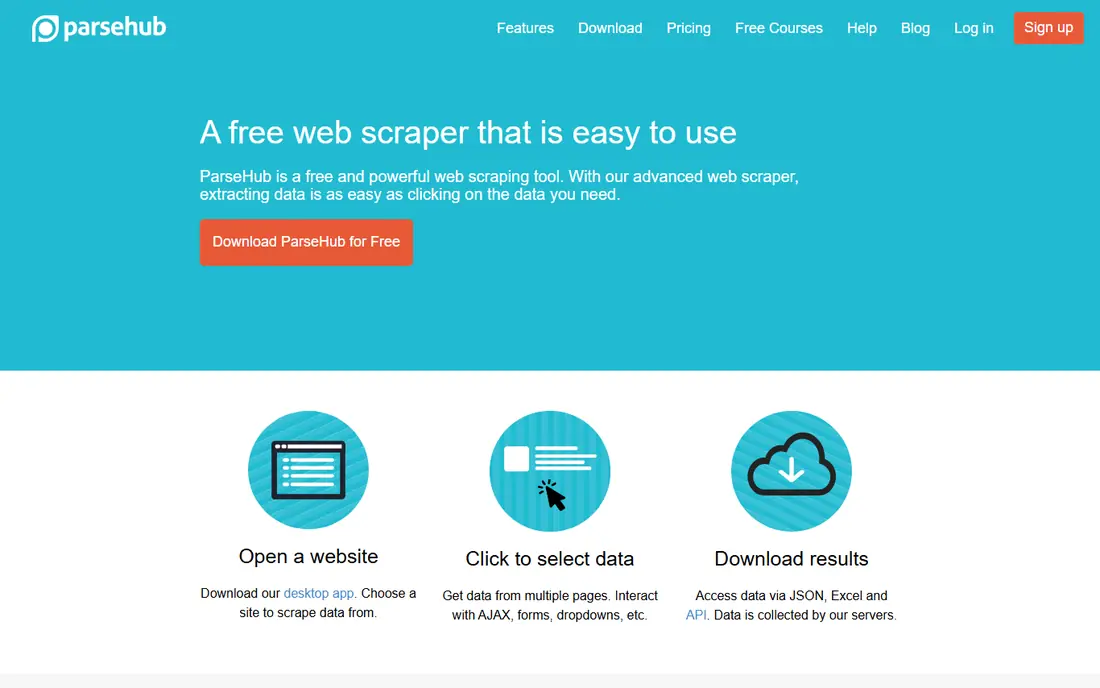
ParseHub suits users who need to extract from dynamic, JavaScript-heavy pages without coding. Its visual builder supports clicks, conditional logic, and nested data, which helps when a page loads content in stages or shows different layouts by item. The free tier allows public projects with a page limit per run.
The paid Standard plan is $189 per month, which is high for a small team, and paid scheduling and IP rotation are part of that step up. It is also desktop-bound, so large cloud-scale jobs fit other tools better. Use ParseHub when page complexity is the problem, not raw volume.
For a team weighing ParseHub, the practical test is simple. Run one real campaign or workflow end to end, check how clean the data looks in the reports, and confirm the total price at your actual contact, user, or volume level before signing a longer term. That short trial tells you more than any feature list, because it shows where work slows down and where the tool fits your daily routine.
- Handles JavaScript and conditional logic
- Desktop visual builder
- Generous free tier
- Paid plan is expensive
- Desktop-bound workflow
- Struggles on heavily protected sites
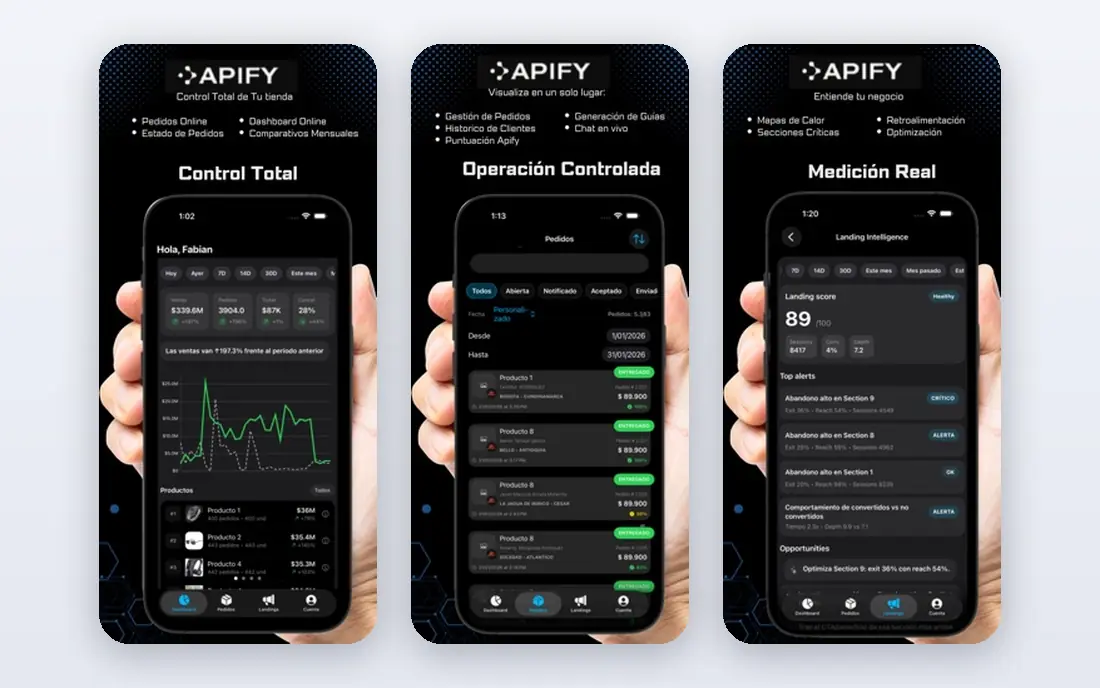
Apify is a developer-friendly platform with a marketplace of ready-made scrapers, called Actors, for popular sites. A team can run an existing Actor on a schedule, store results as a dataset, and connect output to other tools through an API. That marketplace is the fastest route to data when a ready scraper already exists.
Costs combine a platform plan, starting at $49 per month for Starter in some listings, with usage and Actor charges, so forecasting takes care. Actor quality varies by author, so test output on a small run before scheduling a large job. Teams that want a pure point-and-click tool may prefer Octoparse or ParseHub.
For a team weighing Apify, the practical test is simple. Run one real campaign or workflow end to end, check how clean the data looks in the reports, and confirm the total price at your actual contact, user, or volume level before signing a longer term. That short trial tells you more than any feature list, because it shows where work slows down and where the tool fits your daily routine.
- Large marketplace of ready-made Actors
- Scheduling and datasets
- API and integrations
- Credit and compute model needs forecasting
- Actor quality varies
- More technical than pure no-code
Bright Data suits enterprises that need large-scale, reliable collection from hard-to-access sites. Its Web Scraper API, unblocking tools, and proxy infrastructure handle scale, blocking, and data delivery in one system. For a data team with high volume and strict compliance needs, that infrastructure is the point.
Pricing is usage-based and can be complex, with pay-as-you-go rates for records or requests and higher plans for scale. Small teams should start with a smaller API tool, because Bright Data is built for volume. Always check the terms of the sites you collect from, because a tool does not make every collection lawful.
For a team weighing Bright Data, the practical test is simple. Run one real campaign or workflow end to end, check how clean the data looks in the reports, and confirm the total price at your actual contact, user, or volume level before signing a longer term. That short trial tells you more than any feature list, because it shows where work slows down and where the tool fits your daily routine.
- Large proxy and dataset infrastructure
- Scraper APIs and unblocking tools
- Compliance-focused controls
- Usage pricing is complex
- Overkill and costly for small jobs
- Learning curve for new teams
Import.io suits business teams that want managed extraction without building and maintaining scrapers. The platform supports structured data delivery and managed services, which helps teams that need regular data but lack engineering time. For a business user, that hands-off model can be more valuable than a flexible API.
The Standard plan is listed at $199 per month when billed annually, and managed work can add cost. Developers who want full control over requests, proxies, and parsing may prefer an API tool such as ScrapingBee or Oxylabs. Confirm output format, frequency, and coverage for your target sites before signing.
For a team weighing Import.io, the practical test is simple. Run one real campaign or workflow end to end, check how clean the data looks in the reports, and confirm the total price at your actual contact, user, or volume level before signing a longer term. That short trial tells you more than any feature list, because it shows where work slows down and where the tool fits your daily routine.
- Managed service option
- Business-friendly dashboards
- Structured data delivery
- Entry price is high
- Less developer control than an API
- Custom work can add cost
Diffbot suits teams that need structured data from many different pages without writing selectors for each layout. Its extraction APIs use machine vision and language models to identify products, articles, people, and organisations, and its Knowledge Graph links entities together. That approach survives many site redesigns that break selector-based scrapers.
The Startup plan is $299 per month, with a free tier of credits for testing, so it is aimed at data products and larger teams rather than casual use. Teams should test extraction accuracy on their own target pages, because automatic extraction works better on some layouts than others.
For a team weighing Diffbot, the practical test is simple. Run one real campaign or workflow end to end, check how clean the data looks in the reports, and confirm the total price at your actual contact, user, or volume level before signing a longer term. That short trial tells you more than any feature list, because it shows where work slows down and where the tool fits your daily routine.
- Automatic extraction without selectors
- Entity and knowledge graph data
- API-first design
- Startup price is high
- Credit model needs care
- Less suited to simple one-off scrapes
ScrapingBee suits developers who want a simple API without running browsers and proxies themselves. One API call can fetch a page, render JavaScript, and return HTML or extracted data, with proxy rotation handled behind the scenes. That simplicity makes it a good first API for a team building its own pipeline.
Pricing is credit-based, and pages that need rendering or premium proxies cost more credits, so a hard site can burn credits fast. The Freelance plan starts at $49 per month, and the entry tier is not the best value per credit. Model cost at your real page mix before committing to a tier.
For a team weighing ScrapingBee, the practical test is simple. Run one real campaign or workflow end to end, check how clean the data looks in the reports, and confirm the total price at your actual contact, user, or volume level before signing a longer term. That short trial tells you more than any feature list, because it shows where work slows down and where the tool fits your daily routine.
- Simple API with JavaScript rendering
- Proxy handling
- Clear documentation
- Credit multipliers raise cost on hard pages
- Entry tier value is modest
- No visual builder
Oxylabs suits data teams that need a full scraping API plus proxy infrastructure from one vendor. Its Web Scraper API handles fetching, rendering, and parsing, while its proxy range supports large jobs across regions. Dedicated retail parsers also help ecommerce teams collect product data in a structured form.
Costs are usage-based, and per-request pricing can rise at scale, so model volume before choosing a plan. The platform is developer-first, so non-technical teams may prefer a visual tool. As with all extraction tools, check site terms and privacy rules before collecting personal data.
For a team weighing Oxylabs, the practical test is simple. Run one real campaign or workflow end to end, check how clean the data looks in the reports, and confirm the total price at your actual contact, user, or volume level before signing a longer term. That short trial tells you more than any feature list, because it shows where work slows down and where the tool fits your daily routine.
- Web Scraper API and proxy range
- Dedicated parsers for retail
- Enterprise reliability
- Per-request costs rise at scale
- Developer-first
- Small jobs may find it heavy
How we picked these
We compared official pricing pages, product documentation, and public feature pages, and we judged each platform on extraction method, JavaScript handling, scheduling, output formats, and pricing model. We kept only platforms with a current extraction product and a live vendor site, and we marked quote-based or usage-based pricing as See website where no single entry price applies. We did not list browser extensions alone, because this article covers platforms that can run repeatable extraction jobs.
How to choose an extraction platform that survives site changes
Start with a sample of your real target pages, not a demo site. Run the same ten pages through two shortlisted tools and compare field accuracy, missing values, and handling of pagination and dynamic content. Next, check the maintenance burden: who fixes the task when a site redesigns, and how fast can you spot a failed run. Finally, price a month at real volume, including rendering and proxy multipliers, because a cheap plan can become expensive on hard pages. A tool that is easy to fix beats a tool that is cheap to start but breaks silently.
Frequently asked questions
What is the best data extraction software for non-developers?
Octoparse is the easiest visual starting point, while ParseHub suits more complex dynamic pages. Both offer free tiers, so test them on your real target pages before paying.
What are the best data extraction tools for developers?
Apify, ScrapingBee, and Oxylabs suit developers, because they offer APIs, scheduling, and datasets. Apify is best when a ready-made scraper exists, while ScrapingBee and Oxylabs suit custom pipelines.
What is the best tool for data extraction at enterprise scale?
Bright Data and Oxylabs lead at enterprise scale, with proxy infrastructure, scraper APIs, and compliance controls. Diffbot also suits large data products that need entity linking across many sites.
How much does data extraction cost?
Prices range from free tiers to $49 per month for ScrapingBee and Apify entry plans, $69 for Octoparse Standard, $189 for ParseHub Standard, $199 for Import.io Standard, and $299 for Diffbot Startup, with Bright Data and Oxylabs priced by usage.
Is web scraping legal?
It depends on the site terms, the data collected, and the law in your region. Public facts are different from personal data, copyrighted content, or data behind a login. Check site terms and privacy rules, and get legal advice for sensitive or large-scale collection.
Sources
See where you really rank - block by block
ProMapRanker scans Google Maps across a grid of your service area. Simple monthly plans from $19, white-label on every plan.
Start freeKeep reading
 zoho inventory alternatives
6 Alternatives to Zoho Inventory, Compared on Price and Fit
Zoho Inventory alternatives: 6 tools compared on price, free plans and fit. Katana leads the list for manufacturers. Fit and flaws are laid out for each entry.
Read → zoho crm alternatives
Best Zoho CRM Alternatives (2026)
Need Zoho CRM alternatives? We compare 7 tools on cost, free access and who each suits. Every pick gets a straight assessment. Built for quick decisions.
Read → zelle alternatives
Best Zelle Alternatives in 2026
Compare the best Zelle alternatives for sending money to friends, paying sellers and moving funds abroad, with honest notes on fees, speed and safety in 2026.
Read →