 ProMapRanker
Best Platform for Comparing Airfare Deals in 2026

Key takeaways
- Prices and fees vary by route and date, and no platform is cheapest everywhere, so check at least two sources before you book.
- Google Flights and Skyscanner are strong for research, while KAYAK and Momondo add filters and combined ticket options.
- Hopper and Going help with timing and deal alerts, but their predictions and curated deals do not replace a direct fare check.
- Always compare the final total, including bags, seat choice, and change rules, not just the headline fare.
Quick comparison
| Pick | Great for | Pricing starts at | Free tier | |
|---|---|---|---|---|
 Google Flights | Fast route and date research | Free | Yes | Visit |
 Skyscanner | Flexible dates and destinations | Free | Yes | Visit |
 KAYAK | Filters and combined fares | Free | Yes | Visit |
 Momondo | Visual fare comparison | Free | Yes | Visit |
 Hopper | Price predictions and watches | Free | Yes | Visit |
 Kiwi.com | Unusual multi-airline routes | Free | Yes | Visit |
 CheapOair | Phone support and US bookings | Free | Yes | Visit |
 Expedia | Flight and hotel packages | Free | Yes | Visit |
The best platforms for comparing airfare deals
Prices and fees vary by route and date, and no platform is cheapest everywhere. That plain fact shapes this whole list. Use these tools to compare options, set alerts, and check the final total, then confirm the fare with the airline or seller before you pay.
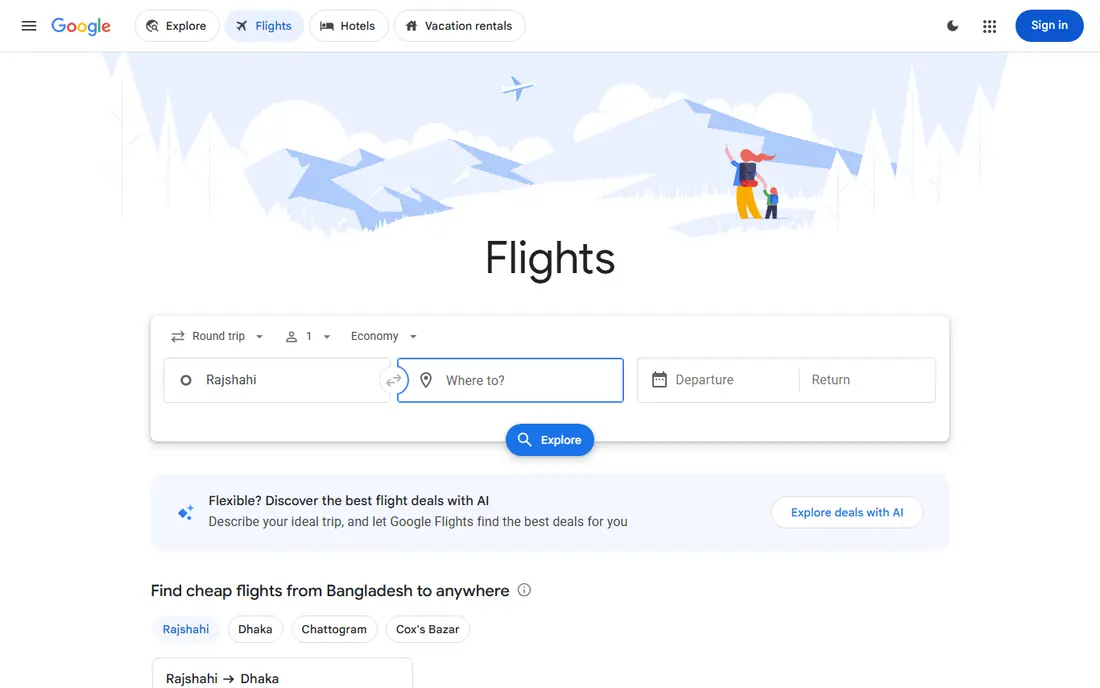
Google Flights is our pick for most route research. The date grid makes it easy to see which days cost less, the map view helps when your destination is flexible, and price tracking sends alerts when a tracked fare changes. The interface is fast, and the results are easy to scan by departure time, duration, stops, and airline.
The main limit is that Google Flights is a search tool, not a booking site. You still book with an airline or a travel seller, and the final price can change if inventory or fees change between search and checkout. It is also worth checking a second source, since some low-cost carriers do not appear in every search. For a first pass on almost any trip, Google Flights is hard to beat.
- Fast date grid and calendar views
- Price tracking and alerts
- Links to airlines and sellers for booking
- Does not sell tickets itself
- Some budget carriers may not appear in every search
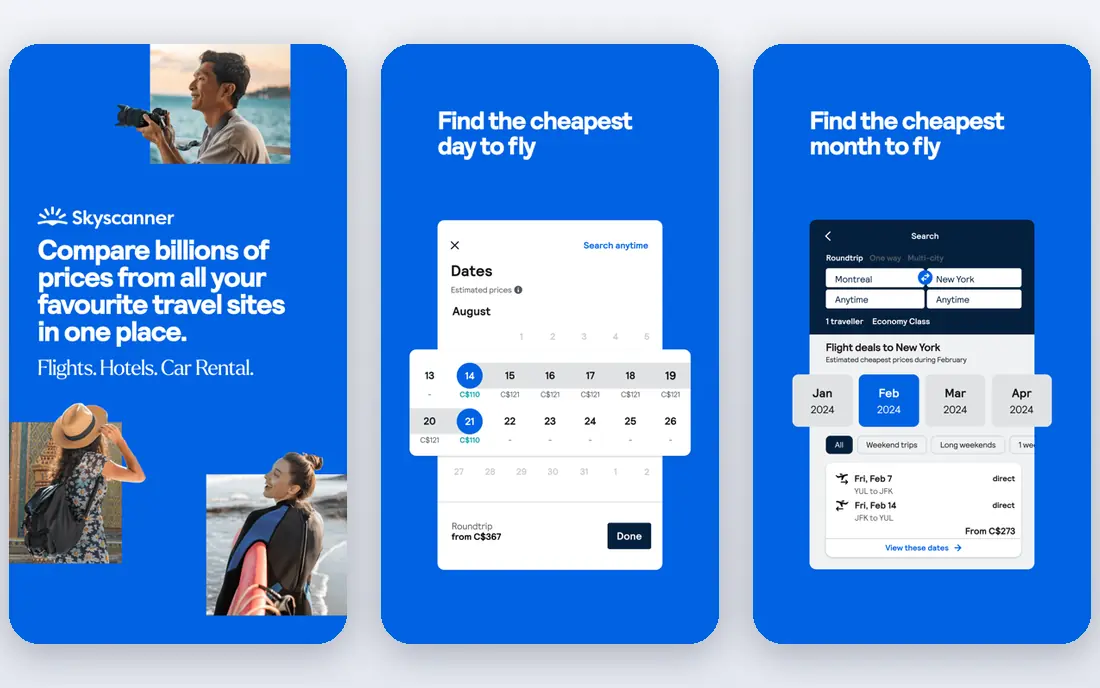
Skyscanner is best when your plans are flexible. You can search a whole month, search for the cheapest month, or search everywhere from your home airport when you care more about a deal than a fixed destination. That flexibility often surfaces options a fixed-date search would miss, including nearby airports and different travel days.
Skyscanner is free to search, and it redirects you to an airline or travel seller to book. That redirect is where care matters. Check the seller, read the fare rules, and compare the final total with bags and other fees before you pay. A fare that looks lowest on Skyscanner can lose its edge if the seller adds fees or has weak support for changes.
- Whole-month and everywhere searches
- Price alerts
- Broad airline and seller coverage
- Final booking happens with a third party
- Some fares can change at checkout
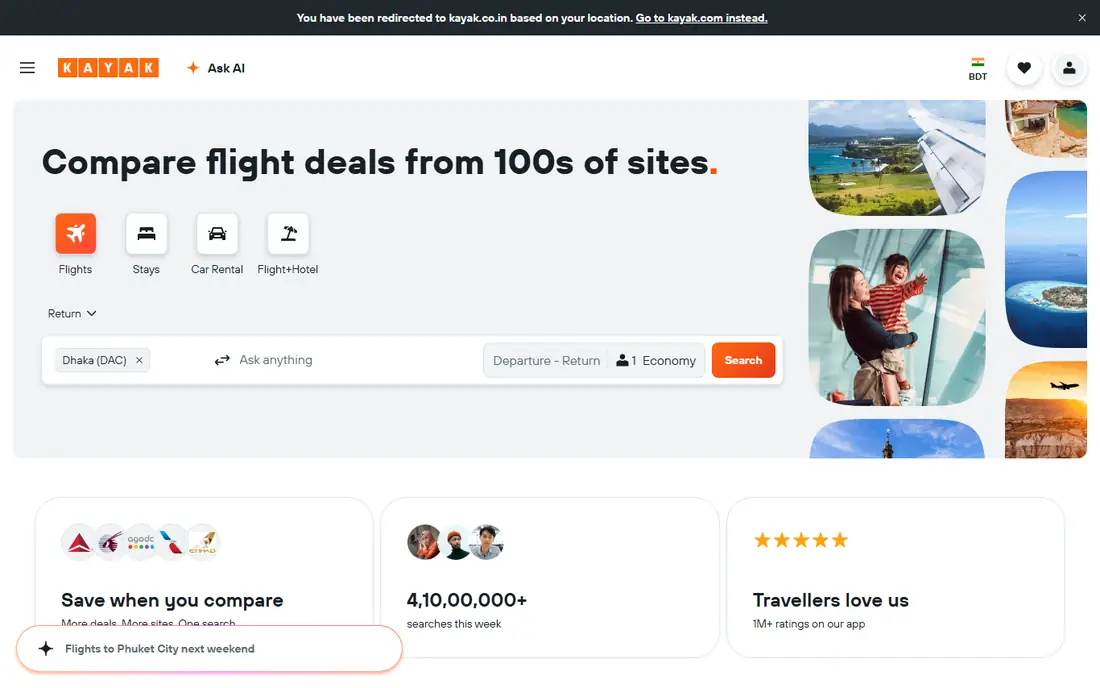
KAYAK is a strong cross-check tool because its filters make a large set of results easier to manage. You can filter by airline, stops, times, airports, and fare features, and multi-city searches are straightforward. Its price forecast offers guidance on booking now or waiting, though that guidance is a prediction, not a promise.
Hacker Fares deserve a careful look. By combining separate one-way tickets on different airlines, KAYAK can surface a lower total, but those tickets are not always protected as one booking if a flight is delayed or cancelled. Leave a long connection buffer if you use that option, and read the terms for each ticket. For most travellers, KAYAK works best as a second check after Google Flights or Skyscanner.
- Strong filters and multi-city search
- Price forecast guidance
- Hacker Fares that combine separate one-way tickets
- Combined tickets add complexity for missed connections
- Some budget carriers may be missing
Momondo, part of the same group as KAYAK, offers a more visual way to compare fares. Price charts, calendar views, and fare insights help you see how a fare changes across days, and Mix and Match options can pair one-way tickets from different airlines. That visual approach helps when you are choosing between close options rather than hunting for one exact flight.
The overlap with KAYAK means you may see similar results on both sites, so treat Momondo as a useful cross-check rather than a completely separate inventory source. Booking still happens with an airline or seller, so confirm the final total and the seller terms. For international trips and flexible dates, Momondo is a solid addition to your comparison routine.
- Clear fare charts and calendar views
- Mix and Match ticket combinations
- Broad seller coverage
- Inventory overlaps with KAYAK in many searches
- Interface can feel slower than Google Flights
Hopper is built around timing. The app watches a route, predicts price movement, and tells you when it thinks booking now or waiting is the better move. That guidance can help a traveller who has time to wait, and the app format suits people who plan trips on a phone. Hopper also sells tickets and optional products such as fare freezes, which can help if you need time to decide.
Treat predictions as guidance, not a guarantee. Fares move for reasons no model can fully predict, and optional products add fees that change the total. Read the terms for any add-on, including what happens if a flight changes or is cancelled, before you add it to a booking. Used as a watch tool alongside a metasearch check, Hopper is useful. Used alone, it can narrow your view too much.
- Price predictions and watches in a mobile app
- Fare freeze and other optional booking products
- Hotel and car options
- Predictions can be wrong
- Optional products add cost and need careful reading of terms
Kiwi.com is the specialist for routes that standard search tools do not combine well. It can join flights from different airlines, including low-cost carriers, into one itinerary, and it offers a guarantee product for some self-transfer bookings. That can open up routes and prices that a single airline search would miss, especially for multi-stop or less common trips.
The risk is the ticket structure. When flights are on separate tickets, a delay on the first leg does not always protect the second leg, even with a guarantee product, so read the exact coverage and connection times. Kiwi.com is free to search, and you book through Kiwi.com rather than directly with each airline. For a complex route, it is worth checking, but keep a realistic buffer between flights.
- Self-transfer and multi-airline route combinations
- Virtual interlining for routes airlines do not sell together
- Price alerts
- Separate tickets can carry missed-connection risk
- Support and change handling need careful reading
CheapOair is an online travel agency rather than a pure metasearch tool, and it suits travellers who want a booked itinerary plus phone support. It covers a wide range of airlines and routes, with a focus on US departures and last-minute options, and it can help when you prefer to talk through a booking rather than complete it online.
The trade-off is the intermediary layer. Service fees and post-ticketing fees may apply, and changes or cancellations can take longer than booking directly with an airline, since the agency sits between you and the carrier. Always compare the final total with the airline direct price, including bags and change rules, before you choose the agency option. For travellers who value phone help, that extra step is worth it.
- US-focused deals and last-minute options
- Phone support
- Flexible search filters
- Service and post-ticketing fees may apply
- Booking through an intermediary can slow changes
Expedia is best when a trip is more than a flight. Bundling a flight with a hotel or car can lower the total in some cases, and a single account for the whole trip makes it easier to track bookings. The rewards programme can also add value for repeat travellers, though the value depends on how often you book through Expedia.
Do not assume a package is always the cheapest path. Compare the flight alone, the hotel alone, and the package total, and read the cancellation terms for each part. Changes also go through Expedia as the seller, which can be slower than dealing directly with an airline. For a straightforward flight-only trip, a metasearch check plus a direct airline booking often wins, but for a package trip, Expedia earns its place.
- Flight and hotel packages in one booking
- Rewards programme
- Single trip account for changes
- A package is not always cheaper than booking parts separately
- Changes go through Expedia, not just the airline
How we picked these
We compared official product pages, help pages, and public search guidance for each platform, and we kept only tools that are live in October 2026 and genuinely help compare airfare. We weighed search breadth, flexible date tools, alerts, fare transparency, booking path, and support options. We did not rank any platform as cheapest everywhere, because fares vary by route, date, airline, and seller.
How to compare fares without getting caught by fees
Start with the same search on two platforms, using the same dates, airports, times, and bag needs. A fare that looks cheapest with no bags can cost more than a slightly higher fare that includes a bag, a seat, or a more flexible change rule. Write down the final total for each option, including any seller fees, before you decide.
Next, check the booking path. A metasearch result that sends you to an airline gives you direct support if something goes wrong, while a third-party seller adds a middleman. That middleman can be fine, especially for a simple trip, but it matters more when a flight is cancelled or a change is needed. Read the fare rules for changes, cancellations, and missed connections, and leave extra time for separate-ticket connections.
Finally, use alerts for trips you can wait on, and book promptly for trips with fixed dates. Price tracking on Google Flights, Skyscanner, KAYAK, or Hopper can catch a drop, but a tracked fare can also rise. If your dates are fixed and the fare fits your budget, booking sooner is often safer than waiting for a prediction to come true.
Frequently asked questions
Is there one platform that is always cheapest for airfare?
No. Prices vary by route and date, and no platform is cheapest everywhere. Inventory, seller fees, bag rules, and booking timing all change the final total, so compare at least two sources and check the airline direct price before you book.
Are flight comparison sites free to use?
Yes, searching on Google Flights, Skyscanner, KAYAK, Momondo, and the other tools here is free. You pay only when you book, either with the airline or with a travel seller, and some sellers add service fees that appear at checkout.
Should I book with the airline or a third-party seller?
Booking directly with the airline usually gives faster support for changes and cancellations, and it avoids an intermediary layer. A third-party seller can still be useful for packages, phone support, or a lower total, but compare the final price and read the seller terms first.
What are Hacker Fares and Mix and Match tickets?
They combine separate one-way tickets from different airlines into one round trip, which can lower the total. The catch is that separate tickets may not be protected as one booking if a flight is delayed, so leave a long buffer and read the terms for each ticket.
Do price predictions really work?
Predictions are educated estimates based on past fare movement, not guarantees. They can help you decide when to watch a route, but fares can move for reasons a model cannot predict. Use predictions as guidance, and book when the fare fits your budget and dates.
Sources
See where you really rank - block by block
ProMapRanker scans Google Maps across a grid of your service area. Simple monthly plans from $19, white-label on every plan.
Start freeKeep reading
 worlds best local seo company
8 Worlds Best Local SEO Companies for Map Pack Growth in 2026
Compare the worlds best local seo company options for Google Business Profile work, citations, reviews, and multi-location rankings and reporting in 2026.
Read → world's best web hosting company
World's Best Web Hosting Company in 2026
Searching for the world's best web hosting company? We compared 10 hosts on price, renewal rates, speed, and support to help you choose well today in 2026.
Read → who's got the best nanny tax services
Who's Got the Best Nanny Tax Services in 2026
We answer who's got the best nanny tax services, comparing full filing, back taxes, software, and pricing so families can handle nanny taxes correctly.
Read →