 ProMapRanker
Best Platform for Community Messaging in 2026

Key takeaways
- Discord suits large, always-on communities, while Slack suits professional groups that need integrations and structured channels.
- Telegram and WhatsApp suit communities whose members already use those apps daily, which lowers the barrier to joining.
- Moderation tools, roles, and spam controls matter more as a community grows, so test them before your member count rises.
- Free plans cover most community needs, but paid tiers add message history, larger uploads, and stronger admin controls.
Quick comparison
| Pick | Great for | Pricing starts at | Free tier | |
|---|---|---|---|---|
 Discord | Large always-on communities | Free | Yes | Visit |
 Slack | Professional communities and teams | Free | Yes | Visit |
 Telegram | Large public groups and broadcasts | Free | Yes | Visit |
 WhatsApp | Small communities already on WhatsApp | Free | Yes | Visit |
 Geneva | Interest-based group chats | Free | Yes | Visit |
 Guilded | Gaming communities and teams | Free | Yes | Visit |
 Circle | Creator-led paid communities | See website | Free trial | Visit |
 Mighty Networks | Courses plus community | See website | Free trial | Visit |
 Microsoft Teams | Organizations on Microsoft 365 | See website | Yes | Visit |
The best platforms for community messaging
Community messaging is not the same as team chat. A community platform needs easy joining, clear channels or groups, moderation that scales, and a feel that matches the audience, from gamers to paying course members. The nine platforms below cover free chat apps, gaming hubs, and creator-focused community software.
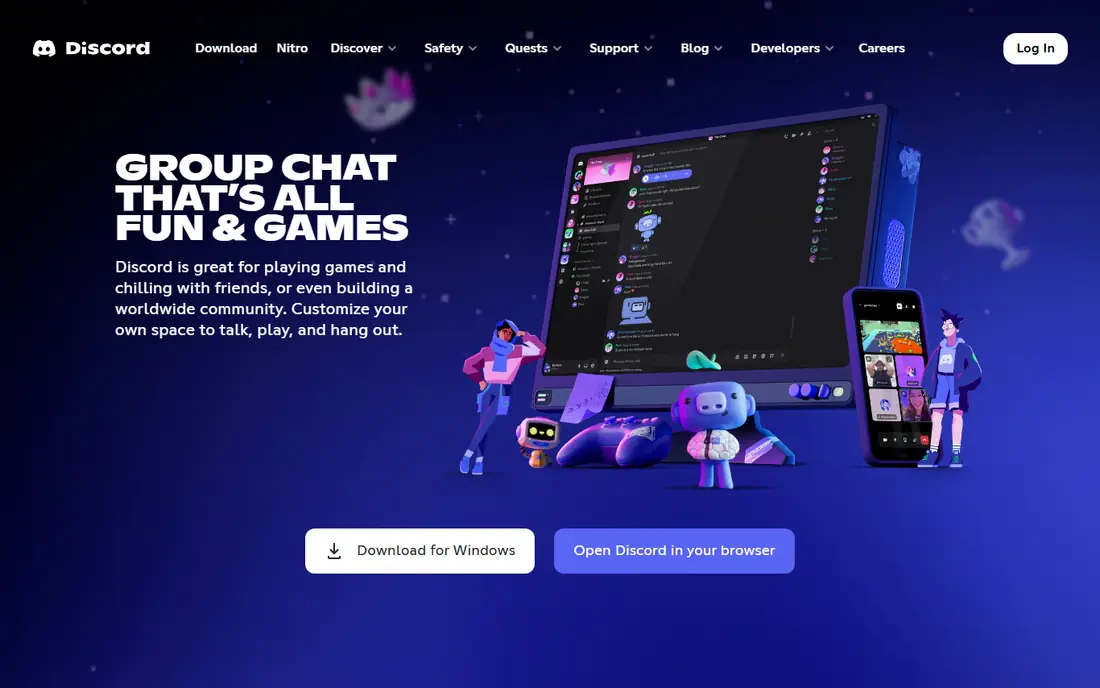
Discord is the default home for many online communities, and its free model is a big part of that. Servers can hold text channels, forums, voice channels, stages, and screen sharing, with roles, permissions, and moderation bots to keep order. Members usually already have an account, so joining takes seconds, and voice channels that stay open all day create a hangout feel other tools struggle to match.
The informal style is also a drawback for professional or corporate communities, where Discord can look out of place. Large servers need active moderation and clear channel rules, or conversations bury important posts. If your audience is younger, technical, or gaming-adjacent, Discord is hard to beat, but set up roles and bots early.
- Free servers with text, voice, and video
- Roles and moderation tools
- Huge existing user base
- Gaming look can feel informal for business groups
- Discovery and organization can get messy at scale
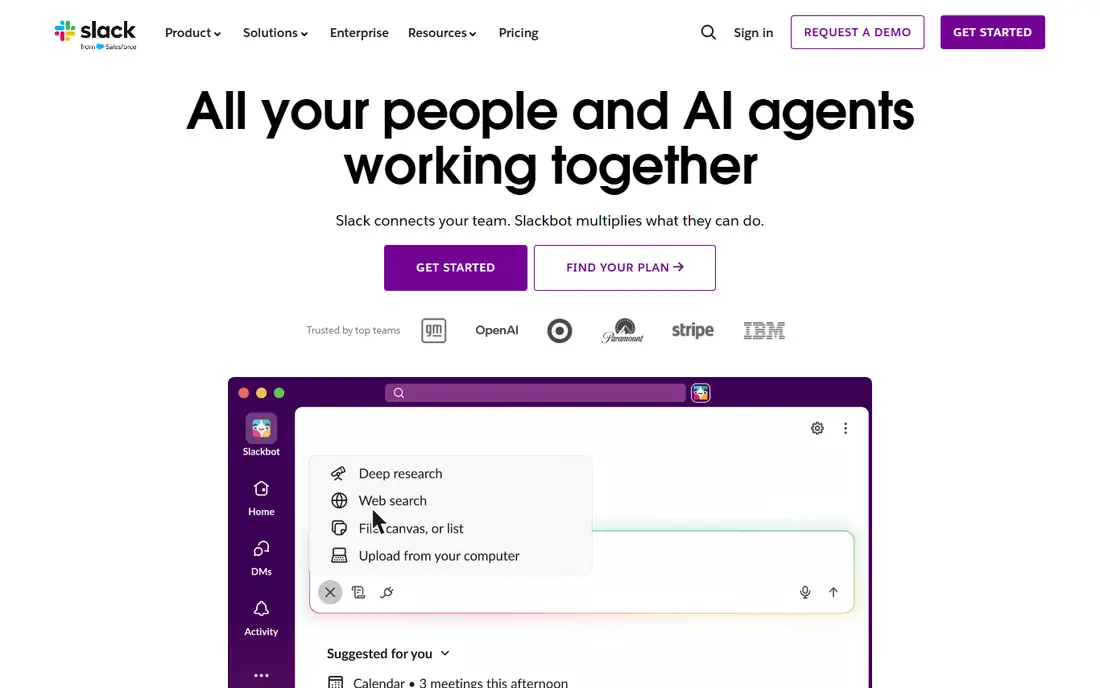
Slack suits professional communities, alumni groups, and business networks that want a credible, work-like space. Channels, threads, direct messages, and a large integration library let communities connect tools, automate welcome messages, and share files in context. The interface feels familiar to office workers, which helps adoption for professional audiences.
Cost is the main limit. The free plan caps searchable message history, so older discussions disappear from search unless you upgrade. Slack also works best for groups in the hundreds or low thousands rather than massive public communities. If your community is professional and modest in size, Slack's polish and integrations are worth the trade-off.
- Strong integrations and workflows
- Threaded conversations
- Polished professional feel
- Free plan limits message history
- Best for smaller groups unless you pay

Telegram combines groups for discussion with channels for one-way broadcasts, which suits news, trading, creator, and interest communities. Groups can hold a very large number of members, messages send quickly, and bots handle polls, welcome messages, and moderation tasks. Because Telegram is free and widely used internationally, it lowers friction for global audiences.
Moderation is less structured than on Discord or Slack, and public groups can attract spam if admins do not set rules and bots carefully. Private groups with invite links and active moderators work better than open groups for most communities. Use channels for announcements and groups for discussion, so important updates do not get lost in chat.
- Free large groups and channels
- Fast messaging
- Bots and polls built in
- Moderation tools are lighter than Discord
- Group discovery can attract spam
WhatsApp Communities lets you link related groups under one umbrella, with announcements reaching all linked groups. That suits local clubs, school groups, small business customer groups, and family-adjacent communities where members already chat on WhatsApp daily. Setup is instant, and no one needs to learn a new app.
The limits show as groups grow. Roles, permissions, and moderation are basic compared with Discord, and membership is tied to phone numbers, which some people prefer not to share. WhatsApp is best for small, trusted communities where ease matters more than advanced structure, and less suited to large public communities.
- Almost everyone already has it
- Communities feature links related groups
- Simple and familiar
- Limited moderation and roles
- Phone-number based, which some members dislike
Geneva is built for interest-based groups that want a calmer alternative to Discord. Its homes combine chat rooms, voice, video, and forums in a cleaner layout, and it suits clubs, creator groups, and hobby communities that want conversation without gaming culture. The free model covers most group needs, and joining is simple.
Its smaller user base is the main drawback, since members may need to install a new app. Integrations are also fewer than on Slack or Discord. Geneva works best when you can bring your own audience, such as an existing mailing list or social following, rather than relying on platform discovery to grow.
- Clean group chat design
- Rooms for chat, voice, and video
- Free for most groups
- Smaller user base than Discord or WhatsApp
- Fewer integrations
Guilded is designed for gaming teams and communities, with calendars, scheduling, tournament tools, docs, and media channels alongside chat and voice. For a clan, esports team, or game community, those built-in tools reduce the need for separate apps. It is free for most use, which makes it easy to try alongside Discord.
The audience is far smaller than Discord's, so recruitment may be harder if members are not already there. Its gaming focus also makes it a weaker fit for business or creator communities. Pick Guilded when your group is gaming-first and wants team tools in one place, and pick Discord when reach matters most.
- Free with gaming tools built in
- Calendars, tournaments, and docs
- Voice and streaming
- Smaller audience than Discord
- Less suited to non-gaming professional groups
Circle is a hosted community platform for creators, coaches, and brands that want a space they own and can charge for. It supports discussion spaces, live events, courses, and member tiers, with branding that keeps the focus on your community rather than a chat app's identity. For a paid membership, Circle gives a far more structured home than a free chat server.
It is not a direct replacement for Discord chat. Circle costs money, and its real-time chat feel is lighter than Discord's voice-first model. Use Circle when you sell memberships, courses, or coaching and need organized content plus discussion, and use a chat app alongside it if always-on voice matters.
- Branded community spaces
- Courses and events support
- Member management and payments
- Paid platform, not a free chat app
- Less suited to casual free groups
Mighty Networks combines community discussion with courses, events, and membership tiers, which suits educators, coaches, and niche interest leaders. Members get a feed, groups, chat, and course content in one branded space, and hosts can charge for access or keep parts free. That structure helps when a community is also a product, not just a chat room.
Setup and cost are higher than for a free chat app, and casual groups may find it too structured. It fits best when you already have content or a paid offer and want community around it. Test the member experience on mobile before launch, since most members will join from phones.
- Courses, community, and events in one place
- Branded apps on higher plans
- Member tiers
- Paid platform
- Setup takes more work than a free chat group
Microsoft Teams suits organizations already on Microsoft 365, including companies, schools, and nonprofits running member communities. Teams and channels pair with meetings, file storage in SharePoint and OneDrive, and admin controls for compliance and guest access. If your members already use Outlook and Office apps, Teams removes another login and another app.
For a public or creator community, Teams feels corporate and heavy, and discovery is limited. It is best for closed, organization-linked communities where security, file sharing, and meetings matter more than public growth. If your group is already paying for Microsoft 365, Teams is a low extra-cost way to host it.
- Deep Microsoft 365 integration
- Meetings and file sharing
- Strong admin controls
- Heavier interface
- Community feel is weaker than Discord or Circle for public groups
How we picked these
We compared official product pages, pricing, moderation and role tools, and public community platform comparisons in October 2026. We included free chat apps, gaming hubs, and paid creator platforms, because a free hobby group and a paid course community need different tools. Where pricing varies by plan or billing period, we list See website rather than a figure that would not apply to every reader.
What to check before you choose
Start with your members, not the feature list. Ask where they already spend time, whether they will install a new app, and whether phone-number signup is a barrier. A platform your members already use will grow faster than a better tool they never open. Next, test moderation at scale: roles, spam controls, welcome flows, and how you pin or surface important posts.
Then check cost and ownership. Free chat apps cost nothing but give you less control over branding, data, and monetization, while paid platforms cost money but give you a branded, structured home. If you charge for membership, test payments, member tiers, and content access before launch. Finally, set community rules and a moderation plan on day one, since culture is far harder to fix after a community grows.
Frequently asked questions
What is the best platform for community messaging for a large free community?
Discord is usually the best fit for a large free community, thanks to free servers, voice channels, roles, and bots. Telegram is a strong alternative for large public groups that mainly need text, broadcasts, and simple polls.
What are the best platforms for community messaging for paid memberships?
Circle and Mighty Networks suit paid memberships, because they support branded spaces, member tiers, courses, and events. Discord or Telegram can work for paid groups too, but you will need a separate tool for payments and access control.
Is Slack good for community messaging?
Slack works well for professional communities in the hundreds or low thousands, with strong integrations and threaded discussion. Its free plan limits message history, so budget for a paid plan if long-term searchable discussion matters.
Can I run a community on WhatsApp?
Yes, WhatsApp Communities suit small, trusted groups where members already use WhatsApp daily. It is less suited to large public communities, because moderation, roles, and discovery are limited.
How do I keep a community safe as it grows?
Set clear rules early, use roles and moderation bots, require invite links or approval for private groups, and keep a small team of active moderators. Review spam and abuse reports regularly, and move announcements to a separate channel so they are not buried in chat.
Sources
See where you really rank - block by block
ProMapRanker scans Google Maps across a grid of your service area. Simple monthly plans from $19, white-label on every plan.
Start freeKeep reading
 zscaler alternatives
Best Zscaler Alternatives in 2026
Looking for zscaler alternatives? We compare 9 SASE and zero trust platforms on architecture, data protection, pricing, and fit for your network and team.
Read → zapier alternatives free
Best Zapier Alternatives Free in 2026
Nine automation tools for zapier alternatives free in 2026, all with genuinely free tiers, plus free plan limits, starting prices and upgrade paths explained.
Read → which platform is best for online reputation
Which Platform Is Best for Online Reputation in 2026
Wondering which platform is best for online reputation? We compare 8 review, listing, and response tools for small and multi-location businesses and agencies.
Read →