 ProMapRanker
Best Platform for Business Website in 2026

Key takeaways
- Wix and Squarespace remain the best all-rounders for small businesses that want a professional site fast without hiring a developer.
- WordPress.com and Webflow suit teams that need more control over design, content and SEO, while Shopify is the pick when selling online is the point.
- GoDaddy, Duda and Framer fill specific niches: AI-built sites on a budget, agencies managing client sites, and designers who want close design control.
- Prices vary by billing term, domain inclusion and renewal rates, so compare the first-year total, not just the headline monthly price.
- A free plan is fine for testing, but a business site should run on a paid plan with its own domain, no platform branding and proper SEO settings.
Quick comparison
| Pick | Great for | Pricing starts at | Free tier | |
|---|---|---|---|---|
 Wix | All-round small business sites | $17 per month | Yes | Visit |
 Squarespace | Design-led business sites | $19 per month | Free trial | Visit |
 WordPress.com | Content and blogging sites | $4 per month | Yes | Visit |
 Shopify | Businesses that sell online | $29 per month | Free trial | Visit |
 Webflow | Design control and CMS | $15 per month | Yes | Visit |
 GoDaddy | Fast AI-built sites | See website | Yes | Visit |
 Duda | Agencies and client sites | $19 per month | Free trial | Visit |
 Framer | Design-led landing pages | $10 per month | Yes | Visit |
 Hostinger | Budget business sites | $2.99 per month | No | Visit |
 Weebly | Simple beginner sites | $13 per month | Yes | Visit |
The best platform for business website options
We compared vendor pricing pages and public product documentation for website platforms that are live in October 2026, and we focused on what each one does for a real business site.
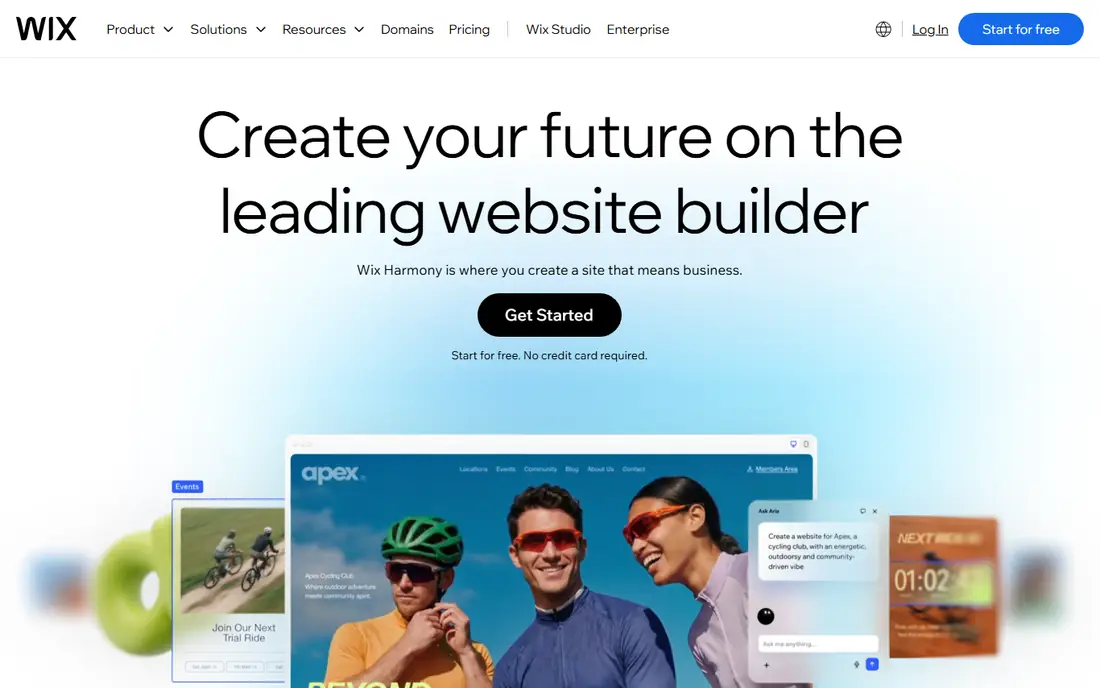
Wix is the easiest all-rounder for a small business that wants everything in one place. You can start from an AI-generated site or a template, add bookings, contact forms, menus or a store, and connect a domain without touching code. The editor is visual, so changing text, photos and sections feels like editing a document.
Portability is the catch. Moving a Wix site to another platform later is not simple, so treat Wix as a long-term home, not a temporary test. Commerce features also sit on higher plans, so check which plan covers payments, shipping and product limits before you build a store on it.
- Light plan at $17 per month billed annually
- AI site builder plus hundreds of templates
- Bookings, forms and store tools included
- Limited site portability if you later move platforms
- Commerce features cost more on higher plans
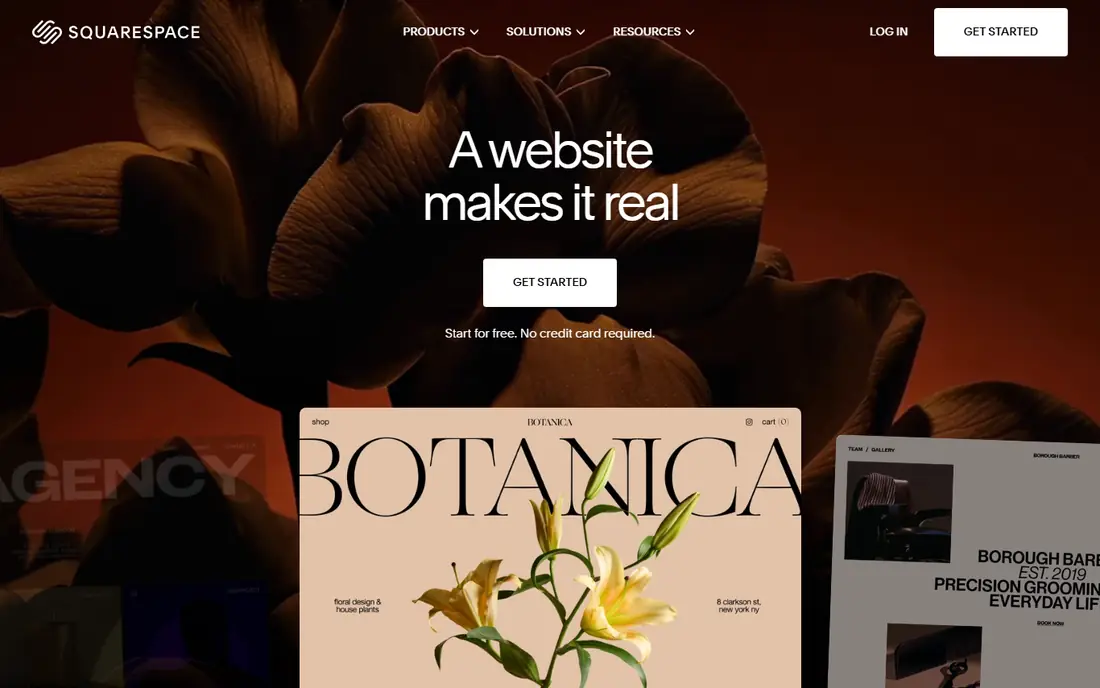
Squarespace suits businesses where design is part of the selling point, such as studios, restaurants, photographers and consultants. Templates look polished out of the box, blogging and portfolio tools are strong, and a free domain on annual plans keeps setup simple. Email marketing and scheduling can be added without leaving the platform.
There is no free plan, only a 14-day trial, and the Basic plan charges a 2 percent transaction fee on store sales, which higher plans remove. Design control is also less open than Webflow, so teams that need pixel-level layout or custom code should compare both before choosing.
- Basic plan at $19 per month billed annually in recent comparisons
- Polished templates
- Domain free on annual plans
- Good blogging and portfolio tools
- No free plan, only a 14-day trial
- Store transaction fee on the Basic plan
- Less technical design control than Webflow
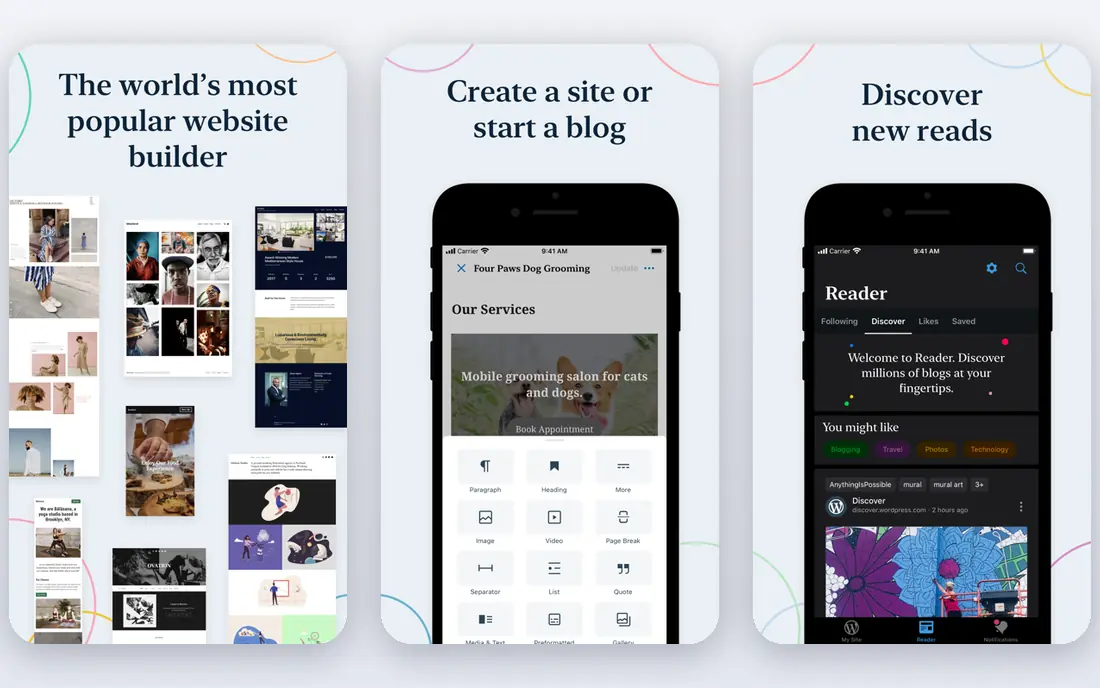
WordPress.com is the hosted version of WordPress, and it suits businesses that publish a lot of content. Blogging, SEO tools and page management are strong, themes are plentiful, and higher plans add plugins and custom themes that make the platform far more flexible. A free plan lets you test the editor before paying.
Fees and tiers need attention. Lower plans charge a percentage fee on payment features, and full plugin access sits on Business plans and above, so a simple blog is cheap while a fully custom site costs more. Renewal prices are also higher than first-year promo prices, so check the renewal rate before you commit.
- Free plan available
- Personal plan at $4 per month billed annually in recent comparisons
- Huge theme and plugin ecosystem on higher plans
- Payment feature fees on lower plans
- Full plugin freedom needs higher tiers
- Renewal prices are higher than promo prices
Shopify is the pick when the website exists mainly to sell. Hosting, checkout, payments, inventory, discounts and order management come in one subscription, and themes plus apps cover subscriptions, reviews, email marketing and more. For a retail or direct-to-consumer business, that completeness is hard to match with a general builder.
A brochure site with no store will pay for commerce features it never uses, and paid apps plus payment fees push the real monthly total above the Basic price. If selling is secondary to information and leads, Wix or Squarespace will usually be cheaper and simpler.
- Basic plan at $29 per month billed annually
- Strong checkout, payments and inventory tools
- Large theme and app store
- Monthly cost plus apps and fees adds up
- Less suited to a simple brochure site with no store
Webflow gives designers and marketing teams control that template builders do not. You can design layouts visually with close control over spacing, typography and interactions, manage content through a CMS, and set SEO details per page. The free Starter plan lets you learn the tool before paying for a custom domain.
That control comes with a learning curve. Webflow assumes some design knowledge, and building a good site takes longer than picking a Wix template. Ecommerce also needs separate plans, so a business that mainly sells should compare Webflow with Shopify before choosing.
- Basic site plan at $15 per month billed annually
- Starter plan free on a webflow.io subdomain
- CMS and SEO controls are strong
- Learning curve is steeper than Wix or Squarespace
- Ecommerce needs separate plans
GoDaddy suits a business owner who wants to be online today with minimal effort. Its AI builder asks a few questions, generates a site with text and images, and lets you edit from a simple dashboard, while phone support helps beginners who prefer talking to a person. A free site option lets you try it before paying.
Plan prices have varied across 2026 comparisons, so check the current price and renewal rate on GoDaddy's own pricing page before buying. Payments need higher plans, and design flexibility is narrower than Wix, Squarespace or Webflow, so GoDaddy is best for simple sites, not custom designs.
- AI builder creates a site quickly
- Free site option available
- Phone support suits beginners
- Published plan prices vary across 2026 comparisons
- Payments need higher plans
- Design flexibility is limited
Duda is built for agencies, freelancers and businesses that manage several websites. Client management, team permissions, site comments and white-label options make it easy to build, review and hand over sites at scale, while templates and widgets keep production fast. A 14-day trial lets agencies test the workflow.
The entry plan covers one site, so costs scale with each additional site, and Duda is less familiar to end clients than Wix or Squarespace. For a single business site, a general builder may be simpler, but for anyone building sites for clients, Duda's workflow tools are a real advantage.
- Basic plan at $19 per month billed annually
- Built for agencies managing many client sites
- White-label options on higher plans
- One site per plan at entry level
- Less well known to end clients than Wix or Squarespace
Framer suits startups and designers who want a fast, modern landing page or marketing site. It feels like a design tool, with animation, interactions and publishing built in, and its AI features can generate a first draft quickly. The free plan is useful for testing ideas before buying a domain.
Ecommerce is the limit. The Basic plan has no store, so businesses that sell online need Shopify or a commerce-capable builder instead. Large content sites with hundreds of pages also fit WordPress.com better than Framer, which excels at focused marketing pages.
- Basic plan at $10 per month billed annually in recent comparisons
- Free plan on a framer.website subdomain
- Fast, animated landing pages
- No native store on the Basic plan
- Less suited to large content sites than WordPress.com
Hostinger is the budget pick for a simple business site. Its AI builder creates a site quickly, hosting and a website builder come in one subscription, and a free domain in year one keeps first-year costs low. For a new business that needs a professional presence at the lowest price, it is hard to beat.
The headline price needs a long term. The $2.99 rate requires a 48-month term in recent comparisons, and renewal rises to $10.99 per month, so compare the total over four years, not just the first month. There is also no free plan, only a money-back guarantee period, so trial the builder before the term locks in.
- Promotional Premium price at $2.99 per month on a 48-month term
- AI site builder included
- Free domain in year one on many plans
- Renewal price rises to $10.99 per month
- Long term needed for the lowest price
- No free plan
Weebly, now part of Square, remains a good choice for a very simple business site. The drag-and-drop editor is easy to learn, a free plan lets you build before paying, and the Personal plan covers a custom domain and basic site needs. Small shops already using Square for payments will find the connection convenient.
Weebly has fewer modern templates and features than Wix or Squarespace, and development has been quieter in recent years. For a basic brochure site, that simplicity is fine, but businesses that want advanced design, blogging or marketing tools should pick a more active platform.
- Personal plan at $13 per month billed annually in recent comparisons
- Free plan available
- Simple drag-and-drop editor
- Fewer modern templates and features than Wix or Squarespace
- Square ownership means commerce follows Square tools
How we picked these
We compared vendor pricing pages and public product documentation for website platforms that are live in October 2026. We covered all-round builders, design-led platforms, content platforms, ecommerce platforms, agency tools and budget options, so businesses at different sizes and with different goals can find a fit. We did not claim hands-on testing, and we based our picks on published features, pricing and fit for business websites.
How to choose a business website platform
Start with the main job of the site. If it must sell, pick Shopify. If it must look exceptional, pick Squarespace, Webflow or Framer. If it must publish content, pick WordPress.com. If it must simply inform and capture leads fast, pick Wix or GoDaddy. If you build sites for clients, pick Duda.
Then compare the first-year total, including the plan, domain, renewal rate and any apps or transaction fees. Finally, build a test page with your real text and photos before you pay for a year, since a platform that looks good in a demo can feel awkward with your own content. The best platform is the one you can update without dreading it.
Frequently asked questions
What is the best platform for a business website?
Wix and Squarespace are the best all-rounders for most small businesses, WordPress.com suits content-heavy sites, Webflow suits design-led teams, and Shopify suits businesses that sell online. Pick by the main job of your site, not by the longest feature list.
What are the best website building tools for a small business?
Wix, Squarespace, GoDaddy and Hostinger cover most small business needs, with Wix the easiest all-rounder and Hostinger the cheapest. Add WordPress.com if you publish often, Shopify if you sell, and Duda if you build sites for clients.
What is the best website builder software for a business?
For a general business site, Wix is our pick, thanks to its AI builder, templates, bookings and store tools in one subscription. Squarespace is better if design matters most, while Webflow is better if you need close design control and a CMS.
What is the best app to create a website for free?
Wix, WordPress.com, Webflow, Framer and Weebly all offer free plans, but free sites carry platform branding and a platform subdomain. For a business, use a free plan to test, then move to a paid plan with your own domain before you promote the site.
What is the best company to build a website for my business?
If you mean a platform, the list above covers the best options. If you mean hiring a person or agency, look for a builder who works in the platform you chose, shows live client sites, and hands over editing access, since a site you cannot update becomes a cost rather than an asset.
How much does a business website platform cost?
Free plans cover testing, while paid plans in this guide start at $2.99 per month on a long Hostinger term and $4 per month for WordPress.com Personal, with most all-round builders at $13 to $29 per month billed annually. Add domain, apps and transaction fees, and check renewal prices, to get your true first-year total.
Sources
See where you really rank - block by block
ProMapRanker scans Google Maps across a grid of your service area. Simple monthly plans from $19, white-label on every plan.
Start freeKeep reading
 who has the best home internet service
Who Has the Best Home Internet Service in 2026
Who has the best home internet service in 2026? Compare fiber, cable, and 5G providers on speed, price, data caps, and availability at your address today.
Read → visio alternatives
Best Visio Alternatives in 2026
Compare 9 Visio alternatives for flowcharts, org charts, and network diagrams, with free plans, pricing, and the best pick for teams and solo users in 2026.
Read → top 10 logistics software
Top 10 Logistics Software in 2026
We compared the top 10 logistics software tools for transport, warehousing, visibility and shipping, for shippers, carriers and 3PL teams in 2026 today.
Read →