 ProMapRanker
Best Planting Calendar Apps in 2026

Key takeaways
- GrowVeg and Seedtime give the most complete planting calendars for vegetable gardens, with dates tied to local frost dates.
- Planter and Leaftide are the simplest ways to start, with free tiers that cover a small garden without a subscription.
- The Old Farmer's Almanac calendar is a good free check for planting dates, even if you plan beds somewhere else.
- No app can replace local knowledge, so check your own frost dates and soil conditions before you sow.
Quick comparison
| Pick | Great for | Pricing starts at | Free tier | |
|---|---|---|---|---|
 GrowVeg | Detailed bed plans and calendars | See website | Free trial (7 days) | Visit |
 Planter | Simple visual garden planning | Free | Yes | Visit |
 Seedtime | Calendar-first vegetable planning | Free | Yes | Visit |
 Gardenize | Plant records and reminders | See website | Yes | Visit |
 Old Farmer's Almanac Garden Planner | Frost-date planting dates | See website | Free trial (7 days) | Visit |
 Leaftide | Permanent plants and small gardens | Free | Yes | Visit |
 VegPlotter | Affordable bed planning | See website | Free trial | Visit |
 From Seed to Spoon | Beginner planting guidance | Free | Yes | Visit |
The best planting calendar apps
We compared official feature pages, pricing pages, and app store listings to find calendars that give real dates, not just general advice. Our pick for most people is GrowVeg for depth, with Planter as the easier free starting point.
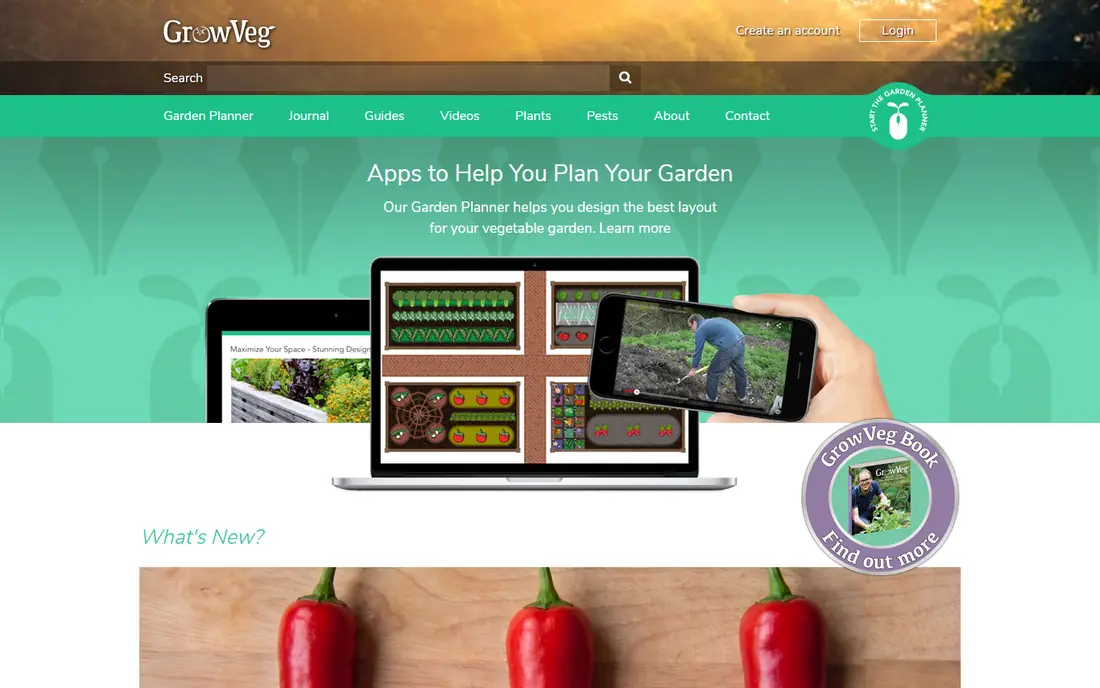
GrowVeg builds a planting calendar from your location and your bed plan, so sowing, transplanting, and harvest dates sit next to the plants they belong to. You draw beds to scale, drop in crops, and the plan shows spacing, plant counts, and rotation history. That link between the drawing and the calendar is what sets it apart from a simple date chart.
The trade-off is cost and complexity. A short trial lets you test the planner, but regular use needs a paid plan, and new gardeners may find the full set of tools more than they need at first. If you grow a wide mix of vegetables and want one place for plans, dates, and a journal, the depth is worth it.
- Location-based planting dates
- Drag-and-drop bed plans
- Crop rotation and succession planning
- Full access needs a subscription
- Best on a larger screen
- Some features take time to learn
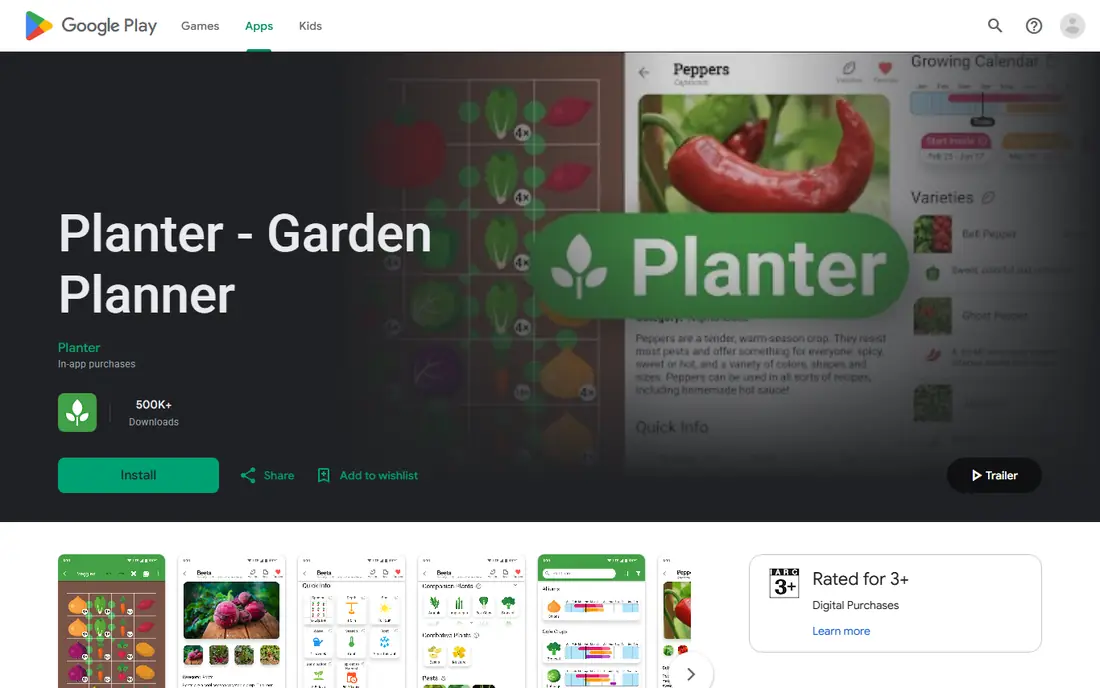
Planter suits gardeners who want to see their beds and their calendar in one friendly view. You arrange plants in a grid, check companion planting notes, and follow a growing calendar for each crop. The free tier is genuinely useful for a single small garden, which makes it a low-risk way to test digital planning.
Its limits show up when a garden gets bigger or more complex. Rotation tracking and long-term planning are thinner than in GrowVeg or Seedtime, and some features sit behind a paid upgrade. For a first season or a modest raised-bed garden, that simplicity is a strength rather than a flaw.
- Easy visual layout
- Companion planting guidance
- Free tier covers one garden
- This is the official app store listing, as Planter has no standalone homepage
- Deeper planning tools are limited
- Larger gardens may need a paid upgrade
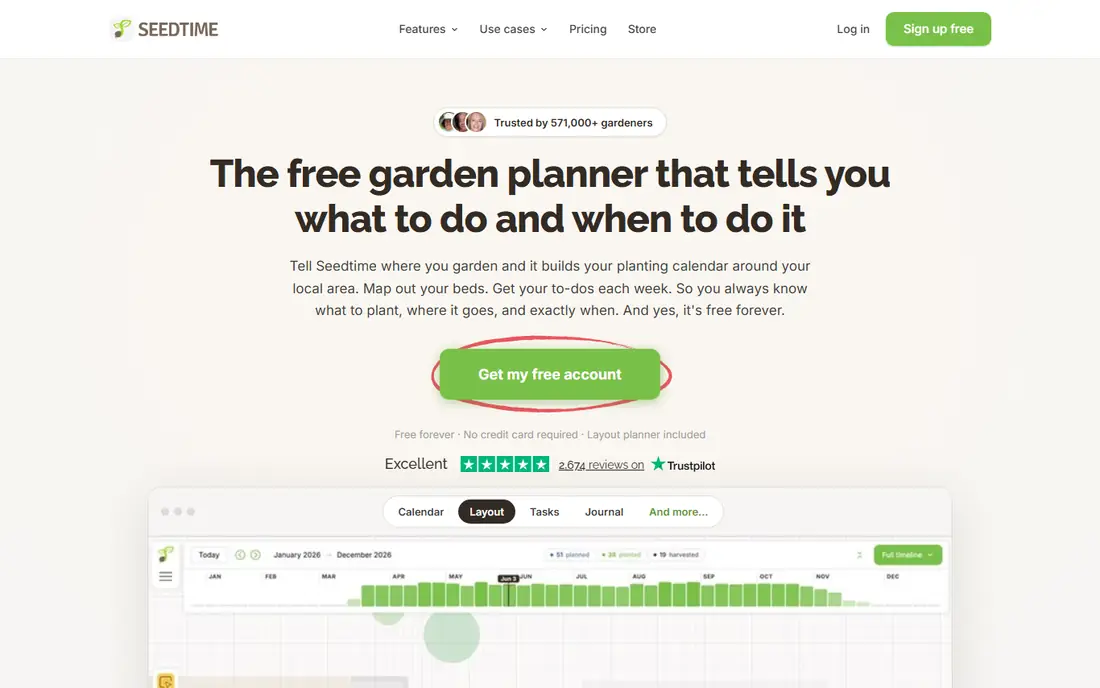
Seedtime starts with the calendar, which is exactly what many vegetable growers want. You set your location, build planting schedules, and track tasks and journal entries in the same account. The free tier includes one calendar, one layout with up to eight rectangular beds, and unlimited planting schedules.
The paid plan, at $14 per month billed annually, removes those limits and adds unlimited calendars, layouts, and planning credits. That price may feel steep for a casual gardener, but it makes sense for someone planning several beds or succession crops through the year. Check the pricing page before you commit, since annual billing changes the total.
- Free calendar with planting schedules
- Tasks and journal included
- Paid plan adds unlimited calendars and layouts
- Paid plan is $14 per month when billed annually
- Layout tools are simpler than GrowVeg
- Best for vegetables rather than ornamental beds
Gardenize is more of a plant diary with calendar reminders than a bed designer. You record what you planted, where it sits, and what care it needs, then get reminders for watering, feeding, and other tasks. That record matters when you want to remember which variety did well last year.
The catch is that it does not draw your beds the way GrowVeg does, so gardeners who plan by layout may miss that view. Its calendar is tied to your plant records rather than a full sowing chart for every crop. It fits best as a companion to a printed calendar or a simple bed plan.
- Plant lists and photo records
- Care reminders
- Works for many plant types
- No bed-mapping tool like GrowVeg
- Calendar depth varies by plant
- Some features need a paid plan
The Old Farmer's Almanac planner gives personalized planting dates from your ZIP code, with spring and fall windows tied to local frost dates. It also offers the traditional moon-based calendar for gardeners who follow that method. The basic online planting calendar on the Almanac site is free to check, which makes it a useful cross-check even if you plan elsewhere.
After a 7-day trial, the full planner needs a paid subscription, so treat the trial as a real test. Draw a full bed plan, check the dates for your main crops, and see if the reminders suit you before paying. Gardeners who mainly want dates, rather than a design tool, may do fine with the free calendar alone.
- Planting dates by ZIP code
- Long gardening tradition
- Moon-phase calendar option
- Full planner needs a subscription after trial
- Interface feels dated next to newer apps
- Bed tools are less flexible than GrowVeg
Leaftide stands out because it tracks permanent plants, such as fruit trees, berry bushes, and perennial herbs, alongside seasonal crops. Most planners focus on annual vegetables, so this matters if your garden mixes trees, shrubs, and beds. The free tier covers 30 plants and 10 pots with core features included.
As a newer service, its plant library and community history are smaller than those of GrowVeg or the Almanac. Vegetable growers with large, complex beds may want a deeper bed tool. For a small garden with trees and perennials, though, the year-over-year history and pruning schedules are a real advantage.
- Tracks fruit trees and perennials
- Free tier covers 30 plants
- Journal and harvest logs included
- Smaller plant database than older planners
- Newer service with less history
- Vegetable bed tools are simpler
VegPlotter pairs a month-by-month calendar with bed plans that show spacing and succession options. It is easy to use on a phone, which helps when you are standing in the garden and want to check what goes in next. The calendar view makes it simple to see which months are busy and which are quiet.
The vegetable focus means ornamental gardeners will find less here, and the journal side is thinner than Seedtime or Gardenize. Use the trial to build a real bed plan for your main crops and check that the dates match your local frost dates. If they do, it is a solid mid-priced option.
- Month-by-month planting calendar
- Bed plans with spacing guidance
- Works well on mobile
- Pricing and full features sit behind a trial wall
- Plant range is vegetable-focused
- Fewer journal tools than Seedtime
From Seed to Spoon is built for beginners who want a clear answer to a simple question: what should I plant now. It gives planting dates, companion notes, and basic care guidance in a layout that does not demand much setup. That low barrier matters when a new gardener might otherwise give up on planning entirely.
Experienced growers may soon want more, such as detailed rotation tracking or custom varieties. The app is also US-focused, so gardeners outside the United States should check date accuracy for their region. As a first planting calendar, it is friendly, practical, and easy to keep using through a season.
- Clear planting dates for beginners
- Companion planting notes
- Simple app layout
- Less depth for large or complex gardens
- Some features need a paid upgrade
- Calendar is US-focused
How we picked these
We compared official feature pages, pricing pages, and app store listings for planners that were live in October 2026 and that gave dated planting guidance rather than general tips. We favored tools with location-based dates, a free tier or trial, and a clear way to track what was planted. We left out tools that had closed, tools that only sold seeds, and planners with no calendar at all.
Choosing a planting calendar that fits your garden
Start with your garden, not the app. A single raised bed needs a simple calendar and a few reminders, while a large vegetable plot needs bed plans, rotation tracking, and succession dates. Write down your crops, your bed sizes, and your average last spring frost and first fall frost before you sign up anywhere.
Check the date source next. A good planner should explain that it uses your location and frost dates, and it should let you adjust those dates if your microclimate runs warmer or colder than the local average. If an app gives the same dates for every user, treat it as a rough guide and cross-check it with the Almanac calendar or your local extension service.
Think about how you will use it in the garden. A phone-friendly layout helps when you are outside, while a desktop planner suits detailed bed design in winter. Free tiers are useful for testing, but read what they limit, such as the number of beds, calendars, or plants. The cheapest option that covers your real garden is usually better than a feature-rich plan you never fully use.
Frequently asked questions
What is the best planting calendar app for beginners?
From Seed to Spoon and Planter are the easiest starting points, with clear dates and simple layouts. GrowVeg is better once you want detailed bed plans and rotation tracking. Start free, plan one real bed, and move up only if you hit a limit that matters.
Do planting calendar apps use my local frost dates?
Most of the planners here do, using your ZIP code or location to set sowing and transplant dates. GrowVeg, Seedtime, and the Almanac planner all tie dates to frost data. Still, check the dates against your own experience, since a sheltered yard or a cold pocket can shift them by a week or more.
Is there a free planting calendar app that actually works?
Yes. Planter offers a useful free tier for one garden, Seedtime offers a free calendar with tasks and a journal, and Leaftide covers up to 30 plants free. The Almanac site also offers a free basic planting calendar. Free tiers suit small gardens well.
Can I plan crop rotation with these apps?
GrowVeg and VegPlotter handle rotation and succession planning most fully, tracking what grew where in past seasons. Seedtime covers succession through its schedules and tasks. Simpler apps, such as Planter, give companion notes but less rotation history.
Are planting calendar apps accurate?
They are a strong starting point, not a guarantee. Dates come from average frost data and crop maturity times, so weather in a given year can shift them. Use the app dates, watch your local forecast, and keep notes on what worked so next year is more accurate.
Sources
See where you really rank - block by block
ProMapRanker scans Google Maps across a grid of your service area. Simple monthly plans from $19, white-label on every plan.
Start freeKeep reading
 zscaler alternatives
Best Zscaler Alternatives in 2026
Looking for zscaler alternatives? We compare 9 SASE and zero trust platforms on architecture, data protection, pricing, and fit for your network and team.
Read → zapier alternatives free
Best Zapier Alternatives Free in 2026
Nine automation tools for zapier alternatives free in 2026, all with genuinely free tiers, plus free plan limits, starting prices and upgrade paths explained.
Read → which platform is best for online reputation
Which Platform Is Best for Online Reputation in 2026
Wondering which platform is best for online reputation? We compare 8 review, listing, and response tools for small and multi-location businesses and agencies.
Read →