 ProMapRanker
Best Ping Monitoring Tool in 2026


Simple uptime and ping checks for many sites · Pricing starts at: Free
Key takeaways
- Ping monitoring answers a narrow question well: is a host reachable, and how long does it take to respond.
- UptimeRobot and Uptime Kuma are the cheapest starting points, while PRTG and OpManager suit internal networks with many devices.
- A single location can miss regional outages, so check how many probe locations a plan includes before you rely on it.
- Free plans are useful for a handful of sites, but check intervals and alert limits matter more than the headline price.
- Ping alone does not prove a website works. Pair it with HTTP checks for a fuller uptime picture.
Quick comparison
| Pick | Great for | Pricing starts at | Free tier | |
|---|---|---|---|---|
| UptimeRobot | Simple uptime and ping checks for many sites | Free | Yes | Visit |
 Pingdom | Mature synthetic monitoring with transaction checks | See website | Free trial | Visit |
 Site24x7 | All-in-one monitoring beyond ping | $9 per month | Yes | Visit |
 Paessler PRTG | Internal networks with many sensors | Free | Yes | Visit |
 Better Stack | Uptime, status pages and on-call in one tool | See website | Yes | Visit |
 StatusCake | Unlimited tests on a free plan | See website | Yes | Visit |
 ManageEngine OpManager | Network monitoring for IT teams | See website | Free trial | Visit |
 Zabbix | Open source monitoring for technical teams | Free | Yes | Visit |
 Uptime Kuma | Self-hosted monitoring with no subscription | Free | Yes | Visit |
The best ping monitoring tools
We compared vendor pricing pages, product documentation and public reviews to find tools that genuinely run ping checks, not only generic uptime pages.
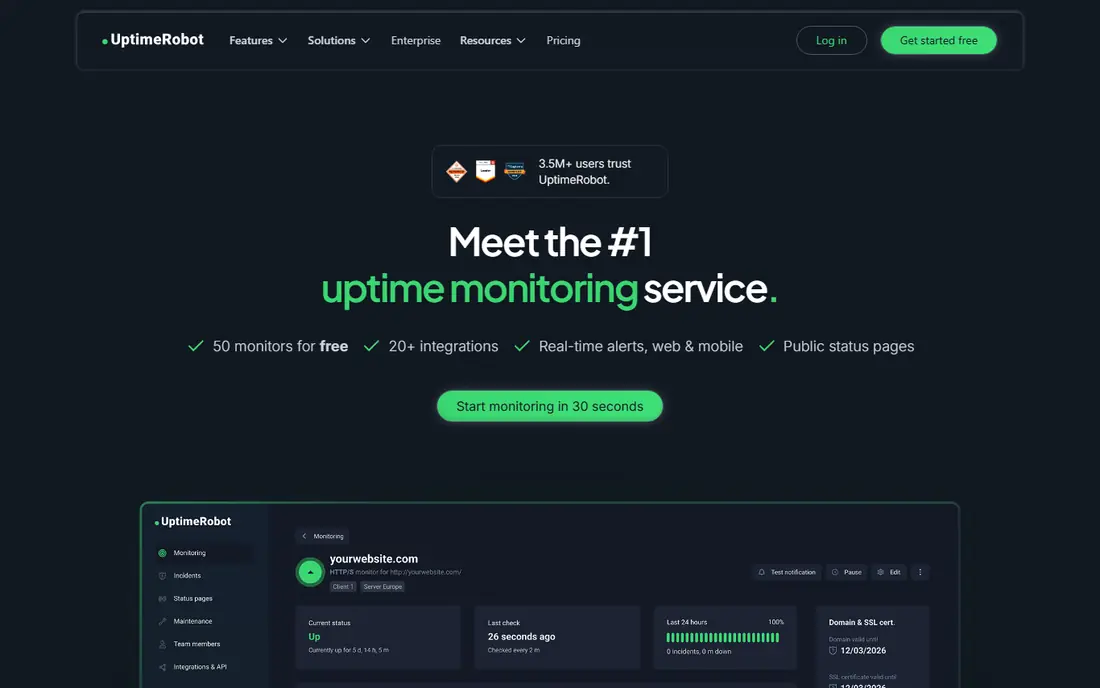
UptimeRobot is the tool we would suggest first to a small team that just needs to know when a site or server stops answering. Its free plan covers 50 monitors with checks every five minutes, which is generous for a handful of websites and servers. Paid plans shorten the check interval and add more monitors, seats and alert options.
The limit is depth. UptimeRobot can tell you a page is up, but it cannot run a full browser login or checkout flow. Teams that need that level of proof will need Pingdom or a synthetic platform. For basic reachability and ping latency, however, it is hard to beat on value and simplicity.
- Free plan covers 50 monitors
- Simple setup
- Ping, HTTP, port, DNS and SSL checks in one place
- No browser or multi-step transaction checks
- Fewer probe locations than larger platforms
Pingdom, now part of SolarWinds, is one of the longest-running uptime services. Its checks cover ping, HTTP, TCP, UDP, DNS and mail protocols, with intervals down to one minute. Transaction checks run in a real browser, so a team can test a login or checkout path, not only a homepage. Public status pages are included on plans.
Pricing is the catch. There is no free plan, only a trial, and real user monitoring is sold separately, so a complete setup can cost more than the entry price suggests. Pingdom fits teams that want a dependable, established service and are willing to pay for it, rather than teams hunting for a free tier.
- Long-running, mature uptime service
- Ping, HTTP, TCP, DNS and mail checks
- Recorded browser transactions
- No permanent free plan
- Synthetic and real user monitoring are separate products
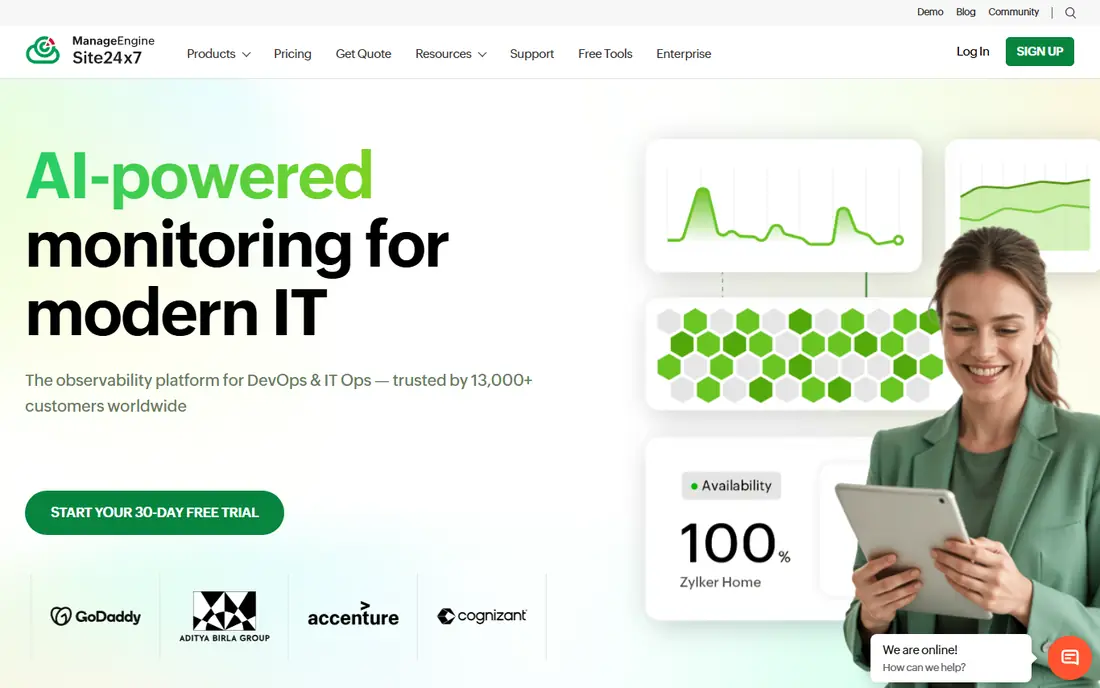
Site24x7 goes far beyond ping. One platform covers websites, servers, networks, cloud environments, applications, synthetic transactions and real user monitoring. That breadth helps IT teams that want to cut down the number of separate monitoring products they run. Paid all-in-one plans start at $9 per month, with capacity varying by plan and monitor type.
The trade-off is complexity. A website owner with five endpoints may find the interface and plan structure more than needed, compared with a focused uptime tool. Site24x7 fits IT teams that already need server and network monitoring and want ping and uptime checks inside the same system.
- Very broad coverage across websites, servers, networks and cloud
- Low entry price
- Many monitor types
- Broad platform can feel complex for a few endpoints
- Plan allowances vary by monitor type
PRTG is a network monitor first, and ping is one sensor type among many. It covers SNMP, flow protocols, servers, applications and virtual environments, with auto-discovery to find devices on a network. A sensor is one monitored item, such as ping response, CPU load or interface traffic, so one switch can consume many sensors.
The free edition covers 100 sensors, which suits a small network or an evaluation. Paid tiers are priced by sensor count, starting with PRTG 500, so counting sensors during a trial matters more than counting devices. PRTG fits internal IT teams that need ping alongside bandwidth, server and application monitoring in one console.
- Free edition covers 100 sensors
- Wide sensor library
- Auto-discovery for networks
- Sensor-based licensing grows fast as devices are added
- Windows-centred deployment
Better Stack combines uptime monitoring, incident management and status pages in one product. A team can run ping and HTTP checks, get alerted, manage on-call rotations and publish a status page without stitching three tools together. The interface is clean, and the free plan lets a small team start with a limited set of monitors.
The watch-out is seat pricing. Larger teams pay per seat, so the bill grows with headcount even when monitor count stays flat. Better Stack fits small to mid-size teams that want uptime, status pages and on-call handling from one vendor, with a modern interface.
- Uptime monitoring plus status pages and on-call
- Clean interface
- Good alerting options
- Per-seat pricing can add up for larger teams
- Fewer probe regions than some rivals on lower plans
StatusCake stands out for its free plan, which offers unlimited tests with checks every five minutes, plus SSL monitoring and public status pages. That makes it a practical choice for a team or individual with many small sites and a tight budget. Paid plans shorten check intervals and add more features, including faster checks and more alert options.
The downside is polish and pricing clarity. The interface feels less refined than UptimeRobot or Better Stack, and paid costs depend on plan and add-ons, so check the vendor pricing page for the exact setup you need. StatusCake fits users who value monitor quantity on a free plan over a premium interface.
- Free plan with unlimited tests
- SSL and domain monitoring
- Public status pages
- Paid pricing varies by plan and add-ons
- Interface is less polished than some rivals
OpManager is a full network monitoring platform, with ping checks sitting inside a wider system for switches, routers, servers, virtual machines and bandwidth. It suits IT teams that manage an internal network and need fault, performance and configuration views in one place, rather than a website owner checking a homepage.
Pricing is by quote for larger deployments, and the platform rewards teams that invest time in setup and alert tuning. Smaller teams may find it more than they need. For network operations teams that already use ManageEngine products, OpManager is a natural fit.
- Broad network, server and device monitoring
- Ping, SNMP and flow support
- Strong for Windows and mixed networks
- Enterprise pricing is by quote
- Setup and tuning take time
Zabbix is open source monitoring software with no licence meter. It supports SNMP, agents, IPMI and APIs, and can monitor networks, servers, virtual machines, applications and cloud services. Templates and triggers can be shaped to almost any environment, which is why experienced teams value it.
That flexibility comes with work. A team must provide the server, database, upgrades and alert tuning, and design templates rather than relying on ready-made wizards alone. Zabbix fits technical teams with the skills to run it, and it is a poor fit for a two-person team that wants a managed service with no maintenance.
- Open source with no licence fee
- Very flexible templates and triggers
- Monitors networks, servers, virtual machines and cloud
- Needs Linux infrastructure and staff time
- Setup and maintenance are hands-on
Uptime Kuma is a self-hosted, open source monitor with a clean dashboard and status pages. It runs ping, HTTP, DNS, TCP, port and other checks, and alerts through many channels. Because the software itself is free, the only costs are the server it runs on and the time to maintain it.
The limit is that it runs where you put it. A single self-hosted instance cannot easily check a site from many world regions, and if its own server fails, monitoring stops with it. Uptime Kuma fits hobbyists, homelabs and technical teams that want full control and no subscription, and who can run a second instance or accept that trade-off.
- Open source and free to run
- Ping, HTTP, DNS, TCP and port checks
- Attractive status pages
- You host and maintain it
- No managed probe network unless you build one
How we picked these
We compared official pricing pages, product documentation and public reviews, and we kept only tools that genuinely offer ping monitoring, not only a marketing claim. We mixed managed uptime services, network monitors and open source options, so readers can match the tool to their environment. We did not claim hands-on testing, and we wrote "See website" where pricing was unclear or varied by plan.
What to check before you choose
Start with what you are actually monitoring. A public website needs external probes from more than one location, while an internal network needs SNMP, flow and device monitoring alongside ping. Check the interval too: five-minute checks may miss a brief outage that one-minute checks would catch, but faster checks cost more on most paid plans.
Next, test alerting before you rely on it. Confirm who gets alerted, through which channel, and how repeat alerts and maintenance windows work. A monitor that emails a shared inbox nobody reads is no better than no monitor. Finally, check status pages and history. A tool that keeps a clear uptime history makes it easier to spot patterns and to answer questions from clients or managers.
Frequently asked questions
What is the best ping monitoring tool?
For simple website and server checks, UptimeRobot is a strong starting point because its free plan covers 50 monitors. For internal networks, PRTG or OpManager fit better. For full control with no subscription, Uptime Kuma or Zabbix suit technical teams. The best tool depends on what you monitor and how much maintenance you will accept.
What are the best ping monitoring tools for a small business?
UptimeRobot, StatusCake and Better Stack are good small-business picks, since each offers a free plan or low entry price and simple setup. Site24x7 is worth a look when a small IT team also needs server and network monitoring. Start free, test alerting, and upgrade only when check intervals or monitor counts become a limit.
What is the best ping monitoring software for networks?
PRTG, OpManager and Zabbix are the network-focused picks here. They monitor devices, interfaces and servers alongside ping, and they give IT teams fault and performance views that a website uptime tool cannot. PRTG suits teams that want ready-made sensors, while Zabbix suits teams that want open source flexibility.
Is ping monitoring enough to check a website?
No, not on its own. Ping shows that a host responds, but it does not show that a web page loads, a login works or a checkout completes. Pair ping checks with HTTP checks, and add browser transaction checks from Pingdom or Site24x7 when the user journey matters.
Do free ping monitoring tools work well?
Yes, for a small number of sites. Free plans from UptimeRobot, StatusCake, Better Stack and Uptime Kuma cover basic checks and alerting. Their limits are usually check interval, monitor count, probe locations or alert channels, so read those limits before depending on a free plan for a business-critical site.
Sources
See where you really rank - block by block
ProMapRanker scans Google Maps across a grid of your service area. Simple monthly plans from $19, white-label on every plan.
Start freeKeep reading
 zoro.to alternatives
Best Zoro.to Alternatives in 2026
We compare the best zoro.to alternatives in 2026, listing only legal licensed anime streaming services, from Crunchyroll to free options for fans today.
Read → zip alternatives
Best Zip Alternatives in 2026
We compare the best zip alternatives for buy now, pay later in 2026, covering pay-in-4 plans, fees, spending limits, and credit reporting options today.
Read → yesware alternatives
Best Yesware Alternatives in 2026
Compare the best yesware alternatives for sales email tracking, templates, and sequences, with current pricing and honest tradeoffs for small sales teams.
Read →