 ProMapRanker
Best Photo Management Software in 2026

Key takeaways
- The best free photo organizing software for most people is Apple Photos on Apple devices or Google Photos across devices, with digiKam for desktop power users.
- Adobe Lightroom remains the strongest catalog tool for large RAW libraries, but it is subscription-only, so check the current Photography plan price first.
- One-time purchase tools such as ACDSee, ON1 Photo RAW, and Capture One suit photographers who want to own their software.
- Face recognition, keywording, and duplicate finding matter more than editing filters for long-term organisation, so test those tools first.
- Snapseed has no standalone official homepage, so we link Google's official Snapseed support page rather than any unofficial site.
Quick comparison
| Pick | Great for | Pricing starts at | Free tier | |
|---|---|---|---|---|
 Adobe Lightroom | Large RAW catalogs and editing | See website | Free trial | Visit |
 Google Photos | Cross-device family libraries | Free | Yes | Visit |
 Apple Photos | Apple device libraries | Free | Yes | Visit |
 digiKam | Free desktop power organizing | Free | Yes | Visit |
 Capture One | Studio color and tethered shooting | See website | Free trial | Visit |
 ACDSee Photo Studio | One-time purchase organizing | See website | Free trial | Visit |
 ON1 Photo RAW | One-time all-in-one editing | See website | Free trial | Visit |
 Mylio Photos | Multi-device local libraries | See website | Free trial | Visit |
 Snapseed | Free mobile editing and organizing | Free | Yes | Visit |
The best photo management software
We compared tools on catalog size, RAW support, face and keyword tools, cloud versus local storage, and price model. Our pick for most readers is Google Photos or Apple Photos for everyday libraries, with Lightroom for serious RAW work and digiKam for free desktop power.
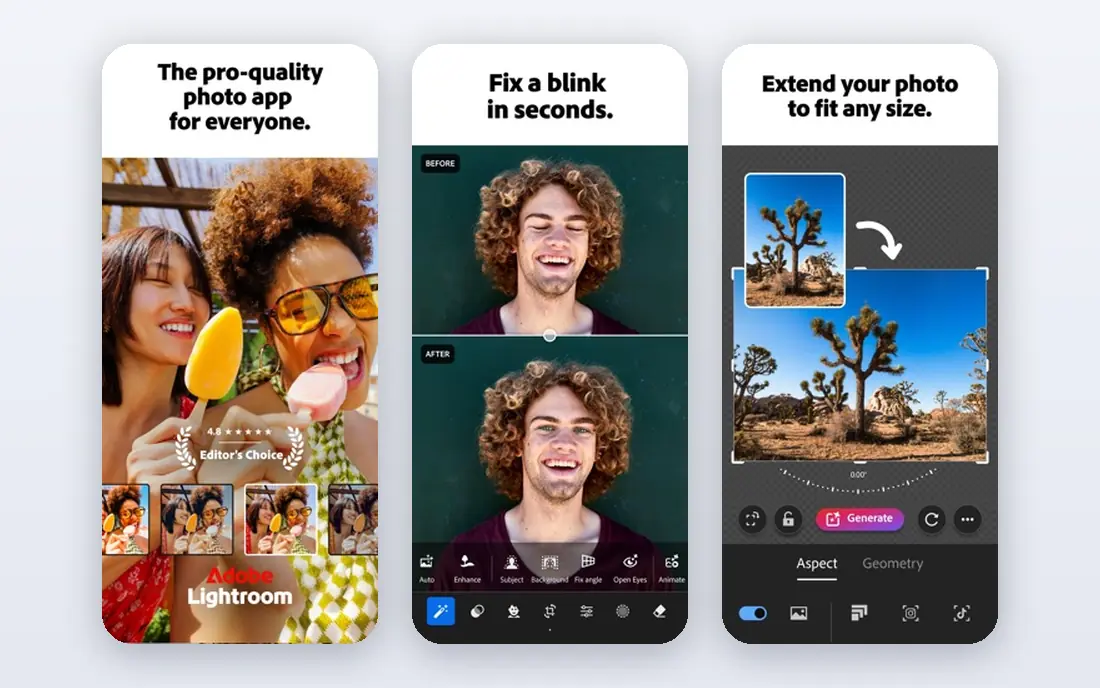
Adobe Lightroom, in its Classic desktop form and cloud form, remains the standard catalog tool for photographers with tens of thousands of images. It handles RAW files from a wide range of cameras, with collections, keywords, ratings, face tagging, and AI masking for editing. The Photography plan bundles Lightroom with Photoshop, which helps when an image needs layered editing beyond Lightroom.
The catch is pricing change: current 2026 coverage notes that the older $9.99 per month Photography plan with 20GB is no longer open to new subscribers, with new buyers steered to higher plans, so check the Adobe site for the current price before budgeting. Lightroom also needs a capable computer for large catalogs. For a large RAW library that must stay organised for years, Lightroom is still our pick despite the subscription.
- Deepest catalog tools for large libraries
- Wide RAW camera support
- Photoshop included on Photography plans
- Subscription-only
- Cloud storage cap on the base plan
- Catalog can grow large over time
Google Photos suits everyday libraries across Android, iOS, and the web, with automatic backup, search, and sharing that most families actually use. You can search by person, place, or object, create shared albums, and find an image without remembering a folder name. That search strength is the main reason it leads free options for cross-device users.
The limit is storage: the free tier shares storage with your Google account, and a large library will need a paid Google One plan for more space. Editing tools are lighter than a desktop RAW editor, and organisation is album and search based rather than a full desktop catalog. For a family library that must work on every phone and computer, Google Photos is the simplest choice.
- Free tier with device backup
- Strong search by people, places, and objects
- Easy sharing and albums
- Free storage is shared with Google account storage
- Full-resolution backup needs a paid storage plan
- Editing is lighter than Lightroom
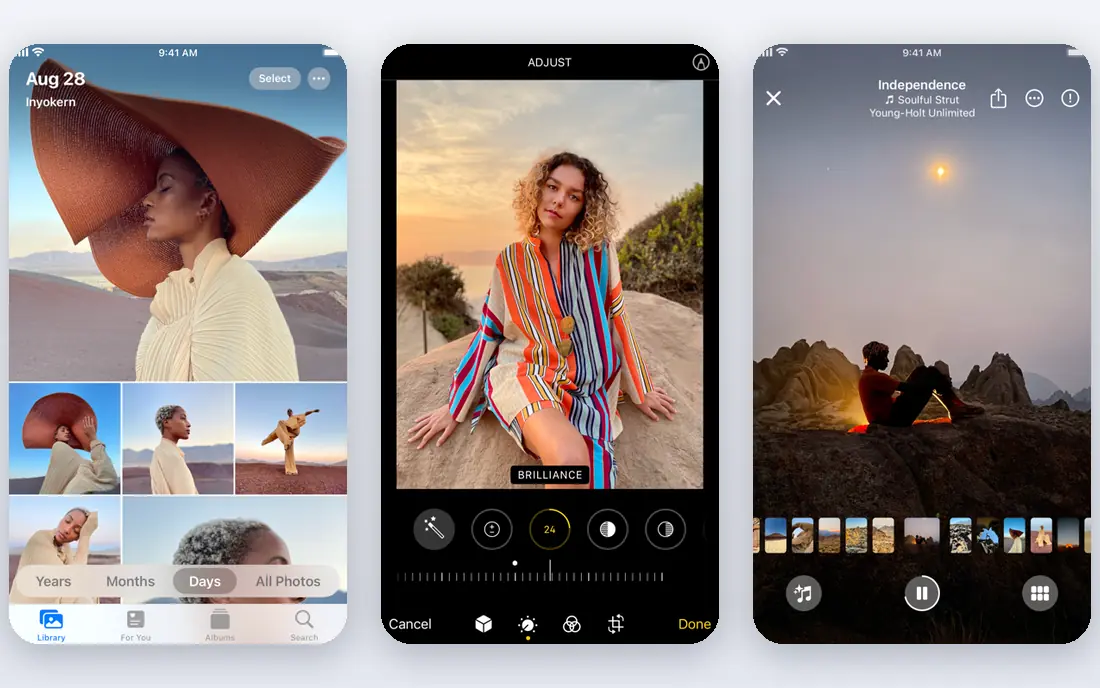
Apple Photos is included free with Apple devices and syncs through iCloud across iPhone, iPad, and Mac. It offers face grouping, place views, memories, search, and shared albums, with enough editing for most everyday images. For a reader already inside the Apple ecosystem, it needs no extra install and no extra subscription to start.
The trade is ecosystem lock-in: Apple Photos works best when your phones and computers are Apple devices, and Windows or Android use is weaker. iCloud storage beyond the small free tier is paid, so a large library needs a paid iCloud plan. For Apple households, it is the best free photo organizing software, with no learning curve beyond the built-in app.
- Free with Apple devices
- ICloud sync across iPhone, iPad, and Mac
- Face, place, and memory features built in
- Best inside the Apple ecosystem
- ICloud storage beyond the free tier is paid
- Desktop RAW tools are lighter than Lightroom
digiKam is a free, open-source photo manager for Windows, Mac, and Linux that can index very large libraries, with current roundups noting libraries up to 100,000 files. It offers albums, tags, ratings, metadata editing, face recognition, and RAW support, with tools that rival paid desktop managers for organisation. For a desktop user who wants power without a subscription, it is hard to beat.
The catch is polish: the interface is dense, setup takes longer, and there is no built-in cloud backup, so you must arrange your own backup. digiKam suits a photographer or archivist who values local control and free software over a simple mobile app. For that reader, it is the best free desktop choice in this list.
- Completely free and open source
- Handles very large libraries
- Strong tagging, rating, and face tools
- Interface feels technical next to Apple or Google Photos
- Setup takes more time
- No built-in cloud backup
Capture One is the studio pick, known for color accuracy, tethered shooting, and session-based workflows for commercial shoots. It handles RAW files with detailed color controls, layers, and catalog tools, and current listings offer both subscription and perpetual options, though prices should be checked on the vendor site. For a studio that shoots tethered all day, that workflow matters more than a simple album view.
The limits are price and fit: Capture One costs more than most tools here, and its depth is wasted on a casual family library. It also has a steeper learning curve than Lightroom for a first-time catalog user. For studio and commercial work where color and tethering decide the job, Capture One is the strongest pick.
- Strong color tools and tethered shooting
- Catalog and session workflows
- Perpetual licence options in current listings
- Higher price than most rivals
- Learning curve for new users
- Less suited to casual family libraries
ACDSee Photo Studio offers digital asset management with face recognition, keywording, RAW editing, and batch tools, in editions that include a one-time purchase option. Current listings put editions from around $39.95 for Home to higher prices for Ultimate packs, but check the vendor site for the current edition price. That purchase model suits photographers who dislike subscriptions.
The trade is learning curve and edition choice: ACDSee has many tools, and picking the right edition takes care. The interface is denser than Apple Photos or Google Photos, and some features differ by platform. For a desktop photographer who wants to own the software and manage a large local library, ACDSee is a strong value pick.
- Strong digital asset management tools
- Face recognition and RAW editing
- One-time purchase options
- Learning curve is steeper than lightweight tools
- Windows and Mac versions differ
- Price varies by edition
ON1 Photo RAW combines browsing, editing, effects, layers, and resizing in one app, with a one-time purchase option in current listings. Its browse-first design lets you work on folders without importing everything into a catalog first, which suits photographers who organise by folders. Effects and portrait tools cover much everyday editing without a second app.
The limit is catalog depth: ON1 organisation is solid for folder-based work but lighter than Lightroom for huge, keyword-heavy libraries. Price also varies by edition and offer, so check the vendor site. For a photographer who wants one purchase, one app, and folder-based work, ON1 is a practical all-rounder.
- Browse, edit, effects, and resize in one app
- One-time purchase option
- No catalog import needed for browsing
- Catalog tools are lighter than Lightroom
- Price and edition should be checked on the vendor site
- Performance varies by library size
Mylio Photos is built for readers whose library spans phones, tablets, and computers, with sync that keeps the library consistent without forcing everything into one cloud account. It offers face tagging, keywords, albums, and editing, with a local-first approach that appeals to readers who want control over where originals live. That multi-device sync is its main draw.
The catch is familiarity: Mylio is less widely used than the leaders, so community guides and presets are thinner, and larger device counts need a paid plan. Setup also takes more care than turning on Google Photos backup. For a multi-device household that wants local control plus sync, Mylio is worth a trial.
- Syncs libraries across devices without relying only on cloud storage
- Local-first library control
- Face and keyword tools
- Less well known than Lightroom or Google Photos
- Paid plans needed for larger device counts
- Setup takes care
Snapseed is Google's free mobile photo editor, and it remains a useful companion to a main library app for quick edits on a phone. It offers selective adjustments, healing, filters, and fine controls that go beyond most built-in phone editors, at no cost and with no subscription. For a reader who edits on a phone before sharing, Snapseed is still a solid free tool.
We list Google's official Snapseed support page as the website, because Snapseed has no standalone official homepage, and unofficial sites using a similar name are not Google's. That also sets the limit: Snapseed is a mobile editor, not a full desktop catalog, so pair it with Google Photos, Apple Photos, or a desktop manager for long-term organisation. Do not use unofficial download sites that claim to be Snapseed.
- Free mobile editor from Google
- Strong selective editing and filters
- No subscription needed
- No standalone official homepage, so support page is the official link
- Mobile-only focus
- Catalog tools are lighter than desktop managers
How we picked these
We compared photo management tools using vendor feature pages, app store listings, and current 2026 roundups that cite vendor pricing. We included tools that organise libraries, not just edit single images, and we favoured tools with face, keyword, or search tools that help over years. We used See website where 2026 pricing changed or varied by edition, rather than publishing an outdated figure. We did not claim hands-on testing; this is a comparison of published features and pricing.
What to check before you choose
Start with where your photos live now and where they must work in future. A phone-first library suits Google Photos or Apple Photos, while a desktop RAW library suits Lightroom, Capture One, ACDSee, or digiKam. A library that must work across many devices suits Mylio or a cloud service, while a library that must stay local suits digiKam, ACDSee, or ON1.
Catalog, keywords, and faces
Test keywording, rating, and face grouping with a real folder before you commit, since those tools decide whether you can find an image in five years. Check whether keywords and ratings are written into file metadata or only stored in the app database, because metadata travels with the file if you switch tools. Also check duplicate finding, since duplicates are the fastest way a library grows out of control.
Cloud versus local storage
Cloud backup protects against device loss, but it costs monthly once you pass the free tier, and full-resolution backup for a large library adds up. Local storage gives control and a one-time cost, but it needs your own backup plan, ideally with a second copy off site. Many readers use both: a local catalog for work, plus a cloud backup for safety.
Price model over five years
Compare subscription cost over five years with a one-time purchase plus any paid upgrades. A $10 per month subscription costs $600 over five years, while a one-time purchase may cost far less, even with an upgrade. That long view changes the ranking for photographers who keep a library for decades, which is most serious photographers.
Frequently asked questions
What is the best free photo organizing software?
Apple Photos is the best free option on Apple devices, Google Photos is the best free cross-device option, and digiKam is the best free desktop power option. Each is free to start, but cloud storage beyond the free tier is paid for Apple and Google. For a large desktop library with no subscription, digiKam is the strongest free pick.
What is the top photo management software for professionals?
Adobe Lightroom is the top choice for large RAW catalogs and editing, while Capture One suits studio work with tethered shooting and color control. ACDSee and ON1 suit professionals who want a one-time purchase. The best professional tool depends on whether catalog depth, tethering, or purchase model matters most.
Does photo management software work with RAW files?
Yes, Lightroom, Capture One, digiKam, ACDSee, and ON1 all support RAW files from many cameras, though camera support varies by version. Check that your camera model is supported before buying, especially for a newly released camera. Mobile apps such as Snapseed handle RAW on phones, but with lighter catalog tools.
Should I use cloud or local photo storage?
Cloud storage suits families and phone-first users who need backup and sharing across devices. Local storage suits photographers who want control, one-time costs, and fast desktop access. Many readers combine both, with a local catalog plus a cloud backup, so a device loss does not mean a library loss.
Is Snapseed still available?
Yes, Snapseed remains available as a free mobile editor from Google, though it has no standalone official homepage. Use Google's official Snapseed support page for help and official information, and avoid unofficial sites that use a similar name. Snapseed works best as a mobile editor alongside a main library app.
Sources
- https://www.adobe.com/products/photos/lightroom.html
- https://photos.google.com
- https://www.apple.com/photos/
- https://www.digikam.org
- https://www.captureone.com
- https://www.acdsee.com
- https://www.on1.com
- https://www.mylio.com
- https://support.google.com/snapseed
- https://gallanroberts.com/best-photo-management-software/
See where you really rank - block by block
ProMapRanker scans Google Maps across a grid of your service area. Simple monthly plans from $19, white-label on every plan.
Start freeKeep reading
 zoho inventory alternatives
6 Alternatives to Zoho Inventory, Compared on Price and Fit
Zoho Inventory alternatives: 6 tools compared on price, free plans and fit. Katana leads the list for manufacturers. Fit and flaws are laid out for each entry.
Read → zoho crm alternatives
Best Zoho CRM Alternatives (2026)
Need Zoho CRM alternatives? We compare 7 tools on cost, free access and who each suits. Every pick gets a straight assessment. Built for quick decisions.
Read → zelle alternatives
Best Zelle Alternatives in 2026
Compare the best Zelle alternatives for sending money to friends, paying sellers and moving funds abroad, with honest notes on fees, speed and safety in 2026.
Read →