 ProMapRanker
Best Phone Tracker App Free in 2026

Key takeaways
- The best free starting point depends on the phones in the house, since Apple Find My works best for iPhones and Google tools work best for Android phones.
- Life360 is the strongest cross platform family option, because it puts iPhone and Android phones on one map with place alerts.
- Temporary sharing tools such as Glympse suit a single trip or meetup better than always on family tracking.
- Parental control apps add screen time and content limits, but they need setup on the child device and a conversation about why tracking is in place.
- No tool on this list should be used to follow another adult without that person knowing and agreeing, and several tools make sharing visible on the tracked phone.
Quick comparison
| Pick | Great for | Pricing starts at | Free tier | |
|---|---|---|---|---|
 Life360 | Cross platform family location sharing | Free | Yes | Visit |
 Apple Find My | iPhone and iPad households | Free | Yes | Visit |
 Google Find Hub | Finding your own Android devices | Free | Yes | Visit |
 Google Family Link | Parents of children on Android | Free | Yes | Visit |
 Glympse | Temporary location sharing | Free | Yes | Visit |
 GeoZilla | Family location sharing with driving reports | Free | Yes | Visit |
 FamiSafe | Parental controls plus location | $9.99 per month | Free trial | Visit |
 Qustodio | Parental controls for several children | $54.95 per year | Free trial | Visit |
 Samsung Find | Samsung Galaxy households | Free | Yes | Visit |
The best phone tracker apps free
We compared free and low cost tools that track a phone with consent, and we kept only tools meant for your own device, your children under parental supervision, or family members who have agreed to share. The list below starts with the built in options, because they cost nothing extra and are often enough.
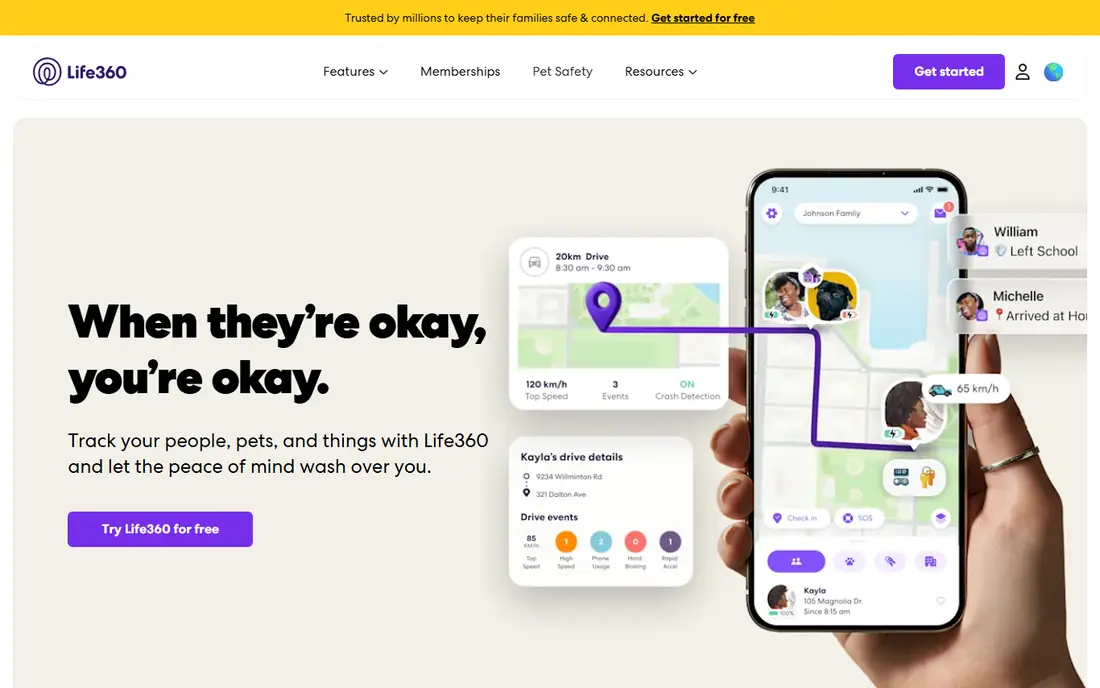
Life360 is our pick for most mixed phone families. One family map shows everyone who has joined the circle, and place alerts can tell you when a child arrives at school or a partner leaves work. The free plan covers live location sharing, two days of history in some reports, and a small number of place alerts, which is enough for a basic check that everyone is where they should be.
The catch is that the longer history, unlimited place alerts, and roadside help require a paid membership. Families should also agree on when sharing stays on. Life360 works best when it replaces a string of "where are you" messages, not when it becomes a way to check on someone every hour without discussion.
- Works on iPhone and Android
- Place alerts for home and school
- Driving summaries on paid plans
- Best history and safety features sit behind paid plans
- Constant sharing can feel intrusive
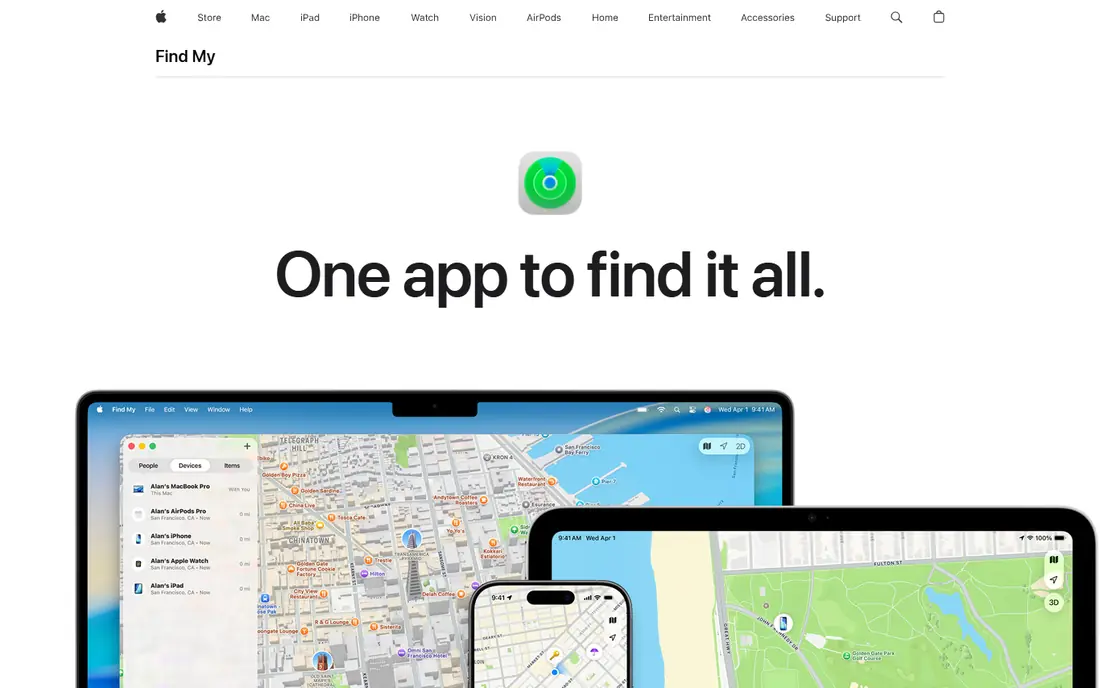
Apple Find My is the obvious first choice if everyone in the house uses an iPhone. Family members can share their location with each other through Family Sharing, and the same app finds a lost iPhone, iPad, Apple Watch, or AirPods. It costs nothing beyond the Apple device itself, and sharing can be turned off by the person sharing at any time.
Its limits are clear. It does not give parents the detailed activity reports of a parental control app, and it is not a cross platform solution. For an all Apple household that wants simple, visible sharing, though, it is hard to beat on price and ease of use.
- Built into Apple devices
- No extra app needed for family sharing
- Works for devices, items, and people
- Limited use for Android phones
- No long location history for people
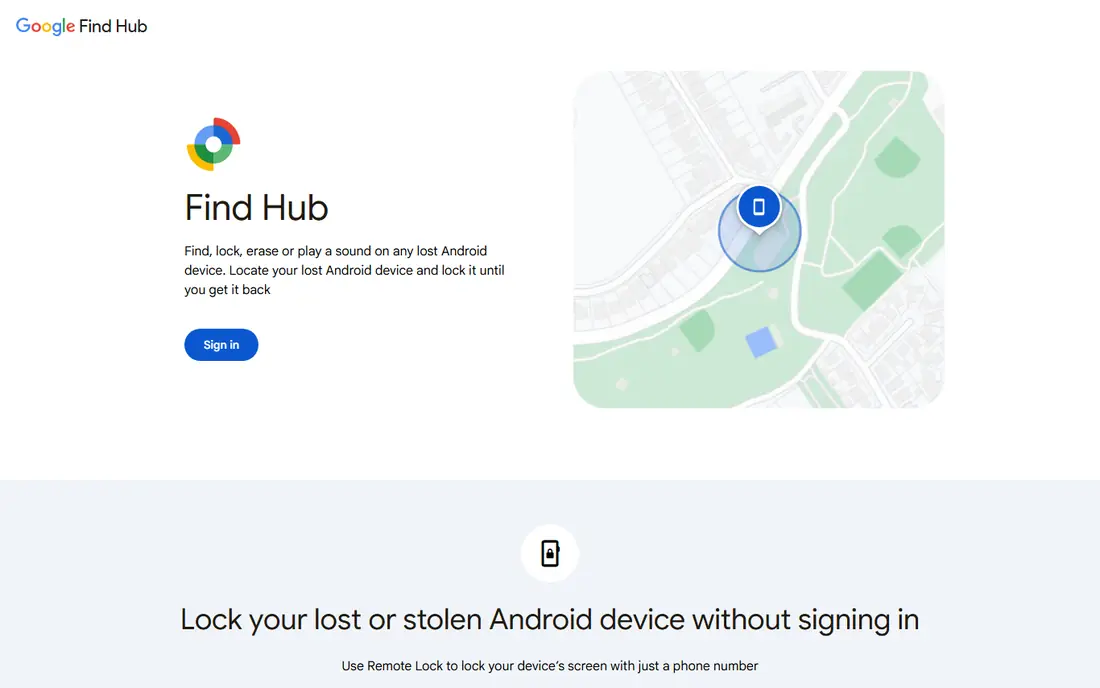
Google Find Hub, formerly Find My Device, answers a different question from the rest of this list. It finds your own phone, tablet, watch, or headphones when you lose them. From a browser you can see the last known location, play a sound, lock the device, or erase it if recovery looks unlikely.
It is not a family tracker in the same sense as Life360. You should not use someone else account to follow their phone. For the common problem of a phone left in a taxi or under a sofa cushion, however, it is free, fast, and already available to most Android owners.
- Free for Android device owners
- Can ring, lock, or erase a lost phone
- Works from any browser
- Built for your own devices, not ongoing family tracking
- Needs the device signed into a Google account
Google Family Link suits parents who want location plus wider supervision for a younger child. A parent can see the location of a child Android device, set screen time limits, approve app downloads, and set content filters from the parent phone. There is no subscription for the core supervision features, which makes it a strong free option.
The main limit is the platform. Supervision works best when the child device is Android, and the controls are designed for younger children rather than teenagers who need more independence. As with any parental tool, it works best alongside a plain explanation of what is tracked and why.
- Free parental supervision
- Location for a supervised child account
- Screen time and app controls included
- Child device must run Android
- Older children may find the limits restrictive
Glympse fits the times when you do not want always on tracking. You can share your live location for a chosen period, such as the drive to a restaurant or a walk home at night, and the share ends automatically. Friends and family can view it in a browser without installing an app, which removes most of the setup friction.
That simplicity is also its limit. Glympse does not keep a family history, send place alerts over weeks, or manage a child device. Choose it when the need is temporary and specific, and choose Life360 or a parental app when the need is ongoing.
- Share location for a set time only
- Recipients need no account to view
- Simple for trips and meetups
- No long term family map
- No parental control features
GeoZilla is a close alternative to Life360 for families who want a dedicated family map without joining the largest service. It offers real time location, place alerts, and location history, with driving reports and longer history on its premium plan. The app runs on both major phone platforms, so mixed households can use one tool.
The trade off is scale and polish. GeoZilla has a smaller community than Life360, so help articles and third party guides are thinner. If Life360 feels like more than you need, GeoZilla is worth a free trial run with the family members who will actually use it.
- Family map and place alerts
- Driving reports on paid plans
- Works on iPhone and Android
- Smaller user base than Life360
- Best features need a paid subscription
FamiSafe is for parents who want location as one part of a wider safety setup. Alongside live location and geofence alerts, it offers screen time schedules, app blocking, web filtering, and alerts for concerning content. That breadth suits parents of school age children who carry a phone for the first time.
Pricing starts around $9.99 per month on some plans, with longer plans costing less per month, so check the current pricing page before you commit. Setup takes longer than a simple tracker, since permissions must be granted on the child device. Parents should also tell children what is monitored, since secret monitoring can damage trust faster than it improves safety.
- Live location and geofencing
- Screen time and app blocking
- Suspicious content alerts
- Paid after the trial
- Needs careful setup on the child device
Qustodio suits families with more than one child to supervise. Parents can track location, set time limits, block apps and websites, and review activity from one dashboard. Annual pricing from $54.95 per year makes it cheaper than several monthly rivals for a household with several devices, though the exact plan price depends on the number of devices covered.
The free tier is limited, so most families will need to pay to get the full benefit. Qustodio also works best when children understand the rules. A dashboard full of data does not replace a conversation about safe phone use, bedtime limits, and what to do if a message feels wrong.
- Location tracking for children
- Screen time limits across devices
- Detailed activity reports
- Free option is limited
- Full features need a paid plan
Samsung Find, part of SmartThings Find, is the Galaxy equivalent of Apple Find My and Google Find Hub. It locates your own Samsung phones, tablets, watches, and Galaxy SmartTags, and it can help find other Samsung devices shared within a family account setup. For a household that already uses Samsung phones, it costs nothing extra.
It is not a substitute for a dedicated family tracker. There is no long location history or parental dashboard of the kind Qustodio provides. Use it to find your own devices, and pair it with Life360 or Family Link if you need ongoing family sharing.
- Free for Galaxy owners
- Finds phones, tablets, watches, and tags
- Works from a browser
- Best for Samsung devices
- Not a full family tracking service
How we picked these
We compared official feature pages, pricing pages, app store listings, and privacy policies for consent based tools, and we left out any tool marketed for secretly tracking another adult. We gave weight to tools that make sharing visible, let the tracked person stop sharing, and state plainly who can see location data. Price mattered too, so built in free tools rank high even when a paid rival has more features.
What to check before you pick a tracker
Start with the phones you already own. If everyone uses iPhones, Apple Find My may cover you for free. If everyone uses Android, Google Find Hub plus Family Link covers lost devices and younger children. Mixed households usually need a cross platform app such as Life360 or GeoZilla, even if the free tier is enough.
Consent and privacy come first
Location data is sensitive. Only track your own devices, children in your care under parental supervision, or adults who have clearly agreed. Check whether the app shows an icon or notice on the tracked phone, who can see history, and how long history is kept. Turn off sharing that you no longer need, and review permissions after app updates.
Match the tool to the job
Temporary sharing, lost phones, and ongoing family safety are three different jobs. Glympse fits a single trip. Find Hub, Find My, and Samsung Find fit lost devices. Life360, GeoZilla, FamiSafe, and Qustodio fit ongoing family or parental use. Buying a parental control suite to find a lost phone is wasted money, and using a lost phone finder as a family tracker will frustrate everyone.
Watch the ongoing cost
Free plans often limit history, place alerts, or the number of devices. Before paying, test the free tier for a week with the people who will use it. Check whether pricing is per family or per device, whether it renews monthly or yearly, and whether driving or safety extras are included or sold separately.
Frequently asked questions
What is the best app to track someone location with consent?
Life360 is the strongest cross platform choice for families who have agreed to share, since it works on iPhone and Android with place alerts. Apple Find My suits all iPhone households, and Google Family Link suits parents of children on Android. Pick the tool that matches the phones in the house, and make sure every adult tracked has agreed.
What are the best location tracking apps for families?
Life360 and GeoZilla lead for ongoing family maps, while Glympse leads for short term sharing. Parental apps such as FamiSafe and Qustodio add screen time and content controls on top of location. Built in tools from Apple, Google, and Samsung cover lost devices for free.
What is the best app for tracking phone location for free?
Apple Find My is free for iPhone owners, Google Find Hub is free for Android owners, and Life360 has a usable free plan for families. Glympse is also free for temporary sharing. Free plans usually limit history and alerts, so check those limits before you rely on them daily.
What is the best free tracking app for a lost phone?
Use the tool built for your phone brand: Apple Find My for iPhone, Google Find Hub for Android, and Samsung Find for Galaxy devices. Sign in from a browser, ring the phone if it is nearby, and lock or erase it if it looks stolen or unrecoverable. Act quickly, since a dead battery stops live updates.
Can I track a phone without the owner knowing?
No, and you should not try. The tools on this list are for your own devices, children under parental supervision, or adults who have consented. Secret tracking can break trust and may breach the law where you live. If you are worried about a family member safety, talk with them and agree on sharing that they can see and stop.
Do free phone tracker apps sell location data?
Policies differ, so read the privacy policy before you install. Some free services earn money from advertising or data partnerships, while built in tools from Apple, Google, and Samsung state different limits. Choose a tool whose policy you understand, limit permissions to location only where possible, and delete history you do not need.
Sources
See where you really rank - block by block
ProMapRanker scans Google Maps across a grid of your service area. Simple monthly plans from $19, white-label on every plan.
Start freeKeep reading
 zoho inventory alternatives
6 Alternatives to Zoho Inventory, Compared on Price and Fit
Zoho Inventory alternatives: 6 tools compared on price, free plans and fit. Katana leads the list for manufacturers. Fit and flaws are laid out for each entry.
Read → zoho crm alternatives
Best Zoho CRM Alternatives (2026)
Need Zoho CRM alternatives? We compare 7 tools on cost, free access and who each suits. Every pick gets a straight assessment. Built for quick decisions.
Read → zelle alternatives
Best Zelle Alternatives in 2026
Compare the best Zelle alternatives for sending money to friends, paying sellers and moving funds abroad, with honest notes on fees, speed and safety in 2026.
Read →