 ProMapRanker
Best Phone Scanner App in 2026

Key takeaways
- Adobe Scan is the strongest free third-party pick for clean PDFs with text recognition on both iPhone and Android.
- Apple Notes and Google Drive Scan cover most occasional scanning for free, with nothing extra to install.
- Genius Scan and SwiftScan suit privacy-minded users and power users who want control over exports and folders.
- Microsoft Lens was retired in 2026, so do not build a new workflow around it; use the scan feature in OneDrive or another app here instead.
- CamScanner is feature-rich but adds watermarks on free exports and uploads scans to its own cloud, so read its terms before scanning sensitive papers.
Quick comparison
| Pick | Great for | Pricing starts at | Free tier | |
|---|---|---|---|---|
 Adobe Scan | Best overall free scanner | Free | Yes | Visit |
 Apple Notes | Free built-in iPhone scanning | Free | Yes | Visit |
 Google Drive Scan | Free built-in Android scanning | Free | Yes | Visit |
 SwiftScan | Power users and cloud sync | Free | Yes | Visit |
 Genius Scan | Privacy-minded scanning | Free | Yes | Visit |
 Scanner Pro | iPhone power users | Free | Yes | Visit |
 CamScanner | Feature-rich batch scanning | Free | Yes | Visit |
 iScanner | QR codes plus documents | Free | Yes | Visit |
 Dropbox Scan | Dropbox users | Free | Yes | Visit |
The best phone scanner apps
A good scanning app does more than take a photo of a page. It finds the edges, flattens the page, cleans up contrast, and saves a readable PDF you can search, share, or file. These are the best scanning apps for that job in 2026.
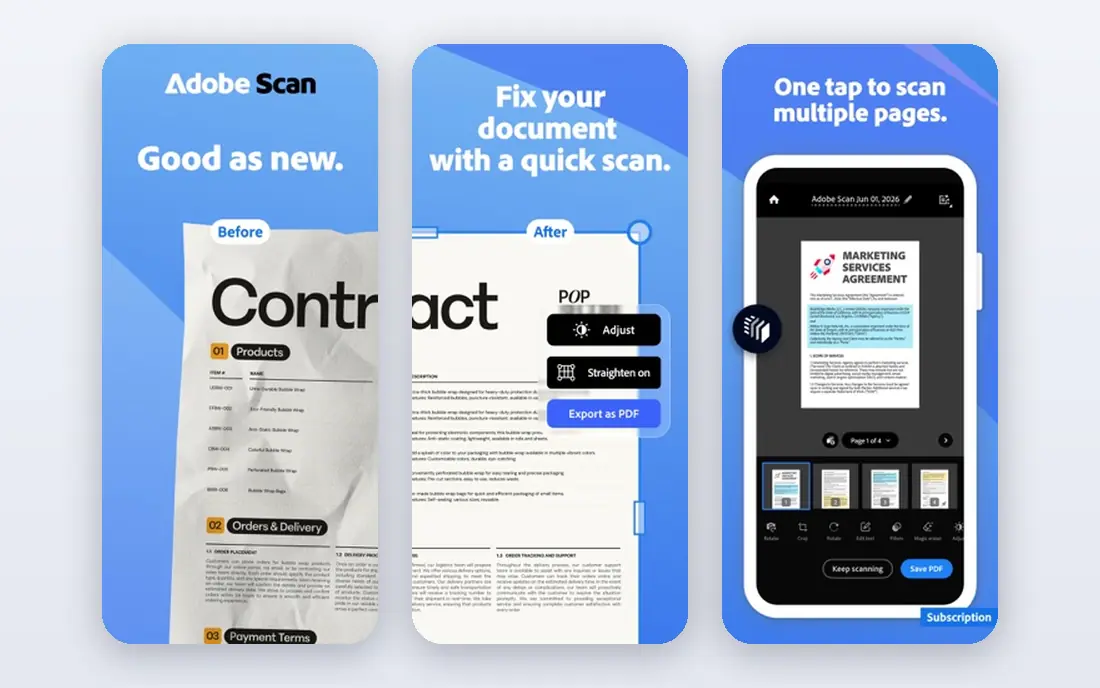
Adobe Scan is our pick for most people because the free tier does the core job so well. Point the camera at a page and it finds the edges, straightens the shot, and cleans up shadows, then saves a tidy PDF with searchable text. The result reads well on a phone or a computer, which matters when you scan receipts, forms, or notes you will need later.
The catch is the wider Adobe ecosystem. Basic scanning and text recognition are free, but advanced PDF editing and extra cloud features sit behind a paid Acrobat plan. If you already use Adobe tools, that integration is a plus. If you do not, the free scanner still stands on its own as the strongest free option here.
- Strong automatic edge detection and cleanup
- Free text recognition on scans
- Syncs with Adobe Document Cloud
- Deeper PDF editing needs a paid Acrobat plan
- Cloud-based workflow suits Adobe users best
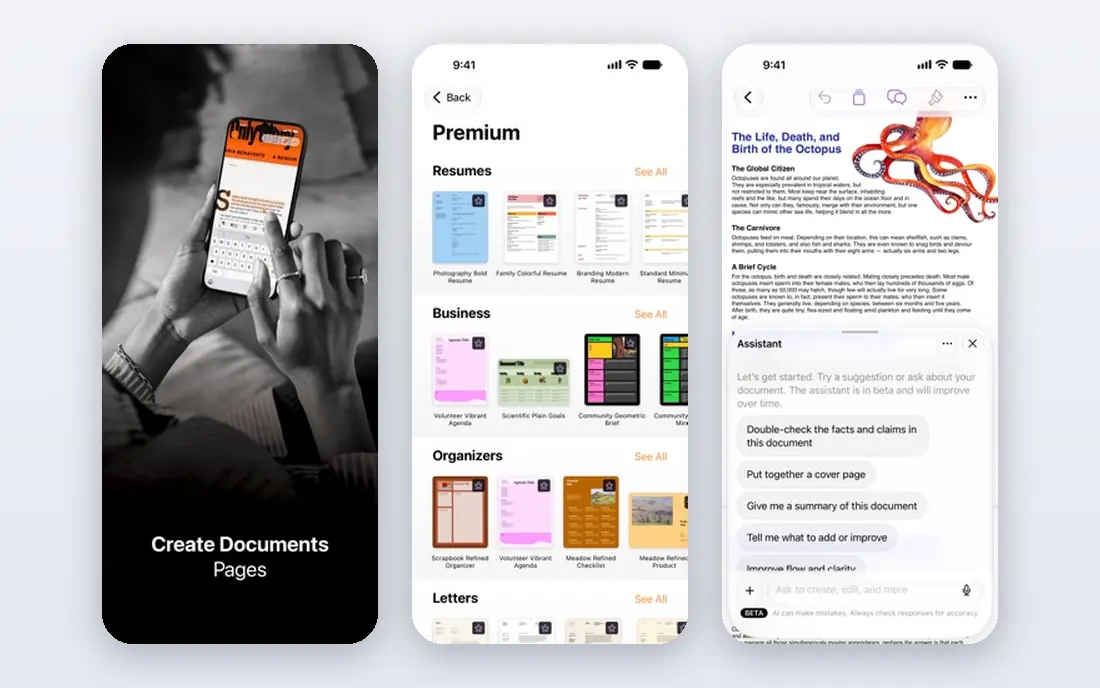
Apple Notes is the answer for iPhone owners who scan now and then. Open a note, tap the scan option, and the camera captures the page, crops it, and saves it into the note. Because the tool is built in, there is no new account, no ads, and no watermark, and Live Text makes the text inside scans selectable and searchable.
Dedicated apps still win for heavy use. Batch scanning, advanced file naming, and multi-cloud export are thinner here than in SwiftScan or Genius Scan. For the occasional receipt, school form, or contract page, though, Notes is free, fast, and already in your pocket.
- Already on every iPhone and iPad
- No account or subscription needed
- Text in scans is searchable with Live Text
- IPhone and iPad only
- Fewer batch and export controls than dedicated apps

Google Drive Scan plays the same role on Android that Notes plays on iPhone. Open Drive, tap scan, capture the page, and the PDF lands in your Drive ready to share or file. There is no extra app to learn and no subscription to manage, which makes it the easiest starting point for Android owners.
The trade-off is depth. You get clean scans and cloud backup, but not the batch workflows, custom naming, or advanced text tools of a paid scanner. If you scan a few pages a week and live in Google Drive already, that simplicity is a feature, not a flaw.
- Built into Google Drive on Android
- Scans save straight to Drive
- Simple and reliable for everyday pages
- Fewer editing controls than dedicated apps
- Best inside the Google ecosystem
SwiftScan, formerly known as Scanbot, is built for people who scan often and want the files to land in the right place. It produces sharp scans, suggests file names, and syncs across phones and the web, with support for many cloud services. The built-in QR code reader also answers the QR part of this topic, since you can scan a code and a document with the same app.
The free tier covers everyday scanning, but text recognition and the deeper cloud features sit behind the paid plan. That is worth knowing before you build a workflow around searchable PDFs. For frequent scanners who want polish and sync, SwiftScan is one of the best scanning apps available.
- High-quality scans with smart naming
- Syncs across iOS, Android, and web
- Built-in QR code scanning
- Text recognition and some cloud features need a paid plan
- Free exports may carry limits
Genius Scan is the pick for users who care about where their scans go. The basic app is free, with no document limits and no watermarks, and it processes scans on your device by default rather than sending every page to a server. That matters for legal, medical, or financial papers, where privacy is part of the job.
Text recognition and searchable PDFs need the paid Plus plan, which is the main limit of the free tier. Cloud backup is also separate. If your priority is clean, private scans without ads or watermarks, Genius Scan is hard to beat, and you can add text recognition later if you need it.
- Core scanning is free with no document limits and no watermarks
- On-device processing by default
- Clean export options
- Text recognition sits in the paid plan
- Cloud backup is a separate subscription
Scanner Pro is the best paid all-rounder for iPhone and iPad owners who scan every week. It captures sharp pages, handles multi-page documents well, and offers on-device text recognition in its paid tier, which keeps sensitive scans off remote servers. Sharing and filing tools are polished, as you would expect from Readdle.
Note that Scanner Pro is no longer a one-time purchase. It is free to download, and paid features sit behind in-app purchases. That change trips up older guides, so check the current App Store listing before you buy. For committed iPhone scanners, it remains a strong choice.
- Strong scan quality on iPhone and iPad
- On-device text recognition in the paid tier
- Good workflow and sharing tools
- IOS only
- Paid features sit behind in-app purchases under the Scanner Pro Plus name
CamScanner is one of the most downloaded scanner apps in the world, and its feature list explains why. Batch scanning, multi-page PDFs, annotation, and cloud storage all sit in one place, which suits business users with a steady stream of paper. If you scan stacks of documents at once, few free apps match its range.
The free tier has real friction. Watermarks land on free exports, ads appear in the capture flow, and multi-page text recognition sits behind the paid tier. CamScanner also uploads scans to its own cloud, so think twice before scanning sensitive documents. Use it for everyday business paper, and pick Genius Scan or Scanner Pro for private material.
- Batch scanning and document management in one app
- Wide export and cloud options
- Long track record
- Free exports carry watermarks
- Free tier includes ads
- Scans upload to its own cloud, so check privacy terms for sensitive papers
iScanner is the best pick in this list if QR codes matter as much as documents. Alongside standard scanning, it reads QR codes, scans ID cards and passports, and recognizes text in many languages. Export options cover PDF, JPG, and common office formats, and a PIN lock keeps folders private on a shared phone.
The breadth is also the drawback. If you only scan the occasional receipt, the extra modes for measuring, counting, and math problems add noise. The full feature set needs a subscription too. For users who want one app for documents and QR codes, iScanner covers both jobs well.
- QR code reader plus document scanning in one app
- Text recognition in many languages
- ID and passport scan modes
- Full features need a subscription
- Extra modes add clutter for simple scanning
Dropbox Scan is a straightforward choice for people whose files already live in Dropbox. Capture a page, and the scan lands in your Dropbox folders where the rest of your documents live, ready to share from the same place. There is no new system to learn and no separate cloud to manage.
Outside Dropbox, it has less to offer than Adobe Scan or Genius Scan, and its text recognition is basic. That narrow focus is fine if Dropbox is already your filing cabinet. If it is not, pick a scanner that fits the cloud service you actually use.
- Scans save straight into Dropbox
- Simple capture and filing
- Handy if your files already live in Dropbox
- Basic text recognition only
- Little reason to use it outside the Dropbox ecosystem
How we picked these
We compared official app pages, app store listings, and current 2026 guides on scanning apps, and we checked which apps still work today. Microsoft Lens was left out on purpose: Microsoft removed it from app stores in February 2026 and stopped new scans in March 2026. We favored apps with clean scan quality, honest free tiers, and clear privacy handling, and we flagged watermark and cloud-upload trade-offs where they exist.
How to get a clean scan every time
Good light matters more than the app. Stand so your shadow does not fall across the page, put the page on a contrasting background, and flatten curled pages with your free hand. Hold the phone parallel to the page, directly above it, and check the crop before saving. Ten seconds here beats rescanning later.
Pick by privacy for sensitive papers
For contracts, medical forms, or financial documents, prefer on-device scanning from Genius Scan or Scanner Pro, or a built-in tool like Notes. Cloud scanners are convenient, but they send your pages to a server, so read the privacy policy first. For everyday receipts and school forms, any app here will do.
Decide what happens after the scan
The best scanner for you depends on the next step. If you need searchable text, pick Adobe Scan or a paid tier with text recognition. If you need the file in a specific cloud folder, pick the app tied to that service. If you scan QR codes often, iScanner or SwiftScan covers both jobs in one app.
Frequently asked questions
What is the best phone scanner app?
Adobe Scan is the best overall pick for most people, with free text recognition and clean PDFs on iPhone and Android. Apple Notes on iPhone and Google Drive Scan on Android are the best free built-in options if you scan only now and then.
What are the best scanning apps for free?
Adobe Scan, Apple Notes, Google Drive Scan, and Genius Scan all scan for free without a subscription. Genius Scan stands out for free scans with no watermarks, while Adobe Scan stands out for free text recognition.
What is the best QR scanner app?
iScanner and SwiftScan both include QR code scanning alongside document scanning, so you do not need a second app. For QR codes alone, your phone camera usually reads codes too, but a scanner app adds filing and history for codes you use often.
Is Microsoft Lens still available?
No. Microsoft retired Microsoft Lens in 2026, removing it from app stores in February and stopping new scans in March. Microsoft points former Lens users to the scan feature inside OneDrive, or you can switch to Adobe Scan or Genius Scan.
Do scanner apps store my documents online?
Some do and some do not. Genius Scan and Scanner Pro process scans on your device by default in their core modes, while cloud-first apps upload pages to their servers. Check each app's privacy policy before scanning sensitive documents.
Sources
- https://www.adobe.com/acrobat/mobile/scanner-app.html
- https://www.apple.com/ios/notes/
- https://www.google.com/drive
- https://swiftscan.app
- https://www.thegrizzlylabs.com/genius-scan
- https://readdle.com/scannerpro
- https://www.camscanner.com
- https://iscannerapp.com
- https://www.dropbox.com/scan
- https://www.technbrains.com/blog/best-scanner-apps/
- https://thedolceway.com/blog/document-scanner-apps-free-vs-paid
See where you really rank - block by block
ProMapRanker scans Google Maps across a grid of your service area. Simple monthly plans from $19, white-label on every plan.
Start freeKeep reading
 zscaler alternatives
Best Zscaler Alternatives in 2026
Looking for zscaler alternatives? We compare 9 SASE and zero trust platforms on architecture, data protection, pricing, and fit for your network and team.
Read → zapier alternatives free
Best Zapier Alternatives Free in 2026
Nine automation tools for zapier alternatives free in 2026, all with genuinely free tiers, plus free plan limits, starting prices and upgrade paths explained.
Read → which platform is best for online reputation
Which Platform Is Best for Online Reputation in 2026
Wondering which platform is best for online reputation? We compare 8 review, listing, and response tools for small and multi-location businesses and agencies.
Read →