 ProMapRanker
Best Pharmacy Software in 2026


Independents wanting a widely used system · Pricing starts at: See website
Key takeaways
- PioneerRx and PrimeRx are the usual shortlist for independent pharmacies, with different strengths in clinical tools and workflow design.
- BestRx suits independents that want a simpler, lower cost start, while Liberty suits teams that prize workflow control.
- Most leading pharmacy systems are quote based, so budget on a sales quote, not a public price list.
- Point of sale, delivery, and claims tools matter as much as dispensing speed, since they shape daily cash flow.
Quick comparison
| Pick | Great for | Pricing starts at | Free tier | |
|---|---|---|---|---|
| PioneerRx | Independents wanting a widely used system | See website | Free trial | Visit |
 PrimeRx | Pharmacies spanning several specialties | $150 per month | No | Visit |
 BestRx | Independents prizing simplicity and cost | $150 per month | No | Visit |
 Liberty Software | Workflow focused independents | See website | No | Visit |
 Rx30 | Unified dispensing and point of sale | See website | No | Visit |
 Datascan | Independents valuing vendor independence | See website | No | Visit |
 Computer-Rx | Long established independent workflows | See website | No | Visit |
 McKesson EnterpriseRx | Chains and large operations | See website | No | Visit |
The best pharmacy software
This guide is general information only, not medical advice. It covers pharmacy management systems for licensed pharmacy teams, not tools for patients to choose medicines. We compared official vendor pages, pricing reports, and public reviews, and we focused on dispensing, claims, inventory, patient communication, and point of sale.
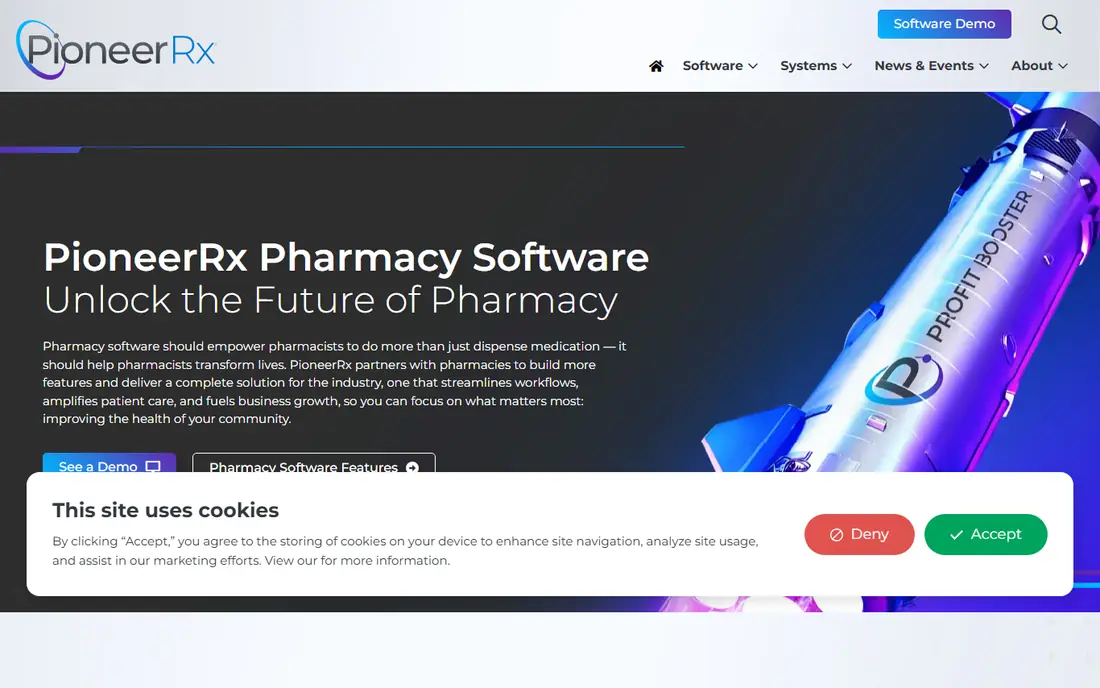
PioneerRx is often the first system independent pharmacies evaluate, and its installed base is part of the appeal. Peer users, shared workflows, and vendor training mean a new team is less likely to be solving common problems alone. Clinical tools cover medication synchronization, patient communication, and documentation for patient focused services, which matter as pharmacies add care services beyond dispensing.
The trade off is infrastructure. The system is traditionally Windows based and run on premises, so the pharmacy owns hardware and upkeep in a way cloud systems avoid. Pricing is quoted, so ask what modules, users, and support are included before comparing it with a lower headline price elsewhere.
- Deep clinical and patient care tools
- Large independent user community
- Medication sync support
- Quote based pricing
- Windows based on premises setup for many users
PrimeRx suits pharmacies that do more than standard retail dispensing. It covers claims, inventory, and patient profiles, with tools for specialty work and wholesaler price comparison that help buyers check costs before ordering. Mobile point of sale support, including delivery payment and remote signature capture, helps pharmacies that deliver or serve patients at the curb.
Buyers should check the full quote carefully. The reported starting price is a floor, not a total, and multi-location or advanced features can add cost. If your pharmacy spans retail, specialty, and delivery, that breadth may still beat buying separate tools.
- Broad specialty and workflow coverage
- Wholesaler price comparison
- Mobile point of sale tools
- Advanced features can raise total cost
- Starting price reports vary by source

BestRx appeals to independents that want a system staff can learn fast. The workflow keeps dispensing, claims, and point of sale in one place, which reduces the number of screens a pharmacist must check during a busy shift. For a small team, that simplicity can cut training time and daily friction.
The limit shows up in complex cases. Pharmacies with heavy specialty, compounding, or multi-site needs may find deeper tools in PioneerRx or PrimeRx. BestRx is best judged as a value pick for standard retail work, not as a full enterprise platform.
- Clear, simple workflow
- Lower reported starting price
- Point of sale included in the suite
- Less depth than larger suites for complex specialty work
- Support quality varies by report
Liberty Software centers the pharmacy day around workflow. Tasks, documents, inventory, and dispensing steps sit in a connected queue, so staff can see what needs action without hunting across modules. That structure helps teams that struggle with handoffs between intake, fill, verification, and pickup.
Pricing is quoted, and the interface is more functional than modern in look and feel. Teams that value clear queues and control over visual polish will like it. Teams that want a cloud native, consumer style interface should test it side by side with a newer system before deciding.
- Strong workflow and task management
- Document handling
- Integrated inventory tools
- Quote based pricing
- Interface feels dated to some users
Rx30 is a long standing pharmacy management system that pairs dispensing with point of sale, so sales, claims, and inventory stay linked. That unity helps at the till, where staff can check patient profiles, process payments, and manage inventory without switching systems. It also scales from a single store toward multi-store work.
Migration is the main risk. Moving patient history, inventory, and payer data takes care, and the quote should spell out training and data conversion. For a growing independent that wants one vendor for dispensing and retail, Rx30 deserves a demo with real workflow scenarios.
- Dispensing plus point of sale in one system
- Scalability for growing pharmacies
- Long market presence
- Quote based pricing
- Setup and migration take planning
Datascan earns strong marks in public reviews for feature satisfaction and support, which matters during a system change. It covers core dispensing, claims, and inventory, with workflow options that suit independents that do not want to be tied to a wholesaler owned system. That independence can be a real advantage when negotiating supply terms.
The smaller public footprint means fewer peer references in some regions, so ask for references from pharmacies of similar size and specialty. Pricing is quoted, and the demo should cover your exact payer mix and delivery workflow.
- High reviewer satisfaction for support and features
- Flexible workflow options
- Independent vendor position
- Quote based pricing
- Smaller public footprint than the largest rivals
Computer-Rx suits independents that value stability over novelty. It automates prescription processing, billing, and inventory in a workflow that long time users know well, which reduces retraining for staff who have used similar systems. For a pharmacy that wants predictable operation rather than frequent interface change, that steadiness counts.
Buyers should still check how it handles newer needs, such as patient messaging, delivery tracking, and clinical documentation. If those services are central to your growth plan, compare its current modules with PioneerRx and PrimeRx before signing.
- Decades of pharmacy focus
- Steady workflow automation
- Billing and inventory tools
- Quote based pricing
- Less modern cloud positioning than newer rivals
EnterpriseRx is the enterprise end of this list. It is built for chains, health systems, and large operations that need central control, high volume dispensing, and consistent workflows across many sites. Supply and distribution links through McKesson add value for large buyers that already work in that ecosystem.
For a single independent, it is usually more system than needed, and pricing reflects that scale. It belongs on the shortlist only when central reporting, multi-site control, and high volume throughput are core requirements, not nice extras.
- Built for large scale and central control
- Deep enterprise tooling
- McKesson supply links
- Quote based pricing
- Too large and costly for most single independents
How we picked these
We compared official vendor pages, third party pricing reports, and public review sites for systems that are live and sold to US pharmacies in October 2026. We kept systems with real dispensing, claims, and inventory functions, and we favored tools with a clear independent pharmacy presence plus one enterprise option for scale. We did not include patient facing medicine apps, since this topic is about pharmacy operations software.
What to check before you buy pharmacy software
Start with your payer and workflow mix. A system that handles your top payers, prior authorization steps, and delivery process well will save more time than a system with a longer feature list that misses those basics. Ask each vendor to walk through a full prescription journey, from intake and adjudication to fill, verification, pickup, and delivery, using cases like yours.
Check claims, inventory, and point of sale together
Dispensing speed means little if claims reject often or inventory counts drift. Test how the system flags drug interactions, manages partial fills, tracks controlled substances under your state rules, and syncs point of sale stock. Confirm who owns data migration, how long it takes, and what happens to patient history if you leave.
Price the whole system
Most vendors quote rather than publish prices, so compare like with like. Ask for a written quote that lists users, locations, modules, point of sale hardware, support hours, training, and data conversion. Check contract length, renewal terms, and fees for extra users or sites, since those can change the yearly total fast.
Test support when it matters
Pharmacy problems do not wait for business hours. Ask about support hours, response times, and after hours cover, and speak to two current users of similar size. A system with strong features and weak support will cost you more in delayed fills and frustrated patients than a simpler system with fast help.
Frequently asked questions
What is the best pharmacy software system?
There is no single winner for every pharmacy. PioneerRx suits independents that want the most widely used system, PrimeRx suits pharmacies spanning specialties, and BestRx suits smaller teams that prize simplicity. Shortlist two systems and demo them with your own payer and workflow cases.
How much does pharmacy software cost?
Most leading systems are quote based, so prices vary by users, locations, and modules. Third party reports put PrimeRx and BestRx starting prices near $150 per month, while PioneerRx and enterprise systems are quoted higher. Get a written quote for your exact setup.
What is the best pharmacy app for independents?
For independent pharmacy operations, the choice is usually a full management system such as PioneerRx, PrimeRx, BestRx, or Liberty, not a patient app. Patient apps help with refills and reminders, but they do not replace dispensing, claims, and inventory control.
Can pharmacy software handle delivery and point of sale?
Yes, several systems in this guide include point of sale and delivery tools, including mobile payment and signature capture. Check whether delivery tracking, payment, and inventory updates happen in the same system or need a separate tool.
How long does it take to switch pharmacy software?
Switching time varies by data size and training needs, but plan for weeks, not days. Data migration, payer testing, staff training, and a parallel run period all take time, so agree on a timeline and a rollback plan with the vendor before you start.
Sources
- https://www.pioneerrx.com
- https://www.primerx.com
- https://www.bestrx.com
- https://www.libertysoftware.com
- https://www.rx30.com
- https://www.datascanpharmacy.com
- https://www.computer-rx.com
- https://www.mckesson.com
- https://rankite.com/blog/best-pharmacy-software
- https://tech.co/pos-system/best-pharmacy-pos-system
See where you really rank - block by block
ProMapRanker scans Google Maps across a grid of your service area. Simple monthly plans from $19, white-label on every plan.
Start freeKeep reading
 zscaler alternatives
Best Zscaler Alternatives in 2026
Looking for zscaler alternatives? We compare 9 SASE and zero trust platforms on architecture, data protection, pricing, and fit for your network and team.
Read → zapier alternatives free
Best Zapier Alternatives Free in 2026
Nine automation tools for zapier alternatives free in 2026, all with genuinely free tiers, plus free plan limits, starting prices and upgrade paths explained.
Read → which platform is best for online reputation
Which Platform Is Best for Online Reputation in 2026
Wondering which platform is best for online reputation? We compare 8 review, listing, and response tools for small and multi-location businesses and agencies.
Read →