 ProMapRanker
Best Personalized Learning Platform for Teachers in 2026


Free courses and practice for a whole class · Pricing starts at: Free
Key takeaways
- Khan Academy is the strongest free starting point for teachers, with full courses, practice, and a class dashboard at no cost.
- IXL gives the broadest skill-by-skill practice and diagnostics, but it is a paid product for full classroom use.
- DreamBox adapts lesson by lesson in math, which suits teachers who want the next task chosen for each student.
- Nearpod fits live and self-paced lessons with built-in checks for understanding, rather than long adaptive pathways.
- Check each vendor privacy policy and your district rules before assigning any tool, since student data handling varies.
Quick comparison
| Pick | Great for | Pricing starts at | Free tier | |
|---|---|---|---|---|
| Khan Academy | Free courses and practice for a whole class | Free | Yes | Visit |
 IXL | Skill practice and diagnostics across subjects | $9.95 per month | No | Visit |
 DreamBox | Adaptive math lessons that adjust per student | See website | No | Visit |
 Nearpod | Interactive live and self-paced lessons | Free | Yes | Visit |
 Freckle | Differentiated practice in core subjects | Free | Yes | Visit |
 Prodigy | Game-based math and English practice | Free | Yes | Visit |
 SplashLearn | Game-based elementary math and reading | See website | Yes | Visit |
 Zearn | Classroom math lessons with built-in support | Free | Yes | Visit |
The best personalized learning platforms for teachers
Personalized here means the work changes with the student, not just that students work at their own pace. We compared official feature pages, pricing pages, privacy policies, app store listings, and public reviews, and we avoided any claim that a tool guarantees a test score gain.
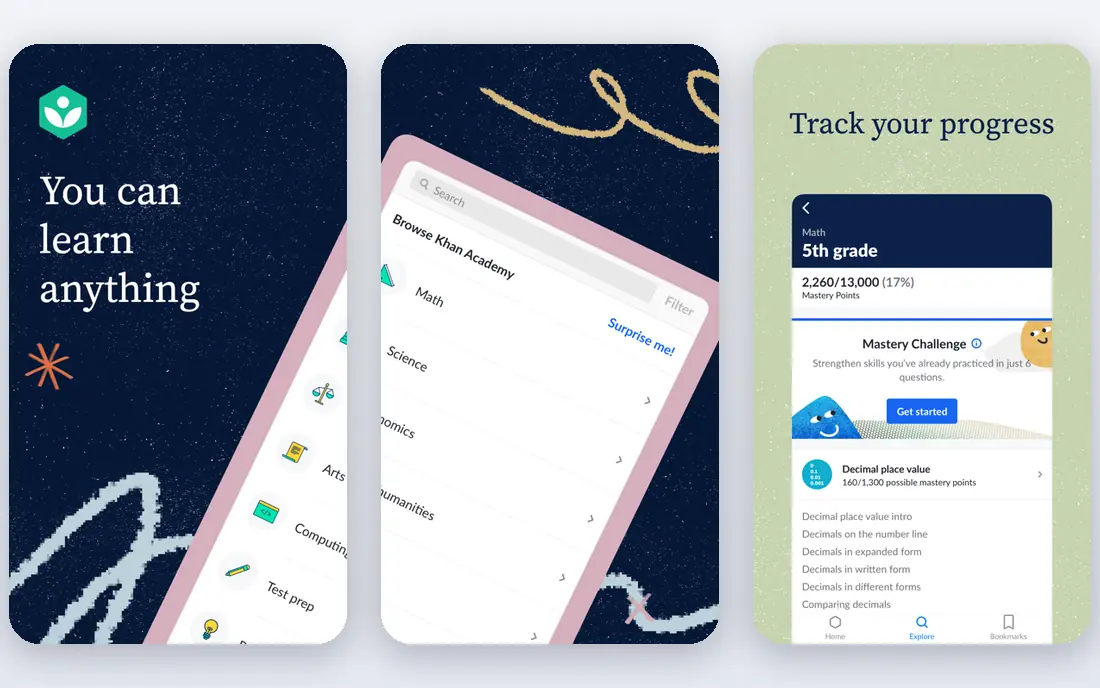
Khan Academy remains the most useful free tool a teacher can adopt without a purchase order. Students watch short lessons, practice skills until they show mastery, and teachers see progress by student and by skill on one dashboard. Courses cover math from early grades through calculus, plus science, computing, history, and test preparation.
The trade is engagement style. Khan Academy is calm and structured, which suits focused practice but may not excite a student who responds to games. It also asks teachers to set up classes, assign work, and review reports, so the first weeks need planning. For a no-cost, district-friendly core tool, it is hard to beat.
- Full courses in math, science, and more at no cost
- Teacher dashboard shows mastery by skill
- No ads in the core learning experience
- Less game-based motivation than some rivals
- Teacher setup takes time for large classes
- Some subjects are deeper than others
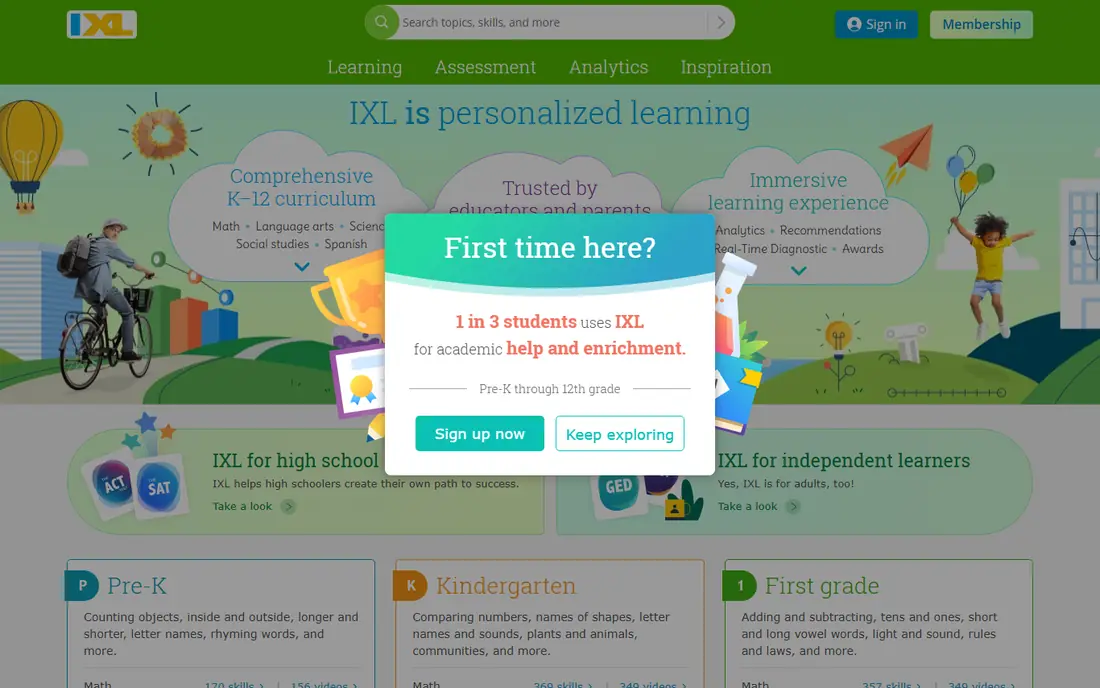
IXL organizes learning into thousands of small, standards-aligned skills, each with its own practice set. Teachers can assign a skill, run a diagnostic to find gaps, and track progress in real time. Coverage spans math, language arts, science, and social studies, which makes it a single practice tool across a school day.
The honest catch is cost and feel. Family plans list from $9.95 per month for one subject for one child, and school pricing is quoted separately, so budget before you promise it to a class. The format is practice-heavy, and some students tire of it without a teacher framing the purpose. For precise gap-finding and steady practice, IXL is the most thorough option here.
- Very broad skill library from pre-K through grade 12
- Diagnostic tool pinpoints skill levels
- Detailed reports for teachers and parents
- Full access is paid, with limited free practice
- Repetitive format can feel like drill
- Family pricing differs from school pricing
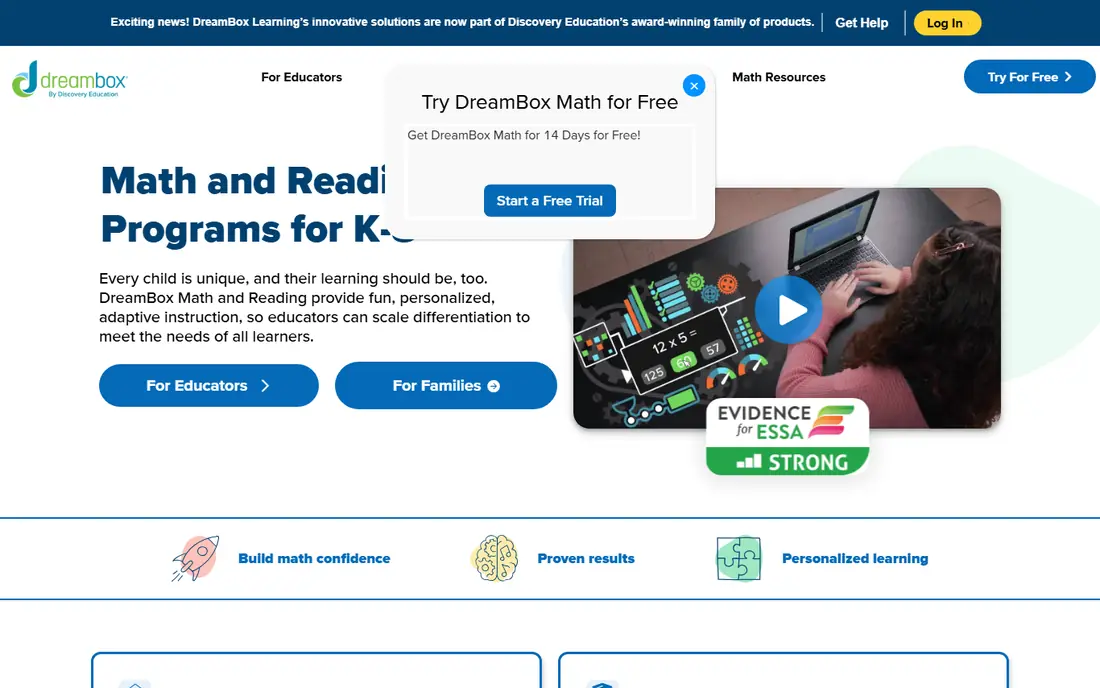
DreamBox adjusts the next lesson based on how a student answers, not just on a test given weeks earlier. That lesson-by-lesson adaptation is the point of the product, and it suits math classrooms where students sit at very different levels. Teachers get reports on progress, growth, and where students get stuck, which helps with small-group planning.
DreamBox is a math tool first, so teachers who need reading or science personalization will need another product beside it. Pricing for schools is handled through quotes, and home subscriptions are paid, so confirm the current price on the vendor site before budgeting. For adaptive math alone, it is the strongest specialist here.
- Lessons adapt in real time to student responses
- Covers kindergarten through grade 8 math
- Teacher reports show growth and struggle points
- Math only in the core product
- School and home pricing is quoted, not simple
- Needs regular use to show its value
Nearpod is best understood as a lesson delivery tool with personalization built into the session, rather than a long adaptive curriculum. Teachers build or borrow a lesson, add polls, quizzes, videos, and collaborative boards, and watch answers arrive in real time. Students can join live or work through the same lesson at their own pace, and teachers can redirect a struggling student on the spot.
The free plan covers core features with limits, and paid individual plans list from $159 per year for Gold in third-party pricing summaries, so check the current vendor page. Nearpod will not replace a full adaptive math program, but for making any lesson responsive to student answers, it is the most flexible tool here.
- Turns lessons into interactive, checkable sessions
- Works live or at student pace
- Large library of ready-made lessons
- Free plan limits lesson and storage amounts
- Personalization is lesson-level, not deep adaptive pathways
- Needs reliable internet for live use
Freckle, from Renaissance, gives each student practice at a level matched to their current performance, across math, English language arts, science, and social studies. Teachers can assign work to the whole class and let the system adjust difficulty, or target a group that needs the same skill. That automatic leveling saves the manual sorting that eats teacher time.
The product feels less polished than Khan Academy or DreamBox, and math is stronger than some other subjects. A free teacher version exists, with school plans adding more reporting and rostering. For a teacher who wants differentiated practice across several subjects without buying four tools, Freckle is a practical compromise.
- Automatically adjusts practice level by subject
- Covers math, English, science, and social studies
- Teacher dashboard groups students by level
- Interface feels dated beside newer rivals
- Depth varies by subject
- Some advanced features need a paid school plan
Prodigy wraps standards-aligned math and English questions inside a fantasy game where correct answers drive progress. Teachers set assessments, assign skills, and watch results on a dashboard, while students see a game rather than a worksheet. That framing helps with students who avoid practice, and the core curriculum content is free.
Teachers should know the commercial layer. Memberships, listed from $9.95 per month or $58.95 per year for families in recent summaries, add game enhancements and science content, and students will ask about them. Set clear classroom rules about memberships and keep the focus on the free curriculum content. Used that way, Prodigy is a strong motivator for practice.
- Core math and English content is free for teachers
- Game format motivates reluctant practicers
- Teacher dashboard tracks standards-aligned skills
- Paid membership adds game extras that students notice
- Game layer can distract from the math
- Science content sits behind membership
SplashLearn offers adaptive, game-based practice in math and reading for younger students, from pre-K through grade 5. Teachers can use it free in the classroom, assign skills, and follow progress reports, while the adaptive engine adjusts difficulty as a child answers. The visual, game-led format suits early elementary students well.
The limits are age range and home cost. Older students age out of the content, and family subscriptions are paid, with prices that vary by billing period, so check the vendor page for current figures. For a primary classroom that wants playful, adaptive practice, SplashLearn is a good fit, especially beside a calmer tool like Khan Academy.
- Adaptive games for pre-K through grade 5
- Classroom use is free for teachers
- Parent and teacher reports show skill progress
- Home pricing is paid and varies by plan
- Range stops at grade 5
- Game rewards can overshadow learning for some children
Zearn is a nonprofit math program built around short video lessons, visual models, and guided practice, with help built in when a student struggles. Teachers assign the same concepts students meet in class, and the digital lessons adapt with hints and support rather than simply marking answers wrong. That lesson-first design sets it apart from pure practice tools.
Zearn covers math only, and its student experience is web-based, which matters for classrooms that rely on tablets or phones. Instructional content is free, while school accounts add premium features for a fee. For a teacher who wants personalization inside real math teaching, not just extra practice, Zearn is a strong, low-cost choice.
- Full math lessons, not just practice sets
- Instructional content is free
- Built-in help and feedback when students get stuck
- Math only, kindergarten through grade 8
- Web-based with no mobile apps for students
- Paid school accounts add premium features
How we picked these
We compared official feature pages, pricing pages, privacy policies, app store listings, and public reviews, and we favored tools teachers can actually assign to a class, with a dashboard and standards-aligned content. We did not repeat vendor efficacy claims as fact, and we noted where pricing is quoted for schools rather than published. Student-data privacy matters here, so check each vendor policy and your district agreement before rostering a class.
What teachers should check before assigning a tool
Start with the data question, not the demo. Confirm what student data the tool collects, how long it keeps it, whether it sells or shares data for advertising, and whether your district has an agreement in place. Free for teachers does not always mean free of data trade-offs, and a tool that needs full names and birthdates deserves more scrutiny than one that works with class codes.
Next, run a small pilot with one class and one skill. Watch whether the reports actually change your next lesson, whether students can log in without help, and whether the tool fits your internet and device limits. A tool that looks adaptive in a demo but gives you reports you never open is not personalizing anything. Pick the tool whose reports you will use every week.
Frequently asked questions
What is the best free personalized learning platform for teachers?
Khan Academy is the best free starting point, because its courses, practice, and teacher dashboard cost nothing and cover many subjects. Zearn is also free for its instructional math content, and Freckle, Prodigy, and SplashLearn offer free teacher access with paid extras. Start free, then pay only for a gap the free tools leave.
How is personalized learning different from self-paced learning?
Self-paced learning lets students move at their own speed through the same material. Personalized learning changes the material itself based on performance, so a struggling student gets support and a strong student gets harder work. Tools like DreamBox and IXL diagnostics aim for that second kind of change.
Do these platforms protect student privacy?
Privacy handling varies by vendor, and teachers should read the privacy policy and check district agreements before use. Look for clear statements on data collection, retention, advertising, and parental consent for younger students. When in doubt, use class codes or district rostering rather than personal student accounts.
Can I use these tools without a school purchase?
Yes, in many cases. Khan Academy and Zearn instructional content are free, and several others offer free teacher plans. IXL and DreamBox full classroom use are paid or quoted for schools, so confirm pricing with the vendor or your district before planning a full rollout.
Will personalized platforms replace teacher instruction?
No, and the best tools do not claim to. They handle practice, gap-finding, and reporting, while teachers handle explanation, discussion, motivation, and the judgment calls a dashboard cannot make. Use the reports to plan small groups, not to hand the lesson over entirely.
Which tool is best for math personalization specifically?
DreamBox offers the most lesson-by-lesson math adaptation, Zearn offers lesson-first math teaching with built-in support, and IXL offers the broadest math skill practice with diagnostics. Choose DreamBox for adaptation, Zearn for teaching, and IXL for gap-finding across many skills.
Sources
See where you really rank - block by block
ProMapRanker scans Google Maps across a grid of your service area. Simple monthly plans from $19, white-label on every plan.
Start freeKeep reading
 worlds best local seo company
8 Worlds Best Local SEO Companies for Map Pack Growth in 2026
Compare the worlds best local seo company options for Google Business Profile work, citations, reviews, and multi-location rankings and reporting in 2026.
Read → world's best web hosting company
World's Best Web Hosting Company in 2026
Searching for the world's best web hosting company? We compared 10 hosts on price, renewal rates, speed, and support to help you choose well today in 2026.
Read → who's got the best nanny tax services
Who's Got the Best Nanny Tax Services in 2026
We answer who's got the best nanny tax services, comparing full filing, back taxes, software, and pricing so families can handle nanny taxes correctly.
Read →