 ProMapRanker
Best Personal Financial Management Software in 2026


Complete household dashboard · Pricing starts at: $99.99 per year
Key takeaways
- Monarch Money is our pick for most households that want budgeting, net worth and investments in one dashboard, at $99.99 per year in listings we checked.
- YNAB suits households that want a hands-on budgeting method, at $109 per year after a 34-day trial in listings we checked.
- Quicken Simplifi is the cheapest capable all-rounder in this list, with a first-year price near $47.88 in listings, then a higher renewal price to confirm.
- Empower offers a free net worth and investment dashboard, while Goodbudget offers a free envelope budgeting tier for manual entry.
- This article is general information only, not financial advice, and no tool here promises returns or savings results.
Quick comparison
| Pick | Great for | Pricing starts at | Free tier | |
|---|---|---|---|---|
| Monarch Money | Complete household dashboard | $99.99 per year | Free trial | Visit |
 YNAB | Hands-on zero-based budgeting | $109 per year | Free trial | Visit |
 Quicken Simplifi | Affordable all-rounder | $47.88 first year | Free trial | Visit |
 Quicken Classic | Desktop finance with deep history | See website | Free trial | Visit |
 Copilot Money | Apple users who value design | $95 per year | Free trial | Visit |
 Empower Personal Dashboard | Free net worth and investments | Free | Yes | Visit |
 PocketSmith | Cash-flow forecasting | See website | Free trial | Visit |
 Tiller | Spreadsheet-based money tracking | See website | Free trial | Visit |
 Goodbudget | Envelope budgeting | Free | Yes | Visit |
The best personal financial management software
Personal financial management software pulls bank, card, loan and investment accounts into one view, then helps households budget, track bills and watch net worth. The tools below differ in method, price and platform, so pick by how you actually manage money week to week.
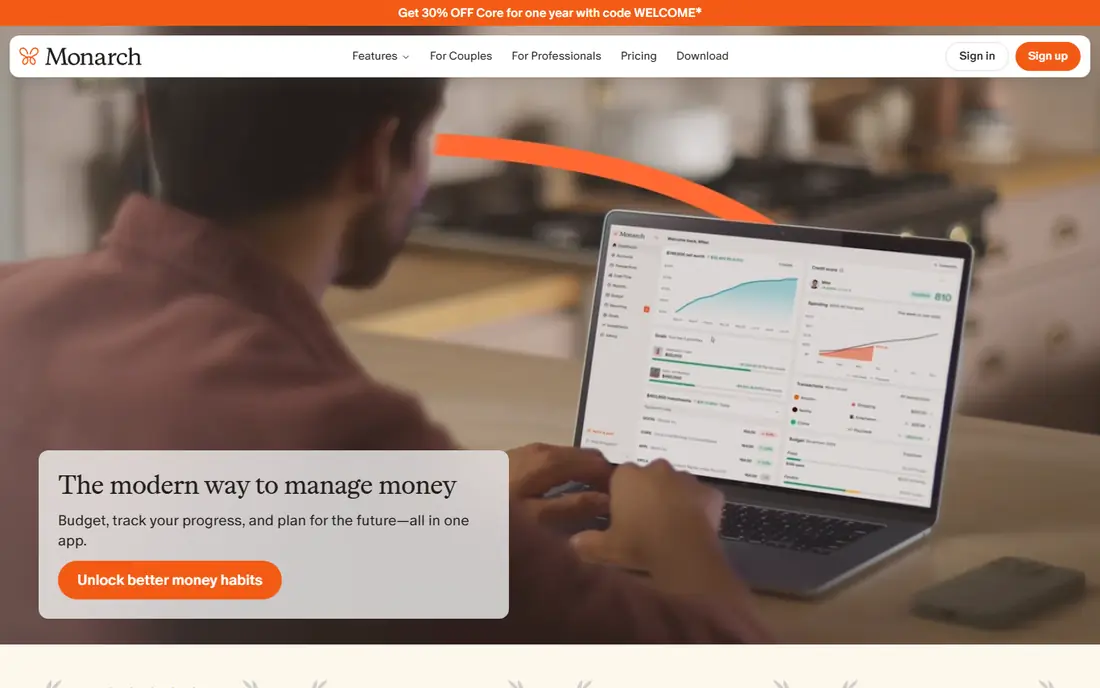
Monarch Money is the closest thing in this list to a complete household money dashboard. It links bank, card, loan and investment accounts, then shows budgeting, cash flow, net worth and investment holdings in one place. Partner sharing and shared views help two-adult households separate shared spending from personal spending without separate subscriptions for each person. The price is the main barrier. Listings we checked put Monarch at $14.99 per month or $99.99 per year, with only a 7-day trial and no free tier. Households that only want a simple budget may find Monarch more than they need, and the short trial means a decision should be made quickly. For households that want one dashboard for budgeting, net worth and investments, Monarch is our pick for most people.
- Budgeting, net worth and investments in one place
- Partner sharing and shared views
- Clear reports across accounts
- No free tier beyond a 7-day trial
- Price is higher than Simplifi
- Can feel like more than a simple budget tracker needs
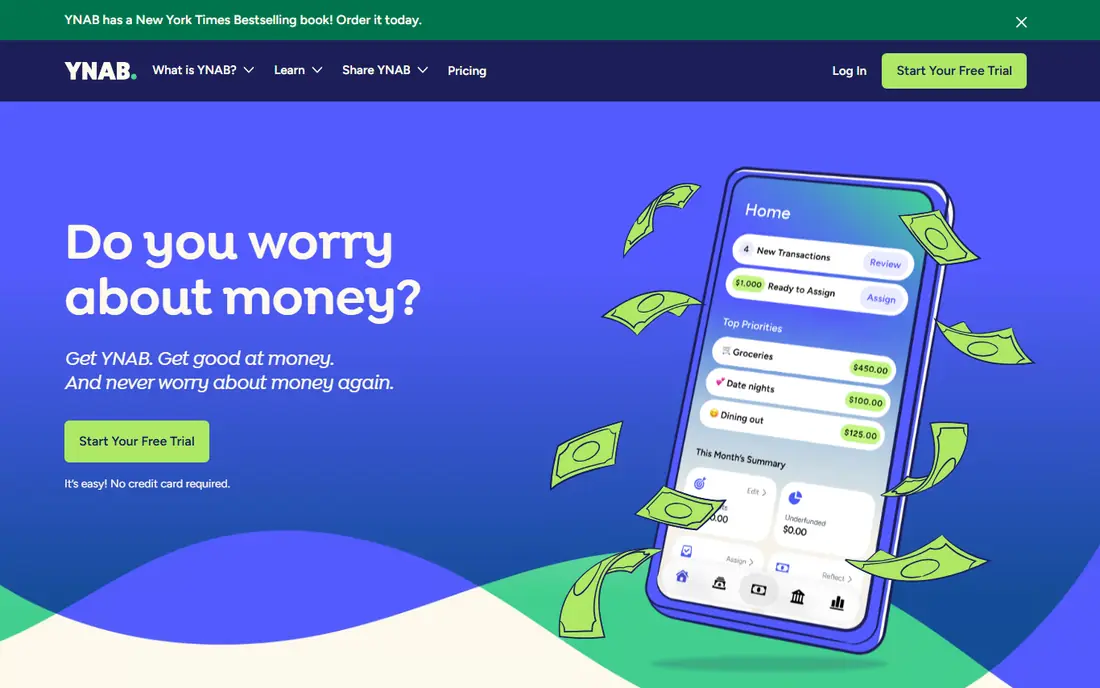
YNAB, short for You Need A Budget, is built around zero-based budgeting: every dollar you have gets a job before the month begins, then you adjust as reality changes. That method, plus free workshops and guides, helps households that want to change spending habits rather than just watch spending after it happens. The app supports bank sync, goal tracking and reports, and its sharing option lets several people use one subscription in guides we checked. Households that stick with the method often say it changes how they think about money, though that claim depends on use, not on the app alone.
Listings we checked put YNAB at $14.99 per month or $109 per year, after a 34-day trial, with no free tier. The method also takes a few weeks to click, and households that only glance at a dashboard once a week may not get value from it. For households ready to work in a budget regularly, YNAB is the best method-driven tool in this list.
- Clear zero-based method with workshops
- Assigns every dollar a job
- Sharing for up to several people on one plan in guides
- Higher price than many rivals
- Method takes weeks to learn
- Overkill for households that only want tracking

Quicken Simplifi focuses on a personalized spending plan rather than rigid categories. It watches bills and expected income, then shows how much is left to spend safely, with cash-flow projections that look ahead rather than only reporting past spending.Listings we checked put Simplifi at $3.99 per month billed annually in the first year, or $47.88 for that year, with a trial and no free tier.
The pricing needs care, since later guides put the renewal price near $6.99 per month billed annually, or $71.88 per year in some roundups, so buyers should confirm the renewal price before subscribing. Simplifi also offers less envelope or zero-based structure than YNAB or Goodbudget. For households that want a capable, low-cost dashboard with forecasting, Simplifi is the best value pick here, provided the renewal price is acceptable.
- Personalized spending plan
- Cash-flow forecasting
- Low first-year price in listings
- Renewal price is higher than the first-year price
- No free tier beyond a trial
- Less zero-based structure than YNAB
Quicken Classic is the desktop personal finance product many US households have used for years. It covers bank, card, loan and investment accounts, bill tracking, budgeting and reports, with depth that suits households with long financial histories, rental properties or complex investment accounts.Quicken's long presence means many banks and brokerages support its account connections.
Pricing varies by edition, including Starter, Deluxe, Premier and Home and Business tiers in the wider Quicken range, so buyers should compare editions on the vendor site rather than assuming one price covers every feature. Mobile-first users may also prefer Simplifi or Monarch for a cleaner phone experience. For households that want desktop depth and a long track record, Quicken Classic remains a solid choice.
- Long history in personal finance
- Desktop depth for accounts, bills and investments
- Data stays in a familiar desktop product
- Pricing varies by edition
- Desktop focus suits fewer mobile-first users
- Learning curve for new users
Copilot Money is built for Apple users who care about design and clarity. It links accounts, tracks spending, budgets and net worth, and presents results in a clean interface on iPhone, iPad and Mac. Smart categorization, custom categories and reports help households see where money goes without wading through cluttered menus. Its one-month trial gives new users time to test account links and daily use before paying.
Listings we checked put Copilot at $13 per month or $95 per year, with no free tier beyond the trial. The hard limit is platform: there is no Android app, so households with any Android user cannot use it together. For Apple-only households that want a well-designed tracker, Copilot is a strong pick. For mixed-device households, Monarch or Simplifi fit better.
- Polished design for Apple devices
- Clear spending, net worth and investment views
- Smart categorization and reports
- Apple devices only, with no Android app
- No free tier beyond a trial
- Price is higher than Simplifi
Empower Personal Dashboard, formerly Personal Capital, offers a free dashboard for net worth, investments and cash flow. Users link bank, card, loan and investment accounts to see total net worth, asset allocation and retirement projections in one place. That free view suits households that mainly want investment oversight and a net worth check, without paying for a full budgeting app. Cash-flow views also help users see income and spending trends over time.
Budgeting in Empower is thinner than in Monarch, YNAB or Simplifi, so households that need a strict monthly budget should pair it with another tool or choose a budgeting-first app. Empower also offers paid wealth management services separately, which is a different product from the free dashboard. For free net worth and investment tracking, Empower is the best no-cost pick in this list.
- Free dashboard for net worth and investments
- Account aggregation across banks and brokerages
- Retirement and cash-flow views
- Budgeting is thinner than Monarch or YNAB
- Wealth management upsell appears in the wider Empower business
- Not a full budgeting method
PocketSmith stands out for cash-flow forecasting. Users can project account balances to future dates on a calendar, see when bills and income land, and test how a large purchase or income change would affect balances over months. That forward view helps freelancers, households with irregular income and anyone planning around known bills. Multi-currency support also helps users with accounts in more than one currency, though feed coverage varies by country and bank.
Pricing is plan-based and should be confirmed on the vendor site, since PocketSmith offers several tiers with different forecast horizons and features. Bank feed coverage in the US should also be checked for each account before subscribing, since feeds are the weak point of many finance tools. For households that plan by cash-flow dates rather than monthly categories, PocketSmith is a distinctive and useful pick.
- Strong cash-flow forecasts to future dates
- Calendar view of bills and income
- Multi-currency support for some users
- Pricing varies by plan and needs confirmation
- Bank feed coverage varies by country
- Interface takes time to learn
Tiller feeds bank and card transactions into Google Sheets or Excel each day, so users can build their own budgets, reports and net worth sheets on a spreadsheet they control. That control appeals to households that already live in spreadsheets and want custom categories, formulas and charts without giving up automation.For spreadsheet fans, Tiller offers flexibility that closed apps cannot match.
The trade-off is effort and polish. Tiller needs spreadsheet comfort, and it does not offer a polished mobile budgeting app in the same way as Monarch or Copilot. Pricing should be confirmed on the vendor site, since Tiller has used subscription pricing with a trial. For households that want their money data in a spreadsheet they own and shape, Tiller is the best spreadsheet-based pick here.
- Daily transactions in Google Sheets or Excel
- Full control over categories and reports
- Templates for budgets and net worth
- Needs comfort with spreadsheets
- No polished mobile app like Monarch
- Pricing needs confirmation on the vendor site
Goodbudget brings envelope budgeting to phones and the web. Users divide money into digital envelopes for rent, food, transport and other categories, then spend from each envelope until it is empty. The free tier covers 20 envelopes in listings we checked, with shared envelopes for households, while the Plus plan was listed at $10 per month or $80 per year for unlimited envelopes and more devices. That method suits households that want spending limits they can see clearly, without linking every bank account.
Manual entry is the main cost of the free tier, since users log purchases by hand unless they pay for bank sync where available. Households that will not enter purchases manually will find Goodbudget slow, while households that value the discipline of manual entry will see it as a feature. For free envelope budgeting, especially for couples, Goodbudget is the best no-cost method pick in this list.
- Free tier with 20 envelopes
- Shared envelopes for households
- Simple envelope method without bank links by default
- Free tier limits envelopes and devices in guides
- Manual entry for most free use
- Bank sync needs a paid plan in many cases
How we picked these
We compared official product pages, pricing pages and recent personal finance comparisons for software that is live and supported in October 2026. We favored tools with a clear personal finance purpose: account aggregation, budgeting, bill tracking, net worth or cash-flow forecasting for households. We checked prices where vendors publish them and wrote See website where pricing varies by edition or could not be verified. We did not claim hands-on testing, and we did not invent prices, savings claims or returns. This article is general information only, not financial advice, and no tool here promises investment returns or savings outcomes.
What to check before you choose
Start with your money method, not the feature list. Zero-based budgeting, envelope budgeting, spending-plan forecasting and net worth tracking are different habits, and each favors a different tool in this list. If you will not work in a budget weekly, a method-heavy tool such as YNAB will feel like a chore, while a dashboard such as Monarch or Empower may suit you better. If you love spreadsheets, Tiller will beat a closed app, however polished that app may be.
Next, test bank and investment links with your own accounts. Aggregation is the weak point of many finance tools, since a bank that does not sync cleanly will force manual entry and kill the habit. Use a trial to link every account you actually use, check that transactions categorize sensibly, and confirm that bill reminders and forecasts use real dates. Also check security basics: sign-in protection, how account credentials are handled by the aggregation provider, and how to disconnect an account.
Finally, confirm total price and renewal terms. Several tools in this list use first-year deals, trials of different lengths, or edition pricing, so the price you see on day one may not be the price in year two. Write down the monthly and annual price, the trial length, what happens to your data if you cancel, and whether a partner or family member can share the plan at no extra cost. Choose the tool you will still open in three months, not the tool with the longest feature list on day one.
Frequently asked questions
What is the best financial management software for personal use?
Monarch Money is our pick for most households that want budgeting, net worth and investments in one dashboard. YNAB suits hands-on budgeters, Simplifi suits value seekers, and Empower suits free net worth tracking. The best personal tool depends on method, devices and if you will use it weekly.
What is the best personal financial management software for couples?
Monarch Money suits couples with shared views and a partner login, while Goodbudget suits couples who prefer shared envelopes on a free tier. YNAB sharing also helps households that use one subscription together. Check sharing rules, device limits and bank sync for both partners before subscribing.
Is personal financial management software safe?
Reputable tools use bank-level security practices and aggregation providers, but no tool removes all risk. Use strong sign-in protection, review linked accounts regularly, and disconnect accounts you no longer use. Read the vendor security and privacy pages, and avoid sharing login details outside the official app or site.
Can personal financial management software replace a financial adviser?
No. These tools organize accounts, budgets and forecasts, but they do not give personal financial advice tailored to your situation. This article is general information only, not financial advice. For tax, retirement, debt or investment decisions, consider a qualified adviser who can review your full situation.
How much does personal financial management software cost?
Costs range from free for Empower and Goodbudget basic tiers, to $47.88 in the first year for Simplifi in listings, to $95 per year for Copilot, $99.99 per year for Monarch and $109 per year for YNAB. Confirm renewal prices, since first-year deals differ from later years.
What happened to Mint?
Intuit shut Mint down on March 23, 2024 and pointed users to Credit Karma, which lacks most of Mint budgeting features. Former Mint users in this list most often move to Monarch Money for dashboard parity, Simplifi for value, or YNAB for a stricter budgeting method. Export any saved Mint data you still hold before choosing a replacement.
Sources
See where you really rank - block by block
ProMapRanker scans Google Maps across a grid of your service area. Simple monthly plans from $19, white-label on every plan.
Start freeKeep reading
 zoro.to alternatives
Best Zoro.to Alternatives in 2026
We compare the best zoro.to alternatives in 2026, listing only legal licensed anime streaming services, from Crunchyroll to free options for fans today.
Read → zip alternatives
Best Zip Alternatives in 2026
We compare the best zip alternatives for buy now, pay later in 2026, covering pay-in-4 plans, fees, spending limits, and credit reporting options today.
Read → yesware alternatives
Best Yesware Alternatives in 2026
Compare the best yesware alternatives for sales email tracking, templates, and sequences, with current pricing and honest tradeoffs for small sales teams.
Read →