 ProMapRanker
Best Peer to Peer Payment Apps in 2026

Key takeaways
- Venmo suits social splitting, Cash App suits all in one money use, and Zelle suits fast bank to bank transfers with no app balance.
- Standard transfers are usually free, while instant transfers and credit card funded sends carry fees that vary by app.
- The app your friends and family already use often matters more than a small fee difference, since a transfer needs both sides on the same system.
- Peer payments are hard to reverse, so double check the recipient, amount, and note before you send, especially for large amounts.
- This is not financial advice. Fees, limits, and protections vary by app and account type, so check the app terms before you send.
Quick comparison
| Pick | Great for | Pricing starts at | Free tier | |
|---|---|---|---|---|
 Venmo | Splitting bills with friends | Free | Yes | Visit |
 Cash App | Payments plus banking and investing in one app | Free | Yes | Visit |
 PayPal | Widest acceptance for peer and online payments | Free | Yes | Visit |
 Zelle | Fast transfers straight to a bank account | Free | Yes | Visit |
 Apple Cash | iPhone users sending money in Messages | Free | Yes | Visit |
 Wise | Peer transfers across borders | See website | Yes | Visit |
 Revolut | Multi currency payments for travelers | Free | Yes | Visit |
 Chime Pay Anyone | Chime users paying people without Chime | Free | Yes | Visit |
The best peer to peer payment apps
We compared mobile payment apps that let people send money to each other, on fees, speed, safety, and everyday use in the United States.

Venmo remains the default for many US social payments, from rent splits to dinner bills, because so many people already have it. Sending from a Venmo balance, bank account, or debit card is usually free, while credit card funded sends carry a 3 percent fee. Standard transfers to a bank take one to three business days, while Instant Transfer costs 1.75 percent, with a minimum and maximum fee.
The catch is that Venmo is mainly a US service, and its social feed needs privacy care. Set your transactions to private if you do not want friends to see payment notes, and double check usernames, since similar names are common. Venmo suits everyday social payments, and it is often the easiest pick when your group already uses it.
- Large US user base
- Social feed and splitting tools
- Easy username and QR payments
- Instant transfer fee
- Credit card sends cost extra
- US focused
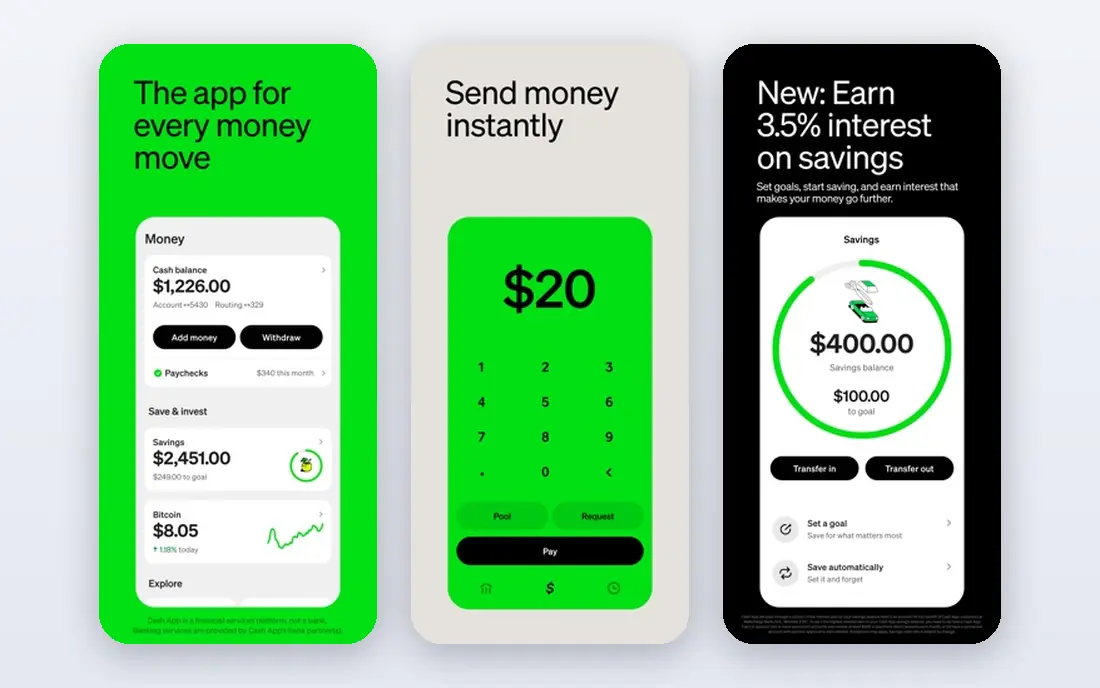
Cash App suits users who want payments plus more in one place, including a debit card, direct deposit, savings features, and stock and Bitcoin options. Sending money to another Cash App user is usually free with standard speed, while instant transfers to a bank carry a percent fee that varies by amount. Its $cashtag system makes it easy to pay someone without sharing a phone number or email.
The limit is safety habits. Cash App, like all peer apps, is a target for scams, and sent payments are hard to reverse. Only send to people you know and trust, and never send money to claim a prize, job, or rental. Cash App fits users who want an all in one money app, and who will use standard transfers to keep costs down.
- Free standard transfers
- $cashtag payments
- Debit card, savings, and investing options
- Instant transfer fees vary
- Support is app based
- Scams target popular payment apps

PayPal is the most widely accepted option here, with peer transfers, online checkout, and international sends in one account. Personal transfers funded by a PayPal balance or bank account are usually free in the US, while instant transfers to a bank cost 1.75 percent, with a minimum and maximum fee. Buyer protection applies to goods and services payments, not to friends and family sends, so choose the payment type with care.
The trade off is complexity. PayPal has many fee types, and sellers face goods fees, while holds can occur for new or high risk accounts. It suits users who send money abroad, shop online, and want one account for many payment types. For simple US friend payments, Venmo or Zelle may feel simpler.
- Works across devices and countries
- Friends and family transfers
- Buyer protection for goods
- Instant transfer fee
- Goods fees for sellers
- Account holds can occur
Zelle suits rent, large transfers, and payments where you want money in a bank account, not an app balance. It is built into many US bank and credit union apps, so many users can send with just an email or phone number, with no extra app to learn. Transfers to enrolled recipients usually arrive in minutes, with no consumer fee from Zelle itself, though bank account fees can still apply.
The catch is irreversibility. Zelle has no purchase protection, and a payment sent to the wrong person is very hard to recover, so banks warn users to send only to people they know and trust. Zelle also works only for US bank accounts, with no international option. It fits trusted, bank to bank payments where speed and no fee matter most.
- Usually no consumer fee
- Money goes to a bank account in minutes
- Built into many bank apps
- No standalone balance to hold funds
- US only
- Sent payments are hard to reverse
Apple Cash suits iPhone users who want to send money without opening a separate payment app. It works inside Messages and Wallet, letting you send to another Apple user, request money, and move funds to a bank account. Sends funded by a debit card are usually free, while credit card funded sends carry a fee, so a debit card or Apple Cash balance is the cheaper route.
The limit is platform. Both sender and recipient need Apple devices, so mixed iPhone and Android groups need another app. Apple Cash also focuses on US peer use, not broad international transfers. It fits families and friend groups that are all on iPhone, and who want payments inside the apps they already use daily.
- Built into iPhone and Messages
- Free with debit card
- Easy for Apple users
- Apple only
- Credit card sends carry a fee
- US focused
Wise suits peer transfers across borders, where Venmo and Zelle do not reach. It shows exchange rates and fees upfront for many routes, and it lets users hold and send in multiple currencies. That transparency helps when sending to family abroad, paying a friend in another country, or splitting costs on a trip.
The trade off is that Wise is not built for US social splitting, with feeds, groups, or bill split tools like Venmo. Fees vary by currency, route, and payment method, so check the quote for your exact transfer before you send. Wise fits international peer payments, travel money, and cross border family support, where rate clarity matters more than social features.
- Clear exchange rates and fees
- Multi currency balances
- Fast transfers on many routes
- Fees vary by route and amount
- Not a US social splitting app
Revolut suits travelers, expats, and multi currency users who want peer payments plus currency exchange in one app. Users can send money to other Revolut users, hold balances in several currencies, and use budgeting, savings, and card tools alongside payments. The free plan covers basic use, while paid plans raise limits and add travel and premium features.
The catch is plan limits. Free plan exchange and transfer limits, weekend exchange fees, and paid tier differences should be checked for your main currencies. Revolut fits users who travel, live across borders, or split costs in more than one currency, and who want one app for payments and travel money. For simple US only splits, Venmo or Zelle may be simpler.
- Multi currency balances
- Peer transfers inside Revolut
- Travel and budgeting tools
- Some features need a paid plan
- Exchange limits and fees vary by plan
Chime Pay Anyone suits Chime users who want to pay friends who do not bank with Chime. The sender uses the Chime app, while the recipient can claim funds with a phone number or email, without needing a Chime account. That design helps when a group mixes banks, and the sender already uses Chime for checking and direct deposit.
The limit is sender scope. You need a Chime account to send, so non Chime users cannot use it as a standalone peer app. Limits and claim steps should be checked in the app, since they vary by user and amount. Chime Pay Anyone fits Chime customers who want a simple way to pay anyone, without asking friends to join a new payment app.
- Send to anyone with a phone or email
- No Chime account needed for recipient
- Works inside Chime app
- Requires a Chime account to send
- Limits vary
- Not a standalone peer app for non Chime users
How we picked these
We compared official fee pages, help centers, and product documentation, and we kept only apps that work in October 2026 and truly fit peer to peer payments. We excluded tap to pay wallets with no peer send feature, and we kept a mix of US social apps, bank based transfers, and cross border options. Where fees varied by amount, route, or account type, we wrote See website rather than guessing a single rate.
How to send peer payments safely
Always confirm the recipient before you send. Check the username, $cashtag, phone number, or email character by character, and send a small test amount first for a large transfer to a new recipient. Peer payments are not like card purchases, since most apps offer no purchase protection for friends and family sends, and banks cannot always reverse a completed transfer.
Next, use the right payment type. Choose friends and family for a true personal payment, and goods and services when you buy from a seller and need protection. Avoid credit card funding when a free bank or balance option exists, and use standard transfer speed when you do not need instant funds. Finally, set privacy controls, turn on transaction alerts, and use strong device locks and two factor authentication, since a lost phone can mean lost funds on a payment app.
Scam checks that take ten seconds
Pause if a stranger asks for payment by a peer app, especially for a prize, job, rental, or crypto deal. Check the story outside the app, such as calling a known number for the person or firm, before you send. If a deal only works by peer payment and cannot use a protected checkout, treat that as a warning sign and walk away.
Frequently asked questions
What is the best peer to peer payment app?
Venmo is best for social splitting in the US, Cash App is best for an all in one money app, and Zelle is best for fast bank to bank transfers. PayPal suits international and online use, while Apple Cash suits iPhone only groups. The best pick often depends on which app your friends already use.
Are peer to peer payment apps free?
Standard transfers are usually free when funded by a bank account, debit card, or app balance. Instant transfers, credit card funded sends, and some cross border transfers carry fees. Check the fee shown before you confirm, since fees vary by app, amount, and payment method.
Is Zelle safer than Venmo or Cash App?
Zelle is safe for trusted bank to bank payments, since money goes straight to a bank account with no app balance. Venmo and Cash App offer more social and banking features, but all three peer payments are hard to reverse. Safety depends more on sending only to trusted people than on the app brand.
Can I send money internationally with these apps?
PayPal, Wise, and Revolut support international transfers, with fees and rates that vary by route. Venmo, Zelle, and Apple Cash focus mainly on US peer payments, so they are poor fits for most cross border sends. Check the destination country and currency in the app before you rely on it.
What happens if I send money to the wrong person?
Contact the app support at once, and ask the recipient to return the funds, but recovery is not guaranteed. Peer payments are often final once accepted, and banks cannot always reverse them. That is why a small test payment and a careful recipient check matter so much for large amounts.
Do peer payment apps work without a bank account?
Most need a bank account, debit card, or app balance to fund sends, though some allow a balance built from received payments. Zelle needs a US bank account, while Venmo, Cash App, and PayPal need a funding source for most sends. Check the app setup steps for your situation before you promise a payment.
Sources
See where you really rank - block by block
ProMapRanker scans Google Maps across a grid of your service area. Simple monthly plans from $19, white-label on every plan.
Start freeKeep reading
 zscaler alternatives
Best Zscaler Alternatives in 2026
Looking for zscaler alternatives? We compare 9 SASE and zero trust platforms on architecture, data protection, pricing, and fit for your network and team.
Read → zapier alternatives free
Best Zapier Alternatives Free in 2026
Nine automation tools for zapier alternatives free in 2026, all with genuinely free tiers, plus free plan limits, starting prices and upgrade paths explained.
Read → which platform is best for online reputation
Which Platform Is Best for Online Reputation in 2026
Wondering which platform is best for online reputation? We compare 8 review, listing, and response tools for small and multi-location businesses and agencies.
Read →