 ProMapRanker
Best PDF Creation Tool in 2026

Key takeaways
- Adobe Acrobat is the most complete PDF creation and editing tool, but it costs more than a browser tool.
- Smallpdf and iLovePDF are best for quick browser based creation, conversion and merging, with free tiers for occasional use.
- PDF24 and Sejda offer strong free options, with PDF24 providing a desktop app and Sejda offering a simple browser workflow.
- For sensitive documents, prefer a desktop tool or a browser tool that deletes files quickly, and avoid uploading private files unnecessarily.
- The best tool depends on volume. Occasional users can stay free, while daily users should pay for unlimited tasks and batch processing.
Quick comparison
| Pick | Great for | Pricing starts at | Free tier | |
|---|---|---|---|---|
 Adobe Acrobat Adobe Acrobat | Complete PDF editing | See website | No | Visit |
 Smallpdf Smallpdf | Quick browser tools | Free | Yes | Visit |
 iLovePDF iLovePDF | Browser conversion and merging | Free | Yes | Visit |
 PDF24 Creator PDF24 Creator | Free desktop creation | Free | Yes | Visit |
 Sejda Sejda | Simple browser editing | Free | Yes | Visit |
 Foxit PDF Editor Foxit PDF Editor | Business Acrobat alternative | See website | No | Visit |
 PDFelement PDFelement | Value desktop editing | See website | No | Visit |
 PDFgear PDFgear | Free full editing | Free | Yes | Visit |
The best PDF creation tools
We compared the best PDF creation tools on creation, conversion, editing, merging, signing, OCR and price. The eight below cover browser tools, desktop editors and free options.
Adobe Acrobat is the reference PDF tool. It creates PDFs from many file types, edits text and images, converts scans with OCR, merges and splits documents, and handles e signatures with an audit trail. For legal, publishing and enterprise work, where PDF standards and compliance matter, Acrobat remains the safest choice.
The cost is the main drawback. Paid plans are priced per month, and the free online tools only allow limited use before sign in. The desktop app can also feel heavy when you only need to merge two files. Acrobat suits professionals and teams who create and edit PDFs daily, not occasional users who need one quick conversion.
- Full PDF creation, editing and signing
- E signatures with audit trail
- Strong accessibility and print tools
- Higher price than browser tools
- Free online tools are very limited
- Desktop app can feel heavy for simple tasks
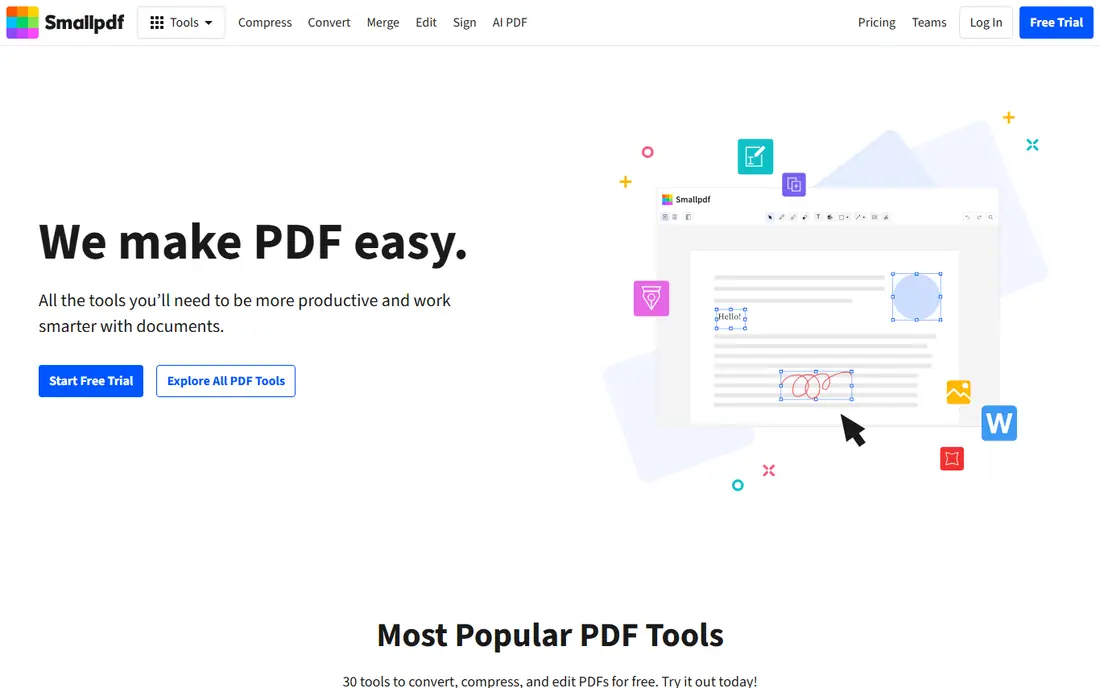
Smallpdf is the easiest browser tool for quick PDF work. You can create a PDF from a file, convert between formats, merge or split documents, compress a large file and add a signature, all without installing software. The interface is clear, which helps when you need a result in a few minutes.
The free tier allows two tasks per day, which is too little for regular use. Pro adds unlimited tasks, batch processing, OCR and stronger compression, at a monthly or annual price. Files are uploaded to Smallpdf servers and deleted after about an hour, which is fine for a menu but not ideal for sensitive documents. Smallpdf suits occasional to regular browser users who value simplicity.
- Clean browser interface
- Conversion, merge, compress and sign tools
- Apps for web, desktop and mobile
- Free tier allows two tasks per day
- OCR, batch processing and text editing need Pro
- Files are uploaded to servers
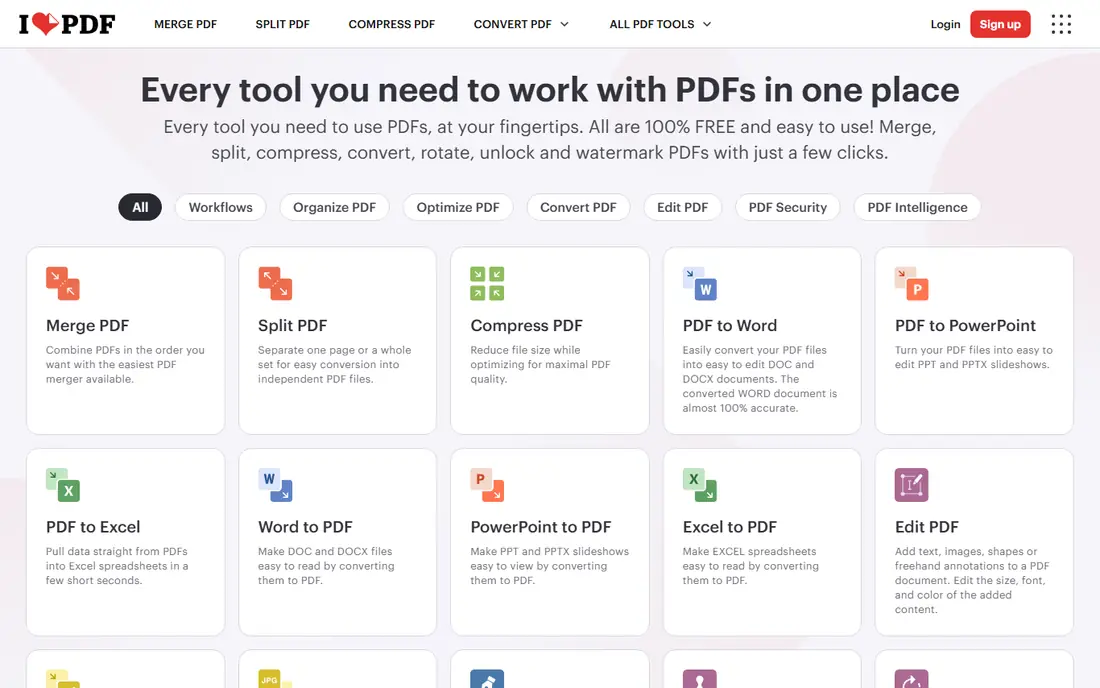
iLovePDF offers one of the widest browser tool sets for PDF creation and editing. You can create PDFs, convert files, merge and split documents, compress, add page numbers and watermarks, and sign documents, with apps for web, desktop and mobile. The free tier is more generous on task count than Smallpdf, though file size caps and slower batches apply.
Premium adds larger files, faster processing, OCR and text editing, at a monthly or annual price that varies by region. Files are uploaded to servers and deleted within about two hours, so sensitive documents need care. iLovePDF suits users who want many browser tools in one place and who work with non sensitive files most of the time.
- Wide browser tool set
- Conversion, merge, split and compress
- Mobile and desktop apps available
- Free tier caps file sizes and slows batches
- Editing existing text needs Premium
- Files are uploaded to servers
PDF24 Creator is the best free desktop option. The desktop app creates PDFs from many sources, merges and splits documents, compresses files and converts formats, with no daily task limit and no watermark on many tools. Browser tools are also available for quick jobs when you are not at your own computer.
The interface is plainer than Smallpdf or iLovePDF, and browser tools are ad supported. Advanced text editing and OCR are less polished than Acrobat or Foxit. PDF24 suits users who want a free, unlimited PDF creator on Windows, and who do not mind a simpler interface in exchange for no subscription.
- Free with no task limits
- Desktop app plus browser tools
- Create, merge, compress and convert
- Browser tools are ad supported
- Interface is plainer than Smallpdf
- Some advanced editing needs another tool
Sejda is a clean, simple browser PDF tool. You can create PDFs, edit text and images, merge and split, compress and convert, without signing up for most tools. The free tier allows a limited number of tasks per hour, which is enough for occasional work and for testing the tool before paying.
Files are uploaded to Sejda servers for processing, so sensitive documents need the same care as with other browser tools. Paid plans raise limits and add larger file support. Sejda suits users who want a straightforward browser tool without a daily task limit as strict as Smallpdf, and who work with ordinary documents.
- Simple browser workflow
- No watermark on free tools in many cases
- Edit, merge, split and convert
- Free tier allows three tasks per hour
- Files are uploaded to servers
- Large files need a paid plan
Foxit PDF Editor is the leading business alternative to Acrobat. It creates and edits PDFs, handles forms and OCR, supports e signatures and collaboration, and integrates with common business tools. For teams that need Acrobat level features without Acrobat pricing, Foxit is often the first alternative to evaluate.
There is no free full editor, only a reader and trial options, so you must pay to use the editing features long term. Pricing varies by plan, user count and billing, so request a current quote before you budget. Foxit suits businesses and professionals who edit PDFs daily and want a full desktop editor at a lower team cost than Acrobat.
- Full desktop editing close to Acrobat
- Forms, OCR and signing
- Often lower cost than Acrobat for teams
- No free plan for the full editor
- Price varies by plan and user count
- Interface can feel busy
PDFelement, from Wondershare, offers full desktop PDF editing at a value price. You can create, edit, convert, merge and sign PDFs, work with forms and OCR, and batch process multiple files. A perpetual license option on some plans can cost less over three years than a monthly subscription, which appeals to users who dislike subscriptions.
There is no free full editor, and AI features and advanced tools vary by plan, so check the plan details before you buy. The interface also differs from Acrobat, so a team used to Acrobat will need a short learning period. PDFelement suits users who want a full desktop editor for less than Acrobat, with a license option that avoids ongoing payments.
- Full desktop editing at a lower price than Acrobat
- Forms, OCR and batch processing
- Perpetual license option in some plans
- No free full editor
- AI and advanced features vary by plan
- Interface differs from Acrobat
PDFgear stands out because it offers full PDF editing free of charge, without a subscription. You can create PDFs, edit text, convert files, merge and split, annotate and sign, on desktop and mobile. That makes it a strong pick for students, freelancers and small businesses that need real editing but cannot justify a paid editor.
Enterprise features such as advanced compliance tools, admin controls and audit trails are thinner than Acrobat or Foxit. Support and long term updates also depend on the free model, so a large team may prefer a paid tool with guaranteed support. PDFgear suits individual users who want free, full editing without daily limits.
- Full editing without a subscription
- Create, convert, merge and sign
- Apps for desktop and mobile
- Fewer enterprise features than Acrobat or Foxit
- Support and updates depend on the free model
- Some tools are simpler
How we picked these
We compared official feature pages, pricing pages and free tier terms for PDF creation tools in October 2026, plus public comparisons of free limits and file handling. We kept only tools that create PDFs from other formats or from scratch, that work in the United States, and that offer a real creation workflow rather than only viewing. We did not claim hands on testing that did not happen, and we used See website where pricing varies by region or plan.
How to choose the right PDF tool
Start with how often you create PDFs. Occasional users can use Smallpdf, iLovePDF, Sejda or PDF24 free tiers, and pay only when limits become annoying. Daily users should choose a paid browser plan or a desktop editor such as Acrobat, Foxit or PDFelement, because unlimited tasks and batch processing save time quickly.
Next, check privacy and file handling. Browser tools upload files to servers, with deletion windows that vary by provider. Desktop tools such as Acrobat, Foxit, PDFelement, PDF24 and PDFgear process files locally, which is safer for contracts, medical forms and client documents. If a document is sensitive, use a desktop tool or check the provider deletion policy before uploading.
Finally, test the exact job you need most. Create a PDF from your usual source, edit a line of text, merge two files and sign a form, then check the output quality. A tool that handles your main job well beats a tool with a longer feature list that fails on that job. Keep one browser tool for quick jobs and one desktop tool for sensitive or heavy work if you need both.
Frequently asked questions
What is the best PDF creation tool overall?
Adobe Acrobat is the best overall PDF creation tool for professionals, because it covers creation, editing, signing and compliance in one product. Smallpdf and iLovePDF are better for quick browser jobs, while PDF24 and PDFgear are better free options. The best tool depends on how often you create PDFs and how sensitive the files are.
What is the best free PDF creation tool?
PDF24 Creator is the best free desktop PDF creator, with no daily task limits for many tools. PDFgear offers free full editing on desktop and mobile, while Sejda and iLovePDF offer useful free browser tiers. Smallpdf is also free, but its two tasks per day limit makes it less useful as a free tool.
What is the best PDF creation software for small business?
Acrobat and Foxit lead for small businesses that need full editing, signing and compliance, while PDFelement offers similar desktop editing at a lower price. Smallpdf and iLovePDF suit businesses that mainly need quick browser conversions and merges. Choose a desktop editor when files are sensitive or volume is high.
Can I create a PDF for free?
Yes, you can create PDFs free with PDF24, PDFgear, Sejda, iLovePDF and Smallpdf, plus built in print to PDF features in Windows, macOS and many browsers. Free tiers may limit tasks, file size or advanced editing, so check the limits before you rely on a free tool for daily work.
Is it safe to use online PDF tools?
Online PDF tools are safe for ordinary documents, but files are uploaded to servers for processing. Check the provider deletion policy, avoid uploading sensitive documents such as contracts, medical records or identity documents to a browser tool, and use a desktop tool for private files. A tool that deletes files within one or two hours is safer than one with no stated deletion window.
What is the difference between PDF creation and PDF editing?
PDF creation turns another file, such as Word, Excel or an image, into a PDF, or builds a new PDF from scratch. PDF editing changes an existing PDF, such as editing text, adding pages, filling forms or signing. Many tools in this list do both, but free tiers often allow creation and conversion while reserving text editing for paid plans.
Sources
See where you really rank - block by block
ProMapRanker scans Google Maps across a grid of your service area. Simple monthly plans from $19, white-label on every plan.
Start freeKeep reading
 zendesk alternatives
Best Zendesk Alternatives in 2026
Compare the best Zendesk alternatives in 2026, from budget help desks to AI-first support tools, with current pricing, free plans, and honest trade-offs.
Read → wordpress alternatives
Best WordPress Alternatives in 2026
Looking for the best WordPress alternatives? We compare 8 free and paid options for blogs, business sites, stores, and developer-led projects in 2026.
Read → which real estate company has the best training
Best Real Estate Company Training in 2026
Compare which real estate company has the best training, from Keller Williams and eXp to Compass and Coldwell Banker, by program, mentor, and fit in 2026.
Read →