 ProMapRanker
Best Payroll Software for SMB in 2026


Most small businesses wanting predictable, published pricing · Pricing starts at: $49 per month plus $6 per employee per month
Key takeaways
- The best payroll software for SMB teams is full-service payroll in almost every case, since the vendor files taxes and handles deposits for you.
- Published pricing usually means a base fee plus a per-employee fee, so price your full headcount, including contractors where relevant.
- If you already use QuickBooks, Square, or another core system, the native payroll option often saves more time than a cheaper standalone tool.
- Support quality matters as much as price, since a payroll error affects real people and real tax deadlines.
- This is general business information, not tax or legal advice, and complex cases should be checked with a qualified professional.
Quick comparison
| Pick | Great for | Pricing starts at | Free tier | |
|---|---|---|---|---|
| Gusto | Most small businesses wanting predictable, published pricing | $49 per month plus $6 per employee per month | No | Visit |
 OnPay | Owners who want one simple flat price | $49 per month plus $6 per worker per month | First month free | Visit |
 QuickBooks Payroll | Small businesses already running books on QuickBooks Online | $50 per month plus $6.50 per employee per month | Free trial | Visit |
 Square Payroll | Restaurants, cafes, and shops already on Square POS | $35 per month plus $6 per person per month | No | Visit |
 Patriot Software | Tight budgets and very small teams | $37 per month plus $5 per worker per month | Free trial | Visit |
 SurePayroll | Small teams operating in multiple states | $29 per month plus $7 per employee per month | No | Visit |
 ADP Run | Compliance-first buyers who plan to scale | See website | No | Visit |
 Paychex Flex | Owners who want a dedicated payroll specialist | See website | No | Visit |
 Rippling | Growing startups wanting HR, IT, and payroll in one system | See website | No | Visit |
 Wave Payroll | Wave accounting users with simple payroll needs | $40 per month plus $6 per employee per month | No | Visit |
The best payroll software for SMB
Payroll software for small and mid-sized businesses should pay staff correctly, file payroll taxes, handle direct deposit, and keep records clean. We compared official pricing pages and recent published comparisons, and we focused on full-service tax filing, base plus per-employee pricing, contractor support, and ease of use for a non-expert owner.
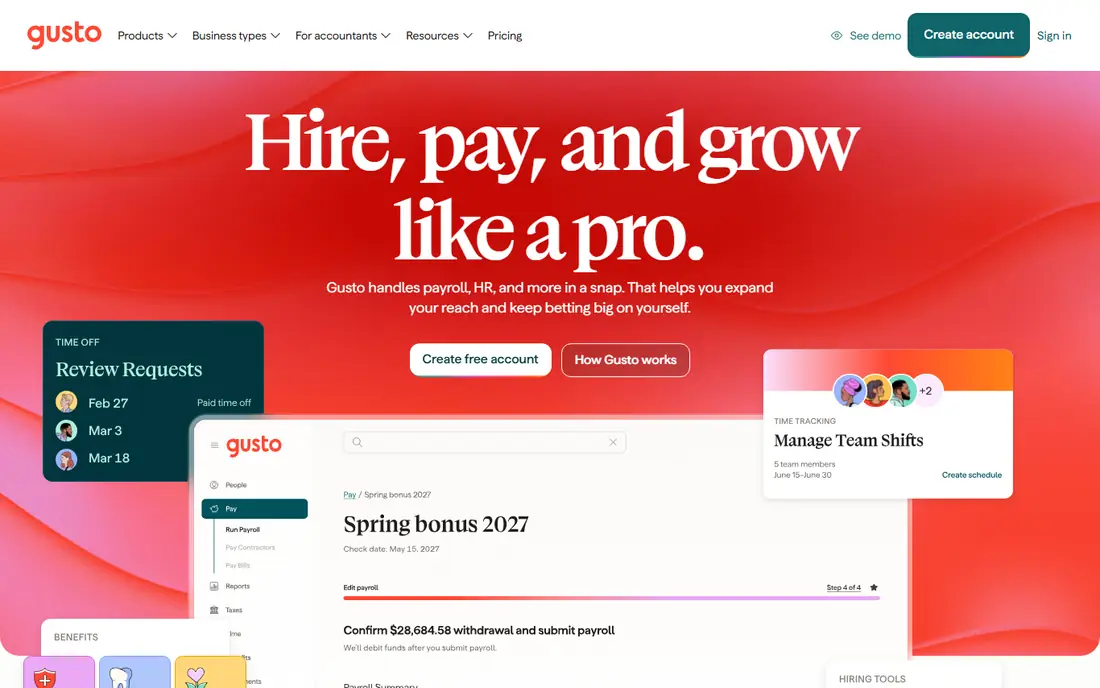
Gusto is our pick for most small businesses because its pricing is published, its interface is clear, and its full-service payroll covers tax filing in all states. The Simple plan, listed at $49 per month plus $6 per employee per month in recent comparisons, includes unlimited payroll runs, contractor payments, and basic onboarding, which covers the core job for a team of up to about fifty people. Benefits administration and more advanced HR tools sit on higher tiers.
Gusto is less suited to a business that needs full international employee payroll, since its global offering focuses on contractors. For a typical small business owner who wants payroll done correctly without a specialist, Gusto is the easiest default.
- Full-service tax filing
- Clear published pricing
- Onboarding, benefits, and contractor tools
- Premium HR features need higher tiers
- International payroll is limited to contractors
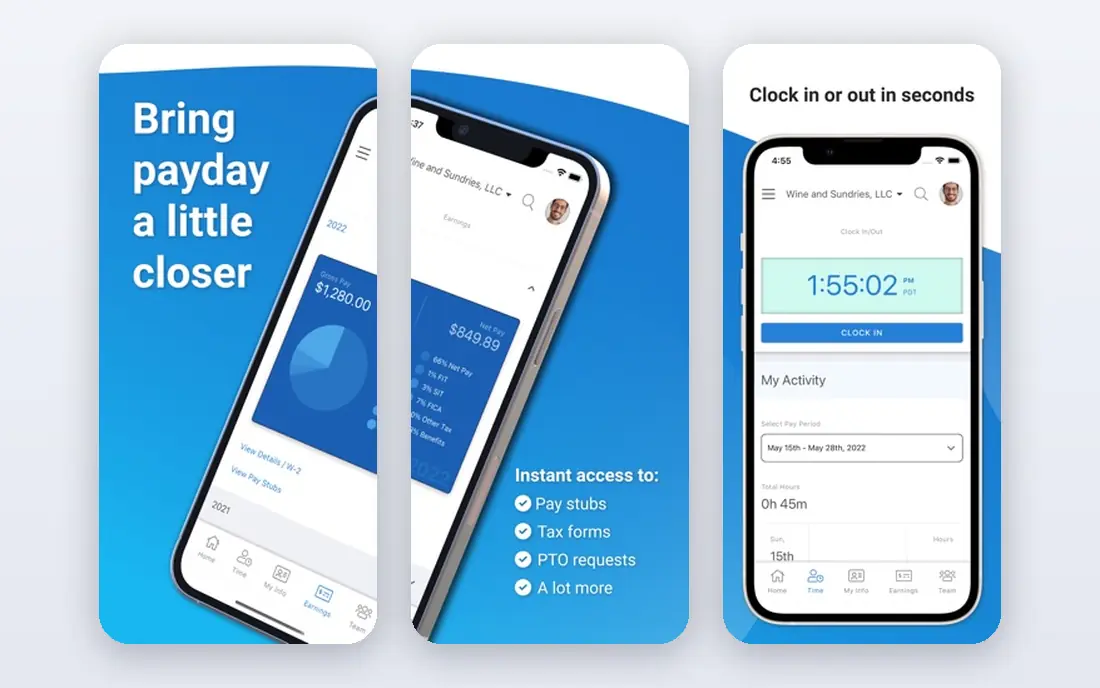
OnPay appeals to owners who dislike tier charts. It offers a single plan, listed at $49 per month plus $6 per worker per month in recent comparisons, with full-service tax filing, unlimited payroll runs, and basic HR tools included.
OnPay has fewer built-in HR extras than Gusto or Rippling, so a team that wants deep benefits, performance, or IT management in the same system may need add-ons or integrations. For a small team whose main need is correct, affordable payroll with clear pricing, however, OnPay is one of the best values available, and its support reputation is a further reason to shortlist it.
- Single plan with full-service filing
- Unlimited payroll runs
- No tier confusion
- Fewer HR extras than Gusto or Rippling
- Benefits and time tracking are add-ons or integrations
QuickBooks Payroll
Great for: Small businesses already running books on QuickBooks Online
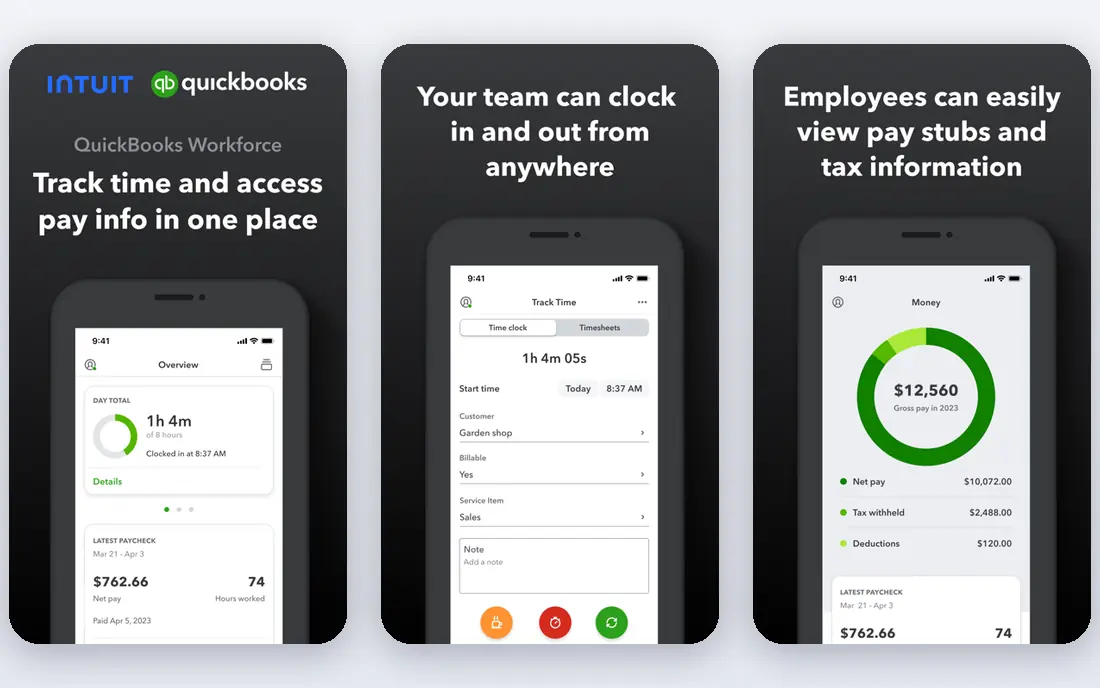
QuickBooks Payroll is the natural choice if your books already live in QuickBooks Online. Payroll entries sync to your accounts without manual exports, which reduces reconciliation errors and saves time at month end. The Core plan, listed at $50 per month plus $6.50 per employee per month in recent comparisons, covers core payroll, while Premium and Elite add same-day direct deposit, time tracking, and expert support.
The catch is that the full benefit depends on using QuickBooks for accounting. A business on another accounting system may find Gusto or OnPay simpler and cheaper. Also check which tier files local taxes for your area, since full-service filing details vary by plan. For QuickBooks users, though, native payroll is usually worth the price.
- Native QuickBooks sync
- Full-service filing on higher tiers
- Same-day direct deposit on premium plans
- Best value needs QuickBooks Online
- Pricing rises with payroll tier and add-ons
Square Payroll fits shops, cafes, and restaurants that already take payments and track hours through Square. Timecards flow into payroll, tips and hourly pay are handled in a familiar way, and full-service tax filing covers the core compliance job. The entry price, listed at $35 per month plus $6 per person per month in recent comparisons, is competitive for a small hourly team.
Square Payroll is less strong for a salaried, benefits-heavy, or highly multi-state team, where Gusto, ADP, or Paychex may offer deeper HR and compliance tools. If your team is hourly, your point of sale is Square, and your payroll needs are straightforward, Square Payroll removes a separate system and keeps daily operations in one place.
- Full-service payroll for hourly teams
- Square POS and timecard integration
- Simple setup for shops
- Less suited to salaried, multi-state, or benefits-heavy teams
- HR features are limited
Patriot Software is the budget pick for very small teams that still want reliable payroll. Its Full Service plan, listed at $37 per month plus $5 per worker per month in recent comparisons, includes tax filing, while its Basic plan, listed lower, leaves tax filing to the owner. That choice lets a tiny business start cheap and move to full service when the cost is justified, which is a useful path for a first hire.
Patriot's HR and benefits features are lighter than Gusto or Rippling, so a growing team may outgrow it. For a team of one to ten people with simple pay structures, though, Patriot offers a clean interface, clear pricing, and support that small owners often praise. Trial it with a real pay run before deciding, since ease of use matters most at this size.
- Low full-service price
- Simple interface
- Free setup help and US-based support reputation
- Fewer HR and benefits features
- Basic plan requires self-service tax filing
SurePayroll, part of Paychex, suits small teams and household employers that need full-service payroll without a large platform. Its Full Service plan, listed at $29 per month plus $7 per employee per month in recent comparisons, includes automatic tax calculation, filing, and deposit, plus unlimited pay runs. Multi-state support helps a team with staff in different states, which is a common pain point for remote small businesses.
The interface is more functional than modern, and HR features are lighter than Gusto or Rippling, so a team that wants benefits, onboarding workflows, and performance tools in one place may look elsewhere. For straightforward, compliant payroll at a fair price, especially for teams of one to ten, SurePayroll remains a solid and well-established option.
- Full-service filing
- Unlimited pay runs
- Household employer support
- Interface feels dated to some users
- HR features are lighter than larger rivals
ADP Run is built for businesses that expect to grow and want compliance depth from the start. It offers full-service payroll, tax filing, time and attendance, hiring tools, and access to HR professionals, backed by one of the largest payroll providers in the US. That scale helps when a team adds states, employee types, or complex pay rules, since the platform and support are designed for that growth.
The main drawback is pricing transparency. ADP Run plans are custom-quoted, so a small business cannot compare a simple list price with Gusto or OnPay without a sales conversation. Setup can also feel heavier than a self-serve tool. If growth and compliance support matter more than the lowest entry price, ADP Run is worth a quote, and its tax-penalty protections should be read closely.
- Deep compliance and HR resources
- Dedicated support
- Scales from small to mid-sized teams
- Pricing is custom-quoted
- Setup can feel heavier than simpler tools
Paychex Flex appeals to owners who want a named specialist to call when payroll gets complicated. It covers full-service payroll, tax filing, time and attendance, benefits, and retirement options, with support that many small owners value when a deadline or an employee question arises. That human support is the main reason to choose Paychex over a cheaper self-serve tool.
Pricing is custom-quoted, so a team must go through sales to get a comparable total, and the service level may be more than a very small team needs. If you run payroll yourself today and worry about making a tax mistake, Paychex Flex is a reassuring option. If you want the lowest published price and a self-serve interface, Gusto or OnPay will likely fit better.
- Dedicated specialist support
- Full-service payroll and HR
- Scales with benefits and retirement options
- Pricing is custom-quoted
- Smaller teams may pay for more service than they need
Rippling combines payroll with HR and IT management, so hiring a new employee can trigger payroll setup, benefits enrollment, app access, and device provisioning in one workflow. That automation saves real time for a growing startup, where manual onboarding across five systems quickly becomes error-prone. Its integration library and reporting also suit teams that want data in one place.
Rippling pricing is modular and quote-based, so the total depends on which HR, payroll, and IT modules you choose. A very small team may find that scope and price excessive for payroll alone. For a startup planning to grow from ten to a hundred people, though, Rippling is a strong long-term pick, and it is worth comparing its total against buying payroll, HR, and IT tools separately.
- Unified HR, payroll, and device management
- Strong integrations
- Automates onboarding and offboarding
- Pricing is quote-based and modular
- Smaller teams may find it more platform than they need
Wave Payroll suits freelancers and small businesses already using Wave for invoicing and accounting. Payroll syncs with Wave books, full-service tax filing covers all states, and the interface stays simple for a team with straightforward pay. The price, listed at $40 per month plus $6 per employee per month in recent comparisons, is competitive for that audience.
Wave Payroll has fewer HR, benefits, and time tracking features than Gusto or Rippling, so a growing team may outgrow it. For Wave users with simple payroll, however, it keeps books and pay in one system, which is exactly what a small owner needs.
- Native Wave accounting sync
- Full-service filing in all states
- Simple interface for freelancers and small teams
- Fewer HR features than Gusto
- Best value only for Wave accounting users
How we picked these
We compared official pricing pages and recent published comparisons for payroll tools that are actively offered to US small businesses in 2026, covering full-service and self-service options, and we left out tools with no US payroll offering or no current pricing information. We favored tools with full-service tax filing, clear base plus per-employee pricing, contractor support, and support for small teams, and we noted where pricing is custom-quoted. We did not run hands-on tests for this roundup, and we did not invent prices, tax guarantees, or feature claims that vendor pages and recent comparisons did not support.
What to check before you buy
Start with your headcount and pay types. Count employees and contractors separately, note hourly versus salaried staff, and list the states where staff live and work, since multi-state filing and local taxes change both price and complexity. Ask each vendor whether its quoted plan files federal, state, and local taxes for your locations, and whether contractor payments and year-end forms are included or extra.
Next, run a test pay cycle. Enter a real employee, a contractor, and an hourly worker if relevant, run a pay cycle, and check the pay stub, tax filings, and accounting sync. Ask about direct deposit timing, correction procedures, and support hours, since a payroll question on payday cannot wait until Monday. Finally, get the total in writing, including base fee, per-employee fee, benefits administration, and any setup or year-end charges, before you compare.
Frequently asked questions
What is the best payroll software for SMBs?
For most small businesses, Gusto is the best starting point because of its published pricing, full-service tax filing, and simple interface, with OnPay as a close value alternative. QuickBooks Payroll suits QuickBooks users, Square Payroll suits Square shops, and ADP Run or Paychex Flex suit teams that want dedicated support and room to scale. The best choice depends on your accounting system, headcount, and support needs.
What is the best payroll software for small businesses with few employees?
Patriot Software and SurePayroll are strong low-cost options for teams of one to ten, with full-service plans that keep tax filing handled for you. OnPay also offers a simple single plan that works well at this size. Avoid self-service plans unless you are comfortable filing payroll taxes yourself, since a missed filing can cost more than the savings.
How much does payroll software cost for a small business?
Most small business plans charge a monthly base fee plus a per-employee fee, with recent published prices ranging roughly from $29 to $50 per month in base fees, plus $5 to $7 per employee per month, depending on the vendor and tier. ADP, Paychex, and Rippling use custom quotes, so their totals vary by team size and modules. Always price your full headcount, not just the base fee.
Does payroll software file taxes for me?
Full-service payroll software does, in most cases, calculating, filing, and depositing federal, state, and local payroll taxes for you, and handling year-end forms such as W-2s. Self-service plans, such as Patriot Basic, leave filing to you. Check your plan details for your specific states and localities, since coverage can vary, and keep records even when the vendor files on your behalf.
Can payroll software handle contractors?
Yes, most tools here handle contractor payments, including 1099 preparation at year end, although contractor fees and limits vary by plan. Gusto, OnPay, QuickBooks Payroll, and others include contractor payments in their core plans, while international contractor support varies. If you pay contractors in other countries, confirm currency, compliance, and fee details before choosing a tool.
Sources
See where you really rank - block by block
ProMapRanker scans Google Maps across a grid of your service area. Simple monthly plans from $19, white-label on every plan.
Start freeKeep reading
 zoro.to alternatives
Best Zoro.to Alternatives in 2026
We compare the best zoro.to alternatives in 2026, listing only legal licensed anime streaming services, from Crunchyroll to free options for fans today.
Read → zip alternatives
Best Zip Alternatives in 2026
We compare the best zip alternatives for buy now, pay later in 2026, covering pay-in-4 plans, fees, spending limits, and credit reporting options today.
Read → yesware alternatives
Best Yesware Alternatives in 2026
Compare the best yesware alternatives for sales email tracking, templates, and sequences, with current pricing and honest tradeoffs for small sales teams.
Read →