 ProMapRanker
Best Payroll Service for Self Employed


One-person S corporations and small teams · Pricing starts at: $49 per month
Key takeaways
- This article is general information only, not tax or legal advice, and tax rules vary by state.
- Service fees are separate from tax amounts, so a low subscription price does not mean low total cost.
- Sole proprietors usually pay themselves by owner draw and may not need payroll at all, while S corporation owners often do.
- Choose by whether you pay only yourself, contractors, employees, or a mix, and by how many states are involved.
Quick comparison
| Pick | Great for | Pricing starts at | Free tier | |
|---|---|---|---|---|
| Gusto | One-person S corporations and small teams | $49 per month | No | Visit |
 OnPay | Simple full-service payroll | $40 per month | No | Visit |
 Patriot Software | Lowest base price | $17 per month | No | Visit |
 QuickBooks Payroll | QuickBooks Online users | $45 per month | No | Visit |
 Square Payroll | Contractors and small teams | $35 per month | No | Visit |
 SurePayroll | Small employers wanting simple payroll | See website | No | Visit |
 Wave Payroll | Wave accounting users | See website | No | Visit |
The best payroll service for self employed owners
We compared official feature pages, pricing pages, app store listings and public reviews. Every service below handles pay calculations, tax filings or contractor payments in some form, but the right choice depends on your business structure, your state and whether you pay employees, contractors or only yourself.
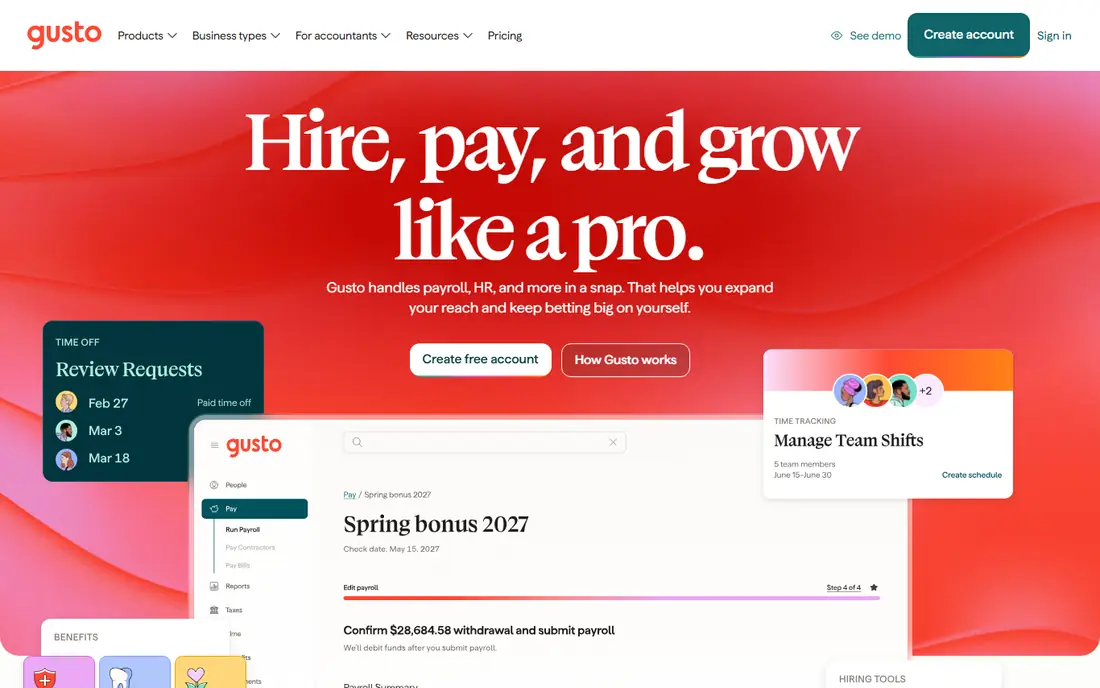
Gusto is our pick for most one-person S corporations because its Solo plan is built for that exact case. Solo costs 49 dollars a month plus 6 dollars per person, with compliant self-pay, automatic tax filing, S corporation compliance help and a reasonable salary calculator. That structure helps an owner pay a salary through payroll while keeping filings handled.
The limit is growth cost. Plus costs 80 dollars a month plus 12 dollars per person and adds multi-state payroll and next-day pay, while Premium costs 180 dollars plus 22 dollars per person. If you are a sole proprietor with no employees, you may not need payroll at all, since owner draws are not payroll, so check your structure before subscribing.
- Dedicated Solo plan for one-person S corporations
- Automatic tax filings
- Reasonable salary calculator
- Per-person fees add up as you hire
- Multi-state payroll needs the higher Plus plan
OnPay charges 40 dollars a month plus 6 dollars per person, with full-service payroll and tax filings included. That simple structure suits a self-employed owner who pays a few contractors or employees and wants predictable pricing without choosing between many tiers. It also works well if you start solo and later hire, since the same system scales to employees.
OnPay has fewer HR and benefits extras than Gusto or larger platforms, so a business that wants deep HR tools may need another system alongside it. For payroll itself, though, the clarity of one plan and one per-person price is a real strength.
- Simple flat pricing
- Full-service tax filings
- Good fit if you may hire later
- Fewer HR extras than larger rivals
- Benefits options vary by state

Patriot Software offers the lowest base price in this list, with Basic payroll from 17 dollars a month plus 4 dollars per employee, and Full Service payroll from 37 dollars a month plus 4 dollars per employee. Basic suits an owner who wants help calculating pay but is comfortable handling tax filings, while Full Service adds tax filing and deposits.
The trade-off is clear: the cheapest plan requires more work from you. If you miss a filing deadline, penalties can quickly erase the saving, so only choose Basic if you are confident about state and federal filing duties and deadlines.
- Basic plan from 17 dollars a month plus 4 dollars per employee
- Full-service option available
- Basic plan does not file taxes for you
- Support and features are plainer than rivals
QuickBooks Payroll Core costs 45 dollars a month plus 5 dollars per employee in published comparisons, with automatic tax filings and payroll linked directly to QuickBooks Online accounts. That link saves time on bookkeeping, since pay, tax and contractor costs flow into your accounts without manual entry.
If you do not already use QuickBooks Online, the combined cost is higher than a standalone payroll tool. It still suits accountants and owners who want one system for books and pay, but compare the total subscription cost, not only the payroll price.
- Tight link to QuickBooks accounting
- Automatic tax filings on Core
- Contractor payments included
- Needs a QuickBooks Online subscription for full value
- Per-person fees add up
Square Payroll suits owners who mainly pay contractors, with a contractor-only plan and an employee plan from 35 dollars a month plus 6 dollars per employee in published comparisons. That makes it practical for a freelancer who hires subcontractors for projects, or a small shop with a few part-time staff.
Complex payroll needs, such as many states, shift differentials or union rules, may need a deeper system. Square works best when pay is straightforward, hours are simple, and you already use Square for payments or point of sale.
- Contractor-only option from 6 dollars per contractor
- Employee plan from 35 dollars plus 6 dollars per person
- Less depth for complex multi-state payroll
- Benefits vary by state
SurePayroll, part of Paychex, offers full-service payroll for small employers, with tax calculations, filings and direct deposit handled for you. That full-service model suits a self-employed owner who has hired one or two employees and wants filings taken off their plate, without learning a large enterprise system.
Pricing varies by plan and headcount, so request a quote for your exact setup before comparing it with flat-priced rivals. Also check state coverage and filing support for your state, since payroll tax rules and deadlines differ.
- Full-service payroll with tax filings
- Simple setup for small teams
- Mobile access
- Pricing is quoted by plan and headcount
- Fewer integrations than larger rivals
Wave Payroll links payroll to Wave accounting, which helps owners who already invoice and track expenses in Wave. Published comparisons put Wave Payroll at 20 to 35 dollars a month plus 6 dollars per employee, depending on state, with tax filings included where available. That state variation matters, so confirm availability and price for your state first.
Wave Payroll is not available in every state, and its HR depth is limited compared with Gusto or OnPay. For a Wave user with simple payroll in a supported state, it is a convenient fit, but check state coverage before switching your books to Wave for payroll alone.
- Links to Wave accounting
- Simple payroll for small teams
- Contractor payments available
- Pricing varies by state
- Payroll is not available in every state
How we picked these
We compared official feature pages, pricing pages, app store listings and public reviews. We kept services that support self-employed owners, sole proprietors with employees, S corporation owners, or contractor payments, and we kept service fees separate from tax amounts in every description. Where a price varied by state or headcount, we wrote See website or gave the published range.
Payroll, tax and legal notes
Payroll service fees pay for calculation, payments and filings, not for the taxes themselves. Federal, state and local payroll taxes are amounts you owe on wages, and they are separate from the subscription price. Deadlines, rates and forms vary by state and by whether you pay employees or contractors, so confirm your duties with a tax professional or your state tax agency.
Also check worker classification carefully. Employees and independent contractors have different tax forms, W-2 versus 1099-NEC, and different rules. Misclassification can lead to back taxes and penalties, so do not choose a payroll tool to fix a classification question. Get advice on structure first, then choose the tool that fits that structure.
One more step before you subscribe: list every state where you have employees or contractors, and confirm the service files in each one. State registration, unemployment insurance and local tax rules differ, and a service that covers your home state may not cover a remote worker in another state. Also ask how corrections are handled if a pay run contains an error, since fixing a filed return is slower than fixing a draft. A short pre-subscription checklist of states, worker types and pay dates prevents most early payroll surprises.
Frequently asked questions
Do I need payroll if I am self-employed?
Not always. A sole proprietor or single-member LLC owner usually takes an owner draw, not a payroll salary, and reports income on a personal return. An S corporation owner who works in the business usually must pay a reasonable salary through payroll.
What is the difference between a service fee and a tax amount?
The service fee is what you pay the payroll company for its software and filing work. Tax amounts are the federal, state and local taxes owed on wages, which the service calculates and remits on your behalf, but which are not part of the subscription price.
Can payroll software handle contractors?
Yes, most services in this list handle contractor payments and year-end 1099 forms, often at a lower per-person price than employees. Check whether contractor payments include filing, and whether international contractors need an add-on.
Do payroll tax rules vary by state?
Yes, rates, registration, filing frequency and forms vary by state and sometimes by locality. A service that files in your state is essential, and you should still confirm registration and deadlines with your state agency.
Should I use payroll software or an accountant?
Many owners use both: software for regular runs and filings, and an accountant for year-end, structure and classification questions. If your pay is simple, software alone may suffice, but complex cases benefit from professional advice.
Sources
See where you really rank - block by block
ProMapRanker scans Google Maps across a grid of your service area. Simple monthly plans from $19, white-label on every plan.
Start freeKeep reading
 worlds best local seo company
8 Worlds Best Local SEO Companies for Map Pack Growth in 2026
Compare the worlds best local seo company options for Google Business Profile work, citations, reviews, and multi-location rankings and reporting in 2026.
Read → world's best web hosting company
World's Best Web Hosting Company in 2026
Searching for the world's best web hosting company? We compared 10 hosts on price, renewal rates, speed, and support to help you choose well today in 2026.
Read → who's got the best nanny tax services
Who's Got the Best Nanny Tax Services in 2026
We answer who's got the best nanny tax services, comparing full filing, back taxes, software, and pricing so families can handle nanny taxes correctly.
Read →