 ProMapRanker
Best Patient Intake Software in 2026

Key takeaways
- IntakeQ is the cleanest intake-only pick for small practices that just need digital forms and signatures.
- Phreesia and NexHealth suit larger practices that want intake tied to scheduling, insurance checks, and payments.
- SimplePractice is the best all-in-one choice for therapists and small wellness practices.
- Software alone does not make a practice HIPAA compliant; you also need a signed agreement, staff training, and proper settings.
Quick comparison
| Pick | Great for | Pricing starts at | Free tier | |
|---|---|---|---|---|
 IntakeQ | Intake-only forms | $49.90 per month | Free trial | Visit |
 Phreesia | Large practice intake | See website | No | Visit |
 NexHealth | Scheduling-linked intake | See website | No | Visit |
 SimplePractice | Therapists and wellness | $49 per month | Free trial | Visit |
 Jotform | Flexible low-cost forms | See website | Yes | Visit |
 Formstack | Secure branded forms | See website | Free trial | Visit |
 Weave | Patient communication plus intake | See website | No | Visit |
 Tebra | Intake plus practice growth | See website | No | Visit |
The best patient intake software
Patient intake software replaces clipboards with digital forms patients complete before they arrive. The best choice depends on if you need forms alone or intake connected to scheduling, insurance, and billing. Note plainly: software alone does not make a practice HIPAA compliant. Compliance also depends on a signed business associate agreement, correct settings, staff training, and your own policies.
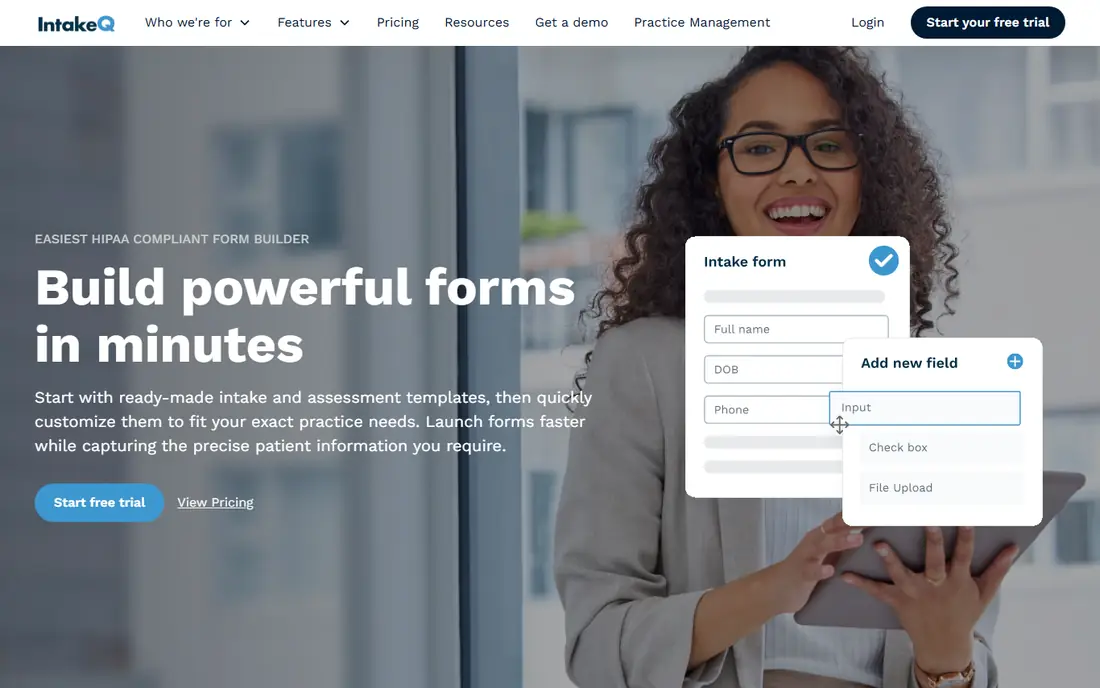
IntakeQ is our pick for small practices whose main problem is paperwork. Patients complete branded forms on their phones, sign electronically, and submit information before the visit, which cuts waiting room time and retyping. Form reminders and secure document sharing round out a focused tool that does one job well.
The limit is scope. IntakeQ is not a full electronic health record or billing system, and practices that want intake tied to scheduling and payments will need a higher tier or a different platform. For clinics, therapists, and allied health practices that mainly need clean digital intake, that focus is a strength rather than a weakness.
- Purpose-built intake forms
- E-signatures included
- HIPAA business associate agreement offered
- Not a full practice platform
- Appointment tools need a higher tier
- Reporting is simpler than enterprise tools

Phreesia suits larger practices and health systems that need intake to feed many downstream steps. Registration, insurance verification, consent forms, and payments can run through one workflow, which reduces front-desk work at scale. Its size also means many staff members already know the system from prior roles.
Small practices should think carefully before choosing Phreesia. Pricing is quote-based, setup needs planning, and the platform offers more than a two-person clinic will use. For multi-location groups and busy specialty practices, that depth is exactly the point, and the time saved at check-in can justify the investment.
- Deep intake and registration workflows
- Insurance verification tools
- Widely used by larger practices
- Quote-based pricing
- Implementation takes planning
- May be more than small practices need
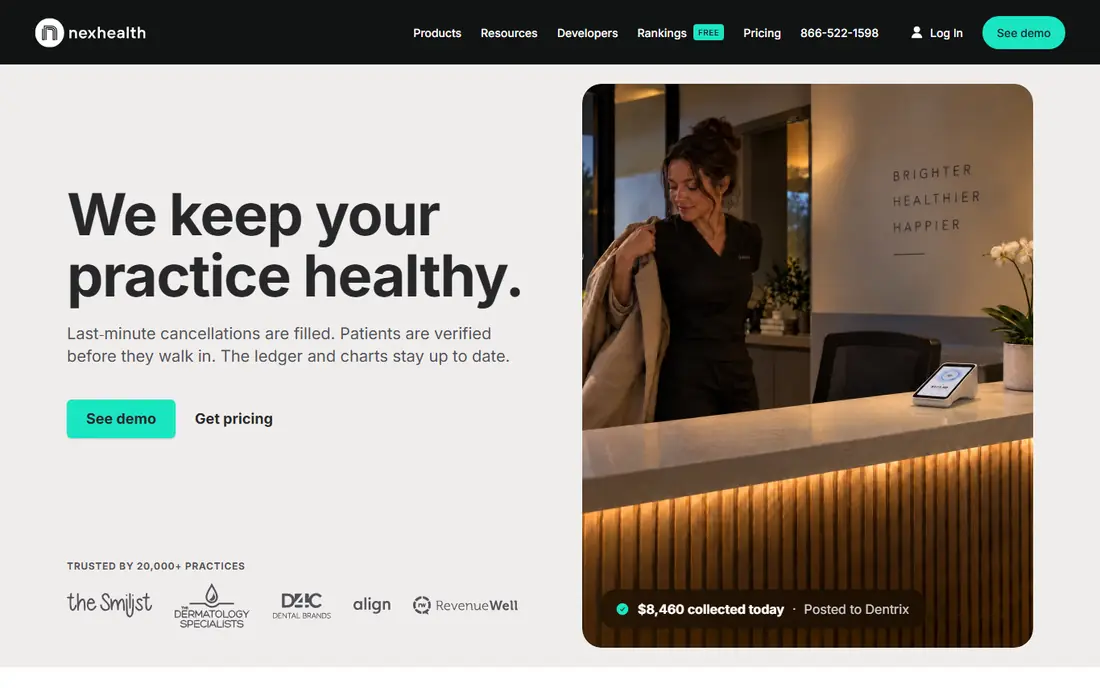
NexHealth is a strong pick when intake should start at booking, not at the waiting room. Patients schedule online, complete forms, and receive reminders through connected workflows, which reduces no-shows and missing paperwork. The platform is built to sync with practice management systems, so staff do not re-enter the same details.
The catch is fit. NexHealth works best for practices using systems it integrates with, and pricing is quote-based rather than self-serve. Practices that mainly need standalone forms will find IntakeQ simpler and cheaper. For dental, medical, and multi-location practices that want scheduling and intake in one flow, NexHealth is worth a demo.
- Intake tied to online scheduling
- Syncs with practice systems
- Patient messaging included
- Quote-based pricing
- Best value for practices already using supported systems
- Setup needs coordination
SimplePractice is the all-in-one answer for therapists, counselors, dietitians, and small wellness practices. Intake forms sit alongside scheduling, telehealth, documentation, and payments, so a solo provider can run most of the practice from one account. The client portal also gives patients a single place for forms, messages, and billing.
Larger medical practices with complex billing or hospital workflows will find it limited, and insurance billing features can add cost. For behavioral health and wellness providers, though, the combination is hard to beat. Start with the trial, test intake forms with a few real clients, and check which tier covers the billing features you need.
- Scheduling, telehealth, and billing in one place
- Digital intake paperwork
- Client portal included
- Less suited to large medical groups
- Insurance billing add-ons cost extra
- Some features need higher tiers
Jotform is a general form builder that many small practices adapt for intake, and its flexibility is the appeal. You can build custom registration, consent, and history forms with conditional logic, and the free plan suits very low-volume practices. Templates and integrations also make it easy to connect forms to email, storage, or scheduling tools.
It is not a healthcare platform by default. You must choose a plan that supports HIPAA-friendly features, sign a business associate agreement, and configure settings correctly, since software alone does not make a practice HIPAA compliant. For budget-conscious practices comfortable with setup, Jotform is a capable low-cost intake route.
- Very flexible form builder
- Free plan for low volume
- HIPAA-friendly features on eligible plans
- Not a practice platform
- HIPAA features require the right plan and agreement
- Setup is up to you
Formstack gives practices polished, branded forms with workflow tools that route submissions, collect signatures, and connect to other systems. That polish matters for practices that want intake to feel like part of their brand rather than a generic questionnaire. Security features and compliance options are available on eligible plans, which is essential for health data.
The price sits above basic form builders, and Formstack does not replace scheduling or billing software. Practices that already have a practice system and just need better forms will get the most value. Confirm the plan includes the compliance features and agreement you need before collecting patient information.
- Strong form building and workflows
- Branded patient forms
- E-signatures available
- Pricing is higher than simple form tools
- Healthcare features need the right plan
- Not a scheduling platform
Weave suits practices that want intake as part of a wider patient communication system. Phones, text messaging, scheduling, reminders, and digital forms sit together, so front-desk staff work from one inbox rather than several tools. That unity can reduce missed calls and incomplete forms at the same time.
Practices that only need forms may find Weave broader and pricier than necessary, and adopting its phone features can mean a bigger change than expected. For dental, optometry, and medical offices that already want better patient communication, adding intake to Weave makes practical sense.
- Combines phones, messaging, and intake
- Online scheduling tools
- Review and reminder features
- Quote-based pricing
- Broader than intake alone
- Phone system change may be needed
Tebra, formerly Kareo and PatientPop combined, offers intake alongside scheduling, billing, and practice growth tools. Digital registration feeds into the wider patient record, and marketing and reputation features help practices attract and retain patients. That breadth appeals to independent practices that want one vendor for several jobs.
The platform takes onboarding time, and pricing is quote-based, so small practices should compare it against simpler intake-only tools. If your practice needs intake plus billing and growth support, Tebra is a coherent single-platform option. If you only need forms, a cheaper specialist will serve you better.
- Intake connected to scheduling and billing
- Patient experience tools
- Practice growth features
- Quote-based pricing
- Platform breadth takes onboarding
- Smaller practices may not need every feature
How we picked these
We compared official product pages, pricing information, and healthcare-focused reviews, and we favored tools that are live in October 2026 and genuinely handle patient intake, not just general scheduling or billing. We included intake-only tools, all-in-one practice platforms, and flexible form builders, because practices buy for different scopes. We also weighed compliance features carefully, including whether a vendor offers a business associate agreement, since that agreement is a core part of handling health information properly.
What to check before you choose
Decide first if you need forms alone or intake as part of a larger system. Forms alone point to IntakeQ, Jotform, or Formstack. Scheduling-linked intake points to NexHealth or Weave. Full practice management points to SimplePractice, Tebra, or Phreesia. That single decision will cut the list in half and prevent paying for a platform when a form tool would solve the problem.
Then test the patient experience. Complete a form on a phone, check how long it takes, and see whether patients can save progress, sign, and upload documents without help. Ask the vendor about EHR integration, insurance verification, and data export, and confirm the business associate agreement and security settings in writing. Remember that software alone does not make a practice HIPAA compliant, so pair the tool with staff training and clear internal policies.
Frequently asked questions
What is patient intake software?
Patient intake software lets patients complete registration, history, consent, and insurance forms digitally before or during a visit. It replaces paper clipboards, reduces front-desk data entry, and feeds information into scheduling, billing, or health record systems.
Does patient intake software make my practice HIPAA compliant?
No, not by itself. Software can support compliance through encryption, access controls, and a business associate agreement, but your practice must also use correct settings, train staff, and follow its own privacy policies. Ask every vendor about its agreement and security controls before you sign up.
How much does patient intake software cost?
Intake-only tools can start around 50 dollars per month, while full platforms with scheduling, billing, and insurance tools are quote-based and cost more. Form builders offer free or low-cost tiers for low volume. Compare the total cost for your patient volume and required features.
Can patients complete forms on their phones?
Yes, most modern intake tools are mobile-friendly and let patients complete forms, sign, and upload documents from a phone. Test the mobile flow yourself before choosing, since a clumsy phone form will still lead to waiting room paperwork.
Do I need intake software if I already have an EHR?
Not always. Some EHR systems include intake forms, and adding a separate tool may duplicate work. Consider standalone intake software when your EHR forms are hard for patients to use, lack e-signatures, or do not connect well to scheduling and reminders.
Sources
See where you really rank - block by block
ProMapRanker scans Google Maps across a grid of your service area. Simple monthly plans from $19, white-label on every plan.
Start freeKeep reading
 zscaler alternatives
Best Zscaler Alternatives in 2026
Looking for zscaler alternatives? We compare 9 SASE and zero trust platforms on architecture, data protection, pricing, and fit for your network and team.
Read → zapier alternatives free
Best Zapier Alternatives Free in 2026
Nine automation tools for zapier alternatives free in 2026, all with genuinely free tiers, plus free plan limits, starting prices and upgrade paths explained.
Read → which platform is best for online reputation
Which Platform Is Best for Online Reputation in 2026
Wondering which platform is best for online reputation? We compare 8 review, listing, and response tools for small and multi-location businesses and agencies.
Read →