 ProMapRanker
Best Passwordless Authentication Software in 2026

Key takeaways
- Passkeys, magic links, and device-based sign-in can replace passwords, but the best tool depends on whether users are customers or staff.
- Auth0, Descope, and Stytch lead for customer-facing apps, while Okta and Microsoft Entra ID lead for workforce sign-in.
- FusionAuth and Keycloak suit teams that want self-hosting and control over user data.
- Per-user and per-connection pricing can change fast at scale, so model costs on your real user count before you commit.
Quick comparison
| Pick | Great for | Pricing starts at | Free tier | |
|---|---|---|---|---|
 Auth0 | Customer apps at scale | Free | Yes | Visit |
 Okta | Workforce passwordless sign-in | $6 per user per month | No | Visit |
 Microsoft Entra ID | Microsoft-centered workforces | See website | Free trial | Visit |
 Descope | Visual passwordless flows | Free | Yes | Visit |
 Stytch | Passkey-first product logins | Free | Yes | Visit |
 FusionAuth | Self-hosted customer identity | Free | Yes | Visit |
 Keycloak | Free open source identity | Free | Yes | Visit |
 Ping Identity | Complex enterprise journeys | See website | No | Visit |
 Beyond Identity | Device-bound workforce access | See website | No | Visit |
The best passwordless authentication software
Passwordless sign-in replaces a typed password with a passkey, a magic link, a one-time code, or a trusted device check. Done well, it cuts phishing risk and login friction at the same time. Done poorly, it locks users out when they lose a device, so recovery and fallback options matter as much as the main login flow.
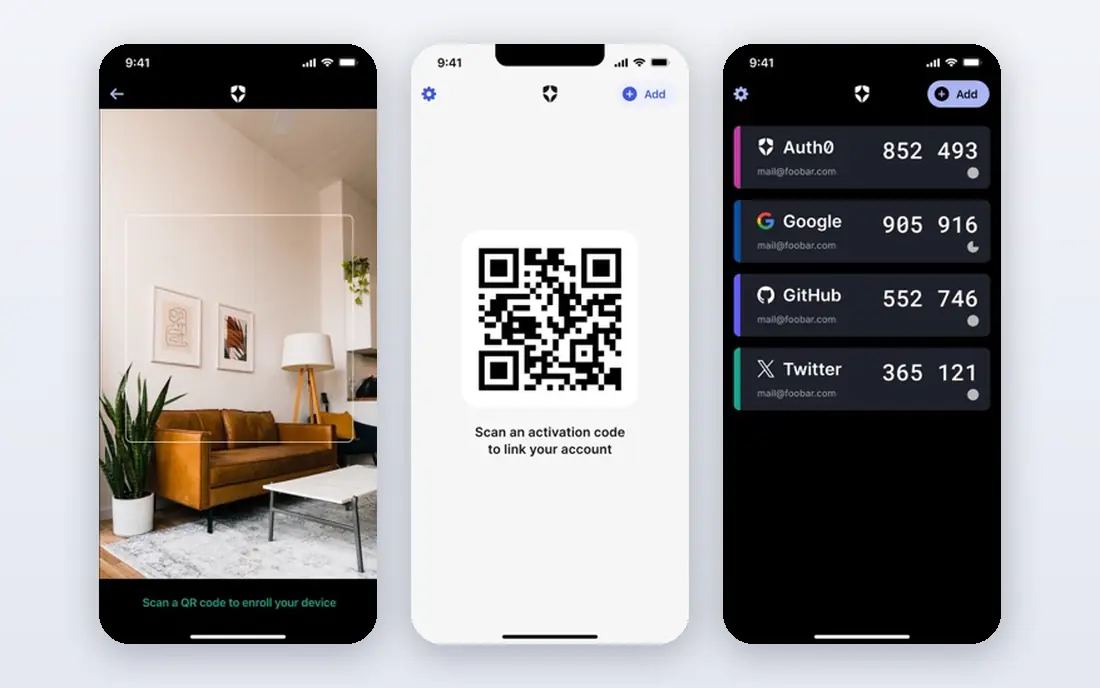
Auth0, part of Okta, is the broadest customer identity platform on this list. It supports passkeys through WebAuthn, magic links, social login, and multi-factor options, all inside a system that also handles user profiles, roles, and enterprise connections. That breadth helps product teams that start simple and later need business customer logins, compliance features, and audit logs.
The main drawback is cost at scale. A free tier helps small apps, but monthly active user pricing can grow quickly as a consumer product succeeds, and some enterprise features sit on higher tiers. Teams should model pricing on a realistic user curve, not just launch numbers, and confirm which passwordless methods are included in the tier they plan to buy.
- Broad passkey and social login support
- Strong docs and integrations
- Free tier for small apps
- Pricing rises with monthly active users
- Enterprise features need higher tiers
- Setup depth can overwhelm small teams
Okta is the workforce pick for companies that want staff to sign in without passwords across many apps. FastPass lets a trusted device and a biometric or PIN check replace a password, while policies control which apps need extra verification and when access should end. Its large app catalog and lifecycle tools help IT teams onboard and offboard staff in one place.
It is less simple as a customer login tool, where Auth0 or a passkey-first platform may fit better, and workforce pricing per user adds up for large teams. Admin setup also needs care, since a policy mistake can lock out staff or leave a gap. For a company standardizing staff access, Okta offers the depth that smaller tools lack.
- FastPass device-based sign-in
- Deep policy and lifecycle controls
- Wide app catalog
- Workforce pricing adds up for large staff
- Customer identity is a separate product line
- Admin setup needs care
Microsoft Entra ID, formerly Azure Active Directory, is the natural passwordless choice for organizations already on Microsoft 365. Staff can use passkeys, Windows Hello, and the Authenticator app, while Conditional Access adds risk-based checks for sensitive apps and locations. When licensing already includes Entra features, the added cost can be lower than buying a separate workforce tool.
Outside a Microsoft-centered stack, the fit weakens. Admin screens and policy concepts assume Microsoft services, and customer-facing identity needs separate planning through Entra External ID. Teams that run mainly on Google Workspace or mixed tools should compare Okta and Ping before assuming Entra is the simplest path.
- Passkeys and Windows Hello integration
- Conditional Access policies
- Strong fit with Microsoft 365
- Best value inside Microsoft licensing
- Complexity for non-Microsoft stacks
- Customer identity needs separate planning
Descope stands out for teams that want to build and change login flows without rewriting code each time. Its visual flow builder lets you combine passkeys, magic links, one-time codes, and step-up checks, then test the journey before release. That speed helps product teams that adjust onboarding, fraud checks, or recovery flows often.
Pricing is the watch point. A free tier covers small use, but paid plans start higher than some passkey-first rivals, and larger enterprise needs sit on higher tiers. Descope also has a smaller surrounding ecosystem than Auth0, so check for the specific integrations and compliance features your product needs before you commit.
- Drag-and-drop flow builder
- Passkeys, magic links, and social login
- Good for teams that change flows often
- Paid tiers start higher than some rivals
- Advanced enterprise needs need higher plans
- Smaller ecosystem than Auth0
Stytch is built around passkeys first, rather than adding them to a password system as an afterthought. It offers passkeys, magic links, email codes, and social login, plus fraud and device signals that help spot risky sign-ins. For consumer and business-to-business products that want a modern login without building passkey handling from scratch, that focus shows in cleaner docs and defaults.
Business login connections can add cost, since extra SSO and provisioning connections carry fees beyond the included set, and per-user pricing needs modeling as usage grows. Stytch is also stronger for product logins than for full workforce lifecycle management. Product teams should test passkey recovery carefully, since that flow decides whether users stay happy after a lost phone.
- Passkey-first design
- Fraud and device signals built in
- Free tier for early products
- Per-connection fees for business logins
- Pricing needs modeling at scale
- Less workforce depth than Okta
FusionAuth appeals to teams that want control over where user data lives and how identity scales. You can self-host the community edition at no license cost, or use FusionAuth Cloud with paid plans, and both support WebAuthn passkeys alongside other login methods. For teams with data residency needs or predictable flat pricing goals, that choice is a real advantage.
Self-hosting brings work. Your team owns updates, backups, scaling, and incident response, which can cost more in staff time than a hosted plan saves in fees. The admin interface also feels less polished than Auth0 or Descope. Teams with operations capacity gain control here, while smaller teams may prefer a hosted tool that handles that burden.
- Self-hosting or cloud options
- No per-user fee in self-hosted use
- WebAuthn and passkey support
- You run updates and scaling if self-hosted
- Interface is less polished than hosted rivals
- Support tiers cost extra
Keycloak is the free, open source option for teams that want full control and no license fee. It supports WebAuthn passkeys, single sign-on, social login, and federation to other identity providers, all under an Apache license. For internal tools, open source projects, and teams with strong operations skills, it removes vendor lock-in entirely.
The cost is effort, not money. You host, update, secure, and scale Keycloak yourself, and the default interface is basic compared with commercial rivals. There is no vendor support line unless you pay a partner, so incident help depends on your own team and community resources. If you have that capacity, Keycloak is powerful. If not, a hosted tool will be cheaper in practice.
- Free and open source
- WebAuthn built in
- Single sign-on and federation support
- You host and maintain it yourself
- Default interface is basic
- No vendor support without a partner
Ping Identity, through PingOne, suits large organizations with complex login journeys. Its orchestration tools let you combine passkeys, federation, fraud signals, and step-up checks across many user types and risk levels. Banks, insurers, and other regulated firms often value that depth, along with federation support for partners and legacy systems.
That depth comes with cost and time. Pricing is quote-based and typically enterprise level, and implementation takes longer than a passkey-first startup tool. Small apps and simple products will find Ping more than they need. Large teams with many identity sources, strict controls, and complex journeys are the right audience.
- Deep orchestration for complex journeys
- Strong federation and fraud signals
- Suited to regulated industries
- Quote-based pricing
- Implementation takes longer
- Overkill for simple apps
Beyond Identity takes a device-first approach to workforce access. It binds a credential to a trusted device, so sign-in depends on that device and a local check, not on a shared secret that can be phished. That model fits zero-trust programs where IT wants strong proof that the right person on the right device is requesting access.
It is a workforce tool, not a general customer login platform, and pricing is quote-based, so small teams should expect an enterprise conversation. Device enrollment and recovery also need planning, since a lost or replaced device must be handled cleanly. For companies with a clear zero-trust goal, Beyond Identity offers a focused and strong option.
- Strong device and credential binding
- Phishing-resistant workforce sign-in
- Good for zero-trust programs
- Quote-based pricing
- Workforce focus, not customer apps
- Needs device enrollment planning
How we picked these
We compared official product pages, pricing pages, and documentation for passwordless tools available in October 2026. We kept tools with real passkey or device-based sign-in, not just one-time codes alone, and we covered both customer apps and workforce use. We did not claim hands-on testing. Where pricing was quote-based or not published plainly, we wrote See website rather than guessing a figure.
What to check before you buy
Start by naming your users. Customer apps need smooth signup, passkey recovery, and social login options, while workforce tools need lifecycle controls, device policy, and app catalog coverage. A tool that excels for one group may be weak for the other, so do not judge both jobs with one score.
Test recovery first. Ask what happens when a user loses a phone, changes devices, or has no biometric option, and how your team proves identity before issuing a new credential. Check passkey support across browsers and devices your users actually use, and confirm audit logs, data residency, and compliance features your business needs. Finally, model total cost on monthly active users, staff count, and enterprise connections, not just the headline tier.
Frequently asked questions
What is the best passwordless authentication tool for a small app?
Descope, Stytch, and Auth0 all offer free tiers that suit small apps, with different strengths. Stytch leads on passkey-first design, Descope leads on visual flow building, and Auth0 leads on breadth and integrations. Test passkey signup and recovery on a real phone before you pick, since that flow matters more than a feature list.
What are the best passwordless authentication tools for staff?
Okta, Microsoft Entra ID, and Beyond Identity lead for staff, with Ping Identity close for complex enterprises. Okta suits mixed app estates, Entra ID suits Microsoft 365 shops, and Beyond Identity suits device-bound zero-trust programs. Choose by your existing stack and how much lifecycle control your IT team needs.
What is the best tool for passwordless authentication without vendor lock-in?
Keycloak and FusionAuth self-hosted give the most control, since you run the software and own the user data store. Keycloak is free and open source, while FusionAuth adds a paid cloud option if you later want hosting help. Both need operations skill, so weigh staff time against license savings.
Do passkeys work on all phones and browsers?
Passkey support is now broad on modern phones and browsers, but coverage still varies by device, operating system version, and browser. Test signup, sign-in, and recovery on the devices your users actually own, including older phones if your audience includes them. Keep a fallback method for users who cannot use a passkey yet, and make that fallback secure.
Are magic links as safe as passkeys?
No, not in general. Magic links depend on email security and can be phished or forwarded, while passkeys use device-bound cryptography that resists phishing. Magic links are still better than weak passwords for many apps, and they work well as a fallback. For high-risk accounts, prefer passkeys with a strong recovery process.
Sources
See where you really rank - block by block
ProMapRanker scans Google Maps across a grid of your service area. Simple monthly plans from $19, white-label on every plan.
Start freeKeep reading
 zscaler alternatives
Best Zscaler Alternatives in 2026
Looking for zscaler alternatives? We compare 9 SASE and zero trust platforms on architecture, data protection, pricing, and fit for your network and team.
Read → zapier alternatives free
Best Zapier Alternatives Free in 2026
Nine automation tools for zapier alternatives free in 2026, all with genuinely free tiers, plus free plan limits, starting prices and upgrade paths explained.
Read → which platform is best for online reputation
Which Platform Is Best for Online Reputation in 2026
Wondering which platform is best for online reputation? We compare 8 review, listing, and response tools for small and multi-location businesses and agencies.
Read →