 ProMapRanker
Best Password Manager Apps in 2026


Polished apps and family sharing · Pricing starts at: $3.99 per month
Key takeaways
- Bitwarden and Proton Pass offer the most complete free plans, with unlimited passwords and sync across devices.
- 1Password is our pick for polish and family sharing, but it has no permanent free plan.
- NordPass and Keeper give strong value at lower monthly prices, while Dashlane bundles a VPN and dark web monitoring.
- Every app here supports passkeys and a password generator, so the choice comes down to price, sharing needs, and trust in the provider.
- A password manager only helps if you use it everywhere, so pick one with apps for your phone, computer, and browser.
Quick comparison
| Pick | Great for | Pricing starts at | Free tier | |
|---|---|---|---|---|
| 1Password | Polished apps and family sharing | $3.99 per month | Free trial | Visit |
 Bitwarden Bitwarden | Best free plan and open source code | Free | Yes | Visit |
 Dashlane Dashlane | Bundled VPN and dark web monitoring | $4.99 per month | Free trial | Visit |
 NordPass NordPass | Low cost premium plan | $1.99 per month | Yes | Visit |
 Keeper Keeper | Compliance and business controls | See website | Yes | Visit |
 Proton Pass Proton Pass | Privacy and email aliases | $2.99 per month | Yes | Visit |
 RoboForm RoboForm | Form filling and older browsers | $2.49 per month | Yes | Visit |
 Enpass Enpass | Offline first storage and own cloud sync | $1.99 per month | Yes | Visit |
 LastPass LastPass | Familiar app with wide platform support | $3.00 per month | Yes | Visit |
The best password manager apps
We compared official feature pages, pricing pages, privacy policies, and public reviews to find the best password manager apps for everyday use. Our list favors apps with clear encryption practices, passkey support, and apps for the main platforms.
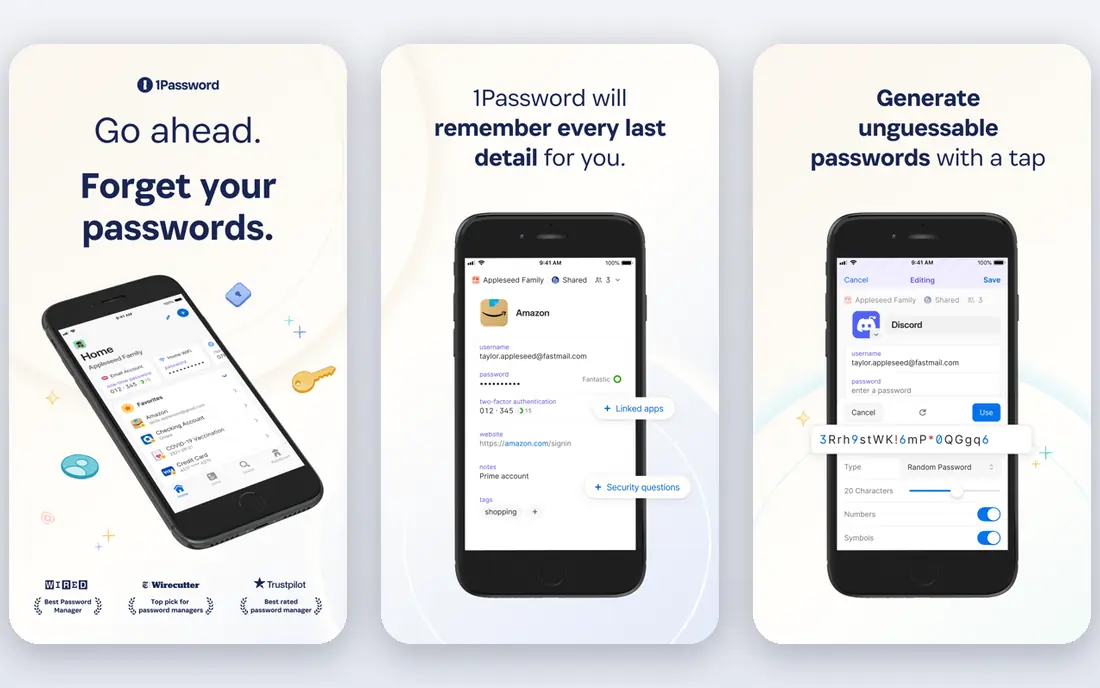
1Password stands out for how pleasant it is to use day to day. Vaults, categories, and shared items are easy to find, and autofill works well in browsers and on phones. Families get shared vaults, guest sharing, and account recovery options that make it easier to help a relative who gets locked out.
Watchtower flags weak, reused, and breached passwords, and it also watches for sites that now support passkeys. Travel Mode removes selected vaults from a device while you travel, which is a thoughtful touch for people who cross borders with sensitive work. The honest catch is price. At $3.99 per month billed annually for an individual plan, with a 14 day trial and no free tier, it costs more than several rivals that cover the same core job.
- Clean apps on every platform
- Watchtower breach alerts
- Travel Mode for trips
- No permanent free plan
- Higher price than Bitwarden and NordPass
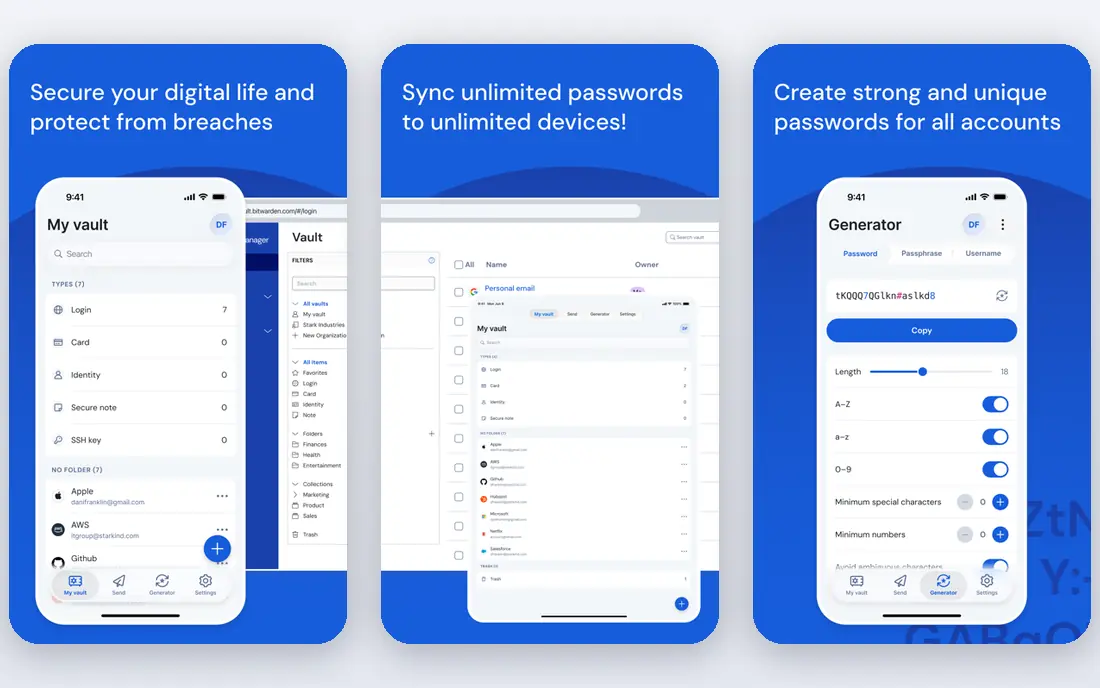
Bitwarden is the app we point most people to first, because its free plan is genuinely useful rather than a short trial. It stores unlimited passwords and passkeys, syncs across unlimited devices, and includes a password generator. Premium costs $1.65 per month billed annually, which is $19.80 per year, and adds an integrated authenticator, file attachments, Emergency Access, and vault health reports.
The code for its clients is open source, and the company publishes audit results, which helps privacy minded users check its claims. Self hosting is possible for advanced users, though most people will be happier with the hosted service. The trade off is design. The apps are functional and clear, but they lack the visual polish of 1Password, and autofill can be less smooth on some mobile apps and complex forms.
- Unlimited passwords and devices on the free plan
- Open source clients
- Low cost Premium
- Interface feels less polished
- Some features need the paid plan
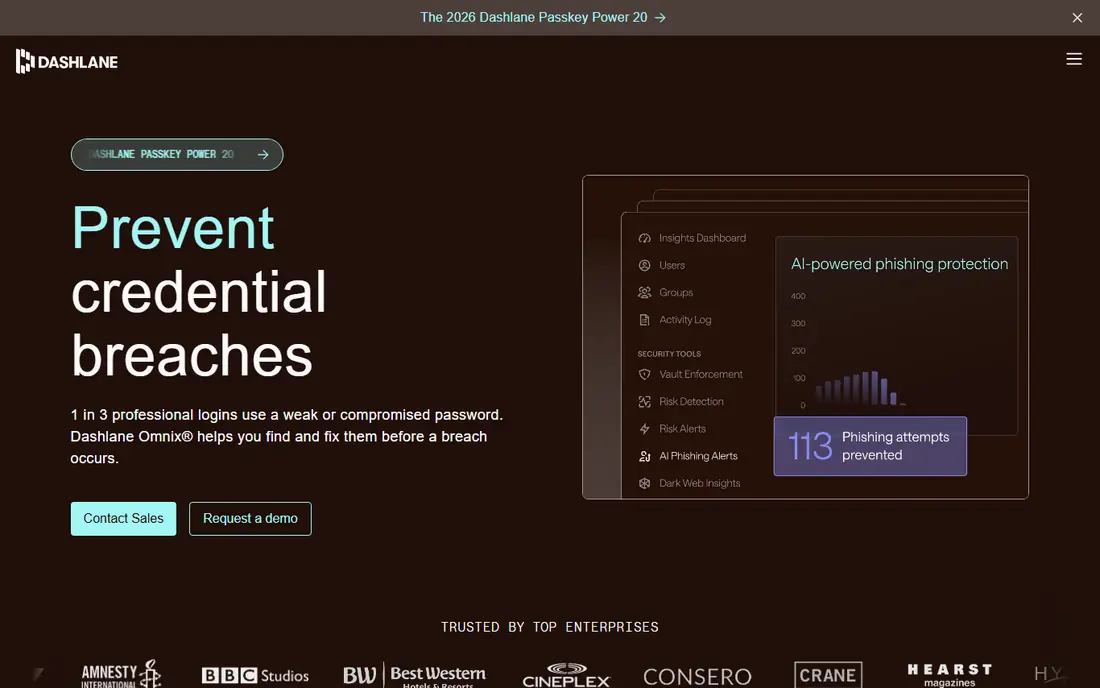
Dashlane suits people who want one subscription to cover passwords plus extra monitoring. Premium includes unlimited passwords on unlimited devices, dark web monitoring, a VPN, and AI powered scam protection. The Friends and Family plan covers up to 10 people, which is more seats than most family plans offer.
The apps are polished, and form filling and passkey support cover the daily tasks well. The main drawback is cost and clarity around renewals. The free plan was retired for new users, so new signups rely on a trial, and first year prices can differ from renewal prices. Check the price shown at checkout and set a reminder before renewal if you choose Dashlane.
- Built in VPN on Premium
- Dark web monitoring
- Strong phishing and scam alerts
- No permanent free plan for new users
- Renewal price can be higher than the first year price
NordPass is a good middle ground between price and polish. Premium, at $1.99 per month billed annually for the first year in recent listings, adds multi device sync, password health checks, a data breach scanner, email masking, and emergency access. The apps feel modern and are easy to learn, which matters if you are moving from browser saved passwords for the first time.
The free plan stores unlimited passwords but only on one active device at a time, which limits it in real life, since most people need passwords on a phone and a computer. Families get up to six vaults on the Family plan. If you already use NordVPN, check whether your bundle already includes NordPass before paying separately.
- Modern XChaCha20 encryption
- Breach scanner and password health
- Clean, simple apps
- Free plan limited to one active device
- Sharing is per item rather than shared folders
Keeper is built with regulated teams in mind, and that shows in its admin controls, audit options, and compliance certifications, including FedRAMP authorization noted in public comparisons. Individuals still get a solid vault with unlimited passwords and passkeys, secure sharing, and BreachWatch alerts for exposed credentials. A limited free version is available, and paid personal plans add more storage and monitoring.
For households, Keeper Family covers up to five private vaults. The catch is that the product range is broad, with add ons for file storage, secure messaging, and privileged access, so the price you see depends on the plan and any promotion. Read the plan details carefully, and use the trial to confirm that autofill feels smooth on the devices you use most.
- Strong admin and compliance options
- BreachWatch monitoring
- Offline vault access
- Best features sit in business plans
- Personal pricing varies by promotion
Proton Pass is the strongest privacy focused option on this list for most people. The free plan includes unlimited logins, notes, and credit cards, unlimited devices, passkeys, a password generator, and 10 hide-my-email aliases. Those aliases forward mail to your inbox while hiding your real address, which helps you spot which service leaked your address if spam starts.
Pass Plus, listed at $2.99 per month billed annually, adds unlimited aliases, a built in two factor authenticator, secure vault sharing, dark web monitoring, file attachments, and emergency access. It fits well if you already use Proton Mail, VPN, or Drive, since the accounts work together. The main limit is that some organization tools, such as folders, sit behind the paid plan, and the integration range is narrower than older rivals.
- Unlimited logins and devices on the free plan
- Hide-my-email aliases
- End to end encryption
- Some organization features need the paid plan
- Smaller third party integration range
RoboForm has been around for years, and its strength is still filling long web forms, not just login boxes. It handles addresses, payment details, and custom fields well, which saves time on checkout and registration pages. Premium costs $2.49 per month billed annually and adds sync across devices, secure sharing, and cloud backup.
The free plan is useful for trying the app on one device, but most people will need Premium for phone and computer sync. The apps are functional rather than stylish, and the design feels older than 1Password or NordPass. If form filling is your main frustration, though, RoboForm earns its place, and the price is easy to justify.
- Strong form filling
- Works on a wide range of browsers
- Low cost Premium
- Interface looks dated
- Free plan limited to one device
Enpass takes a different approach to storage. Instead of forcing you onto its own cloud, it lets you sync an encrypted vault through your own iCloud, Dropbox, Google Drive, OneDrive, or WebDAV storage, or keep it local. That appeals to people who want control over where their encrypted vault file lives, and it also means you are not locked to one provider for sync.
The desktop app has a free tier, and the paid plan, listed around $1.99 per month billed annually in recent comparisons, adds full mobile features and premium extras. Setup takes a little more thought than a fully hosted rival, because you choose the sync location and keep its credentials safe. If you prefer a simple sign in and forget it service, Bitwarden or Proton Pass will feel easier.
- Vault data can live in your own cloud storage
- Desktop free plan
- No account needed for local vaults
- Sync setup takes more effort
- Breach monitoring is less deep than rivals
LastPass remains widely known, and its apps cover Windows, macOS, iOS, Android, and the main browsers. Importing from a browser is straightforward, and the Premium plan, listed around $3 per month billed annually, adds sync across device types, emergency access, and advanced sharing. Families can cover six users on one plan.
We list it last for a reason. LastPass has disclosed serious security incidents in past years, and that history matters when you are trusting a company with every login you own. The free plan is also limited to one device type, either mobile or computer, which pushes most people to pay. If you already use LastPass, turn on strong multifactor authentication, use a unique master password, and review breach alerts promptly.
- Long running, widely supported
- Easy import from browsers
- Family plan for six users
- Past security incidents hurt trust
- Free plan limited to one device type
How we picked these
We compared official feature pages, pricing pages, app store listings, privacy policies, and public reviews for each app. We favored products with end to end encryption or zero knowledge design, passkey support, a password generator, and apps for desktop, mobile, and browsers. We also weighed free plan limits, family sharing, recovery options, and breach monitoring, since those decide whether an app works in real households, not just on a feature list. We did not claim hands on testing, and prices can change, so check the vendor page before you buy.
What to check before you pay for a password manager
Start with your devices and browsers
List the devices and browsers you use every day, then confirm the app you pick has native apps or extensions for all of them. A manager that only works well on one device will push you back to reused passwords. Check passkey support too, since passkeys are replacing passwords on more sites each year, and a good manager should store and sync them.
Read the free plan limits carefully
Free does not mean the same thing everywhere. Bitwarden and Proton Pass sync across unlimited devices for free, while NordPass, RoboForm, and LastPass limit free use to one device or one device type. If you use a phone and a computer, that limit alone can decide the winner. Also check whether sharing, emergency access, and breach alerts need a paid plan.
Set up recovery before you need it
A zero knowledge vault cannot be recovered by the vendor if you lose your master password, so recovery is your job. Choose a long, unique master password you can remember, turn on multifactor authentication for the vault account, and set up emergency access or a trusted contact where the app offers it. Store backup codes somewhere safe and separate from your devices.
Move passwords in stages
Import from your browser first, then change the most important passwords: email, banking, cloud storage, and social accounts. Use the generator for each new password, and let the manager save it before you move on. After a week, delete saved passwords from the browser so the vault becomes the single source of truth, and review weak or reused passwords flagged by the health report.
Frequently asked questions
What is the best password manager app for most people?
Bitwarden is our default answer for most people, because the free plan covers unlimited passwords and devices, and Premium is low cost. If you prefer a more polished experience and do not mind paying more, 1Password is the best password manager software for families and design focused users. Try the free plan or trial first, and pick the app whose autofill feels smooth on your phone.
Is there a good best password manager app that is free?
Yes. Bitwarden Free and Proton Pass Free both store unlimited passwords and sync across devices without payment. Proton Pass adds hide-my-email aliases on the free plan, while Bitwarden adds open source clients and optional self hosting. The best password security app for you may still be a paid plan if you need an integrated authenticator, emergency access, or breach monitoring.
What is the best password protection app for families?
1Password Families covers five users with shared vaults and recovery help, while Bitwarden Families covers six users at a lower annual price. NordPass Family and Keeper Family also cover six and five users in turn. The best password keeper app for a family is the one every member will actually use, so test the apps on the phones your family already owns before committing.
Do I still need a password manager if my browser saves passwords?
Browser saving is better than reuse, but a dedicated tool is safer and more flexible. The best password management tool syncs across browsers and devices, stores passkeys and secure notes, warns about breaches, and lets you share items safely. It also keeps your logins separate from your browser account, which helps if you change browsers or devices.
Are passkeys replacing passwords, and do these apps support them?
Passkeys are growing fast, but passwords will remain common for years, so you need both. Every app on this list supports passkeys in some form, though the exact platforms and sync behavior differ. The best password management tools store passkeys alongside passwords, so you can sign in with a fingerprint or face scan where a site supports it and fall back to a strong password elsewhere.
Which is the best password manager tool for business use?
Keeper and 1Password Business offer the strongest admin controls, audit logs, and single sign on options for teams. Bitwarden Teams is the lower cost business option and adds organization sharing and policies. For a small team, start with the business trial, check how guest sharing and offboarding work, and confirm that the plan covers the devices your team uses.
Sources
See where you really rank - block by block
ProMapRanker scans Google Maps across a grid of your service area. Simple monthly plans from $19, white-label on every plan.
Start freeKeep reading
 youtube alternatives
Best YouTube Alternatives in 2026
Looking for youtube alternatives in 2026? We compare Vimeo, Dailymotion, Twitch, Rumble, and more on price, audience, monetization, control and privacy.
Read → what's the best ai tool for photo editing
What Is the Best AI Tool for Photo Editing in 2026
What is the best AI tool for photo editing? We compare ten tools for 2026, from Photoshop and Lightroom to Luminar, Topaz, Canva and mobile editors today.
Read → twitter alternatives
Best Twitter Alternatives in 2026
Compare the best twitter alternatives for 2026, from Bluesky, Threads, and Mastodon to Reddit, Tumblr, and Micro.blog, with free plans and audience notes.
Read →