 ProMapRanker
Best Password Management Software in 2026

Key takeaways
- Bitwarden is the best free password manager for most people, with unlimited passwords and devices on its free plan.
- 1Password is the most polished paid option, with strong family sharing, Travel Mode, and passkey support.
- Proton Pass and NordPass are strong privacy-led alternatives, with Proton Pass adding email aliases.
- Dashlane bundles a VPN and dark web monitoring, but it costs more than rivals and has no free plan in 2026.
- Prices changed in 2026 for several managers, so confirm the current price on the vendor site before you subscribe, and check renewal pricing.
Quick comparison
| Pick | Great for | Pricing starts at | Free tier | |
|---|---|---|---|---|
 Bitwarden | Best free plan | Free | Yes | Visit |
 1Password | Polished paid use | $2.99 per month | Free trial | Visit |
 Dashlane | Security extras and VPN | $4.99 per month | No | Visit |
 NordPass | Simple affordable use | $1.29 per month | Yes | Visit |
 Keeper | Families and teams | $1.67 per month | Free trial | Visit |
 Proton Pass | Privacy and aliases | $1.99 per month | Yes | Visit |
 RoboForm | Budget autofill | $0.99 per month | Yes | Visit |
 LastPass | Long-running vault | $3.00 per month | Yes | Visit |
 Apple Passwords | Apple-only households | Free | Yes | Visit |
The best password management software
We compared managers on free plans, encryption model, passkey support, autofill, sharing, breach alerts, and price. Here are the tools that are still strong choices in 2026.
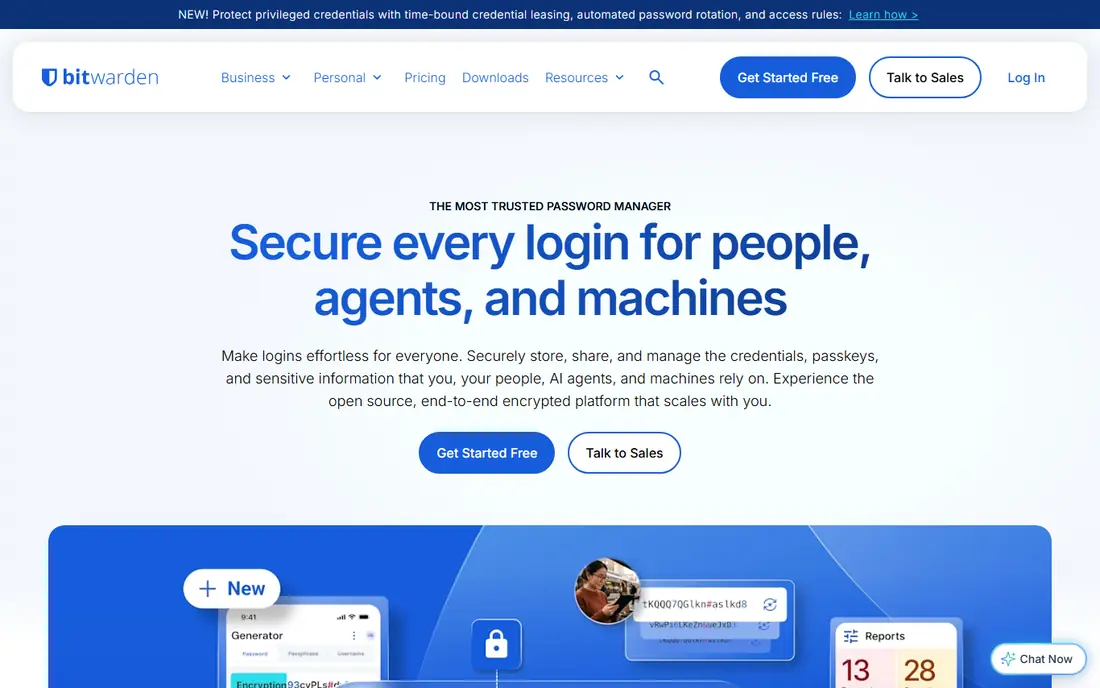
Bitwarden is our pick for most people, because its free plan is genuinely useful. You get unlimited passwords, unlimited devices, and basic two-factor support without paying, which covers the core job of a password manager. It is open source, independently audited, and uses end-to-end encryption with a zero-knowledge model, so Bitwarden cannot read your vault. Premium, listed at about $10 per year in recent guides, adds reports, emergency access, and more authenticator options.
The interface is functional rather than beautiful, and mobile use can feel slower than 1Password. For most users, that is a fair trade for a free plan that does not force an upgrade. If you are comfortable with technology, Bitwarden also offers a self-host option, which appeals to users who want full control over where their vault data lives.
- Unlimited passwords and devices free
- Open source
- Self-host option
- Interface is less polished than 1Password
- Advanced reports need Premium
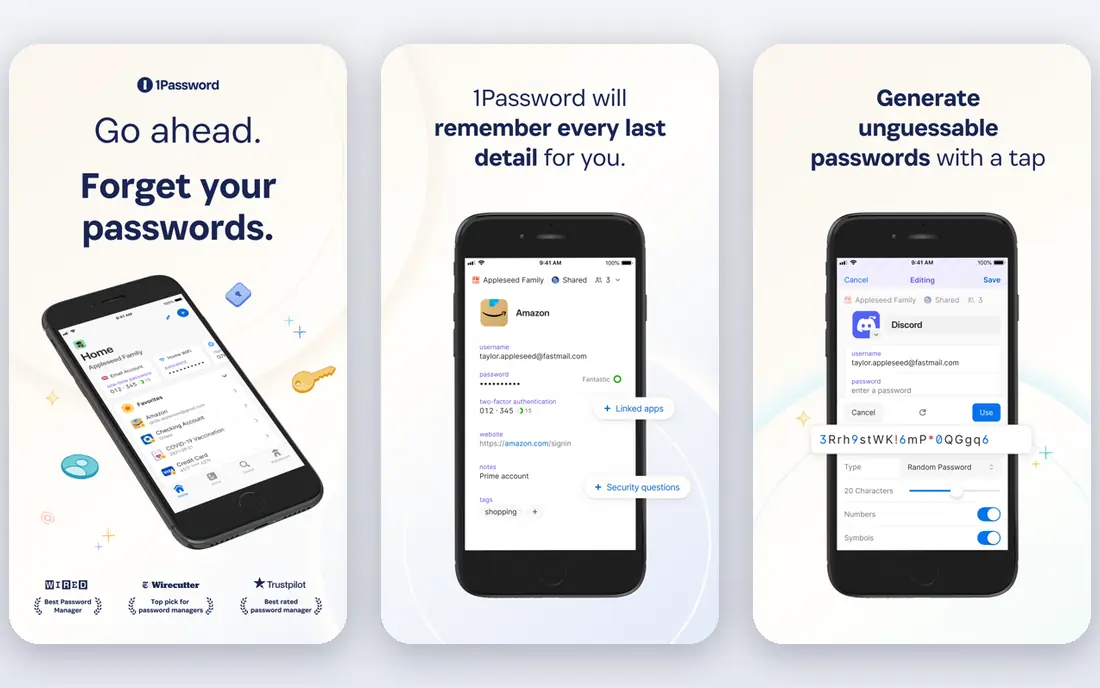
1Password is the best paid password manager for users who want the smoothest daily experience. Its design is clean, autofill works well across browsers and apps, and Watchtower alerts you to weak, reused, or breached passwords. Travel Mode lets you remove sensitive vaults from devices when crossing borders, and passkey support covers the newer passwordless logins that more sites now offer. Family sharing is also well handled, with separate private vaults and shared vaults.
There is no free plan, only a 14-day trial, and individual pricing starts at $2.99 per month billed annually in recent guides, with a price rise announced for 2026. That makes 1Password a clear premium choice. If you use a password manager every day and want the least friction, it is worth the cost. If budget is the priority, Bitwarden gives you the core features for free.
- Polished design
- Watchtower breach alerts
- Travel Mode and passkey support
- No free plan
- Family plan costs more than Bitwarden
- Price rose in 2026
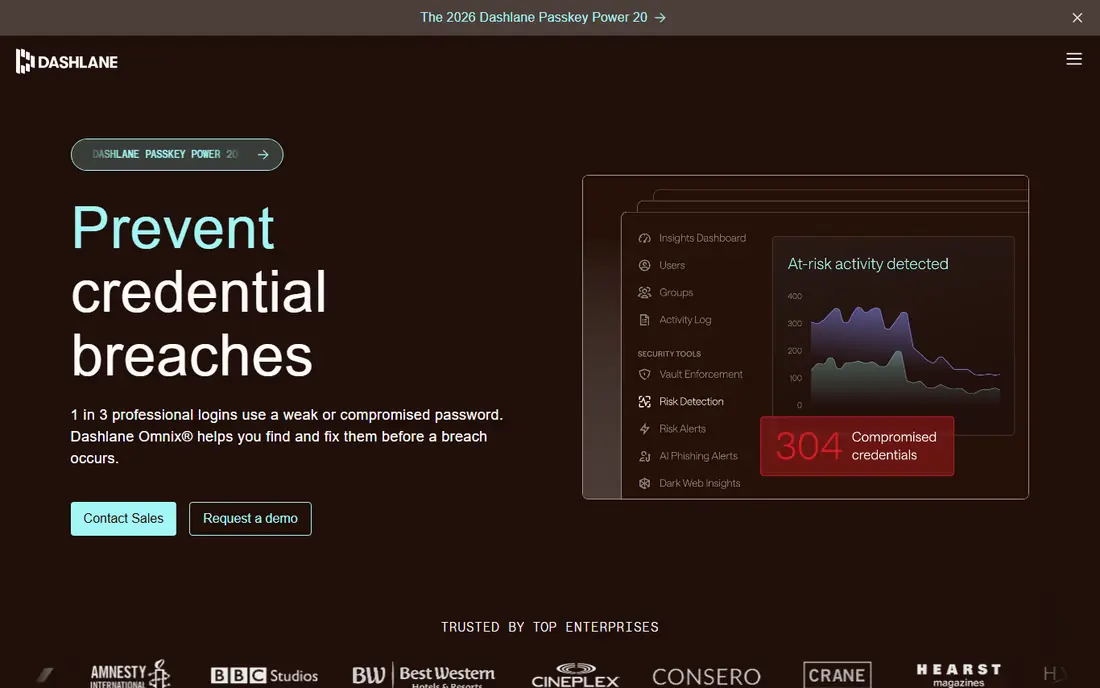
Dashlane is more than a vault: it bundles a VPN, dark web monitoring, and password health scoring with its password manager. That bundle suits users who want one security subscription rather than several separate tools, and its setup guides help beginners import passwords from a browser. The interface is friendly, and autofill is strong across desktop and mobile.
The drawback is price and the loss of its free plan. Dashlane ended its free plan in 2026, and its solo plan starts at about $4.99 per month billed annually, which is more than Bitwarden Premium or NordPass. The VPN also has a data cap, so heavy VPN users may still need a separate service. Choose Dashlane if you will actually use the VPN and monitoring, not just the vault.
- Built-in VPN
- Dark web monitoring
- Password health scoring
- No free plan in 2026
- Higher solo price
- VPN has a data cap
NordPass is a simple, modern password manager from the team behind NordVPN, and it is a good fit if you want low cost without a complex interface. Recent guides list it from $1.29 per month on longer plans, with a free basic plan for single-device use. It supports passkeys, secure sharing, password health reports, and breach alerts, which covers the features most home users need.
The free plan is limited compared with Bitwarden, and business controls are thinner than 1Password or Keeper. NordPass suits individuals and small families who want an affordable, easy manager, especially if they already use NordVPN. Check the current plan length and renewal price, as the lowest monthly figure usually needs a multi-year commitment.
- Simple modern design
- Low annual price
- Passkey and breach alerts
- Free plan is limited
- Some advanced features need a paid plan
- Fewer business tools than 1Password
Keeper is a strong choice for families and small teams who need sharing controls and admin features. It offers secure password sharing, emergency access, breach monitoring, and secure file storage, plus business tiers with single sign-on and provisioning for larger teams. Recent guides list personal pricing from about $1.67 per month billed annually, with family plans for five users at a higher monthly rate.
The free plan is limited, and the interface can feel busy compared with 1Password or NordPass. Keeper is best when sharing and admin control matter more than a minimal design. For a single user on a tight budget, Bitwarden or NordPass will usually be cheaper and simpler.
- Strong family and business controls
- Secure file storage
- Breach monitoring
- Free plan is limited
- Interface can feel busy
- Family price rises with users
Proton Pass comes from Proton, the company behind Proton Mail and Proton VPN, and it leans hard into privacy. Its free plan offers unlimited logins, which is generous, and its paid plan adds unlimited email aliases, which let you create a different email address for each site without revealing your real address. End-to-end encryption and a zero-knowledge model mean Proton cannot read your vault, and the app works across Windows, macOS, Linux, Android, and iOS.
Proton Pass is newer than 1Password, so its business tools and third-party integrations are still catching up. Alias limits apply on the free plan, and the best value often comes with a broader Proton plan. If privacy and email aliases matter to you, Proton Pass is a strong alternative to Bitwarden, with a cleaner design than Bitwarden in daily use.
- Unlimited logins on free plan
- Email aliases
- End-to-end encryption
- Newer ecosystem than 1Password
- Some features need a Proton plan
- Alias limits on free plan
RoboForm has been around for years, and its strength is still form filling. It handles logins, web forms, and identities well, which helps if you fill in many checkout and registration forms. Recent guides list paid pricing from about $0.99 per month on longer plans, making it one of the cheapest paid managers, and a free plan covers basic use. It works on Windows, macOS, Linux, ChromeOS, Android, and iOS.
The design feels older than 1Password or NordPass, and it offers fewer modern extras such as a built-in VPN or email aliases. Free plan sync limits have also varied by version, so check current terms. If your priority is cheap, reliable autofill across many devices, RoboForm is hard to beat on price.
- Very low paid price
- Strong form filling
- Works on many platforms
- Design feels older than rivals
- Fewer modern extras
- Free plan limits sync in some versions
LastPass is one of the oldest password managers, with broad platform support, sharing, emergency access, and password health reports. Its free plan still exists, but it is limited to one device type, meaning you must choose computers or mobile devices, not both, unless you pay. Paid pricing in recent guides starts at about $3.00 per month billed annually for an individual plan.
Past security incidents remain a concern for some users, even though LastPass has since made changes, and its price is higher than Bitwarden or NordPass for similar core features. LastPass still suits users who already have a vault there and do not want to migrate, but new users will usually get better value from Bitwarden, 1Password, or Proton Pass.
- Long-running service
- Broad platform support
- Sharing and emergency access
- Free plan limited to one device type
- Past security incidents concern some users
- Price higher than Bitwarden
Apple Passwords is the standalone password app built into iOS and macOS, and it is free for Apple users. It stores logins and passkeys, fills them in Safari and supported apps, and syncs through iCloud with end-to-end encryption. For a household that uses only Apple devices and Safari, it is a solid, no-cost option that needs no extra install or subscription.
Its limits appear as soon as you leave the Apple ecosystem. Cross-browser use on Windows or Android is limited, family sharing is less flexible than 1Password or Keeper, and advanced reports are thinner. If you use multiple browsers or platforms, a dedicated manager such as Bitwarden or 1Password is a better fit. If you live entirely in Apple, Apple Passwords is enough for most people.
- Free and built into Apple devices
- Passkey support
- ICloud sync
- Apple only for full use
- Weaker cross-browser sharing
- Fewer advanced reports
How we picked these
We compared official pricing pages, free plan terms, and security models for password managers that are still available in 2026. We favoured managers with end-to-end encryption, passkey support, and clear free or trial terms, and we checked recent 2026 pricing guides because several vendors raised prices or ended free plans during the year. Where recent guides disagreed on a price, we used the most commonly reported annual figure and advise checking the vendor site before you subscribe, since renewal pricing can differ from first-term pricing. We left out managers that had closed, that offered no sync, or that did not clearly support current browsers and mobile systems.
How to choose the right password manager
Start with your devices, not the brand
A manager that works only on Apple devices will frustrate a household with Windows, Android, and Apple hardware mixed together. Bitwarden, 1Password, Proton Pass, and NordPass all work across major platforms, while Apple Passwords suits Apple-only use. List your devices and browsers first, then shortlist managers that cover all of them.
Use a strong master password and two-factor login
Your master password protects your whole vault, so make it long, unique, and memorable, such as a phrase you can recall but others cannot guess. Turn on two-factor login for the manager itself, using an authenticator app or a security key where supported. Never reuse your master password anywhere else, and store any recovery key somewhere safe offline.
Check passkey support and export options
Passkeys are replacing passwords on many sites, so pick a manager that stores and syncs passkeys across your devices. Also check that you can export your vault in a standard format. Export support matters if you ever want to switch managers, and it stops you from being locked into a service whose price rises later.
Do not pay for extras you will not use
A VPN, dark web monitoring, and identity protection sound useful, but they only add value if you use them. Dashlane bundles those extras at a higher price, while Bitwarden Premium is cheap because it focuses on the vault. Compare the vault price alone first, then decide if the bundle is worth the extra cost for your household.
Frequently asked questions
What is the best password management software for most people?
Bitwarden is our pick for most people because its free plan covers unlimited passwords and devices, and its paid plan is cheap. 1Password is the best paid alternative if you want the most polished design and family sharing, and Proton Pass is a strong privacy-led choice.
Are there good best password management apps that are free?
Yes. Bitwarden offers the best free plan, with unlimited passwords and devices, while Proton Pass offers unlimited logins free. NordPass and RoboForm also have free tiers, but with more limits. Apple Passwords is free for Apple users.
What is the best app for password management on a family plan?
1Password and Keeper both handle family sharing well, with private vaults and shared vaults. Bitwarden also offers a family plan for six users at a low monthly price in recent guides. Compare user limits and renewal prices, since family pricing varies by vendor.
Do password managers work with passkeys?
Most managers on this list now support passkeys, including Bitwarden, 1Password, Proton Pass, NordPass, and Apple Passwords. Passkey support varies by browser and site, so check that your manager syncs passkeys across all your devices before you rely on it for passwordless logins.
Is it safe to store all my passwords in one place?
Yes, if you use a reputable manager with end-to-end encryption, a strong master password, and two-factor login. That setup is safer than reusing weak passwords or storing them in a notes app. No system is risk-free, so keep your manager updated, use a unique master password, and enable breach alerts where available.
What is the top password management software for businesses?
Bitwarden, 1Password, and Keeper all offer business plans with admin controls, sharing, and single sign-on on higher tiers. Bitwarden Teams is often cheapest, 1Password Business suits development teams, and Keeper Business suits firms that need strong compliance controls. Compare per-user pricing and provisioning features before you choose.
Sources
- https://toolradar.com/blog/best-password-managers-2026
- https://cybernews.com/password-managers/best-password-managers/
- https://citynews.co.ke/best-password-managers-2026/
- https://www.bitwarden.com
- https://www.1password.com
- https://www.dashlane.com
- https://www.nordpass.com
- https://www.keepersecurity.com
- https://www.proton.me/pass
- https://www.roboform.com
See where you really rank - block by block
ProMapRanker scans Google Maps across a grid of your service area. Simple monthly plans from $19, white-label on every plan.
Start freeKeep reading
 zscaler alternatives
Best Zscaler Alternatives in 2026
Looking for zscaler alternatives? We compare 9 SASE and zero trust platforms on architecture, data protection, pricing, and fit for your network and team.
Read → zapier alternatives free
Best Zapier Alternatives Free in 2026
Nine automation tools for zapier alternatives free in 2026, all with genuinely free tiers, plus free plan limits, starting prices and upgrade paths explained.
Read → which platform is best for online reputation
Which Platform Is Best for Online Reputation in 2026
Wondering which platform is best for online reputation? We compare 8 review, listing, and response tools for small and multi-location businesses and agencies.
Read →