 ProMapRanker
Best Parental Monitoring App in 2026

Key takeaways
- Bark is the strongest pick for message and social alerts for teens, while Qustodio gives the most hands-on control for younger children.
- Google Family Link and Apple Screen Time are free and built in, so try them before paying for a third-party app.
- Aura suits families that want parental controls plus identity protection in one subscription.
- Monitoring features differ between iOS and Android, so check the exact coverage for your child's device before buying.
- These apps are for parents monitoring their own minor children, with the child's knowledge where appropriate, and local law still applies.
Quick comparison
| Pick | Great for | Pricing starts at | Free tier | |
|---|---|---|---|---|
 Bark | Teen message and social alerts | $14 per month | Free trial | Visit |
 Qustodio | Hands-on control and reports | $59.95 per year | Yes | Visit |
 Aura | Family safety plus identity protection | $10 per month | Free trial | Visit |
 Norton Family | Budget controls for large families | $49.99 per year | Free trial | Visit |
 Mobicip | Affordable mixed-device filtering | $2.99 per month | Free trial | Visit |
 OurPact | Detailed mobile schedules | $6.99 per month | Free trial | Visit |
 Google Family Link | Free Android controls | Free | Yes | Visit |
 Apple Screen Time | Free Apple household controls | Free | Yes | Visit |
 Canopy | Explicit image blocking | $8.33 per month | Free trial | Visit |
The best parental monitoring apps
These apps help parents set limits, filter content, track location, and get alerts about risky messages. They are framed here for parents monitoring their own minor children, with consent and conversation as part of the setup, and with local law in mind. A monitoring app works best alongside a talk with your child about what it does and why it is in place.
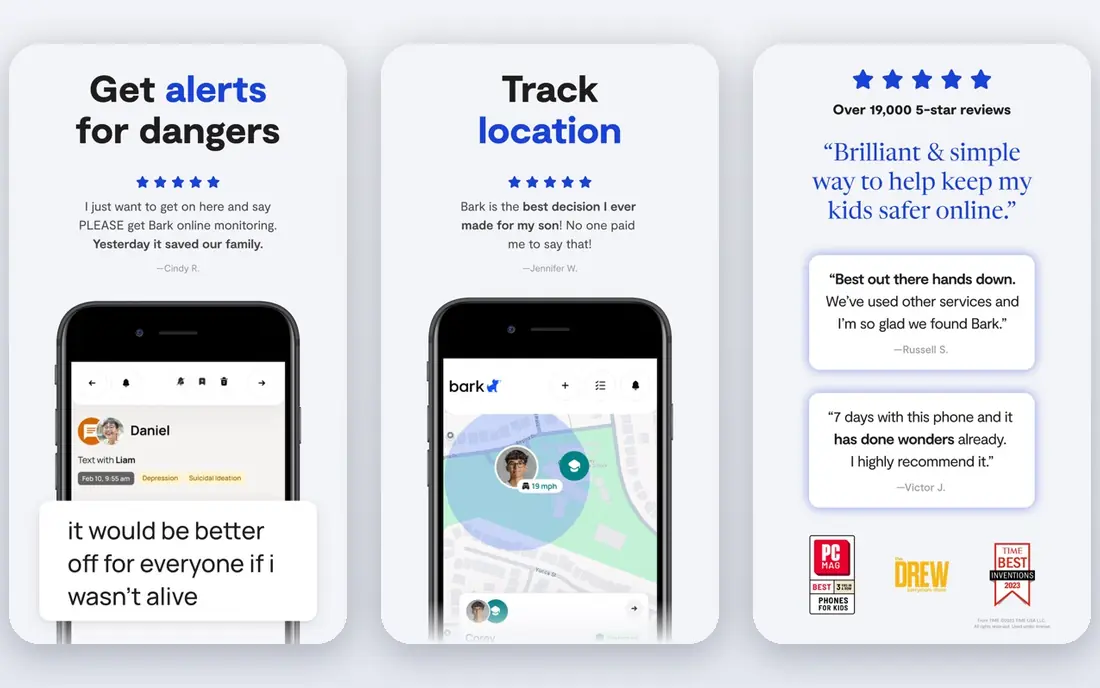
Bark takes a different approach from a strict blocking app. Instead of locking down every app, it scans texts, email, and supported social accounts for signs of bullying, predatory contact, self-harm language, and explicit content, then alerts a parent only when something is flagged. That approach suits teens, who often push back against heavy blocking but still need a safety net.
The limits matter. Bark cannot set per-app time limits in the same detail as Qustodio, and iPhone monitoring needs extra setup and covers less than Android. Parents should check which apps and accounts Bark covers on their child's device, and use Bark alongside screen time limits from the device itself where needed.
- Monitors texts, email, and many social apps
- Alerts only on flagged concerns
- Covers unlimited devices
- No per-app time limits in the same detail as Qustodio
- IPhone setup takes longer and coverage is narrower
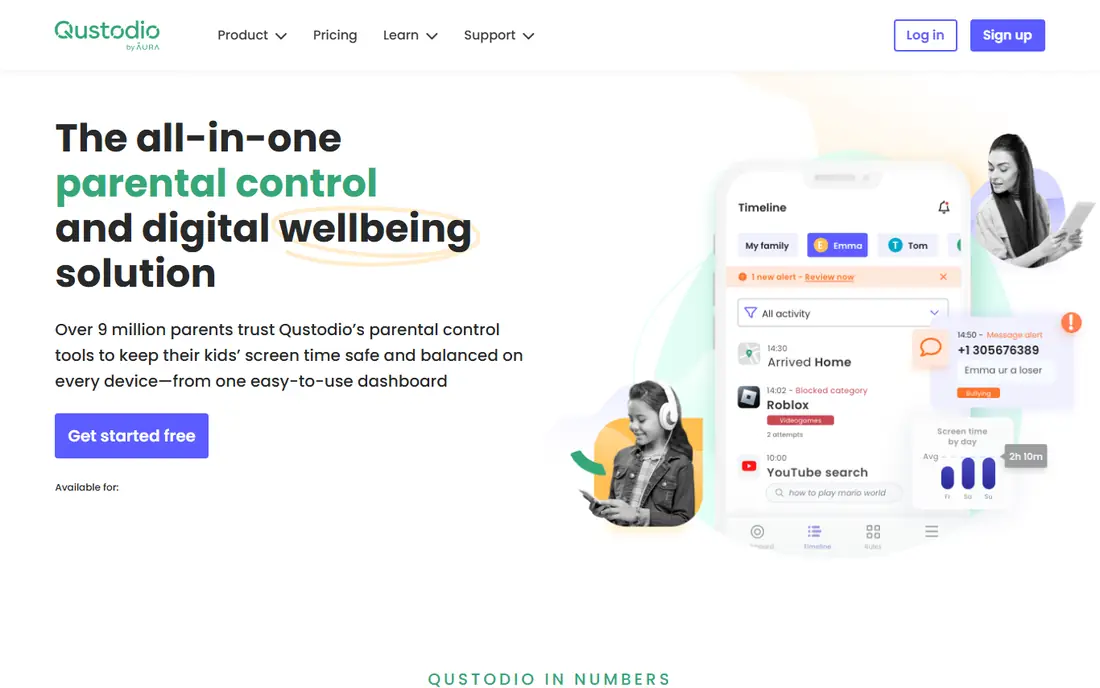
Qustodio is the control-first pick. Parents can set daily screen time limits, block apps, filter the web across many categories, track location, and read detailed activity reports. The free plan covers one device with basic filtering and limits, which makes it easy to test before paying.
That control comes with a platform gap. Android coverage is deeper than iPhone coverage, because Apple restricts some monitoring features. Families with mixed devices should test Qustodio on each device type during the trial, and check whether the panic button and location features work as expected on their child's phone.
- Detailed activity reports
- Per-app limits on Android
- Free plan covers one device
- Location and panic button
- Some features differ between iOS and Android
- Paid plans rise in price for unlimited devices
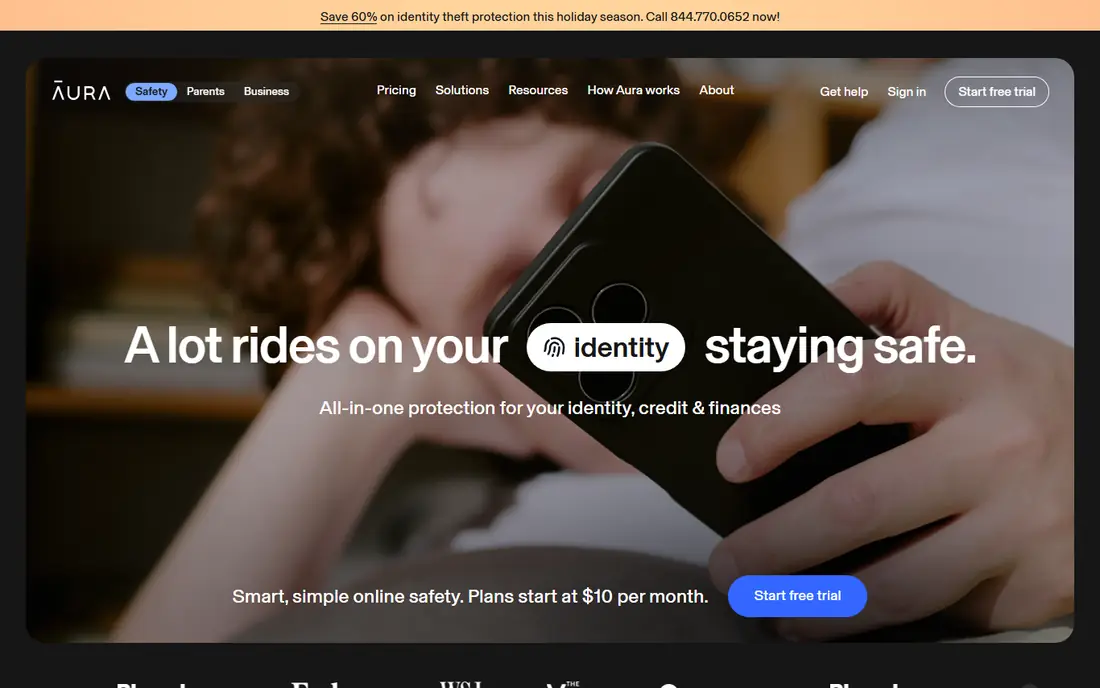
Aura suits families that want one subscription for several safety jobs. Parental controls cover content filtering, screen time, and risk alerts, while the wider Aura subscription adds identity theft protection and security tools for the whole family. Setup is quick compared with Bark, which helps parents who want to get started the same day.
The catch is scope. Aura's parental control service is aimed at US families, and location features are thinner than a dedicated tracker. Families that need detailed location history should pair Aura with a location app, or choose Qustodio instead.
- Parental controls plus identity theft protection
- Content filtering across many categories
- Covers unlimited children and devices on kids plans
- Some parental features are US only
- Location tracking is more limited than Qustodio
Norton Family is the value pick for larger families. One subscription covers many children, with web filtering, school time schedules, search supervision, and location tools. The yearly price is lower than Bark or Qustodio for a family with several children to cover.
Message and social monitoring is limited compared with Bark, so Norton Family suits families that mainly need filtering and time controls rather than message alerts. It also fits best in Windows and Android households, with iPhone coverage shaped by Apple restrictions.
- Low yearly price
- Covers many children
- School time and web filtering
- Location on supported devices
- Best value when bundled with Norton 360
- Message monitoring is limited
Mobicip gives mixed-device families a low-cost way to filter content, set schedules, and track location. It covers the main device types a family is likely to own, including Chromebook and Kindle, which some rivals handle less well. The entry price, billed annually, makes it easy to cover several children without a large bill.
The trade-off is depth. Mobicip does not monitor messages in the same way Bark does, and its reports are simpler than Qustodio. For families that mainly need filtering, schedules, and location, that simplicity is a plus, while families that need message alerts should look at Bark or Aura.
- Low entry price billed annually
- Covers Android, iOS, Windows, Mac, Chromebook, and Kindle
- Schedules and location
- Message monitoring is thinner than Bark
- Interface is simpler and less detailed
OurPact is a good pick for Apple households that want detailed schedules. Parents can block apps, set routines for school, homework, and bedtime, and manage screen time from one dashboard. The schedule tools are clearer than many rivals, which helps families that run on a fixed routine.
Web filtering is less detailed than Qustodio or Norton Family, so OurPact suits families that mainly need time and app control rather than deep content filtering. Test the free tier first, because several useful features sit behind the paid plan.
- Strong app blocking and schedules on iPhone
- Easy to set routines
- Location and screen time tools
- Web filtering is thinner than Qustodio
- Some features need a paid plan
Google Family Link is the starting point for Android families, and it costs nothing. Parents can approve app downloads, set daily and per-app limits, schedule downtime and school time, lock a device remotely, and see location. A parent can manage it from an iPhone, even though the child's device must be Android or Chromebook for full control.
Its limits are platform limits. Family Link cannot enforce screen time on a child's iPhone, and a daily allowance may apply separately to each supervised device. For an Android-only household, it may be all a family needs, and it pairs well with a paid monitor if message alerts are later required.
- Free
- App approvals, daily limits, downtime, and school time
- Remote lock and location for Android children
- Cannot enforce limits on a child's iPhone
- Daily limits may apply per device, not across all devices
Apple Screen Time is the starting point for Apple households, and it is already on the device. Parents can set app limits, downtime, communication safety, and ask-to-buy approvals, and manage a child's device through Family Sharing. There is nothing to install and no subscription to manage.
It is not a monitoring app in the Bark sense. Screen Time does not scan message content for risk alerts, and location tracking runs through Find My rather than a dedicated family tracker. For families that mainly need limits and approvals, it is enough, and it pairs with Bark or Qustodio when message alerts matter.
- Free and built into iPhone, iPad, and Mac
- App limits, downtime, communication safety, and purchase approvals
- Apple only
- No message content monitoring
- Location runs through Find My, not a dedicated tracker
Canopy takes a focused approach: on-device AI detects and blocks explicit images and videos as they appear, rather than only filtering known websites. That real-time blocking helps on social apps and browsers where a website filter alone can miss content. It covers phones and computers, which suits families with older children who use several devices.
Screen time schedules and location tools are thinner than Qustodio or OurPact, so Canopy suits families that already have limits in place and mainly need stronger explicit content blocking. Check device support during the trial, because coverage varies by platform.
- On-device AI blocks explicit images in real time
- Covers phones and computers
- Works across browsers and apps on supported devices
- Less focused on screen time schedules than Qustodio
- Location tools are thinner
How we picked these
We compared official feature pages, pricing pages, and platform documentation for parental monitoring apps that work in October 2026, and we favored apps with clear pricing, broad device coverage, and a stated focus on child safety. We left out tools that are no longer sold to new US buyers and tools built for monitoring adults without consent. We did not claim hands-on testing, and we marked prices as See website where vendor pricing was unclear. This guide is for parents monitoring their own minor children, and families should check local law and talk with their child about any monitoring in place.
How to choose a parental monitoring app
Start with your child's age and device. Younger children usually need stronger blocking and schedules, so Qustodio, Norton Family, or Mobicip fit well. Teens usually need alerts and conversation more than strict blocking, so Bark or Aura fit better. The device matters too, because iPhone coverage is narrower than Android coverage for most third-party apps.
Set it up with your child, not behind their back
Explain what the app monitors, what it does not monitor, and what happens when an alert fires. That conversation builds trust and makes the app more likely to stay installed, while secret monitoring can break trust and push a child to find workarounds. Agree on limits together where you can, and revisit them as your child gets older.
Check privacy, data, and local law
Read the privacy policy before installing any monitor, and check what data is stored, for how long, and whether message content is read by people or only by automated alerts. Bark, for example, is designed to show parents only flagged concerns rather than full message histories. Local law on monitoring a minor child varies, so check the rules where you live, and do not use a parental app to monitor another person's child or any adult.
Test on the actual device
Install the trial on your child's exact phone or tablet model and test the features you care about most. Check web filtering, app limits, location, and alerts over a few days, because setup steps and coverage differ between iOS and Android. A tool that works well on one device can disappoint on another, and a trial is the cheapest way to find out.
Frequently asked questions
What is the best parental monitoring app?
Bark is the best parental monitoring app for teen message and social alerts, while Qustodio is the best for hands-on control and detailed reports. Google Family Link and Apple Screen Time are the best free starting points, and Aura suits families that also want identity protection. The best pick depends on your child's age and device.
Are parental monitoring apps legal?
Parents monitoring their own minor children is generally the intended use for these apps, but rules vary by location and by how the app is used. Check local law where you live, use the app only for your own minor child, and talk with your child about the monitoring in place. Do not use a parental app to monitor an adult or another person's child.
Does Bark or Qustodio work better on iPhone?
Both work on iPhone, but both cover less on iOS than on Android because Apple restricts some monitoring features. Qustodio is stronger for screen time and location on iPhone, while Bark is stronger for social and message alerts where its setup is supported. Test both on the exact iPhone model during the trial before paying.
Can I monitor my child's phone for free?
Yes, for basic controls. Google Family Link is free for Android families, Apple Screen Time is free for Apple families, and Qustodio offers a free plan for one device. Free options cover limits, filtering, and location, while message alerts from Bark and similar tools usually need a paid plan.
What is the best parental monitoring app for teens?
Bark is the strongest pick for teens, because it alerts on risky messages and social content without blocking every app. Aura is a good alternative for teens when a family also wants identity protection. For teens, pair the app with a conversation about online safety, because no app can replace that talk.
Sources
See where you really rank - block by block
ProMapRanker scans Google Maps across a grid of your service area. Simple monthly plans from $19, white-label on every plan.
Start freeKeep reading
 zscaler alternatives
Best Zscaler Alternatives in 2026
Looking for zscaler alternatives? We compare 9 SASE and zero trust platforms on architecture, data protection, pricing, and fit for your network and team.
Read → zapier alternatives free
Best Zapier Alternatives Free in 2026
Nine automation tools for zapier alternatives free in 2026, all with genuinely free tiers, plus free plan limits, starting prices and upgrade paths explained.
Read → which platform is best for online reputation
Which Platform Is Best for Online Reputation in 2026
Wondering which platform is best for online reputation? We compare 8 review, listing, and response tools for small and multi-location businesses and agencies.
Read →