 ProMapRanker
Best Parental Control App in 2026


Detailed activity reports across many devices · Pricing starts at: 59.95 dollars per year
Key takeaways
- Start with the free controls already on your phones, Google Family Link for Android and Apple Screen Time for iPhone, before paying for a third party app.
- Qustodio gives the most detailed cross platform reports, while Bark is stronger for alert based monitoring of texts and social apps for teens.
- Net Nanny still leads on real time web filtering, but its device support is narrower than Qustodio or Bark, so check platform coverage first.
- Mobicip and Norton Family offer low cost coverage for large or mixed device families, with prices well below some premium rivals.
- Parental control apps should be used with clear rules for teens, open discussion about what is monitored, and regular reviews as a child grows older.
Quick comparison
| Pick | Great for | Pricing starts at | Free tier | |
|---|---|---|---|---|
| Qustodio | Detailed activity reports across many devices | 59.95 dollars per year | Yes | Visit |
 Bark Bark | Alert based monitoring for teens on texts and social apps | 14 dollars per month | No | Visit |
 Google Family Link Google Family Link | Free controls for Android and Chromebook families | Free | Yes | Visit |
 Apple Screen Time Apple Screen Time | Free controls for Apple only households | Free | Yes | Visit |
 Norton Family Norton Family | Budget controls for Windows and Android homes | 49.99 dollars per year | No | Visit |
 Mobicip Mobicip | Large mixed device families on a budget | 2.99 dollars per month billed yearly | No | Visit |
 Net Nanny Net Nanny | Real time web content filtering | 39.99 dollars per year | No | Visit |
 Microsoft Family Safety Microsoft Family Safety | Windows, Xbox, and Android families | Free | Yes | Visit |
The best parental control apps
Parental control apps differ more by platform than by headline features. Android and iOS give third party apps different levels of access, so an app that works well on one phone may be limited on another. The apps below cover free built in options, cross platform paid apps, and alert based monitoring for teens.
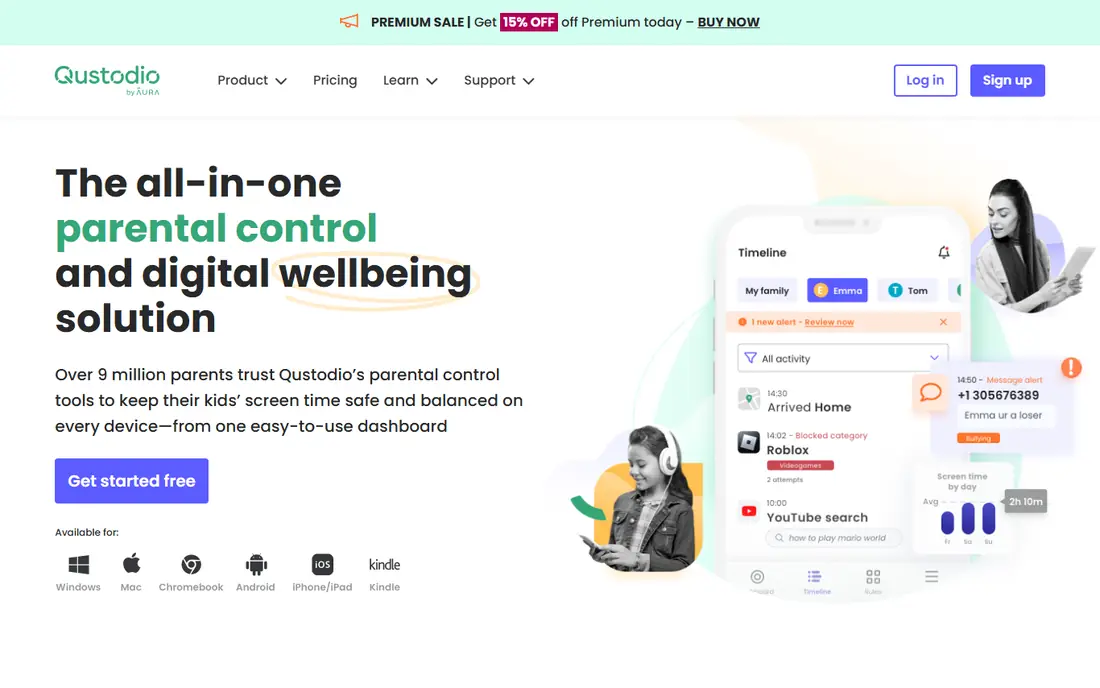
Qustodio is a strong all round choice for a family with a mix of Android, iOS, Windows, Mac, and Chromebook devices. It offers screen time limits, web filtering, app rules, location tracking, and detailed activity reports that show what a child did, not just how long a device was on. Routines for school and bedtime help set consistent rules without daily manual changes. The free plan is limited to one device, so a family with several devices will need a paid plan, with Basic listed at 59.95 dollars per year for up to five devices and Complete at a higher price for unlimited devices in recent comparisons. iOS limits also mean some features work better on Android. For a mixed device family that wants one dashboard, Qustodio remains a solid pick.
- Cross platform coverage, detailed reports, routines and schedules, web and app rules
- Free plan covers one device, higher tiers cost more, some iOS features are limited by Apple rules
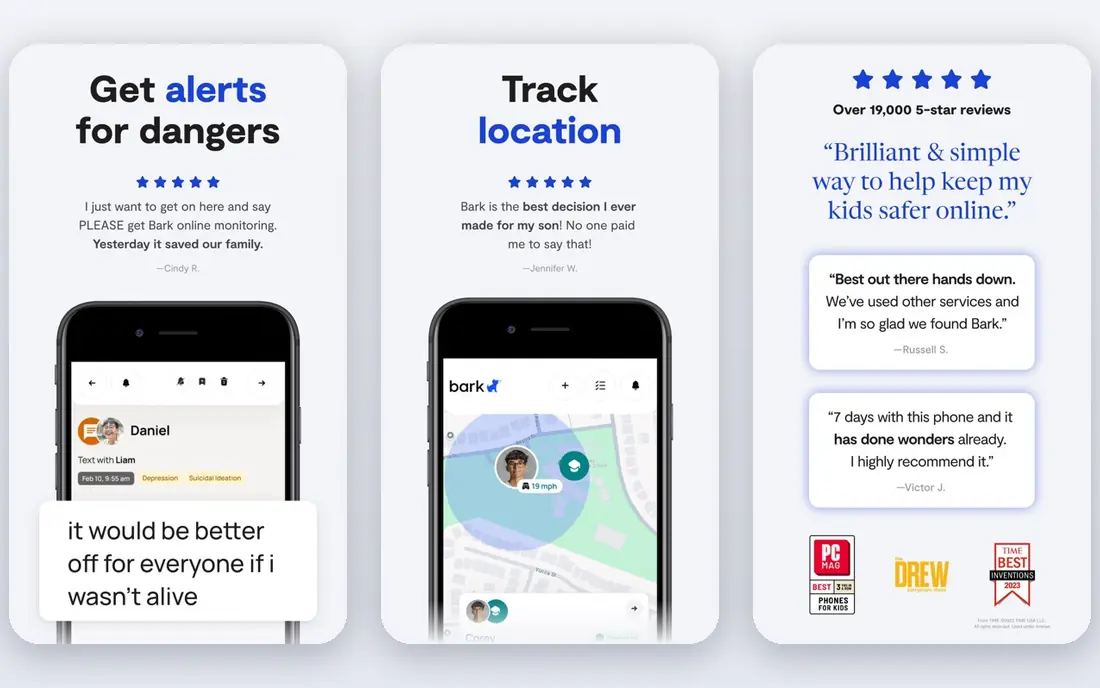
Bark takes a different approach from a strict filter. Instead of showing a parent every message, it scans texts, email, and more than 30 apps and surfaces only flagged concerns, such as bullying, self harm, or risky contacts. That alert model suits teens better than full transcript reading, because it gives them more privacy while still flagging serious risks. The premium plan, listed at 14 dollars per month or 99 dollars per year in recent comparisons, is not cheap, and a lower Jr plan covers screen time and filtering without full monitoring. Setup also takes time, because each social account needs connecting. For a parent of a teen who is active on social apps, Bark is the most thoughtful monitoring option on this list.
- Monitors texts, email, and many social apps, shows flagged concerns rather than full transcripts, location alerts
- No free plan, premium price is higher than basic filters, setup for social accounts takes time
Google Family Link
Great for: Free controls for Android and Chromebook families
Google Family Link is the free starting point for Android families. A parent can approve app installs, set daily limits and bedtime schedules, lock a device remotely, and see location, all without paying. It also works on Chromebook, which helps for school devices. The limits are platform and depth. Family Link is less useful for a child with an iPhone as the main device, and its web filtering is basic compared with Net Nanny or Qustodio. For an Android family, though, there is no reason to pay before testing Family Link, because it covers the core rules most younger children need.
- Free, app approvals, screen limits, schedules, location, easy setup on Android
- Android and Chromebook focus, weaker on iOS, web filtering is basic
Apple Screen Time is built into iPhone, iPad, and Mac, so an Apple family does not need a separate app to set limits. A parent can set downtime, app limits, content restrictions, purchase approvals, and communication limits, all from a family sharing account. Because it is part of the operating system, its limits are harder for a child to bypass than some third party apps on iOS. The obvious limit is that it only covers Apple devices. A child with an Android tablet or a Windows laptop will need another tool for those devices. For an Apple only household, Screen Time plus open discussion about rules is often enough, and it costs nothing extra.
- Free and built into iOS, deep app and content limits, downtime, purchase approvals, communication limits
- Apple devices only, reports can be confusing at first, no cross platform dashboard
Norton Family suits a family that already uses Norton security or that mainly uses Windows and Android devices. It offers web supervision, search supervision, screen time limits, and location features at 49.99 dollars per year for the first year in recent comparisons, which is lower than Qustodio Complete or Bark Premium. It is also included with Norton 360 Deluxe and higher plans, which can make it effectively free for existing Norton users. Device support is the catch. Norton Family does not cover macOS in the same way as Windows, and iOS features are limited by Apple rules. A family with Macs or iPhones as main devices should test it first. For a Windows and Android home on a budget, it is a practical choice.
- Low yearly price, web supervision, screen time and search supervision, included with some Norton 360 plans
- No macOS support in some listings, iOS features are limited, no free plan
Mobicip offers one of the lowest entry prices on this list, at 2.99 dollars per month billed yearly for its Lite plan in recent comparisons, while covering Android, iOS, Windows, Mac, Chromebook, and Kindle Fire. That mix makes it useful for a large family with many device types and a tight budget. Web filtering, screen time limits, and location tracking cover the core needs. The interface is less polished than Qustodio, and some features sit on higher tiers, so a family should check which plan includes the features it needs. There is no free plan, only a trial, so the low price still requires a paid commitment. For a large family that needs basic, reliable coverage on many devices, Mobicip is strong value.
- Low entry price, wide device coverage, web filtering, screen time and location
- Trial only, interface is less polished than Qustodio, some advanced features need higher tiers
Net Nanny has long been known for web filtering that works in real time, blocking or masking content as a page loads rather than relying only on a block list. That approach helps for younger children who may stumble onto unsuitable content through search or links, and profanity masking adds another layer for video and web text. Platform support needs checking before buying. Recent comparisons note that Net Nanny does not support Android in the same way as other platforms, and macOS support stops at older versions in some reports. For a Windows and iOS family that prioritises web filtering above social monitoring, Net Nanny remains a strong pick. For an Android heavy family, Qustodio or Mobicip may fit better.
- Real time web filtering, profanity masking, screen time, location on some plans
- No free plan, Android support is limited in recent reports, macOS support is narrower
Microsoft Family Safety is a free option for families that use Windows PCs and Xbox consoles. A parent can set screen time limits that apply across Windows and Xbox, filter web content, track location, and see activity reports, all from one app. That shared limit matters for a child who might switch from a PC to a console when one device hits its limit. It is less complete on iOS, and some features work best inside Microsoft Edge or with a Microsoft account. For a family that already lives in Windows and Xbox, it is a useful free tool that pairs well with Family Link or Screen Time for phones. For a family that mainly uses phones, a paid cross platform app may still be needed.
- Free, screen time across Windows and Xbox, web filtering, location, driving reports on some plans
- Less depth on iOS, some features need a Microsoft account and app, reporting is basic
How we picked these
We compared official feature and pricing pages, app store listings, privacy pages, and public reviews for parental control apps that are live in October 2026. We kept only apps with clear screen time, filtering, or monitoring features, a published price or free tier, and support for at least one major platform. We checked device coverage carefully, because an app that looks complete on its home page may be limited on iOS or Android. We also weighed privacy and teen use. Apps that show every message to a parent may work for a younger child but can damage trust with a teen, so we included Bark for its alert based model and we note where a free built in tool may be enough. Prices were taken from vendor pages and recent comparisons, and we used the first year price where a vendor lists it as such.
Setting rules that actually work
Agree rules before installing
Tell a child what will be monitored, what will not be, and why. A rule that is agreed in advance is easier to enforce than a rule discovered after an app is installed.
Match controls to age
Younger children need stronger filtering and app approvals, while teens need more discussion, alert based monitoring, and gradual freedom. Review settings every six months as a child grows older.
Use downtime and bedtime schedules
A consistent bedtime and school schedule does more than a daily limit alone, because it removes the daily negotiation over when a device must stop. Set the schedule once, then keep it steady.
Keep essential apps available
Allow calls, messages to family, maps, and school apps even during downtime, so a child can reach a parent or complete school work. Blocking everything can create safety and school problems.
Review reports together
For teens, review flagged alerts or weekly reports together rather than in secret. That habit builds trust and helps a teen learn to judge risky messages and contacts for themselves.
Frequently asked questions
What is the best parental control app for a teenager?
Bark Premium is a strong pick for teens, because it monitors texts and social apps and shows flagged concerns rather than full transcripts. Pair it with clear rules and regular discussion, rather than relying on monitoring alone.
What is the best app to monitor a kids phone for younger children?
Qustodio or Google Family Link work well for younger children, because they offer app approvals, web filtering, and screen time limits. Family Link is free on Android, while Qustodio covers more devices and gives more detailed reports.
What is the best parental control app for teens that respects privacy?
Bark is the most privacy aware paid option on this list, because its alert model avoids showing every message. Apple Screen Time and Google Family Link also avoid full message monitoring, but they offer less social app insight.
Are free parental control apps enough?
For many younger children, yes. Google Family Link, Apple Screen Time, and Microsoft Family Safety cover limits, schedules, and basic filtering at no cost. A paid app adds cross platform reporting, stronger filtering, or social monitoring when a family needs it.
Can parental control apps be bypassed?
Yes, determined teens can find workarounds, especially on Android, and no app replaces discussion and trust. Use operating system controls where possible, keep devices updated, and review settings regularly.
Do parental control apps work on both iPhone and Android?
Most paid apps claim both, but features differ by platform because Apple limits third party access on iOS. Check the feature list for the exact phone your child uses before paying, and test during a trial period.
Sources
See where you really rank - block by block
ProMapRanker scans Google Maps across a grid of your service area. Simple monthly plans from $19, white-label on every plan.
Start freeKeep reading
 youtube alternatives
Best YouTube Alternatives in 2026
Looking for youtube alternatives in 2026? We compare Vimeo, Dailymotion, Twitch, Rumble, and more on price, audience, monetization, control and privacy.
Read → what's the best ai tool for photo editing
What Is the Best AI Tool for Photo Editing in 2026
What is the best AI tool for photo editing? We compare ten tools for 2026, from Photoshop and Lightroom to Luminar, Topaz, Canva and mobile editors today.
Read → twitter alternatives
Best Twitter Alternatives in 2026
Compare the best twitter alternatives for 2026, from Bluesky, Threads, and Mastodon to Reddit, Tumblr, and Micro.blog, with free plans and audience notes.
Read →