 ProMapRanker
Best Paid SEO Tool in 2026: 9 Tools Compared

Key takeaways
- Ahrefs and Semrush lead for all-in-one research, but their entry prices and credit limits differ in ways that matter for small teams.
- Moz Pro and Mangools suit beginners better, with simpler interfaces and lower starting prices than the big suites.
- Screaming Frog and Majestic are specialist picks, best paired with a broader suite rather than used alone.
- Check project, keyword, and seat limits before you pay, since those limits often decide the real cost.
Quick comparison
| Pick | Great for | Pricing starts at | Free tier | |
|---|---|---|---|---|
 Ahrefs | Backlink and competitor research | $29 per month | Yes | Visit |
 Semrush | All-in-one SEO and content work | $139.95 per month | Yes | Visit |
 Moz Pro | Beginners and authority metrics | $99 per month | Free trial | Visit |
 SE Ranking | Affordable rank tracking for agencies | $129 per month | Free trial | Visit |
 Surfer | Content optimization | See website | Free trial | Visit |
 Screaming Frog SEO Spider | Technical site audits | See website | Yes | Visit |
 Majestic | Deep link index research | See website | No | Visit |
 Mangools | Simple keyword research | See website | Free trial | Visit |
 Serpstat | Budget all-in-one research | See website | Free trial | Visit |
The best paid SEO tools
We compared the leading paid options on price, coverage, and who each one actually fits. The right pick depends less on brand and more on the work you do each week.

Ahrefs is our pick for teams that spend most of their time studying competitors and links. Site Explorer shows which pages earn links, which keywords drive traffic, and where a rival is gaining ground. That detail makes it easier to plan outreach and content with evidence rather than guesses.
The catch is cost control. The Starter plan covers one project, while Lite and above add more projects and keyword tracking. If you run many client sites or pull large exports often, check the credit and seat rules on the pricing page before you commit.
- Large backlink index
- Clear Site Explorer reports
- Useful free tools for verified sites
- Higher tiers get pricey
- Credits can run out on heavy use
- No free trial for paid plans
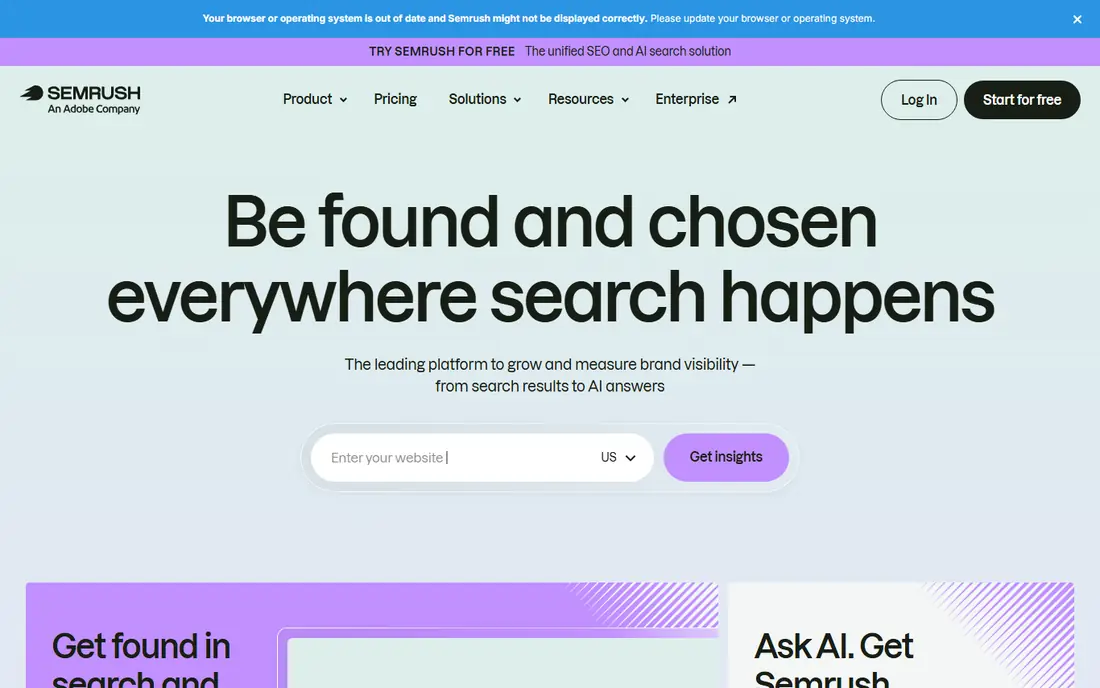
Semrush suits teams that want keyword research, audits, rank tracking, and content briefs without stitching several tools together. Its dashboard moves from a domain overview to a specific keyword gap in a few clicks, which helps when one person covers both strategy and execution.
The entry plan tracks 500 keywords, so larger sites may need a higher tier. We would start with the free account or trial, test the reports you will actually open weekly, and only then decide if the broader toolkit earns its price.
- Broad toolkit in one login
- Strong keyword and position tracking
- Built-in content tools
- Highest entry price here
- Add-ons and extra users add cost
- Some features sit in separate bundles

Moz Pro is a steady choice for a small business owner who wants the basics done well. Keyword Explorer, rank tracking, and site audits cover the core routine, and the reports read plainly enough to share with a non-specialist colleague.
It is less suited to deep link research or large agency portfolios. If your main question is whether your site is improving and which pages need fixes, Moz Pro answers it without a steep learning curve.
- Approachable interface
- Long-running Domain Authority metric
- Clear site crawl reports
- Smaller backlink index than Ahrefs
- Lower-tier campaign limits
- Fewer content tools
SE Ranking appeals to freelancers and small agencies that track many keywords across client sites. Its reporting tools make client updates easier, and the price per tracked keyword often looks better than the big suites once you compare like with like.
We would still verify project counts, seat counts, and add-on prices for your exact setup. The headline plan price is only part of the total when several team members need access.
- Generous keyword tracking on Core
- White-label reports
- Local rank tracking options
- Backlink data is thinner than Ahrefs
- Add-ons can raise the bill
- Interface takes time to learn
Surfer answers a different question from the suites above: how should this page be written to compete? Its Content Editor compares your draft with pages that already rank and suggests structure, terms, and length to consider. For teams that publish often, that guidance can shorten editing rounds.
Treat it as a specialist. Pair Surfer with a rank tracker and a site audit tool, and judge it on whether published pages improve, not on its score alone.
- Clear content scores tied to top pages
- Useful brief builder
- Editor guides writers in real time
- Not a full rank tracker or backlink tool
- Best as a companion product
- Pricing varies by plan
Screaming Frog is the tool many technical SEOs open first when a site has crawl problems. It lists broken links, duplicate titles, redirect chains, and missing meta data in a sortable table, which makes fixing a large site far more practical than checking pages one by one.
The free version covers smaller crawls, while the paid licence lifts the limit. It does not replace a suite, but for audit work it is hard to beat on depth for the price.
- Fast desktop crawls
- Detailed redirect, meta, and link data
- One-time licence model for paid version
- Desktop only
- Raw data needs interpretation
- No keyword tracking built in
Majestic is for link specialists who want to study a backlink profile in depth. Its historic index helps you see when links appeared or disappeared, and its flow metrics give a quick sense of link quality before you dig into individual domains.
Most small businesses will not need it alone. It earns its place when link audits, disavow reviews, or competitor link work form a regular part of your week.
- Long history of link data
- Trust Flow and Citation Flow metrics
- Detailed link neighbourhood views
- Narrower than an all-in-one suite
- No content or rank tracking focus
- Pricing is in euros for some plans
Mangools bundles KWFinder, SERPChecker, SERPWatcher, LinkMiner, and SiteProfiler into one account. That bundle suits a blogger or small business that mainly needs keyword ideas, a quick SERP check, and light rank tracking.
If you need deep audits or large-scale link research, you will outgrow it. For straightforward keyword work, its simplicity is the point, and it keeps the weekly routine short.
- Clean, beginner-friendly design
- KWFinder is easy to learn
- Lower cost than big suites
- Limited technical auditing
- Lower-tier tracking limits
- Smaller data set than Ahrefs or Semrush
Serpstat tries to cover the full routine at a lower price than the leaders. You get keyword research, site audits, rank tracking, and backlink checks without paying for several separate products, which appeals to small teams with tight budgets.
Check the limits on your plan carefully, especially for larger sites or non-English markets. When the data depth fits your market, it is a practical compromise. When it does not, a specialist tool may serve you better.
- Wide feature set for the price
- Keyword, audit, and backlink tools in one place
- Team plans available
- Data depth varies by market
- Interface can feel busy
- Limits differ sharply between plans
How we picked these
We compared official feature pages, pricing pages, and app store listings, plus public reviews, for tools that are live and paid in October 2026. We kept only products that fit paid SEO work, from full suites to focused specialists, and we left out free-only tools and general marketing platforms without a clear SEO core. Prices shown are starting prices from vendor or secondary pricing summaries where the vendor page was not fully verified, and we marked those as See website where we could not confirm a current figure.
Choosing the right paid SEO tool
Start with the job you repeat most. If that job is competitor and link research, weight Ahrefs or Majestic. If it is weekly reporting across clients, weight SE Ranking or Semrush. If it is writing pages that rank, add Surfer to a tracker rather than expecting one tool to do everything well.
Next, count your real limits. List your sites, the keywords you must track, and the people who need seats. A cheaper headline price can turn expensive once extra users or higher keyword limits are added. A trial week on your own site, using your own keywords, tells you more than a feature table.
Finally, pair tools on purpose. A common small-team setup is one suite for tracking and research, plus Screaming Frog for audits. A content-heavy team might add Surfer instead. Keep the stack small, review it each quarter, and drop any tool whose reports you have not opened in a month.
Frequently asked questions
What is the best paid SEO tool for most people?
For most small teams, Ahrefs or Semrush fits best, because both cover research, tracking, and audits in one place. Ahrefs leans stronger on backlinks, while Semrush leans broader on content and marketing tools. Pick the one whose reports you find easier to act on during a trial.
What are the best paid SEO tools for beginners?
Moz Pro and Mangools are the friendliest starting points here, with simpler layouts and lower learning curves than the big suites. They still cover keyword research and rank tracking, so a beginner can build a routine without getting lost in advanced reports.
Is a paid SEO tool worth it over free tools?
Paid tools are worth it when you need competitor data, tracked keywords over time, or audits at scale, since free tools usually cover only your own site. If you run one small site and only check basic performance, Google Search Console plus a free audit may be enough for now.
How much should a small business pay for an SEO tool?
Most small businesses in this list start between about $29 and $140 per month, depending on the tool and plan. Set a limit based on tracked keywords and seats, not on features you might use one day, and recheck the total each renewal.
Can one tool replace all the others?
No single tool here does every job at the same depth, which is why many teams pair a suite with a specialist like Screaming Frog or Surfer. Start with one suite, add a specialist only when a repeated task shows a clear gap, and keep the total stack to two or three tools.
Sources
- https://www.ahrefs.com/pricing
- https://www.semrush.com/prices
- https://www.moz.com/products/pro/pricing
- https://www.seranking.com/pricing.html
- https://www.surferseo.com/pricing
- https://www.screamingfrog.co.uk/seo-spider/pricing/
- https://www.majestic.com/plans-pricing
- https://www.mangools.com/pricing
- https://www.serpstat.com/pricing/
See where you really rank - block by block
ProMapRanker scans Google Maps across a grid of your service area. Simple monthly plans from $19, white-label on every plan.
Start freeKeep reading
 zscaler alternatives
Best Zscaler Alternatives in 2026
Looking for zscaler alternatives? We compare 9 SASE and zero trust platforms on architecture, data protection, pricing, and fit for your network and team.
Read → zapier alternatives free
Best Zapier Alternatives Free in 2026
Nine automation tools for zapier alternatives free in 2026, all with genuinely free tiers, plus free plan limits, starting prices and upgrade paths explained.
Read → which platform is best for online reputation
Which Platform Is Best for Online Reputation in 2026
Wondering which platform is best for online reputation? We compare 8 review, listing, and response tools for small and multi-location businesses and agencies.
Read →