 ProMapRanker
Best Paid Photo Editing Software in 2026


Photographers managing large libraries · Pricing starts at: $11.99 per month
Key takeaways
- Adobe Lightroom at $11.99 per month remains the default for photographers who manage large libraries across devices.
- Capture One costs more, but studio photographers value its tethered shooting and color tools enough to pay for it.
- DxO PhotoLab, Luminar Neo and ON1 Photo RAW offer one-time purchases for buyers who want to avoid a subscription.
- Pixelmator Pro is the strongest paid value for Mac-only editors, while PaintShop Pro keeps Windows costs low.
Quick comparison
| Pick | Great for | Pricing starts at | Free tier | |
|---|---|---|---|---|
| Adobe Lightroom | Photographers managing large libraries | $11.99 per month | Free trial | Visit |
 Adobe Photoshop | Retouching, compositing and design | $19.99 per month | Free trial | Visit |
 Capture One Pro | Studio photographers and tethered shooting | $18 per month | Free trial | Visit |
 DxO PhotoLab | Maximum RAW image quality | $229 one-time | Free trial | Visit |
 Luminar Neo | Fast, AI-assisted creative editing | $119 one-time | Free trial | Visit |
 ON1 Photo RAW | All-in-one editing without a subscription | $99.99 one-time | Free trial | Visit |
 ACDSee Photo Studio Ultimate | Photographers with huge Windows archives | See website | Free trial | Visit |
 Corel PaintShop Pro | Budget-conscious Windows editors | $47.99 one-time | Free trial | Visit |
 Pixelmator Pro | Mac users who want a one-time editor | $49.99 one-time | Free trial | Visit |
The best paid photo editing software
Paid editors earn their price when they save time on culling, RAW processing, masking or retouching. We compared subscription and one-time options, so you can weigh monthly cost against a single purchase that you own outright.

Lightroom works best as a complete workflow, not just an editor. Imports, ratings, collections and edits live together, so finding a photo from three years ago takes seconds once your catalog habits settle. The cloud version syncs edits to phone and tablet, which helps photographers who cull on a tablet and finish on a desktop. Masking, denoise and object removal have improved steadily, and new camera support usually arrives quickly.
The cost never stops, and that is the honest catch. If you cancel, you keep your files but lose the full editing workflow, so Lightroom suits photographers who edit weekly and value that continuity. Casual editors who open an editor a few times a year may get better value from a one-time purchase below.
- Strong library organization
- Cloud sync across desktop and mobile
- Regular camera and lens support
- Subscription only
- Catalog habits take time to learn well

Photoshop is the editor you reach for when a photo needs rebuilding, not just adjusting. Layers, masks, content-aware fill and precise selection tools handle composites, product retouching and complex clean-up that catalog editors handle poorly. The Photography plan bundles Photoshop with Lightroom, which is why many professionals pay for both even if Lightroom does most daily work.
Beginners should not start here for basic exposure and color work. Lightroom or Capture One will feel faster for that job, and Photoshop rewards time spent learning selections and masks. Buy it when your work regularly needs pixel-level control, commercial retouching or design elements mixed with photos.
- Deepest layer, mask and retouching tools
- Huge plugin and tutorial ecosystem
- Pairs with Lightroom in the Photography plan
- Overkill for simple RAW edits
- Subscription only
- Interface can overwhelm beginners
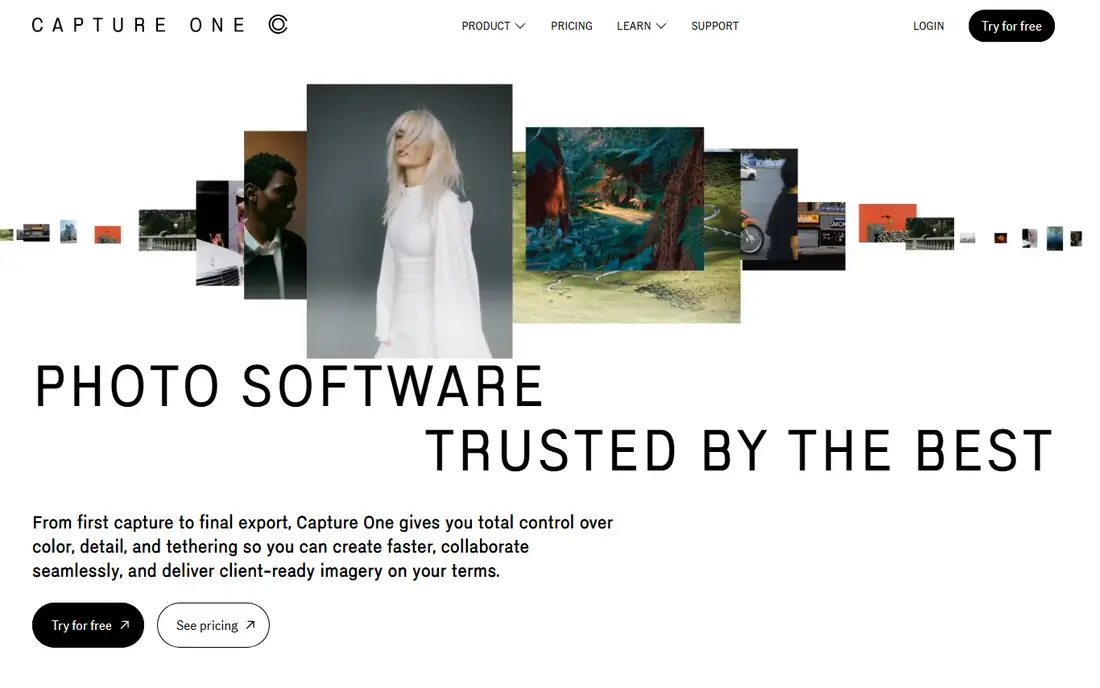
Capture One earns its place on studio sets. Tethered shooting feels fast and stable, with live view, capture naming and session folders that keep a client shoot organized while it happens. Color tools, including skin tone controls and layered adjustments, give portrait and product photographers fine control without leaving the RAW workflow. Many studio photographers say files need less work to look finished.
The price and the learning curve are real barriers. Lightroom users switching over should expect to relearn organization and shortcuts, and the mobile story is thinner than Adobe's. If you shoot tethered for clients or care deeply about color, that trade is worth testing with the trial on a real shoot.
- Excellent tethered capture
- Refined color editing
- Strong session workflow for client shoots
- Higher price than Lightroom
- Learning curve for catalog users
- Fewer mobile tools
DxO PhotoLab appeals to photographers who judge an editor by the RAW file first. Its denoise and optical corrections, built from lab-measured lens and camera profiles, often rescue high-ISO files that look rough elsewhere. Local adjustments, masking and color tools cover serious editing, even if the layout feels more technical than friendly at first glance.
Organization is the weak spot. PhotoLab manages folders well but does not replace a full Lightroom catalog for photographers with tens of thousands of images and complex collections. Pair it with a separate organizer if that matters, or accept a folder-based workflow. For image quality per dollar, with no subscription, it remains a strong pick.
- Strong denoise and lens corrections
- One-time purchase
- Detailed RAW processing
- Library tools are thinner than Lightroom
- Interface feels technical
- Upgrades cost extra
Luminar Neo is built for speed and creative effect. Sky replacement, relight, portrait enhancements and preset looks turn a flat photo into a finished image in a few clicks, which suits enthusiasts, real estate shooters and social photographers who need volume. The interface explains tools clearly, so beginners get usable results without a long tutorial phase.
That speed can overshoot. Default AI settings sometimes push saturation or sky effects too far, so check results at full size before exporting client work. Catalog performance also lags Lightroom on very large libraries. Use Luminar Neo as a creative finisher, or as a main editor if your library is modest and your priority is fast, polished output.
- One-click sky replacement and relight tools
- Friendly interface
- One-time purchase option
- Large catalogs can feel slow
- Some AI results need manual restraint
- Fewer pro tethering tools
ON1 Photo RAW tries to replace both Lightroom and Photoshop for photographers who want one purchase. It combines browsing, cataloging, RAW development, layers, masking and effects, plus portrait and sky tools, in a single app. That breadth matters for hobbyists and semi-professionals who do not want to juggle subscriptions or multiple editors for one photo.
Breadth brings clutter, and the interface can feel busy until you customize workspaces and hide panels you rarely use. Performance also depends on your hardware, so trial it with your largest folders and your typical batch size. At its one-time price, ON1 is a sensible middle ground between a free editor and an Adobe subscription.
- Catalog, RAW editing and effects in one purchase
- Layered editing
- No subscription required
- Performance varies on older machines
- Interface packs in a lot
- Mobile tools are limited
ACDSee has long been known for browsing speed, and Photo Studio Ultimate keeps that strength. Large folders open quickly, metadata and batch tools handle renaming, keywords and ratings at scale, and layered editing means fewer round trips to another app. Photographers who manage archives for agencies, schools or stock work often value that speed more than any single creative filter.
Mac users should look elsewhere, since the Windows version is the full product here. The interface also shows its depth, with many panels and modes to learn. If your daily pain is finding, sorting and batch-processing thousands of files on Windows, ACDSee deserves a trial ahead of prettier but slower editors.
- Very fast browsing and cataloging
- Layered editing built in
- Strong batch and metadata tools
- Windows focus limits Mac users
- Interface has many panels
- Pricing varies by edition
PaintShop Pro remains the cheapest full editor on this list, and that price covers layers, masks, scripts, batch processing and AI-based tools for portraits and backgrounds. For Windows users who need a capable pixel editor without a monthly bill, it handles retouching, composites and graphic work that catalog-only tools cannot. Scripting also helps repeatable batch jobs.
RAW processing and library management are not its strongest areas, so photographers who shoot mostly RAW should pair it with a dedicated RAW converter or accept a simpler workflow. The interface will not feel as modern as Pixelmator Pro or Lightroom. Judge it on output and price, and it still earns a place for budget buyers.
- Lowest entry price here
- Layers, scripts and AI tools
- One-time purchase
- RAW and catalog tools trail Lightroom
- Windows only
- Interface feels dated in places
Pixelmator Pro feels made for the Mac, because it is. It launches fast, uses native Mac frameworks, and offers layer editing, painting, vector shapes and machine learning tools for removing backgrounds, denoising and increasing resolution. Photographers who edit in Apple Photos or need a capable editor alongside it will find the integration and speed appealing.
It is not a Lightroom replacement for large catalogs, and Windows users cannot use it at all. That narrow focus is also why it works so well within its lane. For Mac-only photographers who want a polished, one-time editor for retouching and creative work, Pixelmator Pro is hard to beat at its price.
- Native Mac speed and design
- Machine learning tools for denoise and upscaling
- One-time purchase
- Mac only
- Catalog tools are light
- No Windows or Android version
How we picked these
We compared official pricing pages, feature lists and platform support for paid editors that are actively sold in October 2026, and we excluded free-only editors from this paid list even when a free product is strong. We weighed RAW quality, catalog strength, retouching depth, platform coverage and license model, favoring tools with a clear paid price and a trial. We did not claim hands-on testing, and prices here reflect the entry prices we found in research, so check the vendor page before buying since bundles and upgrade pricing change.
What to check before you buy
Start with your file type and volume. RAW shooters need strong RAW processing, lens support and batch speed, while JPEG shooters can prioritize retouching and presets. Open your own photos in the trial, not sample images, and test denoise at your usual ISO, masking on hair and edges, and export speed on a full shoot.
Next, decide on the license model with honest math. A $11.99 monthly plan costs about $144 a year, so a $229 one-time editor pays for itself in under two years if you keep it that long, before upgrade costs. Subscription editors usually add camera support faster, while one-time editors may charge for major upgrades. Finally, check your platform and storage. Mac-only tools, Windows-only tools and cloud libraries each lock you in differently, so pick the editor that fits the computer and phone you actually use.
Subscription or one-time purchase
Subscriptions suit photographers who always want the latest camera support, cloud sync and new AI tools without paying for upgrades. One-time purchases suit photographers with a stable camera, a fixed workflow and a dislike of ongoing bills. There is no universally cheaper path, since upgrade pricing and how long you keep a version decide the real cost.
RAW, catalog and retouching balance
No single paid editor leads on all three. Lightroom and Capture One lead on RAW workflow, Photoshop and Pixelmator Pro lead on pixel retouching, and ACDSee leads on fast browsing. Rank those three jobs for your work, then pick the editor that leads on your top job and is adequate on the other two.
Frequently asked questions
What is the best paid photo editing software for most people?
Adobe Lightroom is our pick for most photographers because it combines RAW editing, organization and mobile sync in one subscription. Photographers who dislike subscriptions should trial DxO PhotoLab or ON1 Photo RAW first. Your camera, library size and editing frequency should decide between them.
Is Capture One worth the higher price?
Capture One is worth it for studio and tethered photographers who need reliable capture, session organization and refined color control. Casual editors and outdoor shooters may not use those strengths enough to justify the price. Trial it on a paid shoot before switching from Lightroom.
Can I buy photo editing software once instead of subscribing?
Yes. DxO PhotoLab, Luminar Neo, ON1 Photo RAW, PaintShop Pro and Pixelmator Pro all sell one-time licenses, with details and upgrade terms on their pricing pages. Check whether major version upgrades are included, since that cost affects the long-term price.
Which paid editor is best for beginners?
Luminar Neo is the easiest starting point here, thanks to clear tools, presets and AI-assisted edits that produce finished images quickly. ON1 Photo RAW is also approachable if you want cataloging included. Beginners who plan to grow into professional work may still prefer Lightroom for its tutorials and industry familiarity.
Is Photoshop included with Lightroom?
The Adobe Photography plan bundles Photoshop and Lightroom together, which is why many photographers pay for that plan rather than Lightroom alone. Standalone Photoshop pricing differs, so check the Adobe plans page for the current bundle and storage options. If you only need Lightroom, the Lightroom-only plan may cost less.
Do paid editors handle RAW files from new cameras?
Most paid editors add new camera and lens support through updates, but timing varies. Adobe and Capture One usually update quickly, while one-time editors may tie new camera support to a paid upgrade. Before buying, confirm your exact camera model is supported in the version you would receive.
Sources
- https://www.adobe.com/products/photoshop-lightroom.html
- https://www.adobe.com/products/photoshop.html
- https://www.captureone.com/
- https://www.dxo.com/dxo-photolab/
- https://skylum.com/luminar
- https://www.on1.com/products/photo-raw/
- https://www.acdsee.com/en/products/photo-studio-ultimate/
- https://www.paintshoppro.com/en/
- https://www.pixelmator.com/pro/
See where you really rank - block by block
ProMapRanker scans Google Maps across a grid of your service area. Simple monthly plans from $19, white-label on every plan.
Start freeKeep reading
 zscaler alternatives
Best Zscaler Alternatives in 2026
Looking for zscaler alternatives? We compare 9 SASE and zero trust platforms on architecture, data protection, pricing, and fit for your network and team.
Read → zapier alternatives free
Best Zapier Alternatives Free in 2026
Nine automation tools for zapier alternatives free in 2026, all with genuinely free tiers, plus free plan limits, starting prices and upgrade paths explained.
Read → which platform is best for online reputation
Which Platform Is Best for Online Reputation in 2026
Wondering which platform is best for online reputation? We compare 8 review, listing, and response tools for small and multi-location businesses and agencies.
Read →