 ProMapRanker
Best Paid Android Apps in 2026

Key takeaways
- Tasker, Nova Launcher Prime and Poweramp are the classic one-time purchases that still repay their price for power users.
- Privacy and reading tools such as Threema and Moon+ Reader Pro charge once and avoid the subscription fatigue of many modern apps.
- Check whether a paid app is a single purchase or an added purchase inside a free app, since the Play listing price does not always tell the full story.
- Paid does not always mean better, so buy the app that fixes a daily annoyance rather than the app with the longest feature list.
Quick comparison
| Pick | Great for | Pricing starts at | Free tier | |
|---|---|---|---|---|
 Tasker | Deep Android automation | $4.49 one-time | No | Visit |
 Nova Launcher Prime | Home screen control | $29.99 one-time | No | Visit |
 Poweramp | Offline music playback | $19.99 one-time | No | Visit |
 Threema | Private messaging | $7.49 one-time | No | Visit |
 Torque Pro | Car diagnostics | $4.95 one-time | No | Visit |
 Solid Explorer | File management | See website | Free trial | Visit |
 Moon+ Reader Pro | Ebook reading | $11.99 one-time | No | Visit |
 Sleep as Android | Sleep tracking and alarms | See website | Free trial | Visit |
 SD Maid Pro | Storage cleaning | $3.96 one-time | No | Visit |
The best paid Android apps
Paid Android apps earn their place here by doing a job well for a single payment, without ads or a monthly fee getting in the way. We focused on apps that remain actively sold on Google Play in October 2026, cover different daily jobs, and offer something a free app does not match as cleanly. Prices below are Play listing prices found in October 2026, and they can vary by region and sale.
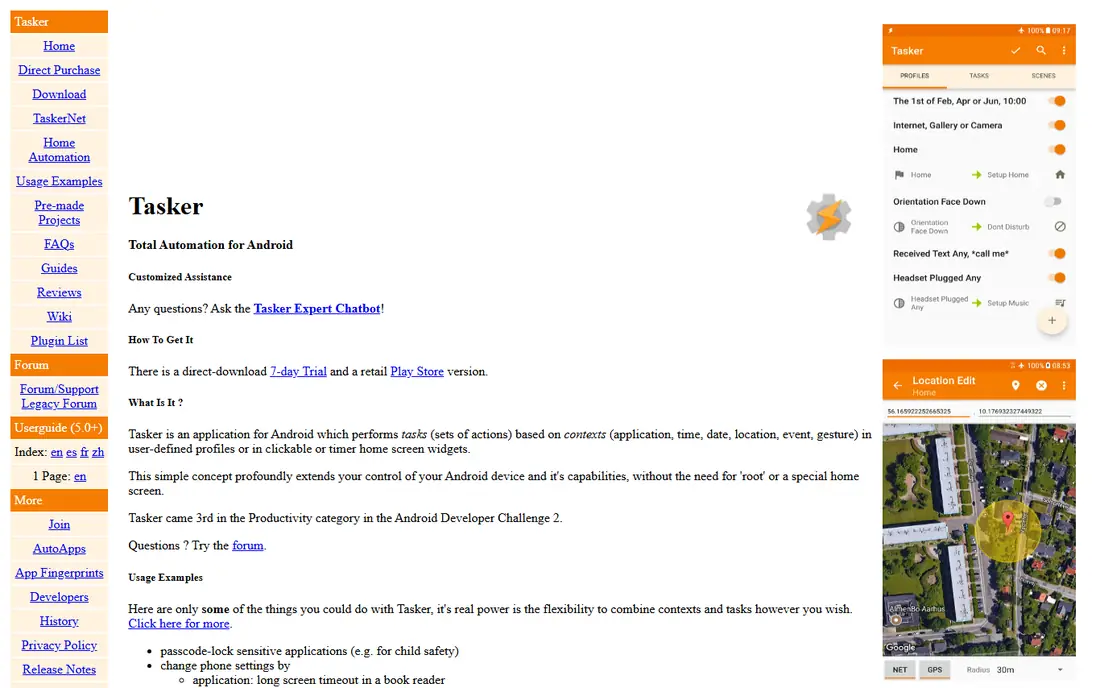
Tasker is the app power users buy when they are tired of doing the same phone chores by hand. It lets you build rules such as silencing the phone at work, turning on Wi-Fi at home, reading out notifications while driving, or launching a playlist when headphones connect. Triggers can include time, location, app use, device state and more, and actions can chain together into longer routines.
The price is low for what it does, but the learning curve is real. The interface asks you to think in profiles, tasks and contexts, and beginners may need guides and examples before a first useful automation works. Android permission rules and maker-specific battery settings can also block background actions, so some routines need extra setup on certain phones. If you enjoy that kind of setup, Tasker is one of the best-value paid apps on Android.
- Automates settings, apps and notifications from almost any trigger
- Large plugin and community scene
- One-time price for a very deep tool
- Steep learning curve for beginners
- Some actions are limited by Android permissions and phone makers
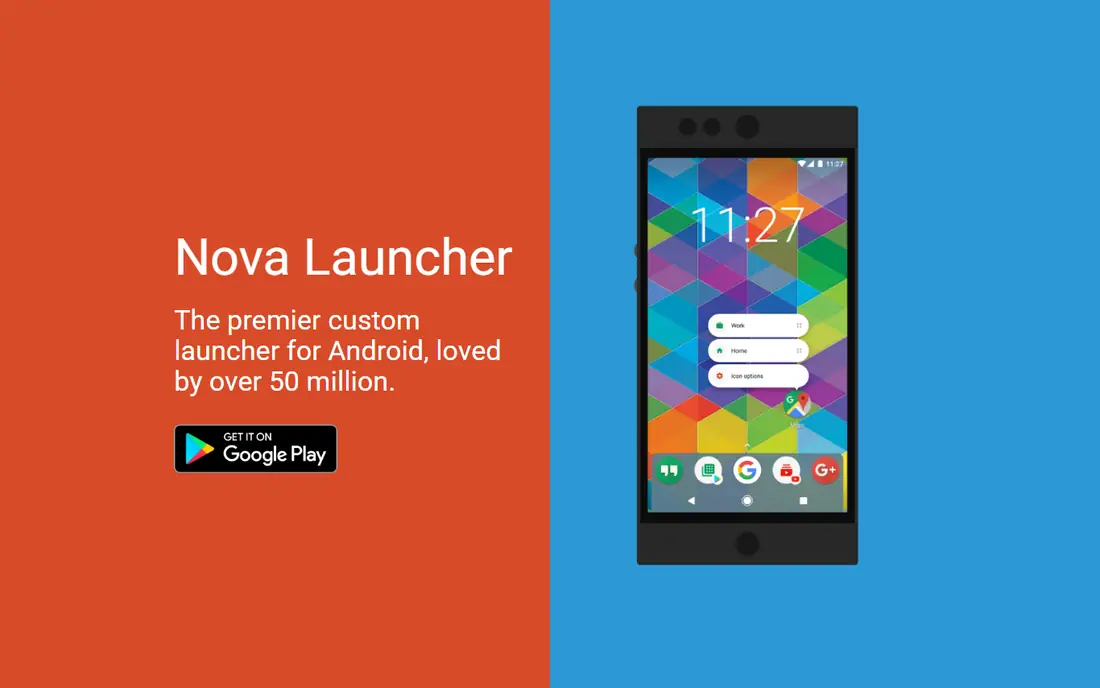
Nova Launcher Prime is the paid companion to Nova Launcher, and it adds the controls that make the launcher famous. Prime adds gestures such as swipe, pinch and double tap actions, drawer groups, hidden apps, unread counts and extra scroll effects, on top of the free launcher grid, icon and layout controls. Backup and restore is a quiet hero here, since it lets you move a carefully tuned home screen to a new phone without rebuilding it from scratch.
The catch is how the purchase works. Nova Launcher itself is free, and Prime is a separate paid purchase, listed in October 2026 at $29.99 for the lifetime Prime option in some Play listings, a sharp rise from the older low Prime price many long-time users remember. That makes it a harder impulse buy than it once was. If you customise your home screen often, Prime still pays for itself in saved fiddling.
- Deep home screen, drawer and gesture control
- Backup and restore keeps setups across phones
- Wide icon pack support
- Prime is a paid add-on to the free launcher
- Price has risen from older Prime pricing
- Sheer options can overwhelm new users
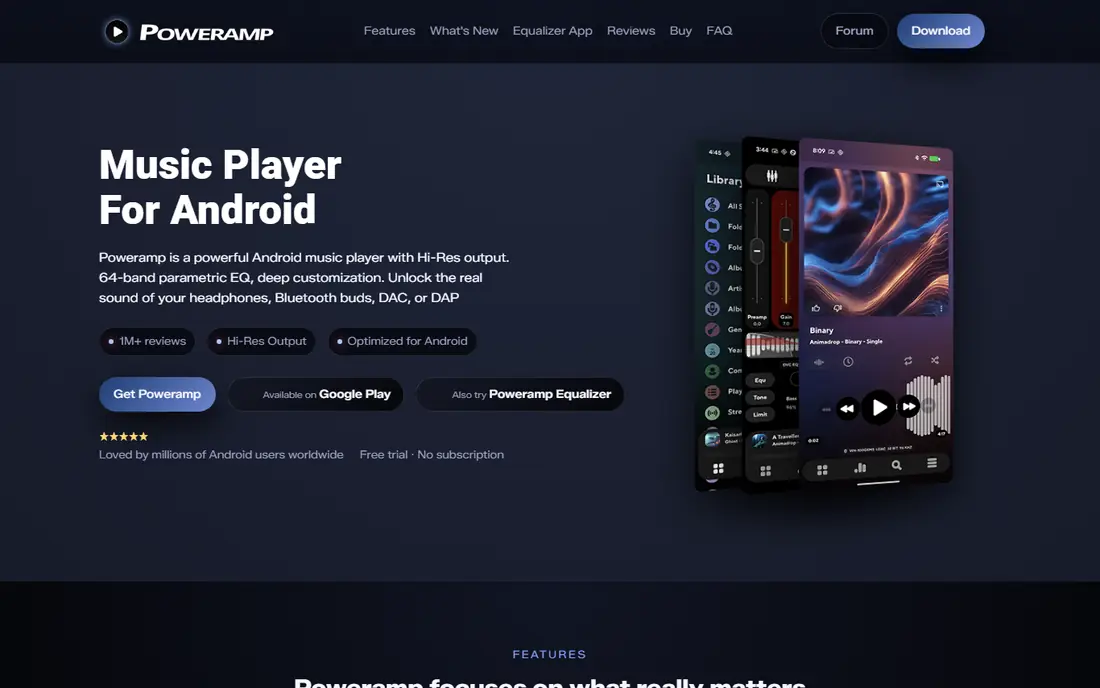
Poweramp remains a favourite for people who keep their own music files rather than streaming everything. Its audio engine supports gapless playback, high-resolution output on supported devices, and a detailed equaliser with tone and stereo controls. It handles large local libraries, folders, playlists and tags with a speed that lighter players sometimes lack, and it works fully offline, which suits commutes, flights and places with weak signal.
The full version is sold as a separate purchase, listed at $19.99 in October 2026, while the main player app can be tried first. That split can confuse buyers who expect one listing to cover everything. Casual listeners who stream most music may also find the equaliser and output settings more than they need.
- Strong audio engine with gapless playback and equaliser controls
- Handles large local libraries well
- Works fully offline
- Full version is a separate paid purchase
- Advanced audio settings can confuse casual listeners
Threema is a paid messenger built around privacy rather than growth. You can use it without a phone number or email address, and chats, group chats, calls and shared files are end-to-end encrypted. That design suits people who want a messenger for family or small groups without handing a phone number to a large social platform.
The limit is the network. A private messenger is only useful if the people you message most also install it, and Threema has no free tier to lower that first step. At $7.49, the cost is small for one person, but it adds up across a whole family group. If your circle already uses it, or you want one private channel apart from mainstream apps, Threema is a clean, one-time purchase.
- No phone number or email required for an account
- End-to-end encrypted chats, calls and file sharing
- Based in Switzerland with a clear privacy stance
- Contacts must also use Threema, so network size matters
- No free tier to test with friends first
Torque Pro turns an Android phone into a car diagnostic display, provided you also own a Bluetooth OBD2 adapter. Plug the adapter into the car diagnostic port, pair it with the phone, and Torque Pro can read fault codes, clear some codes, and show live data such as coolant temperature, engine load and fuel trims. Custom dashboards let you build gauge layouts for the readings you care about, and logging helps when a fault only appears on longer drives.
The adapter is the hidden cost, since Torque Pro alone cannot talk to a car. Support also varies, because cars expose different sensors depending on make, model and year, so one car may show a rich set of gauges while another shows a basic set. Clearing a code does not fix the underlying fault, and safety-related work still belongs to a qualified mechanic. At $4.
- Reads fault codes and live sensor data from a car
- Custom dashboards show gauges that suit your car
- Cheap next to a garage diagnostic visit
- Needs a separate Bluetooth OBD2 adapter, sold separately
- Car support varies by make, model and year
Solid Explorer is the file manager we point to when the built-in Files app feels thin. It offers two-pane browsing, drag and drop between folders, cloud storage connections, network shares through FTP, SFTP and SMB, and archive support for common formats. Batch rename with patterns helps when sorting photos or documents, and collections gather photos, music and video in one view without moving files.
The trial model needs a clear note. Solid Explorer can be tried free for a period, after which a paid licence is required to keep using it, and some extra plugins are paid separately. That makes the true price harder to quote as one number, which is why we list it as See website here and advise checking the Play listing at purchase time. If you manage files across phone, cloud and home network storage, it is worth that licence.
- Clean two-pane file browsing with cloud and network support
- Archive handling and batch rename tools
- Material design that stays easy to read
- Paid licence follows a trial period, so the free use is time-limited
- Some cloud plugins cost extra
Moon+ Reader Pro is for readers who already own ebook files and want full control over how they look. It reads EPUB, PDF, MOBI, DJVU and other formats, and it lets you tune fonts, themes, margins, line spacing, page animations and night modes until a long book feels comfortable. Reading stats, bookmarks, notes and dictionary support help with study and long novels alike, and the Pro version removes ads.
The trade-off is where your books come from. Moon+ Reader Pro is a reader and library manager, not a bookstore, so you need your own files from a store, library or personal collection. Cloud backup and sync lean on Dropbox and WebDAV, which may not match a Google Drive centred workflow. The Play price was listed at $11.99 in October 2026 after earlier price changes, so check the listing before buying.
- Reads EPUB, PDF, MOBI and more with deep layout control
- Themes, fonts and reading stats suit long books
- Ad-free reading
- Cloud sync relies on Dropbox or WebDAV rather than wider services
- Book discovery is not its job, so you bring your own files
Sleep as Android tracks sleep from the phone or a connected wearable, and wakes you inside a window around your alarm time when sleep is lighter. It records sleep graphs, movement, snoring and noise, and it can pair with smartwatches and health apps for a fuller picture. Gentle alarm sounds, vibration options and captcha-style wake tasks help heavy sleepers actually get up, while bedtime reminders support a steadier routine.
Pricing is the part to check at purchase, since Sleep as Android has used a trial plus paid licence model and Play prices vary, which is why we list it as See website here. Phone tracking also has limits, since a phone on a mattress measures movement less directly than a wrist device, and snore recording needs sensible microphone permissions and placement. If you already own a smartwatch, the app pairs well with it.
- Smart wake-up alarms aim for lighter sleep phases
- Sleep graphs, snore and noise recording, and smartwatch support
- No subscription-only lock on core tracking in the paid licence model
- Paid licence pricing varies by Play listing and region
- Phone-based tracking is less precise than a dedicated wearable for some sleepers
SD Maid Pro is a storage cleaner that shows its work before it deletes anything. It scans for corpse files left by removed apps, system caches, duplicate files and large files, and it lets you review results before cleaning. Advanced tools cover app control, databases and storage analysis, which suits users who want to know why storage filled up rather than only freeing a little space. Scheduled runs keep the job routine, and the one-time price for the original Pro edition was listed at $3.
Buyers should check the edition carefully. The developer now offers SD Maid 2 as a separate edition with its own pricing, while the original Pro edition remains a separate listing, so the price and features you see depend on which listing you open. Cleaning tools also carry a warning that applies to every app in this class: review deletions, avoid system files you do not understand, and back up important files first.
- Finds leftover files, caches and duplicates with review before deletion
- Scheduled cleaning keeps storage tidy
- Detailed tools for advanced users
- Newer SD Maid 2 edition changes the purchase model, so check which edition you buy
- Deleting system files carelessly can cause problems
How we picked these
We compared Google Play listings, developer sites, pricing and feature pages, and public reviews, and we kept only apps that are still sold and maintained in October 2026. We favoured one-time purchases over subscriptions, covered different daily jobs rather than nine versions of the same tool, and left out apps whose paid version adds little over a strong free rival. Prices can vary by region, tax and Play sales, so check the listing on your own device before paying.
How to buy paid apps wisely
Buy for a job you already do, not a job you hope to do. The best paid app on this list is the one that removes a daily friction, such as a messy home screen, a silent music library or a full storage warning. Try the free version or trial where one exists, and read the Play listing for what the payment actually covers, since some apps sell a separate full version rather than a simple in-app purchase.
Check the purchase type before you pay
Look for whether the price is a single purchase, a separate full-version app, or a licence that follows a trial. Family sharing, device limits and refund windows also vary by listing, so check those details on Play if you share purchases with family. A short refund window is a good reason to test an app on the first day, not a week later.
Watch for subscriptions hiding behind a paid label
Some apps charge once on Play and still offer optional subscriptions inside the app for extra features. That is not always a problem, but it changes the value maths. Decide whether the one-time purchase alone gives you the feature you want, and ignore optional extras until the core app proves itself.
Keep paid apps across phone changes
Most Play purchases stay tied to your Google account, so a good paid app should survive a phone upgrade. Back up app settings where the app offers it, especially for Tasker routines, Nova layouts and Moon+ libraries, since rebuilding those from scratch costs more time than the purchase price.
Frequently asked questions
What are the best paid Android apps overall?
Tasker for automation, Nova Launcher Prime for home screen control, and Poweramp for local music are our top three, since each one does a distinct job very well for a single payment. Threema and Moon+ Reader Pro are close behind for privacy and reading.
Are paid Android apps worth it compared with free apps?
They can be, when the paid version removes ads, adds offline use, or offers deeper control that free apps limit. They are not worth it when a free app already does the same job cleanly.
Do paid Android apps work on a new phone?
In most cases, yes, since Play purchases are tied to your Google account and can be reinstalled on a new device signed into the same account. Some apps have separate editions or device rules, so check the Play listing if you switch accounts, regions or device types.
What is the best paid Android app for privacy?
Threema is our pick here, since it needs no phone number or email, encrypts chats end to end, and charges once rather than selling attention. No messenger can protect messages if the other person screenshots or shares them, so privacy still depends on how you and your contacts use it.
Why do some paid app prices change so much?
Play prices vary by region, tax, currency and sales, and developers sometimes reprice a long-lived app after years at an old price. Nova Launcher Prime and Moon+ Reader Pro both show that pattern in 2026 listings.
Sources
See where you really rank - block by block
ProMapRanker scans Google Maps across a grid of your service area. Simple monthly plans from $19, white-label on every plan.
Start freeKeep reading
 zscaler alternatives
Best Zscaler Alternatives in 2026
Looking for zscaler alternatives? We compare 9 SASE and zero trust platforms on architecture, data protection, pricing, and fit for your network and team.
Read → zapier alternatives free
Best Zapier Alternatives Free in 2026
Nine automation tools for zapier alternatives free in 2026, all with genuinely free tiers, plus free plan limits, starting prices and upgrade paths explained.
Read → which platform is best for online reputation
Which Platform Is Best for Online Reputation in 2026
Wondering which platform is best for online reputation? We compare 8 review, listing, and response tools for small and multi-location businesses and agencies.
Read →