 ProMapRanker
Best Operations Management Software in 2026


Visual boards and custom workflows · Pricing starts at: $9 per user per month
Key takeaways
- Entry paid prices in this list run from $4 to $20 per user per month on annual billing, so seat math matters more than the headline price.
- ClickUp and monday give the most visual workflow control for the money, while Smartsheet fits teams that already think in spreadsheets.
- Asana and Wrike suit structured, cross team operations with clear ownership, timelines and approvals.
- Airtable is the best operations management platform in this list when work needs a real database behind it, not just a task list.
- Free plans are useful for a trial, but user caps and feature gates mean most growing teams will need a paid plan.
Quick comparison
| Pick | Great for | Pricing starts at | Free tier | |
|---|---|---|---|---|
| monday work management | Visual boards and custom workflows | $9 per user per month | Yes | Visit |
 Asana | Structured timelines and cross team work | $10.99 per user per month | Yes | Visit |
 ClickUp | Most features per dollar | $7 per user per month | Yes | Visit |
 Smartsheet | Spreadsheet style planning | $9 per user per month | Free trial | Visit |
 Wrike | Approval workflows at scale | $10 per user per month | Yes | Visit |
 Airtable | Database driven operations | $20 per user per month | Yes | Visit |
 Notion | Docs, wikis and tasks in one place | $10 per user per month | Yes | Visit |
 Zoho Projects | Budget friendly operations tracking | $4 per user per month | Yes | Visit |
 Pipefy | No code process workflows | See website | Free trial | Visit |
The best operations management software
These tools help a team run repeatable work: intake, assignment, approvals, deadlines and reporting. We compared them on workflow design, planning views, automation, reporting and price.
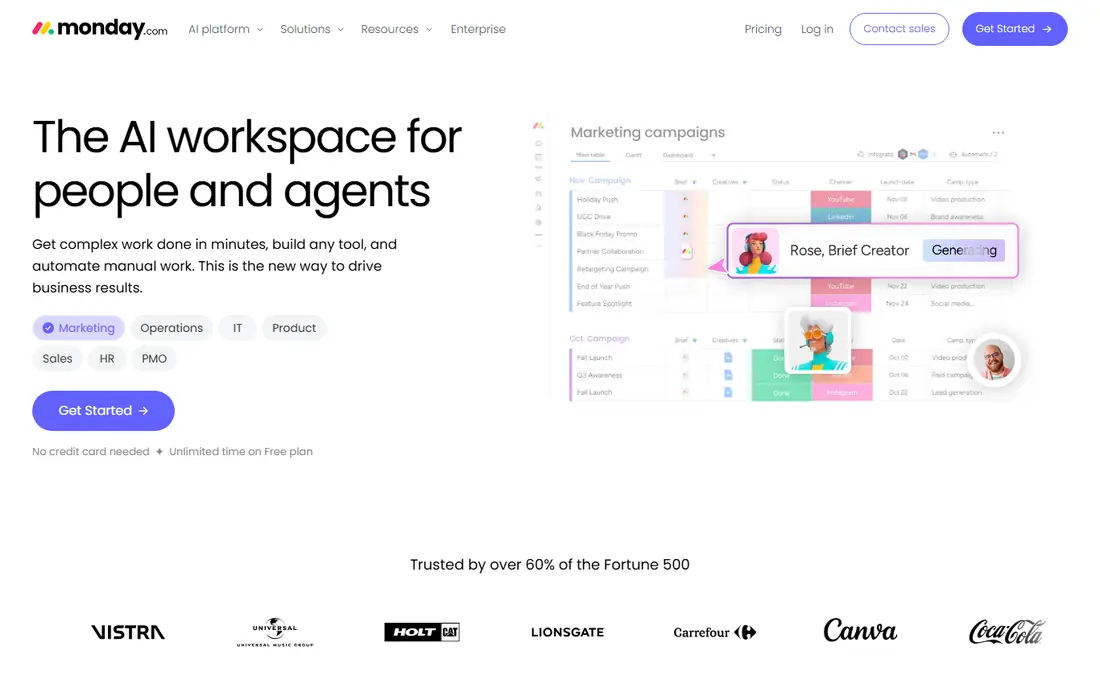
monday work management is the easiest visual pick for an operations team that does not want to learn a complex system. Boards, timelines, calendars and dashboards show who owns what, what is late and where work is stuck, and templates cover intake, inventory, hiring and client work. Automations can move a task, notify an owner or change a status when a condition is met.
The catch is price at scale. The $9 Basic plan is a starting point, and teams that need advanced reporting, time tracking depth or stronger permissions will move up the tiers. That is still good value for a team that needs fast adoption, but a large team should model the full seat cost before rolling it out company wide.
- Visual boards that non technical teams adopt fast
- Many templates
- Custom workflows and automations
- Cost climbs with headcount and higher tiers
- Reporting depth needs higher plans
- 3 seat minimum on paid plans
Asana suits operations work where ownership and dates must be clear across teams. Tasks, subtasks, timelines, dependencies and portfolios let a manager see a whole program, not just one project, and rules can route work when a status changes. It is a calm, structured system, which helps when many teams hand work to each other.
The limit is flexibility. Teams that want deep custom databases or highly visual board design may find Asana more rigid than monday, ClickUp or Airtable. Asana is still the right pick when the main problem is coordination: who does what, by when, and what depends on it.
- Clear task ownership
- Timelines and dependencies
- Portfolios for cross team work
- Customization is less open than monday or ClickUp
- Advanced features need higher tiers
- Cost grows with seats

ClickUp packs the most into its price. The $7 Unlimited plan on annual billing covers tasks, docs, goals, dashboards and automations, and the free plan is genuinely usable for a small team. That makes it the best operations management tool for a team that wants one platform for planning, tracking and reporting without paying for several apps.
The trade-off is complexity. ClickUp can do so much that a team without a clear owner can build a tangled workspace with too many views and custom fields. Give one person ownership of the structure, start with a small set of workflows, and add depth only when a real bottleneck appears.
- Free plan with unlimited members
- Tasks, docs, goals and dashboards in one place
- Low entry paid price
- Depth takes time to learn
- Setup can become messy without an owner
- Some features need higher tiers
Smartsheet is the natural pick for operations teams that already plan in spreadsheets. Work lives in grids that look like a spreadsheet, but with owners, dates, dependencies, forms and dashboards on top. That mix suits budgeting, rollout plans, vendor tracking and other operations work where rows, columns and formulas feel natural.
The main drawback is the lack of a permanent free plan, with a 30 day trial instead. The interface also feels more functional than friendly compared with monday or Asana. For a spreadsheet native team, those points matter less than the reporting and planning depth Smartsheet offers at $9 per user per month.
- Familiar grid view
- Strong reporting and dashboards
- Good for large plans and budgets
- No permanent free plan
- Interface feels less modern than monday
- Automation depth needs higher plans
Wrike fits operations at scale, where approvals, proofing and cross functional work need control. Marketing, creative and product operations teams use it for intake, review cycles, resource planning and reporting, with Gantt views for managers who need to see a timeline. Permissions and audit style controls help larger teams keep work clean.
Small teams may find Wrike heavy. The $10 Team plan is a fair entry point, but the full value appears when a team uses approvals, custom workflows and reporting together. A team of three that only needs a task list should start with Trello, ClickUp or monday instead.
- Gantt charts and proofing
- Approval workflows
- Strong permissions and reporting
- Setup takes effort
- Interface can feel heavy for small teams
- Best features need higher tiers
Airtable is different from the other tools here, because work sits on a database rather than a simple task list. A team can link customers to orders, orders to inventory and inventory to vendors, then view the same data as a grid, kanban board, calendar or gallery. Forms and interfaces let non technical staff add and update records without touching the database design.
That power comes at a price and with a learning curve. At $20 per user per month for the Team plan, Airtable is the most expensive entry price here, and a poorly designed base can confuse a team. It earns its place when operations work needs linked records, such as asset tracking, content pipelines or vendor management.
- Real relational database behind work
- Flexible views
- Strong forms and interfaces
- Highest entry price in this list
- Needs design thought
- Not ideal as a simple task list
Notion suits an operations team that needs procedures and work in the same place. Standard operating procedures, wikis, meeting notes and task boards can live together, so a new hire can read how a process works and see the live work in the same workspace. The $10 Plus plan on annual billing is the realistic paid starting point for a team.
Notion is weaker as a pure operations reporting tool. It does not match Asana or Wrike for portfolio reporting, workload planning or approval chains. Use Notion when knowledge and tasks must stay together, and pair it with a dedicated tracker if reporting becomes the main job.
- Docs, wikis and tasks together
- Flexible pages
- Good for SOPs and knowledge
- Project reporting is thinner than Asana or Wrike
- Can become disorganized
- Automation is limited
Zoho Projects is the budget pick for operations tracking. At $4 per user per month on annual billing, it covers tasks, milestones, Gantt charts, timesheets and basic reporting, and it fits naturally with Zoho CRM, Zoho Books and other Zoho apps. A small business already on Zoho gets a coherent stack without a large new bill.
The interface is less polished than monday or Asana, and teams outside the Zoho world may find fewer native integrations. For a cost sensitive team that needs solid tracking rather than visual flair, Zoho Projects is hard to beat on price alone.
- Lowest paid price in this list
- Gantt, milestones and timesheets
- Strong fit for Zoho users
- Interface feels dated
- Integrations outside Zoho are thinner
- Advanced features need higher tiers
Pipefy is built for repeatable business processes rather than general project lists. A team designs a process as stages in a pipe, adds forms for intake, sets rules for approvals and assignments, and tracks every request through the same path. That structure suits hiring, purchasing, onboarding and service requests, where the same steps must happen every time.
The drawback is pricing clarity. Pipefy does not publish a simple per user starting rate in the same way as the other tools here, so buyers need a quote. It also has a smaller community than monday or Asana, which means fewer public templates and guides. For a process heavy team, the no code workflow design can still outweigh those points.
- No code workflow builder
- Forms and intake
- Clear process stages and rules
- Pricing is not published as a simple per user rate
- Less known than monday or Asana
- Reporting needs setup
How we picked these
We compared official pricing pages, product documentation and current pricing guides, and we kept only tools that exist and work in October 2026 and truly fit operations management. We looked for workflow design, planning views, automation, reporting and a mix of prices, from $4 to $20 per user per month. Where pricing was not published, we used See website rather than inventing a number.
How to choose the right operations tool
Start with the work, not the tool. List your five most repeated processes and note where work gets stuck: intake, approval, handoffs or reporting. If intake and approvals are the bottleneck, Pipefy or Wrike may help most. If planning and ownership are the bottleneck, Asana or monday may help most. If linked data is the bottleneck, Airtable is the stronger pick.
Next, test with one real process for two weeks. Build the intake form, the stages, the owners and one report, and run live requests through it. A tool that looks good in a demo but slows down real requests is the wrong tool, no matter how low its price. Finally, check seat rules, guest access and export options before you commit, because those three items decide the real cost and the exit cost.
A simple rollout plan
Name one owner, document the process in plain language, build only the stages you need, and train the team on one workflow before adding more. Add automations only after the manual process works, and review the workspace monthly to remove unused fields and views.
Frequently asked questions
What is the best operations management software?
The best operations management platform depends on the work. monday suits visual teams, Asana suits cross team coordination, ClickUp suits value, Smartsheet suits spreadsheet teams, and Airtable suits linked data work.
What is the best operations management tool for a small team?
ClickUp and Zoho Projects are the strongest small team picks here. ClickUp has a usable free plan and a $7 paid plan, while Zoho Projects starts at $4 per user per month and covers the basics well.
What is the best operations management platform for approvals?
Wrike and Pipefy are the strongest approval picks. Wrike adds proofing and Gantt views for larger teams, while Pipefy is built around no code process stages and intake forms.
Can I use Notion as an operations management tool?
Yes, for docs plus tasks. Notion works well when procedures and live work must stay together, but it is thinner than Asana or Wrike for portfolio reporting and workload planning.
How much does operations management software cost?
Entry paid plans in this list run from $4 to $20 per user per month on annual billing, with free plans or trials for most tools. The total depends on seat count, guest rules and which tier holds the reporting and automation features you need.
Is there a free operations management tool in this list?
Yes. monday, Asana, ClickUp, Wrike, Airtable, Notion and Zoho Projects all offer a free plan, while Smartsheet and Pipefy offer a free trial. Free plans have caps, so check user limits and feature gates before a full rollout.
Sources
See where you really rank - block by block
ProMapRanker scans Google Maps across a grid of your service area. Simple monthly plans from $19, white-label on every plan.
Start freeKeep reading
 zscaler alternatives
Best Zscaler Alternatives in 2026
Looking for zscaler alternatives? We compare 9 SASE and zero trust platforms on architecture, data protection, pricing, and fit for your network and team.
Read → zapier alternatives free
Best Zapier Alternatives Free in 2026
Nine automation tools for zapier alternatives free in 2026, all with genuinely free tiers, plus free plan limits, starting prices and upgrade paths explained.
Read → which platform is best for online reputation
Which Platform Is Best for Online Reputation in 2026
Wondering which platform is best for online reputation? We compare 8 review, listing, and response tools for small and multi-location businesses and agencies.
Read →