 ProMapRanker
Best Online Selling Platform for Small Business in 2026

Key takeaways
- Shopify is our pick for most growing stores, while Square Online and Big Cartel are the cheapest ways to start.
- WooCommerce gives the most control, but you pay for hosting and you handle updates and security yourself.
- Marketplaces such as Etsy bring buyers to you, yet fees and rules limit how much of your brand you control.
- Transaction fees matter as much as the monthly plan, so check both before you commit to a platform.
- A small catalog does not need an enterprise plan, so start simple and move only when sales justify it.
Quick comparison
| Pick | Great for | Pricing starts at | Free tier | |
|---|---|---|---|---|
 Shopify | Growing product brands | $29 per month | Free trial | Visit |
 Squarespace | Design-led small brands | $19 per month | Free trial | Visit |
 Wix | Simple stores with a visual builder | $29 per month | Yes | Visit |
 WooCommerce | WordPress users wanting control | Free | Yes | Visit |
 BigCommerce | Larger catalogs and B2B selling | $29 per month | Free trial | Visit |
 Square Online | Sellers who also sell in person | Free | Yes | Visit |
 Etsy | Makers testing demand fast | Free | Yes | Visit |
 Ecwid | Adding a store to an existing site | $5 per month | Yes | Visit |
 Big Cartel | Artists with small catalogs | Free | Yes | Visit |
The best online selling platforms for small business
We compared official pricing pages, plan features, and app store listings to find platforms that a small business can actually run day to day. The list mixes full store builders, one open-source option, and marketplaces, because the right choice depends on how you sell.

Shopify suits a store that plans to grow beyond a handful of orders a week. Its checkout is polished, its admin is clear, and its app store covers email marketing, subscriptions, reviews, and shipping labels. You can sell on your site, on social channels, and in person through Shopify POS, with inventory kept in one place.
The catch is cost creep. The Basic plan covers the core store, but many owners add paid apps for search, bundles, or loyalty, and those add up. If you use Shopify Payments, you avoid the extra platform transaction fee, so that choice is worth making early. For most small brands that want room to scale without rebuilding, Shopify remains the safest default.
- Large app ecosystem
- Strong checkout and POS tools
- Many themes and sales channels
- Monthly cost rises with apps
- Transaction fee applies with third-party payment providers on Basic
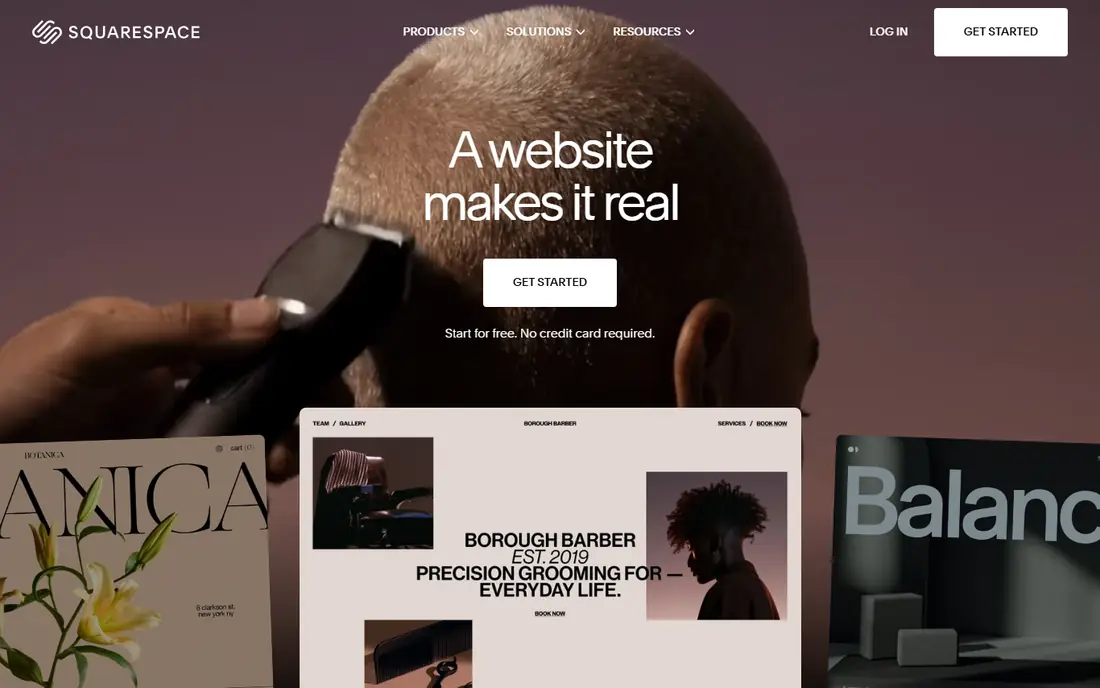
Squarespace is a strong pick when the look of the site matters as much as the checkout. Its templates are clean and consistent, and a small brand can build a site, a portfolio, and a store without touching code. Blogging and email tools sit inside the same account, which keeps a one-person operation simple.
Commerce features are solid for a modest catalog, including variants, discounts, and digital products. The limits show up at scale, where deeper inventory, B2B, and marketplace tools are thinner than on Shopify or BigCommerce. If your catalog is small and your brand story leads the sale, Squarespace is a good fit.
- Attractive templates
- Site and store in one place
- Good blogging tools
- Basic commerce plan adds a transaction fee
- Fewer ecommerce apps than Shopify

Wix appeals to owners who want to place every element exactly where they want it. The builder is visual, the template range is wide, and selling tools cover products, subscriptions, bookings, and digital goods. For a local shop that also wants pages for services, events, or a blog, that breadth helps.
The free plan is useful for trying the builder, but you need a paid commerce plan to accept payments on your own domain. Wix is less suited to very large catalogs or complex B2B pricing, where BigCommerce or Shopify fit better. For a straightforward small store, it is easy to launch and easy to edit.
- Flexible drag-and-drop builder
- Many templates
- Built-in marketing tools
- Free plan cannot sell online
- Switching templates later can be awkward
WooCommerce turns a WordPress site into a store, and it is the pick for owners who already run WordPress or who want full control. The plugin itself is free, you own your data, and you can shape checkout, shipping, and product pages with thousands of extensions. Content and commerce live together, which suits brands that sell through articles, guides, and search traffic.
That freedom comes with work. Hosting, domain, security, backups, and plugin updates are your job, or your developer's job, and costs vary with your host and extensions. Payment processing still applies on every order. If you like control and you are comfortable with WordPress, WooCommerce is hard to beat on value.
- Free core plugin
- Full control over design and data
- Huge extension range
- You pay for hosting and manage updates
- Setup takes more time
BigCommerce fits stores that outgrow a simple builder but do not want a wall of paid apps for basic features. It includes more out of the box, from product options and customer groups to multi-storefront selling, and it handles larger catalogs with ease. B2B features such as price lists and quote tools make it a natural step for wholesalers.
The admin feels more businesslike and less playful than Wix or Squarespace, and beginners may need a few days to settle in. Design options are good but not as broad as Shopify's theme store. If your catalog is large, or you sell to both retail and trade buyers, BigCommerce deserves a close look.
- Strong built-in features
- No added platform transaction fee with many providers
- B2B tools
- Theme and app choice is smaller than Shopify
- Learning curve is steeper
Square Online is the easiest free start for a shop that already takes card payments with Square. Inventory, orders, and customers sync between the online store and the till, so a sale in store and a sale online draw from the same stock. Setup is fast, and the free plan lets you list unlimited products.
The trade-off is branding on the free plan and a higher online card rate than on paid plans, so heavy sellers should price the Plus plan into their maths. Design flexibility is narrower than on Squarespace or Wix. For cafes, gift shops, and market stall sellers moving online, Square Online is a practical first store.
- Free plan with unlimited products
- Tight Square POS link
- Simple setup
- Free plan shows Square branding
- Higher card rate on the free plan
Etsy is not a website builder in the usual sense, and that is its strength for makers. Buyers already search Etsy for handmade, vintage, and craft supplies, so a new shop can get views without building an audience from zero. Opening a shop is free, and listing is a simple form with photos, price, and shipping details.
Fees add up, with a listing fee, a transaction fee, and payment processing on each order, and Etsy sets rules on shop presentation and policies. You also build Etsy's brand as much as your own. Many sellers start on Etsy to test demand, then add their own store later and keep Etsy as a second channel.
- Built-in buyer traffic
- No monthly fee to open a shop
- Simple listing process
- Listing and transaction fees on every sale
- Limited brand control
Ecwid suits a business that already has a website, a blog, or a social following and just needs to add selling. You embed the store into your existing pages instead of rebuilding the whole site, and you manage products, orders, and discounts from one dashboard. The free plan covers a very small catalog, which is enough to test one or two products.
If you have no site at all, a full builder such as Wix or Squarespace may be simpler, since Ecwid on its own does not replace a complete website. For creators, bloggers, and local firms with a site they like, Ecwid is the lowest-friction way to start selling.
- Embeds into an existing site or social page
- Free plan for tiny catalogs
- Simple admin
- Not a full website builder
- Paid plans needed for larger catalogs
Big Cartel is built for artists, musicians, and makers with a small range. The free Gold plan covers five products, paid plans rise to 50 and then 500 products, and the platform states it charges no transaction fee, though your payment provider still charges its own rate. Setup is quick, themes are tidy, and the admin stays out of your way.
The cap is the catch. A shop that grows past 500 products, or that needs deep discount, subscription, or marketplace tools, will outgrow Big Cartel. For a small drop, a print run, or a merch line, that simplicity is a feature, not a flaw, and the price stays low while the catalog stays small.
- Free plan for up to five products
- No platform transaction fee
- Clean, simple setup
- Product caps on every plan
- Fewer marketing tools than larger platforms
How we picked these
We compared official pricing pages, plan limits, and feature lists, and we kept only platforms that are live in October 2026 and that a small US business can use to sell real products. We favoured a mix of full builders, an open-source option, and marketplaces, because the best ecommerce platform for small business is not the same for a maker, a retailer, and a WordPress site owner. We did not claim hands-on testing, and we left prices as See website where a vendor gates pricing behind a quote.
What to check before you choose a platform
Start with how you sell, not with the feature list. A maker with ten products needs a different tool from a retailer with two thousand SKUs, and a service business that also sells gift cards needs different checkout options from a pure product store. List your must-have items, such as subscriptions, bookings, digital downloads, or in-person sales, and drop any platform that charges extra for a must-have on its entry plan.
Then do the fee maths on a typical order. Add the monthly plan, the payment processing rate, and any platform transaction fee, and work out what you keep from a sale at your average price. A free plan with a higher card rate can cost more than a paid plan once volume rises. Check shipping tools, tax handling, and whether you can export your product and customer data if you leave.
Finally, test the builder before you pay for a year. Build a product page, run a test order, and try the mobile view, since many buyers shop on phones. A platform that feels easy in week one is more likely to stay updated in month six, and that habit matters more than a long feature list you never use.
Frequently asked questions
What is the best platform for a small business website?
For most small businesses, Shopify, Squarespace, or Wix cover the common cases. Shopify fits growing product stores, Squarespace fits design-led brands, and Wix fits owners who want a visual builder. If you already run WordPress, WooCommerce keeps your site and store together.
What is the best ecommerce platform for small business on a tight budget?
Square Online, Big Cartel, and Ecwid all offer free plans, and Etsy lets you open a shop with no monthly fee. Free does not mean free to sell, since payment processing and marketplace fees still apply, so compare the total cost per order, not just the monthly price.
What are the best ecommerce apps for small business?
Most platforms here offer mobile apps for managing orders, and Shopify, Square, Wix, and Squarespace all let owners check sales and edit products from a phone. If app-based selling is your main channel, check that inventory, refunds, and customer messages work in the app, not just on desktop.
Do I need my own website or can I just sell on a marketplace?
You can start on Etsy or another marketplace to test demand, and many sellers do. Your own store gives you control over branding, email lists, and pricing, and it protects you if marketplace rules change. A common path is to run both, with the marketplace bringing new buyers and your own store keeping repeat buyers.
How much does it cost to run a small online store?
Costs vary with the platform, the plan, and your order volume. Expect a monthly plan or a free plan plus payment fees, plus a domain, and possibly paid apps or themes. Work out the cost per order at your expected volume before you choose, and avoid a yearly plan until you have tested the platform for a month.
Can I switch platforms later if I outgrow my first choice?
Yes, but switching takes work, since product data, customer records, and site design do not move in one click. Most platforms offer import tools or migration apps, and keeping clean product data from the start makes a later move easier. Choose a platform you can grow with for at least a year to avoid a rushed move.
Sources
See where you really rank - block by block
ProMapRanker scans Google Maps across a grid of your service area. Simple monthly plans from $19, white-label on every plan.
Start freeKeep reading
 zscaler alternatives
Best Zscaler Alternatives in 2026
Looking for zscaler alternatives? We compare 9 SASE and zero trust platforms on architecture, data protection, pricing, and fit for your network and team.
Read → zapier alternatives free
Best Zapier Alternatives Free in 2026
Nine automation tools for zapier alternatives free in 2026, all with genuinely free tiers, plus free plan limits, starting prices and upgrade paths explained.
Read → which platform is best for online reputation
Which Platform Is Best for Online Reputation in 2026
Wondering which platform is best for online reputation? We compare 8 review, listing, and response tools for small and multi-location businesses and agencies.
Read →